
Affiliate disclosure: As an Amazon Associate, Tech Rig Review earns from qualifying purchases. Links on this page may be affiliate links, at no extra cost to you.
Looking for the best lightweight laptops on Amazon for travel and work? Compare 10 portable laptops for remote work, business, study, and daily use.
Choosing a laptop for travel and work isn’t only about processor speed. Weight, battery life, screen size, keyboard comfort, ports, build quality, and operating system can make a much bigger difference when you carry the computer every day.
The best lightweight laptops for travel and work should be easy to put in a backpack, comfortable to use for several hours, and powerful enough for common work tasks — email, web browsing, documents, spreadsheets, video meetings, research, content writing, and cloud apps.
This guide is based on laptop listings and manufacturer information rather than hands-on testing, and considers different buyer needs — a frequent traveler may want the lightest possible 13-inch laptop, while a remote worker may prefer a larger 14-inch screen, and a Windows user has very different needs from someone invested in macOS.

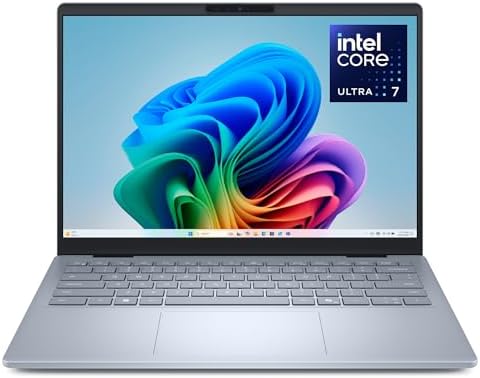

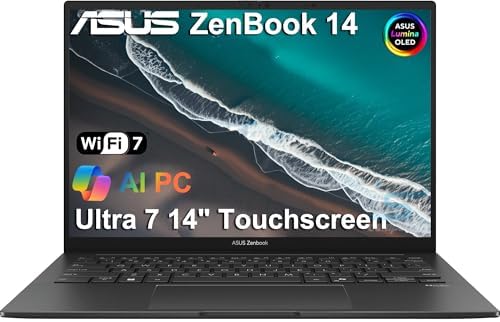

Exact Amazon prices aren’t shown since they change quickly. Before buying, always check the current listing, configuration, seller, warranty, and delivery information.
See also 10 Best Amazon Laptop Computers – Honest Reviews & Buying Guide (2026) if you’re building a complete mobile workspace.
Table of Contents
Quick Comparison
| Laptop | Best For | Key Feature | Buyer Sentiment | Amazon |
|---|---|---|---|---|
| Apple MacBook Air 13″ M4 | Best overall | Balance of portability and performance | Generally well regarded | Check Price on Amazon |
| ASUS Zenbook 14 OLED | Best Windows OLED | OLED display, strong AMD processor | Strong interest among productivity buyers | Check Price on Amazon |
| Microsoft Surface Laptop 13.8″ | Best premium Windows travel laptop | Compact touchscreen design | Generally well reviewed | Check Price on Amazon |
| Dell Inspiron 14 Plus | Best larger Windows option | 14″ high-resolution display | Positive but listing-specific | Check Price on Amazon |
| HP Pavilion Aero 13 | Best lightweight budget Windows option | Very low carry weight | Generally positive for portability | Check Price on Amazon |
| Lenovo Yoga 7i 2-in-1 | Best convertible | Laptop/tablet flexibility | Popular with flexible-work buyers | Check Price on Amazon |
| Acer Swift 16 AI | Best large lightweight screen | Large display without gaming-laptop bulk | Strong productivity appeal | Check Price on Amazon |
| ASUS Vivobook 15 | Best affordable everyday work | Large screen, everyday performance | Popular budget category | Check Price on Amazon |
| Dell XPS 13 | Best compact Windows premium option | Small premium design | Strong premium-laptop reputation | Check Price on Amazon |
| Lenovo ThinkPad X1 Carbon | Best business travel laptop | Business-focused design and keyboard | Strong business-user reputation | Check Price on Amazon |
Research note: Amazon configurations change — exact RAM, SSD, processor, screen, seller, and warranty can vary between listings. Check the live Amazon page before buying.
1. Apple MacBook Air 13-inch M4 — Best Overall for Travel and Work

One of the easiest laptops to recommend to travelers comfortable using macOS. The 13.6-inch model combines a compact footprint with a low carry weight, and the M4 platform gives it enough performance for typical work — web research, writing, office documents, video calls, photo work, and multitasking. The researched configuration lists a 13.6-inch display, M4 processor, 16GB unified memory, and 256GB SSD.
The main advantage is balance — not an enormous screen, but the 13.6-inch size fits a backpack easily and suits people who move between airports, hotels, coworking spaces, classrooms, and home offices. For writers and remote workers, the combination of a good keyboard, sharp display, strong processor, and quiet operation makes sense. The real question isn’t whether it can handle normal office work — it can — but whether macOS fits your software needs.
Key Specs
| Spec | Detail |
|---|---|
| Display | 13.6″ |
| Processor | Apple M4 |
| Memory | 16GB unified (researched config) |
| Storage | 256GB SSD (researched config) |
| OS | macOS |
| Charging | MagSafe |
| Ports | USB-C, 3.5mm headphone jack |
Pros
- Excellent performance for everyday work
- Very portable, strong battery-focused design
- High-quality display, quiet operation
- Good choice for writers and remote workers
Cons
- Fewer traditional ports than many Windows laptops
- Not ideal if you require Windows-only software
- Storage configuration matters
- Premium positioning
Who Should Buy It?
Writers, marketers, students, consultants, developers working with compatible tools, and remote professionals who want a small, premium laptop that doesn’t feel bulky.
Who Should Skip It?
Anyone whose work depends on Windows-only applications, or who needs many built-in USB-A ports.
2. ASUS Zenbook 14 OLED — Best Windows Laptop for Screen Quality

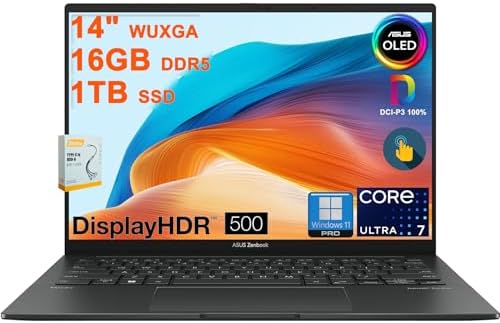
A strong choice for people who want Windows and care about display quality. The researched listing identifies an AMD Ryzen 7 8840HS processor, 16GB memory, 512GB SSD, a 14-inch WUXGA touchscreen, and a 2.82-pound weight — a screen larger than a typical 13-inch ultraportable without moving into a heavy 15-inch machine.
The display is the biggest attraction: a 16:10 panel gives more vertical workspace than a traditional 16:9 screen, useful for reading documents, writing articles, browsing long web pages, or working with spreadsheets. The researched configuration also includes USB-C, USB-A, HDMI, and a headphone/microphone jack — a useful port selection if you don’t want to carry a USB hub while traveling.
Key Specs
| Spec | Detail |
|---|---|
| Display | 14″ WUXGA, 16:10, touchscreen |
| Processor | AMD Ryzen 7 8840HS (researched listing) |
| RAM | 16GB |
| Storage | 512GB SSD |
| Graphics | Integrated AMD Radeon |
| OS | Windows 11 |
| Ports | USB-C, USB-A, HDMI, headphone/mic jack |
| Weight | ~2.82 lbs (researched config) |
Pros
- Excellent portability for a 14″ laptop
- High-quality display, useful port selection
- Good multitasking hardware
- Suitable for office and creative work
Cons
- Exact configuration can vary
- Some listings sold by third-party sellers
- Battery results depend on workload
- OLED isn’t essential for everyone
Best For
Remote workers who want Windows, a premium screen, and enough performance for demanding productivity tasks.
3. Microsoft Surface Laptop 13.8-inch — Best Premium Windows Travel Laptop
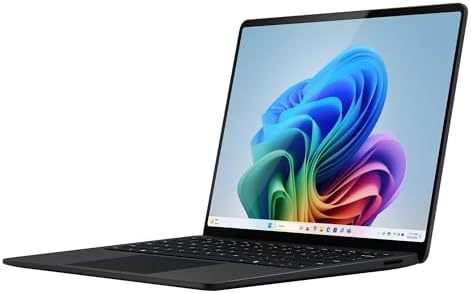

Designed for buyers who want a compact Windows computer with a premium feel. The researched listing identifies a 13.8-inch touchscreen, Snapdragon platform, 16GB RAM, 1TB SSD, and a package weight of about 1.22 kg — a compact screen attractive for frequent travelers, with more room than many 13-inch notebooks while staying easy to pack. The touchscreen suits users who like direct interaction with Windows, and the design fits documents, email, browser-based applications, presentations, meetings, and general productivity well.
One important consideration: the Snapdragon platform is ARM-based Windows, excellent for battery-focused mobile computing, but software compatibility should be checked if you rely on specialized Windows programs, older applications, unusual drivers, or business tools. That doesn’t make it a bad laptop — just check your software before ordering.
Key Specs
| Spec | Detail |
|---|---|
| Display | 13.8″, touchscreen |
| Processor | Snapdragon (ARM) |
| RAM | 16GB (researched listing) |
| Storage | 1TB SSD (researched listing) |
| OS | Windows 11 |
| Graphics | Integrated |
| Weight | ~1.22 kg |
Pros
- Excellent travel size, premium design
- Touchscreen, large storage in researched config
- Good choice for mobile productivity
Cons
- ARM software compatibility needs checking
- Configuration differences can be significant
- Fewer ports than some conventional Windows laptops
Best For
Business travelers, consultants, students, writers, and remote workers who want a compact Windows machine.
4. Dell Inspiron 14 Plus — Best for Buyers Who Want More Screen


Not everyone wants the smallest laptop possible — sometimes a traveler wants a larger screen while staying relatively easy to carry. The researched configuration uses a 14-inch 2560×1600 touchscreen, Snapdragon X Plus processor, 16GB RAM, 1TB SSD, and weighs about 3.2 pounds.
The display resolution is the major advantage — plenty of workspace for documents and multitasking — and the 14-inch size is a good middle ground between a 13-inch travel laptop and a large 16-inch machine. The configuration also includes a microSD reader, useful for photographers and creators moving files from cards.
Key Specs
| Spec | Detail |
|---|---|
| Display | 14″, 2560×1600, touchscreen |
| Processor | Snapdragon X Plus |
| RAM | 16GB |
| Storage | 1TB SSD |
| OS | Windows 11 Pro (researched listing) |
| Graphics | Integrated Qualcomm |
| Extras | MicroSD reader, fingerprint reader, backlit keyboard |
| Weight | ~3.2 lbs (researched config) |
Pros
- High-resolution display, large SSD in researched config
- 16GB RAM, compact 14″ form factor
- Fingerprint reader, MicroSD reader
Cons
- Heavier than the smallest travel laptops
- Snapdragon compatibility should be checked
- RAM is onboard in the researched configuration
- Exact Amazon configurations vary
Best For
Remote workers who want more screen space and storage without carrying a large 15- or 16-inch computer.
5. HP Pavilion Aero 13 — Best Lightweight Windows Option
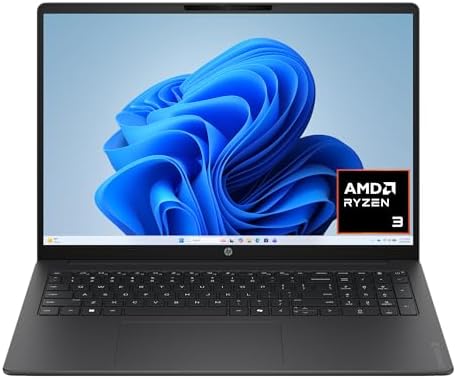

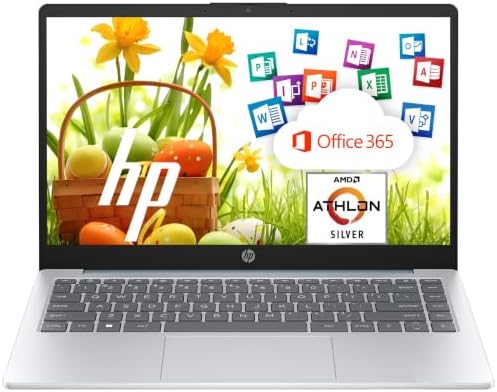
Worth attention if weight is your top concern. The researched listing identifies a 13.3-inch display, Ryzen 7 processor, 16GB RAM, and 512GB SSD, weighing around one kilogram depending on the exact model and market — exactly what frequent travelers want.
A slightly lighter laptop may not sound important on a spec sheet, but it matters after several hours of carrying it — every gram adds up once you factor in a charger, mouse, notebook, and headphones. The Pavilion Aero line was designed around this idea.
Key Specs (varies by configuration)
| Spec | Detail |
|---|---|
| Display | 13.3″ |
| Processor | AMD Ryzen |
| RAM | 16GB (selected configs) |
| Storage | 512GB SSD (selected configs) |
| Graphics | Integrated Radeon |
| OS | Windows |
| Extras | USB-C, fingerprint reader (selected configs) |
| Weight | Very lightweight chassis |
Pros
- Extremely portable, good for students and remote workers
- Solid AMD everyday performance
- Compact footprint
Cons
- Older configurations still sold through some marketplaces
- Exact display and processor can vary
- Check seller and warranty carefully
- Smaller screen than 14″ models
Best For
Students, writers, consultants, commuters, and frequent travelers for whom carrying weight matters more than screen size.
6. Lenovo Yoga 7i 2-in-1 — Best for Flexible Work
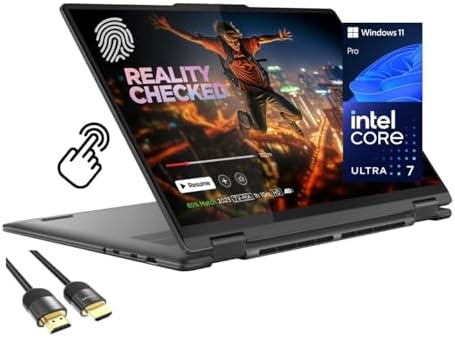

A convertible laptop is useful when your work changes from day to day. The Yoga 7i functions as a traditional laptop and folds into other modes for touch-based use — useful for presentations, note-taking, reading, media consumption, and flexible work setups. A normal laptop suits typing; tablet mode suits reading; tent mode suits watching a presentation or working in a small hotel room. That flexibility can make a 2-in-1 more useful than a traditional laptop for some travelers.
Because Yoga 7i configurations change, check the processor generation, RAM, SSD capacity, display resolution, touch support, pen support, weight, battery capacity, and included accessories before buying — don’t assume every listing shares the same specs.
Pros
- Flexible 2-in-1 design with touchscreen
- Good for presentations and travel
- Can serve as both laptop and tablet-style device
Cons
- More moving parts than a traditional clamshell
- Some configurations heavier than dedicated ultraportables
- Exact specifications vary
- Pen availability depends on the listing
Best For
Students, consultants, business travelers, and anyone who likes switching between laptop and tablet modes.
7. Acer Swift 16 AI — Best Large Screen for Travel


A 16-inch laptop normally sounds like the opposite of lightweight. The Swift 16 AI challenges that by offering a larger display in a relatively portable design — a productivity-focused machine with a 16-inch OLED display weighing around 3.42 pounds.
The main reason to consider a 16-inch laptop is workspace — if you work with spreadsheets, timelines, research documents, dashboards, or several windows at once, a larger display reduces the need to constantly switch between windows, which can make a real difference during a workday. The obvious trade-off: it takes more room in your bag than a 13-inch laptop.
Pros
- Large workspace, OLED display on researched configurations
- Relatively light for its screen size
- Good for productivity and content consumption
Cons
- Larger footprint, not ideal for small backpacks
- More screen means more carrying space
- Integrated graphics limit serious gaming
Best For
Remote workers who want a large screen without carrying a heavy gaming laptop.
8. ASUS Vivobook 15 — Best Affordable Everyday Work Laptop
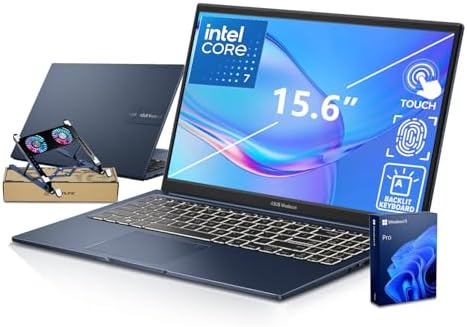


Aimed at buyers who want a larger display and normal Windows productivity without moving into a premium ultrabook. Configurations typically pair AMD Ryzen processors with 8GB RAM and 256GB SSD options — plenty for email, Google Docs, Microsoft Office, web browsing, video calls, online learning, streaming, and light business work, without needing an expensive premium laptop.
The trade-off: the larger 15.6-inch display is comfortable but less travel-friendly than a 13- or 14-inch machine, and some budget configurations use only 8GB RAM and smaller SSDs — fine for light use, but buyers who keep many browser tabs open should look for a higher-memory configuration where available.
Pros
- Large screen, Windows compatibility
- Good for basic office work
- Many configurations available, budget-oriented
Cons
- Less portable than 13″ or 14″ models
- Some configurations have only 8GB RAM
- Budget build can feel less premium
- Storage may be limited on entry models
Best For
Buyers for whom screen size and value matter more than having the lightest possible travel laptop.
9. Dell XPS 13 — Best Premium Compact Windows Laptop

- PREMIUM ULTRA-PORTABLE DESIGN – Weighing only 2.2 lbs, the Dell XPS 13 designed for users who value performance, mobilit…
- POWERFUL PERFORMANCE – Powered by Intel Core 5 320 Processor (up to 4.6 GHz) and Intel Graphics, this PC delivers effici…
- IMMERSIVE DISPLAY – Features a 13.4-inch 2.5K (2560×1600) display with narrow borders, 500-nit brightness, and 120Hz ref…
Long aimed at people who want a premium Windows laptop in a small package. The current generation and available configurations can change, so pay close attention to the exact processor, RAM, SSD, display, and seller shown on Amazon.
The XPS 13 is built around portability — easier to carry through airports, use on airplanes, fit into small backpacks, use on coffee-shop tables, and store in hotel rooms — and the smaller chassis suits people who don’t need a large screen. Don’t buy one simply because the listing says “XPS 13”: check the processor generation, RAM, SSD, display resolution, port selection, operating system, warranty, seller, and exact model number, since multiple generations can appear in the same search results.
Pros
- Compact design, premium positioning
- Excellent travel concept
- Good for professional users, Windows ecosystem
Cons
- Small screen
- Limited ports on some generations
- Premium configurations can be expensive
- Amazon listings can mix generations
Best For
Professionals who want a small Windows laptop and are willing to pay more for premium design.
10. Lenovo ThinkPad X1 Carbon — Best Business Travel Laptop

- Unopened retail packaging, sold as configured by Lenovo. One Year Onsite Lenovo Warranty. Add up to 5 years of Lenovo Pr…
- Released in early 2024, Lenovo’s 12th generation of the flagship ThinkPad X1 Carbon is a powerhouse of performance boost…
- The updated keyboard includes tactile bumps on some of the keys, making it easier for touch typists. The revised 120mm g…
If your laptop is a work tool first and entertainment device second, the ThinkPad X1 Carbon deserves a place on your shortlist. The X1 Carbon family is known for its business-focused design, strong keyboard reputation, security features, and portable form factor — roughly 2.4 pounds on certain configurations.
The ThinkPad approach is practical rather than flashy, focused on work — useful if you spend much of your day typing reports, responding to email, managing spreadsheets, joining meetings, and working with business software. It combines lightweight construction, business features, a comfortable keyboard, professional design, and multiple configuration choices, which is what makes it particularly appealing to people who travel for work.
Pros
- Excellent business focus, lightweight
- Strong keyboard reputation, professional design
- Good for long work sessions
Cons
- Premium configurations can cost more
- Integrated graphics not designed for serious gaming
- Model generations vary
- Amazon listings need careful configuration checking
Best For
Business travelers, executives, consultants, managers, writers, and professionals who type for hours each day.
How to Choose a Lightweight Laptop for Travel and Work
Buying a lightweight laptop is easy if you only look at weight — buying the right one takes balancing several factors.
1. Start with your work. If you mostly use Gmail, Google Docs, Word, Excel, Zoom, Slack, Notion, Canva, or research websites, you probably don’t need a workstation — a modern ultraportable is enough. If you edit high-resolution video, work with 3D software, run virtual machines, or use heavy engineering applications, your requirements change. Don’t sacrifice performance just to save a few hundred grams.
2. Choose the right screen size. For frequent travel, 13–14 inches is usually the sweet spot:
- 13″: frequent flyers, students, writers, commuters, small backpacks
- 14″: remote workers, business users, general productivity, a balanced choice
- 15–16″: spreadsheets, large documents, video editing, multitasking, buyers who value screen space
The larger the screen, the more weight and bag size matter.
3. Don’t ignore RAM. For a modern work laptop, aim for 16GB when the budget allows. 8GB works for basic tasks, but 16GB gives much more breathing room for browser tabs and multitasking — especially important since some thin laptops have memory that can’t be upgraded later.
4. Check the SSD. 256GB may be enough if most files live in the cloud, but 512GB is more comfortable for many users — consider more if you store videos, photos, large project files, or offline documents.
5. Think about ports. An extremely thin laptop with only USB-C ports is fine if you use modern accessories, but annoying if you regularly connect USB flash drives, HDMI displays, wired mice, external storage, SD cards, or projectors. The researched ASUS Zenbook configuration, for example, includes USB-C, USB-A, HDMI, and a headphone/microphone jack.
6. Consider battery life carefully. Manufacturer claims are useful for comparison but not a guarantee — actual battery life depends on screen brightness, browser tabs, video calls, Wi-Fi use, processor workload, background apps, display type, and power settings. For travel, good battery endurance is one of the most valuable features you can buy.
7. Check the operating system.
- MacBook: if you like macOS and your software works on it
- Windows: if you need broad software compatibility or prefer Windows
- ARM Windows (be careful): if you use older or specialized applications — check compatibility first, as with the Surface Laptop and Dell Snapdragon configurations
8. Check the seller. Look at “Sold by,” “Ships from,” warranty, return policy, condition, model number, and exact configuration — a listing can look identical while being sold by different sellers, and warranty experience isn’t guaranteed to be the same across listings.
Lightweight Laptop vs. Ultrabook: What’s the Difference?
“Ultrabook” generally means a thin, portable Windows laptop, though the exact branding varies. For a buyer, the more important questions are: How much does it weigh? How thick is it? How long does the battery last? How fast is it? How good is the keyboard? What ports does it have? Can the RAM be upgraded? Is the display suitable for your work? Those details matter more than the label.
What Is the Best Lightweight Laptop for Remote Work?
For most people, start with a 13- or 14-inch laptop with 16GB RAM and at least 256GB or 512GB SSD storage. The MacBook Air is attractive if you prefer macOS. The ASUS Zenbook 14 is attractive for Windows with a high-quality display. The Microsoft Surface Laptop suits portability and a premium Windows experience. The ThinkPad X1 Carbon makes more sense when business use and typing comfort are especially important.
What Is the Best Lightweight Laptop for Frequent Travelers?
Prioritize, roughly in this order: weight, battery life, durability, screen size, keyboard, charger size, ports, performance. A slightly slower laptop that lasts all day and weighs less can be a better travel computer than a much faster, heavier one — one reason the MacBook Air, HP Pavilion Aero, Surface Laptop, and compact premium Windows models are attractive choices.
What Is the Best Size for a Travel Laptop?
For most travelers, 13 to 14 inches is the best range — 13″ is easier to carry, 14″ gives a bit more workspace, and 15–16″ makes sense if your work depends on a large screen. There’s no universal winner; it depends on how much screen you need versus how much weight and bag space you want to save.
Can a Lightweight Laptop Handle Office Work?
Yes — a modern lightweight laptop easily handles Word, Excel, PowerPoint, Google Workspace, email, web research, video conferencing, project management, cloud storage, and social media management. The key is choosing enough RAM and storage — 16GB RAM is a sensible target for many professional users.
Can I Edit Photos on a Lightweight Laptop?
Yes, depending on the software and editing type. Basic Lightroom, Photoshop, Canva, and similar tasks work well on modern thin laptops. For serious 4K video production, 3D rendering, or heavy creative workloads, look beyond the lightest models — a thin laptop is designed around portability, a workstation around sustained performance, and those are different goals.
Are Lightweight Laptops Durable?
Lightweight doesn’t automatically mean fragile — many premium laptops use aluminum, magnesium, carbon fiber, or other lightweight materials, though construction varies widely. If you travel often, check hinge quality, chassis material, keyboard construction, manufacturer durability claims, warranty, and user feedback — and use a padded laptop sleeve, since even a durable laptop can be damaged by a hard fall inside a backpack.
Should You Buy a 13-Inch or 14-Inch Laptop?
Choose 13 inches if portability is your top priority; choose 14 inches for a better balance between portability and workspace. Remote workers generally lean 14″; frequent travelers generally lean 13″.
Should You Buy 8GB or 16GB RAM?
If you plan to keep your laptop for several years, 16GB is the safer choice — modern browsers and applications can use a surprising amount of memory. If the laptop’s memory is soldered and can’t be upgraded, choosing 16GB at purchase matters even more.
Is a MacBook Air Good for Travel?
Yes — its compact design makes it a strong travel option. The main question is software compatibility; if all your work applications run properly on macOS, it’s one of the simplest choices for a portable premium laptop.
Is an OLED Laptop Better for Work?
Not automatically. OLED provides excellent contrast and rich image quality — attractive for photos, movies, design, and general visual work — but a good IPS display can also be excellent for office work. Don’t buy OLED simply because it sounds premium; think about your actual needs.
What Should You Check Before Buying a Laptop on Amazon?
- Exact model number
- Processor
- RAM
- SSD
- Screen resolution
- Weight
- Operating system
- Seller
- Warranty
- Return policy
Check the current listing immediately before buying — Amazon inventory and configurations can change.
Frequently Asked Questions
What is the best lightweight laptop for travel and work?
The Apple MacBook Air is a strong overall choice for macOS users. For Windows users, the ASUS Zenbook 14, Microsoft Surface Laptop, and compact Dell or Lenovo models are worth considering.
How much should a lightweight work laptop weigh?
No strict rule, but around 2 to 3 pounds is particularly convenient for frequent travel. A 3-pound-plus laptop can still be very portable if it offers a larger screen.
Is 16GB RAM enough for work?
For most office, remote-work, study, writing, browsing, and productivity tasks, yes — a very comfortable target.
Is a 13-inch laptop too small for work?
Not necessarily — excellent for writing, email, browsing, meetings, and documents. People who work heavily with spreadsheets or multiple windows may prefer 14 inches or larger.
Are lightweight laptops good for students?
Yes — students often benefit from lightweight designs since they carry the computer between classes, libraries, dorms, and home.
Is a MacBook better than a Windows laptop for travel?
Neither is universally better. MacBooks suit people who prefer macOS and Apple’s ecosystem; Windows laptops offer broader hardware and software choices.
Should I buy 256GB or 512GB storage?
If most of your files are in the cloud, 256GB can work. If you store photos, videos, documents, and applications locally, 512GB provides more breathing room.
Are Snapdragon Windows laptops good for work?
They can be, especially for portable, battery-focused computing — but check compatibility first if you depend on specialized or older Windows applications.
Final Verdict
The best lightweight laptops for travel and work aren’t all designed for the same person.
For the best overall balance, the MacBook Air 13-inch is a strong choice for people happy with macOS. For a Windows laptop with a high-quality display, the ASUS Zenbook 14 OLED is one of the most interesting options here. For a compact premium Windows computer, consider the Microsoft Surface Laptop. For a larger high-resolution screen, the Dell Inspiron 14 Plus is worth a look. If carrying weight is your biggest concern, the HP Pavilion Aero 13 deserves attention. And if business productivity is your priority, the Lenovo ThinkPad X1 Carbon remains an important category to consider.
Before buying, don’t rely only on the laptop name — Amazon often has multiple configurations of the same model. Check the exact processor, RAM, SSD, display, seller, warranty, and return information on the live listing.
Related TechRigReview Guides
- 10 Best Amazon Laptop Computers – Honest Reviews & Buying Guide
- 7 Best HP Laptops on Amazon — if you’re specifically comparing HP models
- 10 Best Adjustable Laptop Stands on Amazon — for working from a temporary desk while traveling
Amazon Associates Disclosure: As an Amazon Associate I earn from qualifying purchases.

MD.HASAN is an experienced SEO expert and amazon products review writer passionate about helping people find right products on amzon for buy without confusion. With 4 years of hands-on experience in content strategy and search engine optimization, he specializes in writing SEO-friendly blog posts that rank, engage, and convert.


