
Affiliate disclosure: As an Amazon Associate, Tech Rig Review earns from qualifying purchases. Links on this page may be affiliate links, at no extra cost to you.
Looking for the best Chromebooks on Amazon under $400? Compare five researched Chromebook picks for students, work, travel, and everyday use.
A Chromebook can be a smart buy when you want a simple laptop without spending a lot. But finding the best Chromebooks on Amazon under $400 isn’t as easy as it looks — Amazon has hundreds of listings, and many use similar names while offering very different hardware.
Some have only 4GB of RAM; others have 8GB. Some use small eMMC storage, while newer Chromebook Plus models can include much faster SSD storage. Screen size also varies from compact 11-inch models to large 15.6-inch laptops.
That’s why these five products weren’t chosen by name alone. I researched current Amazon listings, checked available product information, compared specifications with manufacturer sources, and looked for products offering a useful balance of performance, screen quality, storage, portability, and price.
I also paid attention to the Chromebook Plus standard. Google says Chromebook Plus devices meeting its current hardware criteria include at least 8GB of RAM, 128GB of storage, a Full HD IPS-or-better display, and a suitable modern processor.

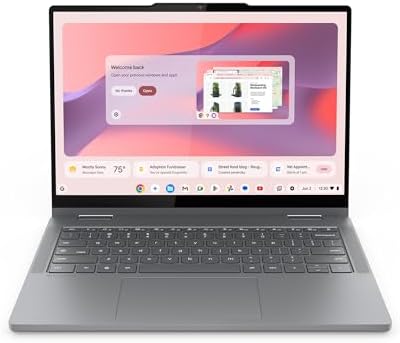


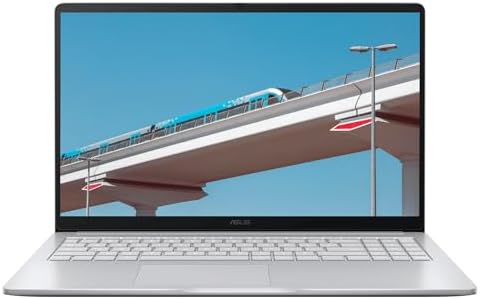
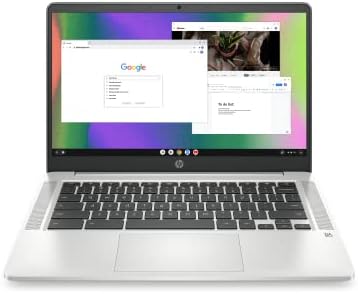
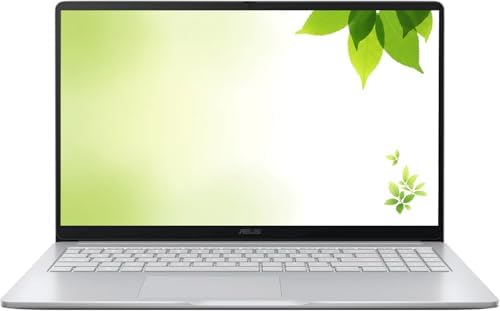
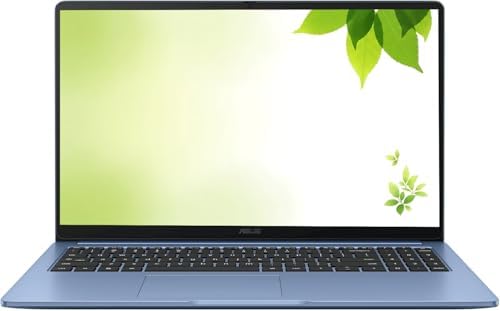


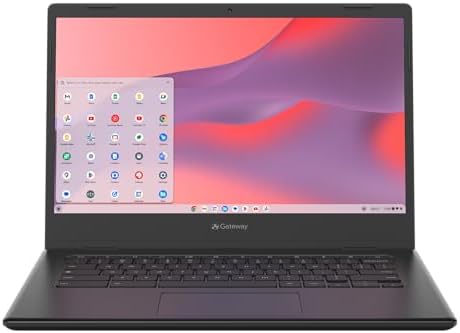


The result is a list with different strengths: the Acer Chromebook Plus 515 is the best large-screen choice, the Acer Chromebook Plus 514 a strong compact productivity option, the ASUS Chromebook Plus CX34 a good all-around choice, the Lenovo IdeaPad Flex 5i Chromebook Plus the pick for a 2-in-1 design, and the Acer Chromebook 315 the budget-focused choice for simple school and home tasks.
Research disclosure: These laptops were not personally purchased or tested. This article is based on product research, manufacturer specifications, Amazon listing information, and available buyer-feedback patterns. Always check the live Amazon page before buying, since availability and configurations can change.
Table of Contents
Quick Comparison
| Product | Best For | Key Feature | Buyer Sentiment | Amazon |
|---|---|---|---|---|
| Acer Chromebook Plus 515 | Large-screen productivity | 15.6″ FHD IPS touchscreen | Consistently well-rated | Check on Amazon |
| Acer Chromebook Plus 514 | Students and remote work | 14″ FHD display, 8GB RAM | Generally positive for value and performance | Check on Amazon |
| ASUS Chromebook Plus CX34 | Best all-around option | 12th-gen Core i3 platform | Strong sentiment for everyday productivity | Check on Amazon |
| Lenovo IdeaPad Flex 5i Chromebook Plus | 2-in-1 use | 360° touchscreen design | Well-rated for flexibility | Check on Amazon |
| Acer Chromebook 315 | Basic budget computing | 15.6″ FHD screen + number pad | Positive budget-focused feedback | Check on Amazon |
Amazon prices are intentionally not shown since they can change — use the links above to check current price and availability.
1. Acer Chromebook Plus 515 — Best Large-Screen Chromebook

- The Best of Google, in a Laptop: Chromebooks run ChromeOS, the fast, secure operating system from Google, with built-in …
- Get Google AI Pro, 2TB of Storage, and More for 12 Months at No Cost: Boost your productivity and creativity with 12 mon…
- The Power To Do More : A 2x faster Intel Core i3-1305U processor and up to double the memory and storage, so you can edi…
Best for: Students, remote workers, home-office users, and anyone who prefers a 15.6-inch display.
A large screen can make a surprising difference on a Chromebook. If you spend a lot of time in documents, spreadsheets, lessons, or several browser windows at once, a 15.6-inch display gives more room than a compact Chromebook — and this Acer pairs that with the Chromebook Plus platform.
The specific CB515-2HT-33M4 configuration uses a 13th-generation Intel Core i3-1305U, 8GB LPDDR5X memory, and 256GB PCIe NVMe SSD storage. Acer also lists a 15.6-inch Full HD IPS touchscreen, Wi-Fi 6E, HDMI, USB-C, and a 1080p webcam. It’s not built to compete with a premium MacBook or high-end Windows laptop — its purpose is different: a modern ChromeOS computer with a large display, enough memory for normal multitasking, and more storage than many entry-level Chromebooks. Acer lists up to 10 hours of battery runtime, though real-world results depend on brightness, apps, and network use.
Key Specs
| Spec | Detail |
|---|---|
| Model | Chromebook Plus 515 (CB515-2HT-33M4) |
| Processor | Intel Core i3-1305U (13th Gen) |
| RAM | 8GB LPDDR5X |
| Storage | 256GB PCIe NVMe SSD |
| Display | 15.6″, 1920×1080, IPS, touchscreen |
| Graphics | Intel UHD Graphics |
| Wireless | Wi-Fi 6E |
| Webcam | 1080p |
| Ports | HDMI, USB-C, 3 USB total |
| Battery | Up to 10 hrs (listed) |
| Weight | ~3.7 lbs |
| ASIN | B0DVCDZBWV |
Pros
- Large 15.6″ Full HD touchscreen display
- 8GB RAM, 256GB NVMe SSD
- Modern 13th-gen Intel processor, Wi-Fi 6E
- 1080p webcam, HDMI output
- Chromebook Plus feature set
Cons
- Larger than a typical 13–14″ Chromebook, less travel-friendly
- Display brightness may not suit every outdoor environment
- Verify the exact configuration on Amazon before ordering
- Not for demanding desktop-class creative software
Why This Chromebook Stands Out
Many budget Chromebooks use smaller screens to save cost and weight — fine for portability, less so if the laptop lives on a desk. The Full HD IPS panel (1920×1080, touchscreen) is a real step up from entry-level low-res screens, and 8GB RAM gives real breathing room for many open tabs and web apps.
Is It Good for Students / Remote Work?
Yes to both. For school, it handles Docs, Sheets, Slides, classroom sites, research, video calls, and streaming comfortably, with the large screen especially useful for long documents and spreadsheets. For remote work, the 1080p webcam suits video meetings, and HDMI/USB ports make it easy to build out a desk setup — see our Amazon desk accessories guide for ideas.
Final Verdict
The best choice here if screen size matters most — a 15.6″ FHD IPS touchscreen, 8GB memory, 256GB SSD, a modern Intel processor, and Chromebook Plus features add up to a strong feature set.
2. Acer Chromebook Plus 514 — Best for Students and Remote Work

- The Best of Google, in a Laptop: Chromebooks run ChromeOS, the fast, secure operating system from Google, with built-in …
- Get Google AI Pro, 2TB of Storage, and More for 12 Months at No Cost: Boost your productivity and creativity with 12 mon…
- The Power To Do More : A 2x faster Intel Core i3-N305 processor and up to double the memory and storage, so you can edit…
Best for: Students, remote workers, and buyers who want a compact Chromebook Plus laptop.
A good example of why Chromebook Plus is worth considering in the budget market. This configuration (model CB514-4H-38JA) uses an Intel Core i3-N305, 8GB LPDDR5 memory, and 128GB SSD, with a 14-inch Full HD IPS display, Wi-Fi 6E, a Full HD camera, and ChromeOS.
The 14-inch size is a nice middle ground — large enough for productivity, small enough to fit a backpack easily, with plenty of screen area for documents, tabs, and online classes. Google’s Chromebook Plus requirements call for at least 8GB RAM and 128GB storage alongside a suitable processor, Full HD IPS-or-better display, and 1080p-or-better webcam — this Acer configuration fits that baseline.
Key Specs
| Spec | Detail |
|---|---|
| Series / Model | Chromebook Plus 514 (CB514-4H-38JA) |
| Processor | Intel Core i3-N305 (8 cores) |
| RAM | 8GB LPDDR5 |
| Storage | 128GB SSD |
| Display | 14″, 1920×1080, IPS |
| Touch | Configuration-dependent — verify on the listing |
| Wireless | Wi-Fi 6E |
| Camera | Full HD |
| ASIN | B0CZ9MHC6R |
Pros
- 8GB RAM, 128GB SSD
- Full HD IPS display, modern Intel processor
- Wi-Fi 6E, Chromebook Plus platform
- Compact 14″ form factor — good for students and remote workers
Cons
- Less storage than the 256GB Acer 515
- Smaller screen than a 15.6″ model
- Integrated graphics, not for demanding gaming
- Not a substitute for a high-end Windows workstation
Why the Chromebook Plus Label Matters
It doesn’t mean every Chromebook Plus laptop is identical — it means the platform sits on a higher hardware baseline than many basic Chromebooks (8GB RAM, 128GB storage, Full HD IPS-or-better display, 1080p-or-better webcam, modern processors), which is a useful quick filter when comparing models.
Is 128GB Enough?
For many ChromeOS users, yes — Chromebooks lean on Google Drive, Google Photos, and streaming/web apps to reduce the need for huge local storage. If you download a lot of video or keep a large offline library, consider the Acer 515 instead.
Is It Good for Online Classes / Office Work?
Yes to both — the 14″ screen suits Google Classroom, Docs, Slides, and Meet comfortably, and the Full HD camera helps with video calls. For browser-based office work, Google Workspace and web-based Microsoft 365 both run naturally on ChromeOS.
Final Verdict
A good balance between portability and productivity. If you want a 14-inch Chromebook Plus with 8GB RAM and an SSD, this is one of the more interesting choices under $400.
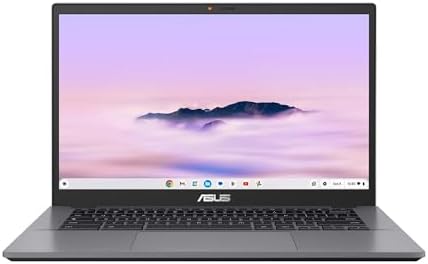
3. ASUS Chromebook Plus CX34 — Best All-Around Chromebook
- Processor Manufacturer: Intel
- Processor Type: Core i3
- Processor Generation: 12th Gen
Best for: Buyers who want a balanced 14-inch Chromebook for work, school, browsing, and entertainment.
One of the more balanced choices here. The tracked CX3402CBA-DH388-GR configuration uses a 12th-generation Intel Core i3-1215U, 8GB RAM, 128GB flash storage, a 14-inch Full HD display, and ChromeOS. ASUS lists the CX34 family as an in-stock Chromebook Plus product built around this processor and display size.
The Core i3-1215U isn’t a gaming chip or a workstation CPU — it’s well suited to browser-based productivity, office work, school assignments, streaming, and general everyday use, and the 14-inch display keeps it practical without ballooning to 15.6-inch size.
Key Specs
| Spec | Detail |
|---|---|
| Series / Model | Chromebook Plus CX34 (CX3402) |
| Processor | Intel Core i3-1215U (12th Gen) |
| RAM | 8GB |
| Storage | 128GB |
| Display | 14″, 1920×1080 |
| Graphics | Intel UHD Graphics |
| ASIN | B0D7TS3K65 |
Pros
- 12th-gen Intel Core i3, 8GB RAM
- 14″ Full HD display, Chromebook Plus platform
- Good balance of portability and screen size
- Familiar ASUS laptop design — comfortable if moving from Windows
Cons
- 128GB storage is limited for large local files
- Specifications vary across CX34 configurations
- Not a dedicated gaming laptop
- Verify whether the listing is new or renewed
Why Choose ASUS?
Brand familiarity matters to some buyers — the CX34’s keyboard and overall layout feel closer to a traditional notebook than some very small Chromebook designs, which helps if you’re moving from Windows to ChromeOS but want the physical feel to stay familiar.
Is It Good for Students / Remote Work?
Yes — the 14″ screen and keyboard suit long typing sessions and browser-based education (Classroom, Docs, Slides, Drive, video calls). For remote work built around Gmail, Docs, Sheets, Slack, Microsoft 365 web apps, Zoom, and similar browser tools, the CX34 is a solid fit; choose a Windows laptop instead if you need Windows-only applications.
Storage: The Main Limitation
128GB works for many users, especially those leaning on cloud storage — but it’s the first spec to double-check before ordering if you keep a lot of files locally; consider a 256GB Chromebook instead in that case.
Final Verdict
A balanced choice that doesn’t try to win every category — a modern Intel processor, 8GB RAM, a 14-inch Full HD screen, and ChromeOS in a familiar laptop format.
4. Lenovo IdeaPad Flex 5i Chromebook Plus — Best 2-in-1 Chromebook
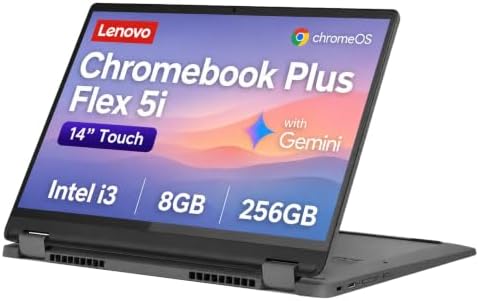
- BUILT FOR EVERYDAY USE — The IdeaPad Flex 5i Chromebook Plus features a x360 degree hinge, allows Flex ‘Laptop’ mode for…
- GOOGLE AI BUILT IN, WITH GEMINI — Supercharge your daily tasks with Gemini. Brainstorm fresh ideas, quickly understand a…
- THOUGHTFUL DESIGN — Equipped with Intel Core i3-1315U (6 cores, 8 threads, up to 4.5GHz) and Intel UHD Graphics; paired …
Best for: Students, travelers, note-taking, presentations, and anyone who wants laptop and tablet modes.
Different from the other picks because it’s built around flexibility. The 360-degree hinge lets it work as a normal laptop, fold flat into tablet mode, or stand in a tent-style position for video or presentations. The researched configuration uses an Intel Core i3-1315U, 8GB RAM, 256GB SSD, a 14-inch FHD+ touchscreen, and ChromeOS.
That flexibility is the whole point — a student can type notes in laptop mode and fold into tablet mode for reading; a traveler can use it in tight spaces; a presenter can use tent mode.
Key Specs
| Spec | Detail |
|---|---|
| Series | IdeaPad Flex 5i Chromebook Plus |
| Processor | Intel Core i3-1315U (6 cores) |
| RAM | 8GB |
| Storage | 256GB SSD |
| Display | 14″, FHD+, touchscreen |
| Hinge | 360° convertible |
| Webcam | 1080p (listed) |
| ASIN | B0B6J95CCH |
Pros
- 360° convertible design with touchscreen
- 8GB RAM, 256GB storage — more than the 128GB options here
- Modern Intel processor
- Useful across laptop, tent, and tablet modes for school and travel
Cons
- Convertible hinges add mechanical complexity
- Touchscreen models can cost more than basic Chromebooks
- Not intended for demanding desktop applications
- 14″ display is smaller than the Acer 515’s
Is It Good for Note-Taking or Travel?
For note-taking, the touchscreen adds flexibility, but don’t assume a stylus is included — check the exact listing if pen support matters. For travel, the 14″ form factor is far more practical than a 15.6″ laptop while still giving enough screen space for work, and the convertible design helps in tight spaces.
Performance and Storage
The Core i3-1315U (6 cores/8 threads in this configuration) is plenty for normal ChromeOS tasks — ChromeOS is designed to feel responsive on relatively efficient hardware. The 256GB SSD gives more local headroom than the 128GB options in this list, useful for offline downloads even if most files live in the cloud.
Final Verdict
The pick for buyers who want more than a normal Chromebook — the 360-degree hinge and touchscreen make it useful for school, travel, reading, presentations, and everyday productivity.
5. Acer Chromebook 315 — Best Basic Budget Chromebook

- BUILT FOR EVERYDAY USE – The Acer Chromebook 315 delivers all-day battery life on a single charge, eliminating the need …
- POWERFUL PERFORMANCE – Powered by Intel Celeron N4500 processor and Integrated Intel UHD graphics for efficiency and spe…
- CRISP DISPLAY – 15.6″ FHD (1920 x 1080), Narrow Bezel, Widescreen display delivers crisp visuals, supported by the abili…
Best for: Basic home use, students, browsing, streaming, and buyers who want a large screen at a lower price point.
Not everyone needs Chromebook Plus. If your Chromebook is mainly for browsing, email, school websites, YouTube, Google Docs, and simple everyday tasks, premium hardware may not be worth the extra cost — and the Acer 315 is aimed at exactly that buyer.
The researched configuration uses a 15.6-inch Full HD display, Intel Celeron N4500 processor, 4GB RAM, and 64GB eMMC storage, with an additional 64GB SD card listed as part of the configuration. It’s a more basic machine than the first four — the lower hardware level helps keep it affordable, but heavier multitaskers should look at one of the 8GB Chromebook Plus models instead.
Key Specs
| Spec | Detail |
|---|---|
| Model | Chromebook 315 |
| Processor | Intel Celeron N4500 |
| RAM | 4GB |
| Storage | 64GB eMMC + 64GB SD card (listed) |
| Display | 15.6″, Full HD |
| Keyboard | Full-size with number pad |
| ASIN | B0FX2SVD95 |
Pros
- Large 15.6″ Full HD screen
- ChromeOS is simple to use; number pad helps with spreadsheets
- Affordable entry point, suitable for basic school and home tasks
- Extra SD storage listed with this configuration
Cons
- Only 4GB RAM
- Celeron processor is much less powerful than the Core i3 models above
- 64GB internal eMMC storage is limited
- Not a Chromebook Plus model — verify bundled accessories on Amazon
Who Should Buy It (and Who Shouldn’t)
Good for browsing, YouTube, email, Google Docs, school material, simple online classes, social media, streaming, and basic documents — none of that needs a high-end processor. Avoid it if you regularly keep dozens of tabs open alongside multiple applications; the 4GB RAM is the main constraint, and an 8GB Chromebook Plus model will feel much smoother for heavier multitasking.
The 15.6-Inch Advantage
Many inexpensive Chromebooks use small displays to hit a lower price — the 315 instead gives you 15.6 inches of screen, useful for schoolwork and spreadsheets, with a number pad that helps if you work with numbers regularly.
Final Verdict
Not the most powerful Chromebook on this list, and it doesn’t try to be — this is the basic budget pick. If you want a large screen and a simple ChromeOS experience for school, browsing, streaming, and home use, it makes sense; for heavier multitasking, move up to one of the 8GB Chromebook Plus models.
Which Chromebook Should You Buy?
These five models target different buyers — there’s no single winner for everyone.
Choose the Acer Chromebook Plus 515 if you want a large screen — 15.6″ IPS touchscreen, 8GB RAM, 256GB SSD, a modern Intel processor. Best pick for home-office users who don’t need a Windows PC.
Choose the Acer Chromebook Plus 514 if you want a compact productivity laptop — 14″ format, 8GB RAM, an SSD, Full HD display, and a modern processor. Strong for students and remote workers.
Choose the ASUS CX34 for a balanced experience — a 14″ Full HD screen and Core i3-1215U platform with 8GB RAM, no touchscreen or convertible design needed.
Choose the Lenovo Flex 5i for a 2-in-1 — the obvious pick if you want tablet mode, with a 360° hinge and touchscreen giving it more flexibility than standard clamshell models.
Choose the Acer Chromebook 315 for basic use — the budget-first choice with an attractive 15.6″ screen, but 4GB RAM and a Celeron processor mean it suits simple workloads best.
How to Choose the Right Chromebook Under $400
Buying a Chromebook is different from buying a Windows laptop — start with the operating system.
1. Decide whether ChromeOS is right for you. Great if your life runs through Google Docs, Sheets, Gmail, Drive, Meet, YouTube, Chrome, and web-based business tools. Less ideal if you depend on Windows-only desktop software — list your weekly-use apps and check compatibility first.
2. Look for 8GB RAM if you can. One of the strongest recommendations here — the Acer 515, Acer 514, ASUS CX34, and Lenovo Flex 5i all provide 8GB; the Acer 315 is the 4GB exception. 4GB can work for very basic use, but 8GB gives noticeably more breathing room.
3. Check storage type. eMMC, UFS, or SSD — the Acer 515 uses PCIe NVMe SSD in its researched configuration; the Acer 315 uses eMMC. Prefer SSD at your budget if you can get it.
4. Think about screen size.
- 11″: maximum portability, light travel, simple use
- 14″: students, remote work, general productivity, travel — the sweet spot for most people
- 15.6″: home office, spreadsheets, large documents, entertainment
The Acer 515 and Acer 315 use 15.6″ displays; the Acer 514, ASUS CX34, and Lenovo Flex 5i sit closer to the middle.
5. Full HD is worth looking for. 1920×1080 gives more workspace and sharper text than many basic low-resolution panels — and it’s part of the Chromebook Plus display requirement.
6. Touchscreen or not? Useful for tablet-style interaction, Android apps, easier scrolling, drawing, and touch-friendly apps — not necessary for normal laptop work, so don’t pay extra for it if you’ll never use it.
7. Consider Chromebook Plus. Google’s published criteria — 8GB+ RAM, 128GB+ storage, Full HD IPS-or-better display, 1080p-or-better webcam, modern processor requirements — is a useful floor, though not a guarantee every model is perfect.
8. Check update support. ChromeOS devices get automatic updates for many years, but the exact period varies by model — check the specific model’s update eligibility before buying, especially on a very cheap listing. A low price is less attractive if the device is near the end of its update window.
9. Consider the webcam. A 1080p camera matters for regular video calls — part of why Chromebook Plus models are worth favoring for frequent meetings.
10. Check the ports. If you’ll use external monitors, USB drives, headsets, printers, or other wired accessories, confirm the port layout — Acer, for instance, lists HDMI and USB-C on the Chromebook Plus 515.
11. Treat battery claims carefully. Manufacturer estimates aren’t guarantees — actual battery life depends on brightness, Wi-Fi use, video playback, open tabs, apps, keyboard backlight, background processes, and battery condition. Acer’s “up to 10 hours” for the Plus 515 is a rating, not a promise.
12. Check the exact Amazon configuration. One listing can bundle different RAM, storage, touch/non-touch versions, new/renewed condition, colors, and sellers — always confirm the exact model number and ASIN before ordering.
Chromebook vs. Windows Laptop Under $400
Chromebook advantages: usually simple, fast to start, easy to maintain, good for web work, well suited to Google services, often affordable, less complicated than Windows systems. If your life happens in the browser, a Chromebook can be an excellent computer.
Windows advantages: better for traditional desktop applications, advanced file management, specialized professional software, Windows-only apps, more hardware flexibility, and wider software compatibility.
Don’t buy a Chromebook simply because it’s cheaper — buy it because ChromeOS fits your needs.
Chromebook Plus vs. Regular Chromebook
A regular Chromebook may run 4GB RAM, small eMMC storage, an entry-level processor, and a lower-resolution display. A Chromebook Plus model starts from a stronger baseline — Google’s published criteria include 8GB RAM, 128GB storage, Full HD IPS-or-better display, and 1080p-or-better camera, alongside modern processor requirements. That’s why Chromebook Plus models dominate the top of this list — though the Acer Chromebook 315 is still useful for its own, simpler target buyer.
Are Chromebooks Good for Students?
Yes — school work often runs through browser research, Google Classroom, Docs, Slides, Sheets, video meetings, online learning platforms, YouTube, and email, all of which work naturally on ChromeOS. The Acer Chromebook Plus 514 is a good balance; the Lenovo Flex 5i is better if you want touchscreen and tablet modes; the Acer Chromebook 315 suits simpler tasks on a tighter budget.
Are Chromebooks Good for Remote Work?
They can be very good, especially with cloud-based tools like Gmail, Slack, Microsoft Teams web, Google Workspace, Notion, Trello, Asana, Salesforce, HubSpot, Canva, and browser-based SEO tools. The main limitation is specialized software — check compatibility if your job requires a Windows-only application. See also 10 Best Amazon Standing Desks Under $150 for building out the rest of a home-office setup.
What About Chromebook Gaming?
Set realistic expectations — a Chromebook isn’t automatically a gaming laptop. Some can run Android games, some support cloud gaming services, and modern Chromebook Plus systems handle web-based games reasonably well. Don’t expect performance comparable to a Windows gaming laptop with a dedicated NVIDIA or AMD GPU — a dedicated gaming laptop is the better choice if gaming is the main reason you’re buying.
Can You Use Microsoft Office / Google Docs Offline on a Chromebook?
Microsoft provides web versions of Word, Excel, PowerPoint, and other Microsoft 365 apps that work through the browser — not the same as the full traditional Windows desktop versions, so check your exact needs if you rely on advanced Office features. Basic documents, spreadsheets, presentations, and email work well with web-based Microsoft 365. ChromeOS also supports offline workflows for supported Google services and files when configured correctly, useful for travel or unreliable internet — but Chromebooks are still designed with cloud connectivity in mind, so plan ahead if you frequently work offline.
Do Chromebooks Need Antivirus Software?
ChromeOS has built-in security features, and Google describes it as a security-focused OS with automatic updates and multiple layers of protection — one reason Chromebooks are popular in schools and organizations. Safe browsing habits still matter; no operating system removes every online risk.
Which Chromebook Has the Best Storage?
The Acer Chromebook Plus 515 and Lenovo IdeaPad Flex 5i offer 256GB storage — the most comfortable choice for local files. The Acer 514 and ASUS CX34 use 128GB, plenty for cloud-focused users. The Acer 315 has 64GB internal eMMC plus an additional SD-card configuration.
Which Chromebook Has the Best Performance?
Among the researched configurations, the Chromebook Plus models lead: Acer 515 (Core i3-1305U), Acer 514 (Core i3-N305), ASUS CX34 (Core i3-1215U), and Lenovo Flex 5i (Core i3-1315U) all outperform the Acer 315’s Celeron N4500, which is the clear basic-performance option. Exact ranking can vary by workload, power limits, storage, cooling, and ChromeOS optimization, so treat this as a general tier rather than a precise benchmark.
Which One Is Best for Travel?
The smaller 14-inch models are most practical: Acer Chromebook Plus 514, ASUS Chromebook Plus CX34, and Lenovo IdeaPad Flex 5i, in roughly that order. The Acer 515 is still portable but its 15.6″ size takes more room; the Acer 315 is also large.
Which One Is Best for a Home Office?
Choose between the Acer Chromebook Plus 515 (larger screen) and ASUS Chromebook Plus CX34 (more compact form factor). Spreadsheet- and document-heavy work favors the 15.6″ Acer; a smaller desk footprint favors the ASUS.
Which One Is Best for a Child or Very Basic User?
The Acer Chromebook 315 can work for simple browser-based schoolwork, YouTube, and basic web apps, keeping in mind its 4GB RAM. For a teenager or adult who multitasks heavily, an 8GB Chromebook is the better choice.
How I Researched These Chromebooks
Not based on personal purchase or hands-on testing — this is a research-based comparison. For each product, I looked at current Amazon-tracked listings, exact ASINs, product configurations, manufacturer specifications, Chromebook Plus requirements, display information, processor information, RAM and storage, port selection, buyer-feedback patterns, and intended use cases.
Acer’s official specifications confirm the Chromebook Plus 515’s processor, 8GB RAM, 256GB SSD, Full HD IPS touchscreen, Wi-Fi 6E, HDMI, and other hardware. ASUS’s official CX34 page confirms the Core i3-1215U configuration and 14-inch FHD display. Lenovo’s official Chromebook information was used to understand the company’s current hardware approach, including models with 8GB RAM and 128GB storage. Google’s official Chromebook Plus documentation was used to understand the current hardware baseline. This approach avoids one of the biggest problems with affiliate reviews: claiming hands-on testing that didn’t happen.
8 Things to Check Before You Click Buy
- Exact model number — confirm it matches the model discussed here
- RAM — prefer 8GB if your budget allows
- Storage type — eMMC, UFS, or SSD
- Screen resolution — Full HD is a good target
- Touchscreen — don’t assume every version has touch
- New vs. Renewed — know exactly what condition you’re buying
- Seller — check who’s selling and fulfilling the product
- Current Amazon offer — pricing and availability can change quickly; always check the live page before ordering
Frequently Asked Questions
What is the best Chromebook under $400?
For most buyers, start with the Acer Chromebook Plus 515 for a large screen, or the Acer Chromebook Plus 514 for something more compact. The ASUS CX34 and Lenovo Flex 5i are strong alternatives depending on your needs.
Are Chromebooks worth buying in 2026?
Yes, especially for web-based work — browsing, schoolwork, Google Workspace, streaming, email, and many remote-work tasks. Less suitable if you depend on specialized Windows-only applications.
Is 8GB RAM enough for a Chromebook?
For most students, home users, and office users, yes — noticeably more breathing room than 4GB with many tabs and web apps open. It’s also part of Google’s Chromebook Plus hardware baseline.
Is 128GB enough for a Chromebook?
For many users, yes, given ChromeOS’s cloud-storage design. If you store many large files locally, 256GB is more comfortable.
Is Chromebook Plus better than a regular Chromebook?
It’s a higher hardware tier — 8GB RAM, 128GB storage, Full HD IPS-or-better display, 1080p-or-better webcam, and modern processor requirements — making it a useful starting point for buyers who want better hardware.
Can a Chromebook replace a Windows laptop?
For browser-based work, often yes. If you need specialized Windows software, it may not — the right choice depends on your applications.
Are Chromebooks good for online classes?
Yes — ChromeOS works well with browser-based education tools, Google Classroom, Docs, video meetings, and online research. An 8GB Chromebook Plus model is especially good for students who multitask.
Which Chromebook is best for travel?
A 14-inch model is usually the best compromise — the Acer Chromebook Plus 514 and ASUS Chromebook Plus CX34 are good starting points, with the Lenovo Flex 5i another strong option if you want a convertible touchscreen.
Which Chromebook is best for a large screen?
The Acer Chromebook Plus 515, with its 15.6″ Full HD IPS touchscreen and 8GB RAM.
Do Chromebooks have good battery life?
Many do — ChromeOS is efficient, and manufacturers often provide strong estimates. Actual battery life varies by brightness, Wi-Fi, applications, and video use, so treat manufacturer numbers as estimates.
Related TechRigReview Guides
- 7 Best HP Laptops on Amazon — compare Chromebooks against traditional Windows laptops if you’re not sure ChromeOS is right for you.
- Top 10 Amazon Desk Accessories for Work From Home — laptop stands, keyboards, monitor arms, cable management, and more.
- 10 Best Amazon Standing Desks Under $150 — upgrade the rest of your home-office setup.
Final Verdict
The best Chromebooks on Amazon under $400 aren’t all designed for the same buyer.
Overall pick: Acer Chromebook Plus 515. Its large 15.6″ Full HD IPS touchscreen, 8GB RAM, 256GB SSD, modern Intel processor, Wi-Fi 6E, and Chromebook Plus features make it a strong all-around choice for home, school, and remote work.
If you want something smaller, the Acer Chromebook Plus 514 is an excellent alternative. The ASUS Chromebook Plus CX34 is another balanced choice for buyers who want a familiar 14-inch laptop format with an Intel Core i3 platform. For maximum flexibility, the Lenovo IdeaPad Flex 5i Chromebook Plus and its 360-degree touchscreen hinge suit both laptop and tablet-style work.
The Acer Chromebook 315 is the budget-first choice — a large 15.6-inch display that handles basic browsing, schoolwork, streaming, and simple productivity, though its 4GB RAM makes it less suited to heavy multitasking.
The most important lesson: don’t choose a Chromebook based only on price or processor name. Check the RAM, storage, screen, processor generation, ChromeOS support, and exact Amazon configuration — and always open the live listing to confirm the model is still available and matches what’s discussed here.
Quick Final Picks
- Best Overall: Acer Chromebook Plus 515
- Best for Students: Acer Chromebook Plus 514
- Best All-Around: ASUS Chromebook Plus CX34
- Best 2-in-1: Lenovo IdeaPad Flex 5i Chromebook Plus
- Best Basic Budget Pick: Acer Chromebook 315
- Check the Acer Chromebook Plus 515 on Amazon →
- Check the Acer Chromebook Plus 514 on Amazon →
- Check the ASUS Chromebook Plus CX34 on Amazon →
- Check the Lenovo IdeaPad Flex 5i Chromebook Plus on Amazon →
- Check the Acer Chromebook 315 on Amazon →
Research disclosure: These products were not personally purchased or hands-on tested. This article is based on research of Amazon listings, manufacturer specifications, official Google documentation, and available buyer-feedback patterns. Product specifications, sellers, availability, and prices can change, so verify the live Amazon listing before purchasing.
Amazon Associates Disclosure: As an Amazon Associate I earn from qualifying purchases.

MD.HASAN is an experienced SEO expert and amazon products review writer passionate about helping people find right products on amzon for buy without confusion. With 4 years of hands-on experience in content strategy and search engine optimization, he specializes in writing SEO-friendly blog posts that rank, engage, and convert.


