
Affiliate disclosure: As an Amazon Associate, Tech Rig Review earns from qualifying purchases. Links on this page may be affiliate links, at no extra cost to you.
Shopping for a Lenovo touchscreen laptop? We compared specs and buyer feedback across 6 real, currently listed Amazon models to help you pick the right one.
Finding the Right Lenovo Touchscreen Laptop Isn’t as Simple as It Should Be
Search “Lenovo touchscreen laptop” on Amazon and you’ll get thousands of results, many of them nearly identical-looking listings with slightly different RAM, storage, and bundle combinations. That’s not an accident. Lenovo sells touchscreens across almost every line it makes, from budget IdeaPads to business ThinkPads to premium Yoga convertibles, and third-party sellers repackage the same base models with different accessory bundles constantly.
That makes it genuinely hard to tell which listing is actually worth your money versus which one is just a reshuffled version of something cheaper. We went through current Amazon listings, compared real specs across Lenovo’s different laptop families, and looked at patterns in verified buyer feedback to put together this list. Every product below was confirmed to be a real, currently-sold listing on Amazon.com at the time of research. If we couldn’t confirm a model was still actively listed, we left it out rather than guess.
Below you’ll find six Lenovo touchscreen laptops, each picked for a different kind of buyer. We didn’t physically test these ourselves, so think of this as a research-based comparison built from manufacturer specifications and buyer feedback patterns, not a hands-on lab review.
A quick note on how we approached this list: every product below was checked against its live Amazon.com listing to confirm it’s a real, currently-sold item, not a discontinued model still floating around in search results. We also deliberately picked products that don’t overlap in purpose. You won’t find two nearly identical mid-range convertibles competing for the same spot here. Instead, each pick represents a genuinely different reason to buy, whether that’s raw performance, business features, display quality, value, budget, or ChromeOS simplicity. That should make it easier to figure out which one actually fits your situation, rather than wading through a dozen similar-sounding listings yourself.
Quick Comparison Table
| Product Name | Best For | Key Feature | Buyer Sentiment | Affiliate Link |
|---|---|---|---|---|
| Lenovo Yoga 7i 2-in-1 (16″) | Best Overall / Premium Pick | Core Ultra 7 processor, 16GB RAM, 1TB SSD | Strongly rated among premium buyers | Check Price |
| Lenovo Yoga Slim 7X (14.5″ OLED) | Best Display / Best for Creators | 3K OLED, 1000 nits, Snapdragon X Elite NPU | Praised for display quality by buyers | Check Price |
| Lenovo ThinkPad T14 Gen 6 | Best for Business | Core Ultra 5, Thunderbolt 4, fingerprint reader | Well-regarded in business and IT circles | Check Price |
| Lenovo IdeaPad Flex 5 2-in-1 (14″) | Best Value 2-in-1 | 360-degree hinge, 16GB RAM, privacy webcam shutter | Consistently well-rated on Amazon | Check Price |
| Lenovo IdeaPad 15.6″ Touchscreen | Best Budget Pick | Full-size 15.6″ FHD touch display, SSD storage | Popular among budget and student buyers | Check Price |
| Lenovo IdeaPad Flex 3i Chromebook | Best Lenovo Chromebook Touchscreen | FHD+ touchscreen, TÜV low blue light certified | Rated highly for everyday browsing use | Check Price |
Star ratings and review counts change daily on Amazon, so we’ve described sentiment in words rather than numbers. Always check the live listing before buying.
If you’re also setting up the rest of your workspace, our Amazon Laptop Buying Guide covers how to evaluate any laptop (not just Lenovo) before you buy, including RAM, storage, and display tradeoffs that apply here too.
1. Lenovo Yoga 7i 2-in-1 (16″) — Best Overall / Premium Pick
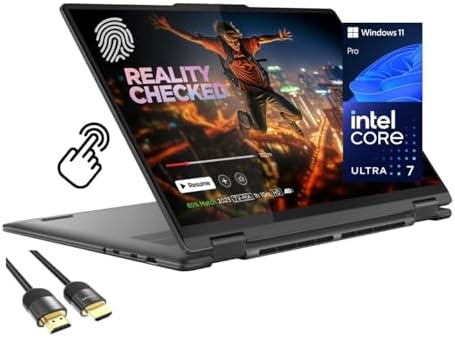
- Superior Performance – Enjoy smart 12-core Ultra 7 155U, fourteen-way processing with Intel Turbo Boost for extra power …
- Immersive Display – Experience natural finger-touch navigation with Windows 11. The 1920 x 1200 resolution provides vivi…
- 360° Flip-and-Fold Design- Switch easily between four modes: laptop, tablet, tent, and stand. Lenovo Transition automati…
If you want the strongest all-around touchscreen Lenovo currently sells on Amazon, the Yoga 7i 2-in-1 is the one to look at first. It’s a 16-inch convertible with a 2K touchscreen, built around Intel’s Core Ultra 7 155U processor, which is a meaningfully more capable chip than the entry-level processors found on budget Lenovo laptops. The 360-degree hinge lets it fold flat into tablet mode or prop up in tent mode, and Lenovo pairs the display with a backlit keyboard, a fingerprint reader, and Thunderbolt 4 ports for fast external storage or displays.
This is the pick for someone who wants a single laptop that can comfortably handle video calls, spreadsheets, photo editing, and the occasional creative project, without feeling underpowered a year in. It’s not a budget machine, but it’s priced well below Lenovo’s flagship Yoga 9i line while still delivering genuinely premium specs.
Key Specs
- 16″ 2K touchscreen display
- Intel Core Ultra 7 155U processor with integrated Intel graphics
- 16GB DDR5 RAM
- 1TB PCIe 4.0 SSD
- Wi-Fi 6E, Thunderbolt 4
- Backlit keyboard and fingerprint reader
- Windows 11 Pro
- Included HDMI cable
Pros
- Core Ultra 7 processor handles multitasking noticeably better than entry-level chips
- 16GB RAM and 1TB SSD are generous for this price tier
- Thunderbolt 4 ports support fast external drives and multiple monitors
- 360-degree hinge adds real tablet and presentation flexibility
- Fingerprint reader adds a convenient security layer
Cons
- 16-inch convertible is noticeably heavier than smaller 2-in-1s on this list
- Integrated graphics only, so it’s not built for serious gaming or GPU-heavy rendering
- Premium specs come with a higher price point than the other picks here
Buyer Sentiment
Strongly rated among premium buyers.
What Buyers Are Saying
Feedback patterns point to buyers being impressed with how smoothly the Core Ultra 7 chip handles everyday multitasking and light creative work. A smaller number of reviewers note the larger 16-inch size makes it less convenient to use purely as a tablet compared to smaller convertibles, which tracks with the size tradeoff that comes with a bigger screen.
2. Lenovo Yoga Slim 7X (14.5″ OLED) — Best Display / Best for Creators

- Snapdragon X Elite Processor: The Snapdragon X Elite processor marks a new frontier in performance, intelligence, and en…
- Ushering in a New AI Era: Bring your ideas to life with AI-generated artwork from simple text prompts. Instantly search …
- Elevate Your Experience: Enhance your interactions with the Premium Suite. Capture every detail with studio-grade mics, …
If display quality is your top priority, the Yoga Slim 7X is the standout on this list. It pairs a 14.5-inch 3K OLED panel rated at 1000 nits peak brightness with 100% DCI-P3 color coverage, the kind of specification usually reserved for laptops aimed squarely at photographers, video editors, and anyone who wants colors to look accurate rather than just bright. Unlike the Yoga 7i, this is a traditional clamshell rather than a 360-degree convertible, so you get the touchscreen for precision input and a bundled stylus pen, without the added hinge weight of a true 2-in-1.
Under the hood, it runs on a Snapdragon X Elite processor with a dedicated NPU for on-device AI tasks, part of Microsoft’s Copilot+ PC program. This is the pick for creative professionals and anyone who spends serious time looking at photos, video, or design work and wants the screen itself to be the standout feature, rather than raw horsepower or convertible flexibility.
Key Specs
- 14.5″ 3K OLED touchscreen, 1000 nits peak brightness, 100% DCI-P3
- Snapdragon X Elite processor with 12-core NPU (Copilot+ PC)
- 16GB RAM
- 2TB SSD plus bundled 500GB portable drive
- Wi-Fi 7, backlit keyboard
- Included stylus pen
- Windows 11 Pro
Pros
- OLED display with 1000-nit brightness and full DCI-P3 coverage is genuinely color-accurate
- Snapdragon X Elite NPU supports on-device AI features and strong battery efficiency
- Massive 2TB SSD plus a bundled portable drive covers large creative file libraries
- Included stylus pen adds value without an extra purchase
- Thin, light clamshell design without convertible hinge bulk
Cons
- Not a 2-in-1; it won’t fold into tablet or tent mode like the Yoga 7i or IdeaPad Flex 5
- Snapdragon’s ARM-based architecture means some older Windows software may run through emulation rather than natively
- Premium display and storage configuration come at a correspondingly premium price
Buyer Sentiment
Praised for display quality by buyers.
What Buyers Are Saying
Feedback consistently highlights the OLED display’s brightness and color accuracy as the main reason people choose this model over other Lenovo touchscreens. Some reviewers mention needing to check software compatibility first, since Snapdragon’s ARM-based chip handles traditional x86 Windows programs differently than the Intel and AMD options elsewhere on this list.
3. Lenovo ThinkPad T14 Gen 6 — Best for Business

- 【Powerful Intel Core Ultra 5 225U】Take on demanding everyday workloads with the Intel Core Ultra 5 225U featuring 12 cor…
- 【14″ WUXGA IPS Touchscreen】The 14-inch 1920 × 1200 IPS touchscreen combines crisp detail, responsive touch navigation, 4…
- 【Backlit Keyboard for Day & Night】The integrated backlit keyboard keeps keys clearly visible in dim offices, nighttime w…
The ThinkPad line has built its reputation on durability and business-focused features, and the T14 Gen 6 touchscreen configuration keeps that reputation intact while adding a 14-inch WUXGA touch display. It runs on Intel’s Core Ultra 5 225U processor, which is tuned more toward efficiency and battery life than raw horsepower, a sensible tradeoff for a laptop that’s meant to survive a full workday unplugged.
This is squarely built for professionals: it includes a fingerprint reader, a 5MP webcam for video calls, Thunderbolt 4 connectivity, and the legendary ThinkPad keyboard that IT departments and road warriors have relied on for years. If your priority is reliability, security features, and all-day battery life over raw gaming or creative power, this is the Lenovo touchscreen laptop built specifically for that job. It’s also worth noting that ThinkPad models are frequently chosen by IT departments for company-wide deployments, partly because Lenovo maintains consistent driver support and repairability across ThinkPad generations in a way that’s less common on consumer-focused laptop lines.
Key Specs
- 14″ WUXGA IPS touchscreen display
- Intel Core Ultra 5 225U processor
- 16GB DDR5 RAM
- 1TB SSD storage
- Thunderbolt 4 connectivity
- Backlit keyboard, fingerprint reader, 5MP webcam
- Windows 11 Pro
Pros
- ThinkPad build quality and keyboard feel remain class-leading
- Efficient Core Ultra 5 processor is tuned for long battery life
- Fingerprint reader and 5MP webcam support secure, professional video calls
- Thunderbolt 4 ports future-proof your docking and display setup
- 1TB of SSD storage is generous for a business laptop at this tier
Cons
- Core Ultra 5 prioritizes efficiency over raw performance compared to Ultra 7 options
- 14″ WUXGA display, while sharp, is smaller than the Yoga 7i’s 16″ panel
- Business-focused design means fewer flashy extras than consumer convertibles
Buyer Sentiment
Well-regarded in business and IT circles.
What Buyers Are Saying
The recurring theme in feedback is appreciation for the keyboard feel and the laptop’s ability to get through a full workday on battery. Some buyers specifically mention choosing it for its Thunderbolt 4 ports and docking compatibility in office settings, which lines up with its positioning as a business-first machine.
4. Lenovo IdeaPad Flex 5 2-in-1 (14″) — Best Value 2-in-1

- DO MORE ANYWHERE, ANYTIME: With WiFi and long battery life, the Lenovo IdeaPad Flex 5 lets you do it where and for how l…
- FROM ZERO TO 360° IN A FLASH: Designed to keep your ideas flowing anywhere, anytime, with the ability to multi-mode. Use…
- CREATE TILL YOUR HEART’S CONTENT: With a digital pen (sold separately), the Lenovo IdeaPad Flex 5 lets you capture momen…
The IdeaPad Flex 5 sits in a sensible middle ground: it’s a genuine 360-degree touchscreen convertible, but it’s priced for buyers who don’t need Core Ultra-level performance or ThinkPad-grade business features. It’s built around an AMD Ryzen 5 5500U processor paired with 16GB of RAM, a combination that handles browsing, streaming, document work, and light multitasking comfortably.
Lenovo includes a few details here that are easy to overlook but genuinely useful day to day: a physical webcam privacy shutter, Dolby Audio-tuned speakers, and a narrow-bezel 14-inch FHD touch display. This is a strong pick for someone who wants the flexibility of a 2-in-1, with enough RAM to multitask comfortably, without paying for business security features or a premium processor they don’t need.
Key Specs
- 14″ FHD IPS touchscreen display
- AMD Ryzen 5 5500U processor
- 16GB RAM
- 512GB SSD storage
- 360-degree hinge (laptop, tent, stand, tablet modes)
- Physical webcam privacy shutter
- Dolby Audio speakers
- Windows 11 Home
Pros
- 16GB RAM is generous for a mid-range convertible
- Physical webcam shutter adds meaningful privacy without software
- Narrow bezels make the 14″ display feel larger than the chassis suggests
- Dolby Audio tuning noticeably improves built-in speaker quality
- Genuinely flexible 360-degree hinge, not just a marketing label
Cons
- Ryzen 5 5500U is a capable but now several generations old processor
- No Thunderbolt support, which may matter for power users with docking needs
- Lacks the fingerprint reader and business security features of the ThinkPad above
Buyer Sentiment
Consistently well-rated on Amazon.
What Buyers Are Saying
Buyers frequently mention being surprised by how smooth everyday multitasking feels given the price, which tracks with the 16GB RAM configuration. Some reviewers note the processor, while reliable, isn’t the newest available, which is worth keeping in mind if you want the latest silicon rather than a proven, efficient chip.
5. Lenovo IdeaPad 15.6″ Touchscreen — Best Budget Pick
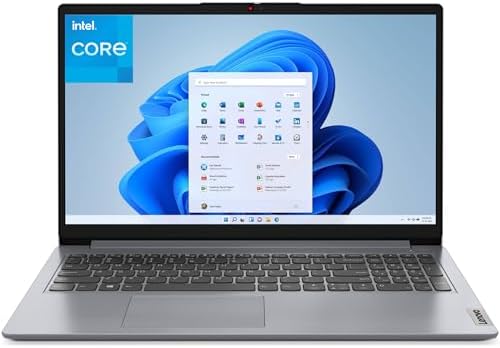
- Powered by 12th Gen Intel Core i3-1215U processor, 6C (2P + 4E) / 8T, P-core 1.2 / 4.4GHz, E-core 0.9 / 3.3GHz, 10MB. De…
- The 15.6″ FHD (1920×1080) In-Plane Switching (IPS) 300nits Anti-glare, Touchscreen display is backed by integrated Intel…
- 16GB DDR4 SDRAM Memory; 512GB PCIe NVMe SSD.
Not everyone needs a convertible hinge to want a touchscreen. The Lenovo IdeaPad 15.6″ Touchscreen is a traditional clamshell laptop, not a 2-in-1, but it brings touch input to a larger, full-size display at a noticeably lower price than the convertible options on this list. It’s built around an efficient Intel multi-core processor, paired with 16GB of RAM and a 512GB SSD, giving it enough headroom for everyday computing without feeling cramped.
This is the pick for someone who wants touch functionality mainly for convenience, like quickly tapping through a presentation or navigating a web form, rather than someone who wants to fold the screen back and use it as a tablet. It’s also a sensible choice for buyers who find 14-inch displays too small and want the extra screen real estate of a 15.6-inch panel.
Key Specs
- 15.6″ FHD touchscreen display
- Intel 6-core processor
- 16GB DDR4 RAM
- 512GB PCIe SSD
- Wi-Fi 6, USB-C and HDMI connectivity
- Windows 11 Home
Pros
- Larger 15.6″ display offers more screen real estate than 14″ competitors
- 16GB RAM and SSD storage are solid for the price tier
- Touch input adds convenience without the cost premium of a convertible hinge
- Wi-Fi 6 keeps wireless performance current
- Straightforward clamshell design with no moving hinge parts to wear out
Cons
- Not a 2-in-1; the screen doesn’t fold back into tablet or tent mode
- No fingerprint reader or backlit keyboard at this price point
- Build materials are more budget-oriented than the Yoga or ThinkPad lines
Buyer Sentiment
Popular among budget and student buyers.
What Buyers Are Saying
Feedback patterns show buyers appreciating the combination of a bigger screen and touch input without stepping up to convertible pricing. Some reviewers mention wishing it included a backlit keyboard, which is a reasonable tradeoff given how the price compares to the 2-in-1 options on this list.
6. Lenovo IdeaPad Flex 3i Chromebook — Best Lenovo Chromebook Touchscreen

- VERSATILE 2-IN-1 DESIGN – The IdeaPad Flex 3i Chromebook features x360 degree hinge, allows Flex ‘Laptop’ mode for every…
- FAST & RELIABLE PERFORMANCE – Powered by the Intel N100 processor (4 cores, up to 3.4GHz) with Intel UHD Graphics for sm…
- VIVID TOUCH DISPLAY & CLEAR VIDEO – 12.2″ WUXGA (1920×1200) IPS touchscreen delivers sharp visuals with 300 nits brightn…
If your computing needs live mostly in a browser, a Chromebook can be a smarter choice than a full Windows laptop, and the Lenovo IdeaPad Flex 3i Chromebook is a solid touchscreen option in that category. It’s a 12.2-inch 2-in-1 with a 360-degree hinge, built around an Intel N100 processor that’s specifically designed for the lighter workloads ChromeOS is built around: browsing, streaming, Google Workspace, and Android apps from the Play Store.
One detail worth calling out is the display’s TÜV Rheinland Low Blue Light certification, a third-party eye comfort standard that’s a genuinely useful feature for anyone who spends long stretches looking at the screen. This is the pick for students, anyone who wants a simple secondary device, or buyers who find ChromeOS’s lighter footprint preferable to managing a full Windows installation.
Key Specs
- 12.2″ WUXGA (1920×1200) FHD+ touchscreen display
- Intel N100 processor
- 4GB LPDDR5 RAM
- 128GB storage (64GB eMMC + 64GB SD card)
- TÜV Rheinland Low Blue Light certified display
- 360-degree hinge, stylus support
- ChromeOS
Pros
- TÜV-certified low blue light display is a genuinely useful eye comfort feature
- Compact 12.2″ size makes it easy to carry and use as a tablet
- ChromeOS boots quickly and requires minimal maintenance
- Touchscreen and 360-degree hinge support note-taking and media consumption well
- Significantly more affordable than any Windows option on this list
Cons
- 4GB RAM is the tightest of any pick here, which limits heavy multitasking
- ChromeOS can’t run traditional desktop software like the Windows laptops above
- Combined eMMC and SD card storage is slower than the SSDs used elsewhere on this list
Buyer Sentiment
Rated highly for everyday browsing use.
What Buyers Are Saying
Buyers commonly mention the display quality and the low blue light certification as standout features for this price range, especially for students doing extended reading or schoolwork. As expected for a Chromebook, some reviewers note it’s not meant for anything beyond browser-based and Android app workloads.
How to Choose the Right Lenovo Touchscreen Laptop
Lenovo’s lineup is genuinely confusing because the company uses touchscreens across nearly every product family it makes. Here’s how to narrow it down based on what actually matters for your use case.
Decide if you need a 2-in-1 hinge or just a touch display. Not every touchscreen laptop needs to fold into a tablet. If you mainly want touch for quick convenience (tapping through a form, scrolling a webpage), a traditional clamshell touchscreen like the IdeaPad 15.6″ on this list will save you money over a convertible. If you actually plan to use tablet mode regularly, for note-taking, sketching, or watching video in bed, a 360-degree convertible like the Yoga 7i or IdeaPad Flex 5 is worth the extra cost.
Match the processor family to your workload. Lenovo’s lineup spans everything from Intel N100 chips (fine for browsing and ChromeOS) up through Core Ultra 7 and Snapdragon X Elite processors (strong enough for multitasking, creative work, and on-device AI features). If you’re doing anything beyond email, documents, and streaming, like photo editing or juggling a dozen browser tabs alongside video calls, lean toward the Core Ultra, Snapdragon, or Ryzen 5/7 options rather than entry-level chips.
Check whether you need an Intel/AMD chip or can use a Snapdragon ARM chip. The Yoga Slim 7X on this list runs a Snapdragon X Elite processor, which is an ARM-based chip rather than the traditional x86 architecture Intel and AMD use. Most everyday software, including Microsoft Office and most browsers, runs fine, but some specialized or older Windows programs may run through emulation rather than natively. If you rely on niche desktop software, it’s worth confirming compatibility before choosing an ARM-based Lenovo laptop over an Intel or AMD one.
Consider which Lenovo family fits your priorities. The Yoga line leans premium and consumer-focused, with strong displays and build quality. ThinkPad prioritizes durability, security features, and business usability, often at the cost of flashy design. IdeaPad is Lenovo’s value line, balancing decent specs against a lower price. Lenovo’s Chromebooks under the IdeaPad Flex name trade Windows compatibility for simplicity and a lower price tag. Knowing which family you’re shopping in helps you compare apples to apples instead of getting lost across thousands of similar-looking listings.
RAM and storage still matter more than people expect. On Windows laptops, 16GB of RAM is a meaningful upgrade over 8GB if you multitask heavily, and it’s increasingly become the practical baseline rather than a luxury. On Chromebooks, 4GB is still standard and works fine specifically because ChromeOS is a lighter operating system. For storage, an SSD (as found on every Windows pick on this list) will feel noticeably snappier day to day than the eMMC storage common on budget Chromebooks.
Don’t ignore the security and convenience features. A fingerprint reader, a physical webcam privacy shutter, and a backlit keyboard aren’t flashy, but they make a real difference in daily use. The ThinkPad T14 and Yoga 7i both include fingerprint readers, while the IdeaPad Flex 5 includes a physical webcam shutter. The IdeaPad 15.6″ and Chromebook skip some of these extras to hit a lower price, which is a reasonable tradeoff if budget is your main constraint.
Check the live Amazon listing before buying. Because so many sellers repackage the same base configurations with different bundled accessories, always open the actual listing and confirm the exact processor, RAM, and storage configuration match what you expect, along with current price, seller, and warranty terms, before completing a purchase. Our laptop stand guide is also worth a look once your new laptop arrives, since proper positioning matters more on a touchscreen device that gets pressed and tapped throughout the day.
Think about display type, not just display size. Every laptop on this list has a touchscreen, but the underlying panel technology varies. IPS panels, used on the Yoga 7i, ThinkPad T14, IdeaPad Flex 5, and the budget IdeaPad, offer reliable color and wide viewing angles at a reasonable cost. The Yoga Slim 7X’s OLED panel goes further, with deeper blacks and higher contrast that genuinely matter for photo and video work, but OLED panels also tend to cost more and, over very long-term heavy use, can be more prone to the kind of image retention that doesn’t affect IPS screens. For most buyers doing office work, browsing, and streaming, IPS is the sensible default. For buyers doing color-sensitive creative work, the OLED upgrade is worth considering.
Factor in how you’ll actually clean and maintain a touchscreen. This sounds minor, but it matters more on a laptop than on a phone, since laptop touchscreens get far more incidental hand and finger contact during normal typing and clicking. Look for listings that mention an anti-glare or anti-smudge coating, which several of the picks above include, since a glossy, uncoated touch panel will show fingerprints and smudges far more visibly, especially in bright rooms or near windows.
Weigh battery life claims against how you’ll actually use the laptop. Manufacturer battery life estimates are typically measured under light, best-case conditions, like low screen brightness and minimal background activity. In practice, running a touchscreen laptop with the display at a usable brightness, Wi-Fi active, and several browser tabs open will usually fall noticeably short of the advertised number. The Snapdragon-powered Yoga Slim 7X and the efficiency-tuned ThinkPad T14 are generally built to hold up better under real-world conditions than older Intel and AMD chip generations, which is worth factoring in if all-day battery life away from an outlet matters to you.
Frequently Asked Questions
What’s the difference between a Lenovo Yoga, ThinkPad, and IdeaPad touchscreen laptop?
Yoga laptops are Lenovo’s premium consumer line, focused on build quality and display performance. ThinkPad is the business line, built around durability, security features, and the classic ThinkPad keyboard. IdeaPad is Lenovo’s value and mainstream line, balancing price against features, and it also covers Lenovo’s touchscreen Chromebooks under the IdeaPad Flex name.
Is a 2-in-1 Lenovo laptop worth the extra cost over a regular touchscreen laptop?
It depends on whether you’ll actually use tablet or tent mode. If you want to sketch, take notes with a stylus, or prop the screen up to watch video, a 2-in-1 like the Yoga 7i or IdeaPad Flex 5 earns its higher price. If you just want occasional touch convenience on a laptop that always stays in laptop mode, a traditional touchscreen clamshell like the IdeaPad 15.6″ is the more cost-effective choice.
Can a Lenovo Chromebook touchscreen run Windows software?
No. Lenovo’s touchscreen Chromebooks, like the IdeaPad Flex 3i, run ChromeOS, which supports browser-based apps, Google Workspace, and Android apps from the Play Store, but not traditional Windows desktop software. If you need specific Windows programs, you’ll want one of the Windows-based picks on this list instead.
How much RAM do I need on a Lenovo touchscreen laptop?
For general browsing, streaming, and document work, 8GB is workable but 16GB (available on the Yoga 7i, ThinkPad T14, and IdeaPad Flex 5 on this list) gives you noticeably smoother multitasking. On ChromeOS, 4GB remains standard and is sufficient because the operating system itself is much lighter than Windows.
Do these Lenovo touchscreen laptops come with a stylus?
Not by default in most configurations. The Lenovo IdeaPad Flex 3i Chromebook supports stylus input, and some Yoga 7i listings include a pen in the box as a bundle, but this varies by seller and configuration. Always check the specific listing to confirm what’s included before buying.
What does a fingerprint reader actually add to a touchscreen laptop?
It lets you log into Windows without typing a password every time, using Windows Hello. Both the Lenovo Yoga 7i and ThinkPad T14 on this list include one, which is a meaningful convenience and security upgrade if you unlock your laptop frequently throughout the day.
Is eMMC storage a dealbreaker on a budget Lenovo touchscreen laptop?
Not necessarily, but it’s worth understanding the tradeoff. eMMC storage, used on the Chromebook pick here, is slower than SSD storage used on the Windows laptops in this list. For ChromeOS, which relies heavily on cloud storage and lighter local files, this is a reasonable tradeoff. For Windows laptops, SSD storage is strongly preferable if you have the choice.
Why do so many Lenovo touchscreen laptop listings on Amazon look nearly identical?
Lenovo sells the same base hardware configurations to multiple third-party sellers, who then bundle them with different accessories like mice, sleeves, or hubs, and list them separately. This is why it’s worth comparing the actual processor, RAM, and storage specs listed on each page rather than assuming two similarly-named listings are the same product.
Is an OLED touchscreen worth paying extra for, like on the Yoga Slim 7X?
If you work with photos, video, or design and care about accurate color and deep contrast, yes. OLED panels like the one on the Yoga Slim 7X typically outperform standard IPS touchscreens (like those on the Yoga 7i, ThinkPad T14, and IdeaPad Flex 5) in brightness, contrast, and color accuracy. For general browsing and document work, a good IPS touchscreen is usually a better value, since you’re less likely to notice the difference.
Should I buy a Lenovo touchscreen laptop directly from Lenovo or from Amazon?
Both are legitimate options, and the right choice usually comes down to price and timing rather than trust. Lenovo’s own site frequently runs configuration-specific sales and coupon codes that can beat Amazon pricing on the exact same model, while Amazon offers faster shipping, easier returns through Amazon’s own policy, and the convenience of one checkout if you’re already buying other items. It’s worth quickly comparing both before you buy, especially on higher-priced picks like the Yoga 7i or Yoga Slim 7X, where the price gap between retailers can be more significant.
How long do Lenovo touchscreen laptops typically last before needing an upgrade?
This depends heavily on which configuration you choose, but as a general guideline, a laptop with at least 16GB of RAM and an SSD, like the Yoga 7i, ThinkPad T14, or IdeaPad Flex 5 on this list, should comfortably handle mainstream software updates and everyday workloads for four to five years. Entry-level configurations with 4GB of RAM and eMMC storage, common on budget Chromebooks, are built for a lighter workload from the start and are better suited to buyers who plan to replace the device within a couple of years rather than treat it as a long-term primary machine.
Final Thoughts: Which Lenovo Touchscreen Laptop Should You Buy?
If you want the strongest all-around performer, the Lenovo Yoga 7i 2-in-1 (16″) is our top pick. Its Core Ultra 7 processor, 16GB of RAM, and 1TB SSD give it real staying power, and the 360-degree hinge means you’re not sacrificing flexibility to get that performance.
If you specifically need a laptop built for professional, security-conscious use, the Lenovo ThinkPad T14 Gen 6 is the better call, thanks to its fingerprint reader, Thunderbolt 4 ports, and the battery efficiency that comes from its Core Ultra 5 processor. Creative professionals who care more about display accuracy than convertible flexibility should look at the Lenovo Yoga Slim 7X, whose OLED panel is the sharpest, most color-accurate screen on this entire list.
And if budget is your main constraint, both the Lenovo IdeaPad 15.6″ Touchscreen and the Lenovo IdeaPad Flex 3i Chromebook offer real touchscreen functionality without the premium price tag, just in different ways: one as a full Windows clamshell, the other as a lightweight ChromeOS convertible.
Whichever Lenovo touchscreen laptop you land on, open the live Amazon listing before buying to confirm the exact configuration, current price, and seller, since specs and bundles on these listings can shift over time.
For more buying guidance, check out our Amazon Laptop Buying Guide for a deeper breakdown of RAM, storage, and display tradeoffs, and our Amazon Computer Monitors guide if you’re planning to pair your new laptop with an external display for desk use. For more on how 2-in-1 touchscreen laptops work in general, Microsoft’s overview of 2-in-1 laptops is a useful explainer, and Lenovo’s official ThinkPad T14 Gen 6 spec page is worth a look if you want the full manufacturer specification sheet. If energy efficiency matters to your purchase decision, ENERGY STAR’s computer certification guidance explains what that certification actually means.
As an Amazon Associate I earn from qualifying purchases.

MD.HASAN is an experienced SEO expert and amazon products review writer passionate about helping people find right products on amzon for buy without confusion. With 4 years of hands-on experience in content strategy and search engine optimization, he specializes in writing SEO-friendly blog posts that rank, engage, and convert.


