
Affiliate disclosure: As an Amazon Associate, Tech Rig Review earns from qualifying purchases. Links on this page may be affiliate links, at no extra cost to you.
Buying a laptop from Amazon in 2026 is both exciting and overwhelming. There are hundreds of options — from budget-friendly Chromebooks to powerhouse gaming rigs to ultra-thin creative workstations — all competing for your attention and your money. The honest truth? Most buyers spend hours comparing specs they don’t fully understand and still end up second-guessing their purchase.
This guide cuts through the noise. We’ve researched the entire Amazon laptop market for 2026, analyzed expert benchmarks, dug through thousands of verified buyer reviews, and built this list from the ground up. Every laptop here has been chosen because it’s genuinely excellent for its intended use case — not because it has flashy marketing or a temporary price drop.
Whether you need the best Amazon laptop computers for work, school, creative projects, gaming, or everyday home use, you’ll find your match below. Each review includes full specs, honest pros and cons, and who it’s actually for.
Let’s get into it.
Table of Contents
What to Look for When Buying a Laptop on Amazon


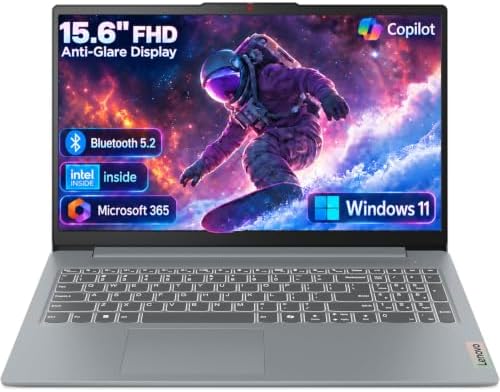


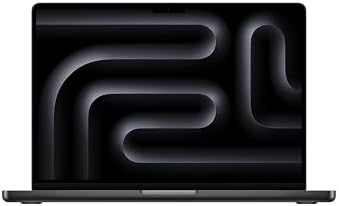
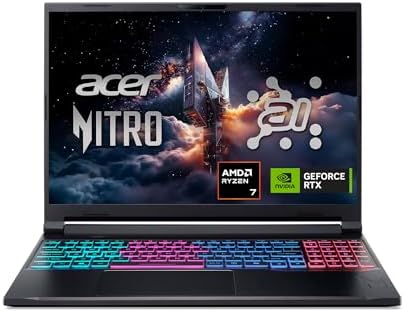


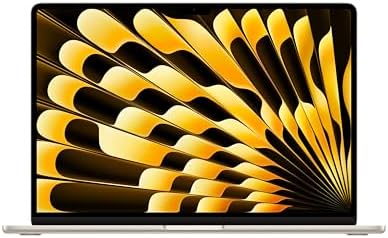
Before we rank the picks, here are the five things that matter most when choosing a laptop:
Processor (CPU): The brain of the laptop. Apple’s M5 chip leads in performance-per-watt. Intel’s Core Ultra series and AMD Ryzen 7/9 chips power the best Windows machines. For budget buyers, Intel Core i5 or Ryzen 5 is the minimum worth considering in 2026.
RAM: 8GB is the absolute floor for modern use. 16GB is the sweet spot for most users. 32GB is ideal for video editors, developers, and heavy multitaskers.
Storage: A 256GB SSD feels cramped quickly. Aim for 512GB minimum, or 1TB if you work with large files, games, or media.
Display: Resolution, color accuracy, and refresh rate matter more than screen size alone. OLED panels offer richer colors and deeper blacks. 120Hz+ refresh rates make everything feel smoother.
Battery life: Claims on spec sheets are always optimistic. Real-world numbers from independent reviewers are what you should trust. Anything above 10 hours is genuinely all-day for most users.
Now, here are the 10 best laptops available on Amazon right now.
Quick Comparison Table: All 10 Laptops at a Glance
| # | Laptop | Category | CPU | RAM | Storage | Battery | Price Range |
|---|---|---|---|---|---|---|---|
| 1 | MacBook Air M5 (2026) | Best Overall | Apple M5 | 16GB | 512GB | 18 hrs | ~$1,099 |
| 2 | MacBook Neo A18 Pro | Best Budget | Apple A18 Pro | 8GB | 256GB | 15 hrs | ~$699 |
| 3 | Dell XPS 13 (2026) | Best Windows Ultra | Intel Core 5/Ultra 7 | 16GB | 512GB | 14+ hrs | ~$699 |
| 4 | ASUS ROG Strix G16 | Best Gaming | Core Ultra 9 / Ryzen 9 | 32GB | 1–2TB | 4–6 hrs (gaming) | ~$1,599 |
| 5 | ThinkPad X1 Carbon Gen 14 | Best Business | Intel Core Ultra 5/7 | 16–64GB | 512GB–2TB | 14–16 hrs | ~$2,299 |
| 6 | HP OmniBook Ultra Flip 14 | Best 2-in-1 | Intel Core Ultra 7 | 16–32GB | 512GB–2TB | 12–15 hrs | ~$1,499 |
| 7 | Acer Swift 16 AI (2026) | Best Large Screen | Intel Core Ultra X7 | 16–32GB | 1TB | 18.5 hrs | ~$1,549 |
| 8 | MacBook Pro 14 (M5) | Best Pro Creative | Apple M5 | 16–48GB | 512GB–2TB | 24 hrs | ~$1,599 |
| 9 | ASUS Vivobook 15 | Best Budget Windows | AMD Ryzen 5 | 8GB | 256GB | 8–10 hrs | ~$599–$700 |
| 10 | Lenovo Yoga 7i 2-in-1 | Best Mid-Range 2-in-1 | Intel Core Ultra 5/7 | 16GB | 512GB | 12–14 hrs | ~$999–$1100 |
Note: Prices change every day on Amazon, so you need to check each product’s real price on Amazon, then you can buy. Price ranges: $ = Under $700 | $$ = $700–$1,000 | $$$ = $1,000–$1,600 | $$$$ = $2,000+
1. Apple MacBook Air 13-inch (M5, 2026) — Best Overall Amazon Laptop
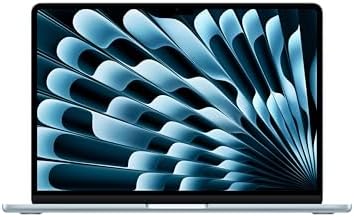
- BUILT FOR COLLEGE. AND BEYOND — MacBook Air with the M5 chip packs blazing speed and powerful AI capabilities into an in…
- TEAR THROUGH TOUGH ASSIGNMENTS — With its faster CPU and unified memory, the M5 chip delivers even more performance and …
- MAKE QUICK WORK OF YOUR TO-DO LIST — Apple Intelligence helps you write, express yourself, and get things done effortles…
Rating: ⭐⭐⭐⭐⭐ | Best For: Students, professionals, and everyday power users
| Spec | Details |
|---|---|
| Processor | Apple M5 (10-core CPU) |
| RAM | 16GB Unified Memory |
| Storage | 512GB SSD |
| Display | 13.6-inch Liquid Retina, 2560×1664 |
| Battery Life | Up to 18 hours |
| Weight | 2.7 lbs (1.24 kg) |
| Starting Price | ~$1,099 |
The 2026 MacBook Air with the M5 chip is the laptop most people should buy. That’s not a casual statement — it’s the consensus of virtually every major tech publication that has tested it. TechRadar called it their number one pick for 2026, Tom’s Guide said it’s “hard to beat,” and PCWorld placed it at the top of their best laptops list. The M5 MacBook Air is an exceptional machine.
What makes it exceptional? Start with the M5 chip. Apple’s latest silicon delivers up to 22% better multi-core performance than M4 and a staggering four times the GPU compute performance for AI tasks compared to the previous generation. In everyday use, this translates to apps opening instantly, no slowdowns when you have thirty browser tabs open, and video exports that complete in a fraction of the time of competing Windows laptops.
The display is brilliant — literally. The 13.6-inch Liquid Retina panel supports one billion colors and True Tone technology, which adjusts color temperature based on your ambient lighting to reduce eye strain during long sessions. Text is razor-sharp, photos look vibrant and accurate, and video playback is gorgeous.
Then there’s the battery life. Apple claims 18 hours, and independent testing by Macworld confirmed users get consistently all-day performance. You can genuinely leave your charger at home for a full work or school day. When you do need to plug in, the MagSafe 3 port is as convenient as ever — snapping magnetically into place so a trip cord doesn’t send your laptop flying.
The 2026 model now starts with 512GB of storage as standard — double the base spec of previous generations. Connectivity includes two Thunderbolt 4 ports, the MagSafe charging port, a headphone jack, Wi-Fi 7, and Bluetooth 6.
One important caveat: the MacBook Air has no fan. This is a feature (near-silent operation) and a limitation (sustained workloads like video rendering will see performance throttle over time). For users who need sustained heavy performance — video production, 3D rendering, coding in Docker — the MacBook Pro M5 is worth the upgrade.
Who It’s For: Students, remote workers, writers, everyday users, and anyone who wants a laptop that just works without fuss.
Who Should Look Elsewhere: Video editors or developers doing sustained heavy rendering who need a fan-cooled system.
✅ Pros:
- Industry-leading M5 chip performance and battery life
- Fan-less design = completely silent operation
- Now starts with 16GB RAM and 512GB SSD standard
- Apple Intelligence AI features built-in
- Wi-Fi 7 and Bluetooth 6 for future-proofing
- Supports two external displays
❌ Cons:
- No fan means it throttles under sustained heavy workloads
- Premium price versus Windows competitors
- Limited port selection (no USB-A, no SD card slot)
Bottom Line: The MacBook Air M5 is the best all-around laptop available on Amazon in 2026. If it fits your budget and you don’t need Windows software, buy it.
2. Apple MacBook Neo 13-inch (A18 Pro, 2026) — Best Budget Amazon Laptop

- AN AMAZING MAC AT A SURPRISING PRICE — With an incredibly portable and durable aluminum design, up to 16 hours of batter…
- FOUR STUNNING COLORS. ONE DURABLE DESIGN — Choose from four beautiful colors — Silver, Blush, Citrus, or Indigo — each w…
- FLY THROUGH EVERYDAY ASSIGNMENTS — Whether you’re cramming for finals, using Apple Intelligence* to summarize class note…
Rating: ⭐⭐⭐⭐½ | Best For: Budget-conscious buyers entering the Apple ecosystem
| Spec | Details |
|---|---|
| Processor | Apple A18 Pro (6-core CPU) |
| RAM | 8GB Unified Memory |
| Storage | 256GB SSD |
| Display | 13-inch Liquid Retina |
| Battery Life | Up to 15 hours |
| Weight | 2.7 lbs (1.24 kg) |
| Starting Price | ~$699 |
The Apple MacBook Neo was 2026’s biggest laptop surprise. Nobody expected Apple to release a $599 Mac laptop, and when it happened, the entire tech world took notice. Tom’s Hardware called it “a budget-priced game-changer.” PCWorld named it the best budget option of 2026. Amazon’s bestseller charts confirmed what the reviews said — this thing sells.
Powered by the A18 Pro chip (originally designed for the iPhone 16 Pro), the MacBook Neo delivers genuine laptop-class performance for light to medium tasks: web browsing, email, document editing, video calls, streaming, and even casual photo editing. In everyday use, it’s fast, smooth, and genuinely delightful.
The 13-inch Liquid Retina display is clean and sharp, though it lacks the P3 wide color support of the MacBook Air — something photographers and graphic designers will care about. The 1080p FaceTime camera is solid for video calls. Battery life stretches to 15 hours in Apple’s own testing.
The honest limitations are worth naming upfront. The 8GB of RAM is the minimum for macOS in 2026, and memory pressure was observed in testing by Ars Technica during more demanding workflows. Tom’s Hardware noted it’s “not designed for heavy workloads” and emphasized it’s built for the 90% of users who browse, email, write, and stream — not the 10% running VMs or rendering 4K video. Storage starts at 256GB, which will feel tight for media-heavy users.
The port situation is also worth knowing: one USB 3 port and one USB 2 port, plus a 3.5mm headphone jack. No MagSafe, no Thunderbolt, no SD card. You’re getting Apple quality at Apple’s entry-level price, which means real compromises exist.
Who It’s For: Students, light users, first-time Mac buyers, and anyone who wants a reliable, beautiful everyday laptop without spending over $1,000.
Who Should Look Elsewhere: Power users, creative professionals, developers, or anyone who regularly opens more than ten apps simultaneously.
✅ Pros:
- Shockingly good value at $699
- Apple A18 Pro chip is fast for everyday tasks
- 15-hour battery life
- macOS is smooth, secure, and well-supported
- Bright colors and modern design
- Apple Intelligence AI features included
❌ Cons:
- Only 8GB of RAM (not upgradeable)
- 256GB base storage fills up quickly
- Limited ports (USB 3 + USB 2, no Thunderbolt)
- Not suitable for demanding creative or development work
Bottom Line: If your budget tops out around $699 and you want the best overall experience at that price, the MacBook Neo is genuinely remarkable. Just know its limits before you buy.
3. Dell XPS 13 (2026) — Best Windows Ultrabook on Amazon


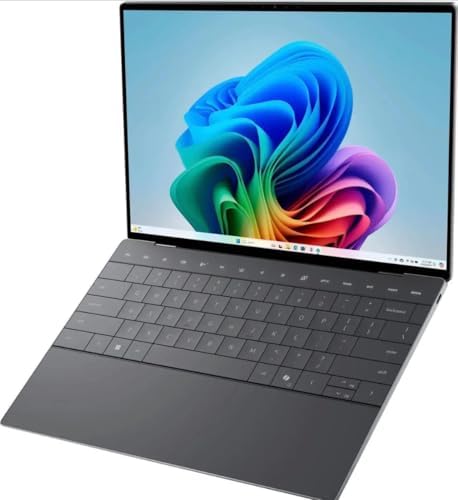
Rating: ⭐⭐⭐⭐½ | Best For: Professionals and students who want premium Windows portability
| Spec | Details |
|---|---|
| Processor | Intel Core 5 320 (base) / Core Ultra 7 355 (upgraded) |
| RAM | 16GB LPDDR5X (up to 32GB) |
| Storage | 512GB SSD (up to 1TB) |
| Display | 13.4-inch 2560×1600, 120Hz, 100% DCI-P3 |
| Battery Life | Up to 14+ hours (lab estimate) |
| Weight | 2.2 lbs (1 kg) |
| Starting Price | ~$699 |
Dell made a dramatic statement in 2026: you don’t have to spend over $1,000 to get a genuinely premium Windows laptop. The new XPS 13 is the thinnest and lightest XPS laptop Dell has ever built — measuring just 12.7mm thin and weighing only 2.2 pounds. To put that in perspective, it’s lighter than the MacBook Neo and thinner than most ultrabooks in the same price range.
The 13.4-inch display covers 100% of the DCI-P3 color gamut and runs at 120Hz with a variable refresh rate — specs you’d expect to pay significantly more for. Dell’s LCD panels have historically earned praise from reviewers for their accuracy, and the 2560×1600 resolution delivers sharp, crisp visuals for both work and media.
The CNC-machined aluminum chassis gives the XPS 13 a premium build quality that punches well above its price. The backlit keyboard, touchscreen support (standard on all models), and dual-fan cooling system are features that competing budget machines routinely omit. The Windows Central review noted several features the MacBook Neo lacks at a similar price: a backlit keyboard, touchscreen, 120Hz display, support for two external displays, and up to 32GB of RAM.
Connectivity includes two USB-C 3.2 Gen 2 ports on base models, upgrading to Thunderbolt 4 on Core Ultra configurations. Dell also packs in four speakers with Dolby Atmos and 8W total output — unusually good audio for a laptop this slim.
For business users on Core Ultra models, Intel vPro security features and Evo certification round out an already compelling package.
Who It’s For: Professionals, students, and everyday users who want the best Windows experience possible in a compact, carry-anywhere design.
Who Should Look Elsewhere: Power users who need more ports (only two USB-C), and those who need dedicated graphics for gaming or heavy rendering.
✅ Pros:
- Exceptionally light at 2.2 lbs — one of the lightest Windows laptops available
- Brilliant 120Hz, 100% DCI-P3 display
- Premium CNC-machined aluminum build
- Touchscreen standard on all models
- Backlit keyboard
- Competitive starting price ($599 students / $699 general)
❌ Cons:
- Only two USB-C ports (no USB-A without adapter)
- Integrated graphics only — not for gaming
- No SD card slot
- Base model Core 5 chip is modest for heavy workloads
Bottom Line: The 2026 Dell XPS 13 is the best Windows ultrabook under $1,000 on Amazon. It matches or beats the MacBook Neo on most specs at the same price, and it’s a genuinely premium product that earns its XPS name.
4. ASUS ROG Strix G16 (2026) — Best Gaming Laptop on Amazon


Rating: ⭐⭐⭐⭐½ | Best For: Gamers and power users who demand serious GPU performance
| Spec | Details |
|---|---|
| Processor | Intel Core Ultra 9 290HX / AMD Ryzen 9 9955HX (config-dependent) |
| GPU | Up to NVIDIA GeForce RTX 5080 Laptop GPU |
| RAM | Up to 64GB DDR5 (user-upgradeable) |
| Storage | Up to 2TB PCIe Gen4 SSD |
| Display | 16-inch 2.5K 240Hz Mini-LED Nebula HDR |
| Battery Life | ~4–6 hours gaming / longer on battery saver |
| Weight | ~5.8 lbs (2.65 kg) |
| Starting Price | ~$1,599 |
If gaming performance is your priority, the ASUS ROG Strix G16 for 2026 is one of the most capable and best-value gaming laptops on Amazon. PCWorld called it a machine that “puts up powerful performance for the money,” and HotHardware praised its audio as “loud and crisp” with a display that provides “excellent connectivity and a spacious keyboard.”
The 2026 model has been overhauled. The new chassis draws design inspiration from racing cars, with chamfered corners and a full-surround RGB lightbar. All exhaust vents have been relocated to the rear of the hinge — a clever engineering decision that keeps warm air away from your hands during long gaming sessions. The sides and bottom act as air intakes, and the Tri-Fan Technology with an end-to-end vapor chamber and sandwiched heatsink keeps thermals impressively controlled even under sustained RTX 5080 load.
The headline feature is the 2.5K 240Hz Mini-LED Nebula HDR display with over 2,000 local dimming zones, 100% DCI-P3 color coverage, and ASUS’s AGLR anti-glare anti-reflective coating. This is a genuinely excellent gaming panel — better than most laptops at this price range and a significant step up from what older Strix models offered.
Gaming performance is excellent across the board. The ROG Strix G16 runs modern AAA titles smoothly at its native 2.5K resolution, handles ray-traced content better than previous-generation RTX 4080 laptops, and maintains consistent performance thanks to robust thermal management. In Digital Trends’ testing with an RTX 5070 Ti config, it “made a strong showing” and outperformed older RTX 4080 systems in several game benchmarks.
Dual Thunderbolt 5 ports are a premium inclusion, offering three times the bandwidth of Thunderbolt 4. RAM and SSD are both user-upgradeable via a tool-less access design. NVIDIA DLSS 4 with Multi Frame Generation is supported, adding smart frame rate boosts in supported titles.
The downsides are inherent to the category: this is a heavy laptop (nearly 6 pounds), battery life is modest during gaming sessions, and it runs hot and loud under full load. These are expected trade-offs for a machine this powerful.
Who It’s For: Dedicated PC gamers, streamers, video editors, and power users who want desktop-class performance in a portable form.
Who Should Look Elsewhere: Users who need an all-day mobile laptop, want something lightweight, or primarily work in productivity applications.
✅ Pros:
- RTX 5080 GPU supports cutting-edge games and AI features
- 2.5K 240Hz Mini-LED display with 100% DCI-P3
- Dual Thunderbolt 5 ports
- User-upgradeable RAM and SSD (tool-less access)
- Excellent thermal management with rear exhaust design
- DLSS 4 with Multi Frame Generation support
❌ Cons:
- Heavy at ~5.8 lbs — not truly portable
- Short battery life during gaming (~4–6 hours)
- Loud under sustained full load
- Starting price is high; top configurations exceed $2,400
Bottom Line: For gamers and creative professionals who need serious GPU horsepower, the ASUS ROG Strix G16 is one of the best and most value-conscious gaming laptops available on Amazon in 2026.
5. Lenovo ThinkPad X1 Carbon Gen 14 (2026) — Best Business Laptop on Amazon


Rating: ⭐⭐⭐⭐½ | Best For: Business professionals and enterprise users
| Spec | Details |
|---|---|
| Processor | Intel Core Ultra 5 356H / Ultra 7 (config-dependent) |
| RAM | 16GB–64GB LPDDR5x |
| Storage | 512GB–2TB SSD |
| Display | 14-inch WUXGA IPS or OLED (config-dependent) |
| Battery Life | ~14–16 hours |
| Weight | ~2.48 lbs (1.12 kg) |
| Starting Price | ~$2,299 (varies by config) |
The ThinkPad X1 Carbon has been the gold standard business laptop for over a decade. The 2026 Gen 14 Aura Edition doesn’t reinvent it — it refines it, and that’s exactly what business users want from a machine they rely on daily.
The carbon-fiber and magnesium composite chassis passes 12 MIL-SPEC tests for temperature, humidity, altitude, vibration, and drop resistance. This laptop is built to survive the chaos of business travel, crowded conference rooms, and the occasional coffee spill. It also weighs barely over 2.4 lbs — remarkable for a 14-inch machine with a full-sized port array.
The keyboard remains the best on any laptop, period. Lenovo’s ThinkPad keyboards are legendary among professionals who type for a living — deep travel, excellent tactile feedback, and the iconic TrackPoint nub that lets you navigate without lifting your hands from the home row. If you spend 6–8 hours a day typing, no other laptop keyboard compares.
The 2026 Aura Edition features Intel’s Core Ultra processors with Aura-enhanced AI capabilities, including intelligent noise suppression for calls, adaptive display brightness based on gaze detection, and automatic power optimization. Privacy-conscious business users benefit from the ThinkShutter webcam cover, the fingerprint reader, and IR camera for Windows Hello facial recognition.
A wide variety of display options — from IPS to 2.8K OLED — let buyers choose based on their priorities (battery life vs. visual quality). Port selection is genuinely excellent: Thunderbolt 4, USB-A, HDMI 2.1, a microSD reader, and an Ethernet option via dongle.
Who It’s For: Corporate professionals, executives, frequent business travelers, and anyone who needs a reliable, secure, well-built laptop for daily professional use.
Who Should Look Elsewhere: Gamers, creative professionals who need discrete graphics, and budget buyers.
✅ Pros:
- Best-in-class keyboard — legendary among professionals
- Military-grade durability (12 MIL-SPEC tests)
- Impressive port selection including USB-A and Thunderbolt 4
- Lightweight at ~2.4 lbs for a full-featured 14-inch laptop
- Long battery life (~14–16 hours)
- Intel vPro and comprehensive security features
- OLED display option available
❌ Cons:
- Premium pricing (configurations run $1,300–$2,700+)
- No discrete GPU — not for gaming or 3D work
- Design is conservative — won’t turn heads
- Some configurations require add-on dongle for Ethernet and full-size SD
Bottom Line: For professionals who need absolute reliability, best-in-class build quality, and a keyboard they’ll love for years, the ThinkPad X1 Carbon Gen 14 is the definitive business laptop on Amazon.
6. HP OmniBook Ultra Flip 14 (2026) — Best 2-in-1 Convertible Laptop on Amazon
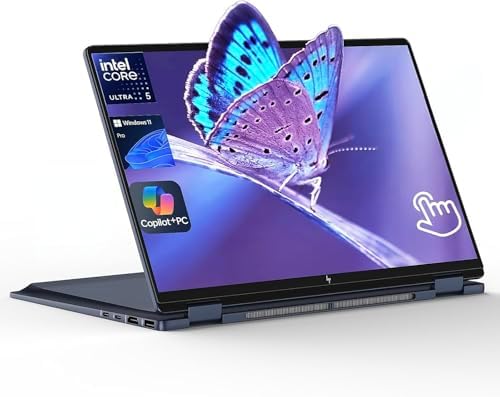


Rating: ⭐⭐⭐⭐½ | Best For: Creative professionals and flexible workers who want laptop and tablet in one
| Spec | Details |
|---|---|
| Processor | Intel Core Ultra 7 (Meteor Lake / Lunar Lake) |
| RAM | 16GB–32GB LPDDR5x |
| Storage | 512GB–2TB SSD |
| Display | 14-inch 2.8K–4K OLED, 120Hz, 10-point touchscreen |
| Battery Life | ~12–15 hours |
| Weight | ~3.1 lbs (1.4 kg) |
| Starting Price | ~$1,499 |
Note: HP discontinued the Spectre x360 name in 2026 and replaced it with the OmniBook Ultra Flip 14 — the same premium 2-in-1 philosophy with updated chips and a better display.
The HP OmniBook Ultra Flip 14 is the most versatile laptop on this list. It converts between four modes — laptop, tablet, tent, and presentation — with a smooth 360-degree hinge that feels satisfyingly premium. The OLED touchscreen supports the HP Rechargeable MPP 2.0 stylus (sold separately) with 4,096 levels of pressure sensitivity, making it a genuine creative tool for artists, designers, and note-takers.
The OLED display is one of the best you’ll find on any laptop at this price. Resolutions range from 2.8K to 4K depending on configuration, with excellent brightness, deep blacks, and color accuracy that satisfies even professional photographers working in Lightroom. The 16:10 aspect ratio adds 11% more vertical screen space than traditional 16:9 panels — a subtle but meaningful advantage when you’re scrolling through long documents or coding in multiple windows.
Performance is handled by Intel’s latest Core Ultra chips, and the thermal design earns praise from reviewers for allowing sustained performance without excessive throttling. HP’s AI-driven features include adaptive battery optimization, intelligent noise reduction for video calls, and automatic screen dimming based on presence detection. The 32GB RAM configuration handles multiple Docker containers, VMs, and intensive creative software without complaint.
Battery life reaches 12–15 hours in mixed use, which is impressive for an OLED-equipped convertible. Connectivity includes Thunderbolt 4 ports, and the build quality — a slim, premium chassis thinner and lighter than the Spectre x360 it replaces — feels luxurious.
Who It’s For: Creative professionals, designers, students who take handwritten notes, and users who need the flexibility of both a laptop and a tablet.
Who Should Look Elsewhere: Budget buyers, gamers, or users who don’t need touch or pen input and don’t want to pay for features they won’t use.
✅ Pros:
- Gorgeous OLED touchscreen (up to 4K)
- 360-degree convertible design — works in four modes
- Stylus support with 4,096 pressure levels
- Strong battery life for an OLED display (12–15 hours)
- Slimmer and lighter than previous Spectre x360
- Intel Thunderbolt 4 connectivity
❌ Cons:
- Premium price ($1,499–$1,969)
- Stylus sold separately
- Heavier than pure clamshell ultrabooks
- Integrated graphics only — not for gaming
Bottom Line: The HP OmniBook Ultra Flip 14 is the best 2-in-1 convertible laptop on Amazon for professionals who want a beautiful OLED display, pen input, and flexible form factor in one premium package.
7. Acer Swift 16 AI (2026) — Best Large-Screen Laptop on Amazon


Rating: ⭐⭐⭐⭐ | Best For: Productivity users and content creators who want a large display without a gaming laptop’s bulk
| Spec | Details |
|---|---|
| Processor | Intel Core Ultra X7 358H / X9 388H (“Panther Lake”) |
| GPU | Intel Arc B390 integrated graphics |
| RAM | 16GB–32GB LPDDR5X |
| Storage | 1TB SSD |
| Display | 16-inch 2880×1800 OLED, 120Hz, touchscreen |
| Battery Life | Up to 18.5 hours (video playback testing) |
| Weight | 3.42 lbs |
| Starting Price | ~$1,549 |
PCWorld called the Acer Swift 16 AI “the best choice for most people” in their 2026 laptop roundup — specifically because of its extraordinary combination of a large OLED display, genuine all-day (and then some) battery life, and a slim, premium build that avoids the bulk of gaming laptops.
The 16-inch 2880×1800 OLED touchscreen is the star of this machine. Text is razor-sharp, colors are vivid and accurate, and the touch response is fast and precise. At 3.42 pounds, the Swift 16 AI is meaningfully lighter than most 16-inch laptops, making it a realistic daily carry for commuters and students.
Tom’s Hardware tested the Swift 16 AI extensively and recorded nearly 18.5 hours of battery life in video playback testing — a stunning result for a 16-inch OLED laptop. Real-world mixed use will be shorter, but even at 12–14 hours of regular productivity use, this machine legitimately powers through a full day and into the evening.
The Intel Panther Lake Core Ultra X7 processor scores well in file transfers and real-world application performance, with the integrated Intel Arc B390 graphics capable of light creative work and casual gaming at 1080p. Two USB-A ports is a genuine luxury on a premium ultrabook that most competitors (including the MacBook Air and Dell XPS) omit entirely. HDMI 2.1, two Thunderbolt 4 ports, and a microSD reader complete a genuinely practical port layout. Wi-Fi 7 and Bluetooth 5.4 round out the connectivity.
The one notable limitation: CPU multi-core performance trails behind some Intel and AMD competitors at similar price points, and the integrated graphics, while capable, won’t satisfy dedicated gamers. It also carries an IR camera but no Thunderbolt 5.
Who It’s For: Productivity-focused professionals, students, content consumers, and writers who want a large beautiful screen, outstanding battery life, and a carry-friendly weight.
Who Should Look Elsewhere: Gamers, developers who need sustained heavy multi-core CPU performance, and users who don’t need a large screen.
✅ Pros:
- Stunning 16-inch 2880×1800 OLED touchscreen
- Industry-leading battery life (~18 hours in testing)
- Surprisingly light at 3.42 lbs for a 16-inch laptop
- Two USB-A ports (rare at this price)
- Includes carry sleeve and stylus
- Wi-Fi 7 and Bluetooth 5.4
❌ Cons:
- CPU multi-core performance trails some rivals
- Integrated graphics only — limited gaming capability
- Premium price starts at ~$1,549
- 1080p webcam footage can look grainy per some reviews
Bottom Line: If you want the biggest, most beautiful laptop screen available with truly all-day (and beyond) battery life in a carry-worthy package, the Acer Swift 16 AI is exceptional.
8. Apple MacBook Pro 14-inch (M5, 2025) — Best Professional Creative Laptop on Amazon

Rating: ⭐⭐⭐⭐⭐ | Best For: Professional creatives, developers, and power users
| Spec | Details |
|---|---|
| Processor | Apple M5 (10-core CPU, 10-core GPU) |
| RAM | 16GB–48GB Unified Memory |
| Storage | 512GB–2TB SSD |
| Display | 14.2-inch Liquid Retina XDR, ProMotion 120Hz |
| Battery Life | Up to 24 hours |
| Weight | 3.5 lbs (1.6 kg) |
| Starting Price | ~$1,599 |
When you need the MacBook Air’s performance to actually hold under pressure — sustained video encoding, long Xcode builds, multi-stream 4K editing — the MacBook Pro 14 with M5 is where you upgrade. This is the professional creative workhorse of Apple’s lineup, and it earns that status through a combination of the active cooling system (it has fans, unlike the Air), an extraordinary Liquid Retina XDR display, and battery life that reaches 24 hours in Apple’s testing.
The M5 chip in the MacBook Pro brings single-core and multi-core improvements of 14% and 22% respectively over M4, according to Macworld’s testing. The Neural Engine handles AI workloads at unprecedented efficiency, and the Pro model’s sustained performance — thanks to active cooling — means it doesn’t throttle the way the fanless Air does during demanding tasks.
The 14.2-inch Liquid Retina XDR display with ProMotion 120Hz adaptive refresh is one of the finest laptop panels ever made. It reaches 1,000 nits of sustained brightness (1,600 nits peak), supports P3 wide color, and features True Tone and nano-texture glass option for glare resistance. HDMI 2.1, three Thunderbolt 4 ports, MagSafe 3, SD card reader, and a headphone jack with high-impedance headphone support make up a port selection that puts most Windows laptops to shame.
For video editors, audio producers, photographers, and software developers, the MacBook Pro 14 M5 is simply the best laptop available at its price.
Who It’s For: Professional video editors, photographers, music producers, software developers, and anyone who needs sustained peak performance from a portable machine.
Who Should Look Elsewhere: Casual users who don’t need the extra power — the MacBook Air M5 delivers 90% of the Pro’s performance at a lower price.
✅ Pros:
- M5 chip with active cooling for sustained peak performance
- Liquid Retina XDR display with ProMotion 120Hz — best laptop display available
- Up to 24 hours battery life
- Exceptional port selection (3x Thunderbolt 4, HDMI 2.1, SD card, MagSafe)
- Supports up to 128GB unified memory (Pro/Max configurations)
- Built to last — typically 5–7 years of relevant performance
❌ Cons:
- Expensive — starts at $1,599 and rises quickly
- Heavier than the Air at 3.5 lbs
- macOS ecosystem lock-in (not compatible with Windows software without workarounds)
- Fan is audible under sustained heavy load
Bottom Line: The MacBook Pro 14 M5 is the best professional laptop on Amazon for creative work. If your livelihood depends on your laptop, the price is justified.
9. ASUS Vivobook 15 — Best Budget Windows Laptop on Amazon Under $700


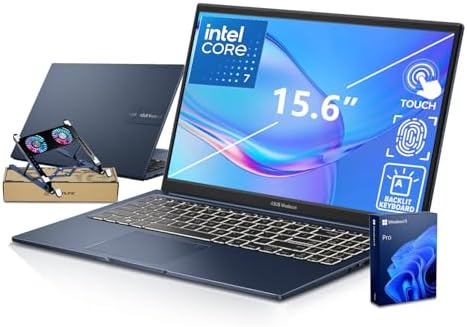
Rating: ⭐⭐⭐⭐ | Best For: Students, light home users, and first-time laptop buyers on a budget
| Spec | Details |
|---|---|
| Processor | AMD Ryzen 5 7520U (or similar current-gen) |
| RAM | 8GB DDR5 |
| Storage | 256GB SSD |
| Display | 15.6-inch FHD 1920×1080 |
| Battery Life | ~8–10 hours |
| Weight | ~3.5 lbs |
| Starting Price | ~$599–$700 |
Not every laptop buyer needs to spend over $1,000. If you primarily need a laptop for web browsing, streaming video, writing papers, video calls, and basic office tasks, the ASUS Vivobook 15 series delivers reliable performance at a price that won’t hurt.
The AMD Ryzen 5 7520U processor handles everyday computing tasks with ease. Web browsing, Office documents, Zoom calls, Netflix, Spotify — all run smoothly with zero frustration. The 15.6-inch FHD display is adequate for daily use, providing a comfortable 1080p viewing experience across the large screen. ASUS adds a fingerprint reader and a webcam privacy shutter — thoughtful security features you don’t always find at this price.
Build quality is the Vivobook’s most obvious compromise. The plastic chassis is lightweight but flexes under pressure, and the keyboard travel is shallower than premium machines. Battery life of 8–10 hours in mixed use is adequate for a school day but won’t push through a full day of heavy use. The 8GB RAM handles light to medium multitasking but will feel strained with many browser tabs and background apps running simultaneously.
That said, for the student who needs a capable laptop for class, or the home user who wants something for browsing and streaming, the Vivobook 15 is an honest, reliable choice that won’t waste your money.
Who It’s For: Budget-conscious students, home users, seniors learning to use a computer, and anyone whose primary tasks are browsing, email, and documents.
Who Should Look Elsewhere: Anyone doing video editing, gaming, heavy multitasking, or running professional software.
✅ Pros:
- Excellent price-to-function ratio under $700
- AMD Ryzen 5 handles everyday tasks without issues
- Large 15.6-inch screen is comfortable for daily use
- Fingerprint reader and webcam shield included
- Lightweight and easy to carry
- Windows 11 pre-installed
❌ Cons:
- Plastic build quality feels less premium
- 8GB RAM is limiting for heavy multitasking
- 256GB storage fills up fast
- Display lacks brightness for outdoor use
- No Thunderbolt or USB 4
Bottom Line: The ASUS Vivobook 15 is the honest answer to “what’s the best laptop I can get for under $700?” It does what most people need a laptop to do, reliably, at a fair price.
10. Lenovo Yoga 7i 2-in-1 — Best Mid-Range 2-in-1 Laptop on Amazon
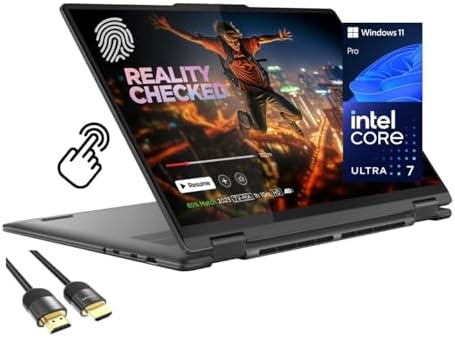
- Superior Performance – Enjoy smart 12-core Ultra 7 155U, fourteen-way processing with Intel Turbo Boost for extra power …
- Immersive Display – Experience natural finger-touch navigation with Windows 11. The 1920 x 1200 resolution provides vivi…
- 360° Flip-and-Fold Design- Switch easily between four modes: laptop, tablet, tent, and stand. Lenovo Transition automati…
Rating: ⭐⭐⭐⭐ | Best For: Students and professionals who want convertible flexibility without HP OmniBook’s premium price
| Spec | Details |
|---|---|
| Processor | Intel Core Ultra 5/7 (current generation) |
| RAM | 16GB LPDDR5x |
| Storage | 512GB SSD |
| Display | 14-inch OLED or IPS, 1920×1200, touchscreen |
| Battery Life | ~12–14 hours |
| Weight | ~3.3 lbs |
| Starting Price | ~$999–$1100 |
The Lenovo Yoga 7i hits the sweet spot between value and versatility in the 2-in-1 convertible market. It offers a 360-degree hinge, touchscreen display, and pen support (active pen often included) at a price point significantly below the HP OmniBook Ultra Flip — making it the go-to recommendation for students or professionals who want convertible flexibility without breaking the bank.
The OLED display option brings rich colors and deep blacks at a premium that’s still more accessible than competing OLED convertibles. The Intel Core Ultra processors deliver smooth performance for productivity tasks, and the 16GB RAM handles multitasking without strain. The 16:10 aspect ratio provides more vertical screen space than standard widescreen laptops — valuable for documents, code, and web browsing.
Lenovo’s keyboard earns consistent praise in reviews: the travel and feedback fall between the legendary ThinkPad keyboard and the average ultrabook, landing comfortably above most Windows laptop keyboards. The touchpad is large and precise.
Battery life reaches 12–14 hours in mixed productivity use, making it genuinely all-day capable. The build uses a mix of aluminum and reinforced polymer, which feels premium in hand without adding unnecessary weight.
Who It’s For: Students, teachers, and professionals who want a versatile 2-in-1 at a mid-range price with solid battery life and a comfortable keyboard.
Who Should Look Elsewhere: Users who need the very best display (get the HP OmniBook), sustained heavy performance (get the MacBook Pro or XPS 15), or pure gaming (get the ROG Strix).
✅ Pros:
- Affordable convertible with 360-degree hinge and pen support
- OLED display option available
- Excellent battery life (~12–14 hours)
- Lenovo’s reliable keyboard quality
- Good value at $999–$1100
- Compact and lightweight for a 14-inch convertible
❌ Cons:
- Build quality is a step below ThinkPad
- Integrated graphics limit creative/gaming capabilities
- OLED model costs more — budget models get IPS
- Some configurations ship with IPS instead of OLED
Bottom Line: The Lenovo Yoga 7i is the best mid-range 2-in-1 laptop on Amazon for buyers who want versatility, solid performance, and great battery life without overspending on premium features they don’t need.
How to Choose the Right Amazon Laptop for Your Needs
For students: Start with the Apple MacBook Neo at $599 for Mac users, or the Dell XPS 13 for Windows users. Both deliver premium experiences at accessible prices, with all-day battery life that matters enormously in class.
For everyday home use: The MacBook Air M5 is the best all-around option if budget allows. On a tighter budget, the ASUS Vivobook 15 handles email, browsing, and streaming without complaint.
For business professionals: The Lenovo ThinkPad X1 Carbon Gen 14 is unmatched for durability, keyboard quality, and enterprise security. The Dell XPS 13 is the lighter, more consumer-friendly business option.
For creative professionals: The Apple MacBook Pro 14 M5 is the best laptop for video editing, photo work, music production, and development. The HP OmniBook Ultra Flip 14 is the best choice for designers who need pen input and touchscreen versatility.
For gamers: The ASUS ROG Strix G16 offers the best combination of gaming performance and value on Amazon in 2026. If your budget extends higher, look at RTX 5080 configurations.
For large-screen productivity: The Acer Swift 16 AI delivers an extraordinary 16-inch OLED display and 18+ hours of battery life at a weight that’s actually portable.
Frequently Asked Questions About Amazon Laptop Computers
Which Amazon laptop has the best battery life?
The Apple MacBook Pro 14 M5 claims up to 24 hours, while the MacBook Air M5 reaches 18 hours and the Acer Swift 16 AI hit 18.5 hours in independent testing. All three are outstanding. For Windows laptops, the ThinkPad X1 Carbon Gen 14 and HP OmniBook Ultra Flip 14 both deliver 12–16 hours.
Is it safe to buy a laptop from Amazon?
Yes. Amazon sells laptops directly from brand-authorized sellers and from Amazon itself. Look for “Sold by Amazon” or “Sold by [Brand Name]” and avoid third-party marketplace sellers with limited reviews. Always check return policies before purchasing.
What’s the best Amazon laptop under $1,000?
The Dell XPS 13 starting at $699 is the best Windows laptop under $1,000. The Apple MacBook Neo at $699 is the best budget Mac. For flexible users, the Lenovo Yoga 7i offers 2-in-1 versatility around $999–$1100.
Mac vs. Windows — which is better?
Neither is objectively better — it depends on what you do and what software you use. Apple Silicon Macs (M5) currently lead in performance-per-watt and battery life. Windows laptops offer more variety, flexibility, gaming support, and compatibility with specialized business software. If you use Adobe Creative Cloud, development tools, or Microsoft Office heavily, both platforms work well in 2026.
How much RAM do I need in 2026?
For light use: 8GB is the minimum (MacBook Neo is the exception at this level — macOS manages it efficiently). For most users: 16GB is the recommended sweet spot. For video editing, development, or heavy multitasking: 32GB or more.
Should I buy a Chromebook from Amazon?
Chromebooks are excellent for users who do everything in a browser — Google Docs, Gmail, YouTube, and web apps. They’re not suitable for professional software, local gaming, or users who need Windows or macOS apps. The Samsung Galaxy Chromebook Go is a strong budget option on Amazon for school-focused buyers.
Also Check:
Final Verdict: The Best Amazon Laptops in 2026
After reviewing the entire Amazon laptop market, here are our definitive picks by category:
🏆 Best Overall: Apple MacBook Air 13-inch M5 — the laptop most people should buy.
💸 Best Value: Apple MacBook Neo — remarkable performance at $699.
🪟 Best Windows Laptop: Dell XPS 13 (2026) — the best Windows ultrabook at an accessible price.
🎮 Best Gaming Laptop: ASUS ROG Strix G16 — serious power for serious gamers.
💼 Best Business Laptop: Lenovo ThinkPad X1 Carbon Gen 14 — the gold standard for professionals.
🎨 Best for Creatives: MacBook Pro 14 M5 — the professional creative standard.
Whatever your budget, use case, or preferred platform, there’s a genuinely excellent laptop available on Amazon right now. Use this guide to cut through the marketing noise and find the one that fits your life.

MD.HASAN is an experienced SEO expert and amazon products review writer passionate about helping people find right products on amzon for buy without confusion. With 4 years of hands-on experience in content strategy and search engine optimization, he specializes in writing SEO-friendly blog posts that rank, engage, and convert.


