
Affiliate disclosure: As an Amazon Associate, Tech Rig Review earns from qualifying purchases. Links on this page may be affiliate links, at no extra cost to you.
Not sure what laptop to buy in 2026? This complete guide covers every use case — students, remote workers, creatives, and more — with verified Amazon picks.
Buying a laptop in 2026 should feel straightforward. Instead, most people end up drowning in spec sheets, YouTube reviews, and comparison articles that recommend something they cannot find, cannot afford, or that arrived already outdated.
This guide cuts through all of that. It is written for real people — students, remote workers, freelancers, teachers, parents — who need a laptop that actually works for their life, not just for a benchmark score.
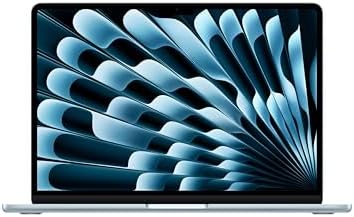

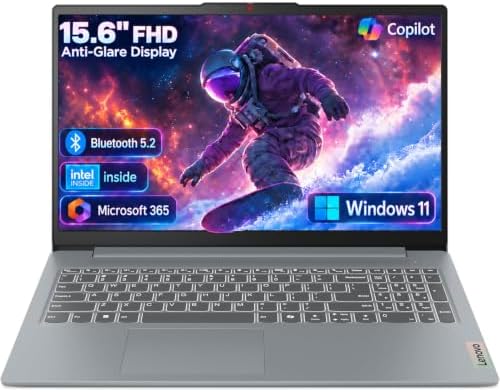


Every laptop recommended here is currently available on Amazon.com with a verified product listing. Every product link uses the affiliate tag for techrigreview.com so you can get there in one click. And before we get to recommendations, we cover the buying framework that tells you which type of laptop you actually need — because the right answer is different for everyone.
If you are building a home office around your new laptop, our guide to the best Amazon desk accessories for remote work covers everything you need alongside your machine.
Let us start at the beginning.
Table of Contents
Before You Buy: The 5 Questions That Will Tell You Exactly What Laptop You Need
Most buying mistakes happen before anyone opens Amazon. People buy a spec level they do not need, a size that does not fit their life, or an operating system that clashes with their workflow. Five honest questions prevent all of that.
Question 1 — What will you actually use it for?
Write down your three most common laptop tasks. Not what you hope to do with it — what you actually do today. Email and documents require almost nothing from a modern laptop. Video editing and 3D rendering require a lot. Most people fall somewhere in the middle — web browsing, spreadsheets, video calls, light creative work — and in that range, a mid-range machine handles everything comfortably.
Question 2 — Do you have a preference between Mac and Windows?
This is not a religious debate. It is a practical one. If you use an iPhone, iPad, or other Apple devices, a Mac fits naturally into that ecosystem. If your workplace uses Windows-only software, a Windows laptop makes more sense. If you have no strong preference, both platforms in 2026 offer excellent options in every price range.
Question 3 — How long do you need the battery to last?
If you work primarily at a desk with easy access to power, battery life is not a primary concern. If you work in cafes, lecture halls, or travel frequently, battery life matters more than almost any other spec. The best battery performers in 2026 are Apple’s M-chip MacBooks, which consistently deliver 15–18 hours of real-world use.
Question 4 — What is your realistic budget?
Budget honestly. Include tax and any accessories you will need. A $1,000 budget does not leave room for a $60 laptop bag and a $40 USB hub if you spend all of it on the machine. In 2026, the functional budget tiers on Amazon are:
- Under $500: capable for basic tasks, students, light use
- $500–$900: solid everyday performance, good display, long battery
- $900–$1,500: premium build quality, excellent performance, great display
- $1,500+: professional-grade power, high-end display, maximum RAM and storage
Question 5 — What screen size fits your life?
Screen size and portability move in opposite directions. A 13–14 inch laptop fits in a backpack easily and weighs two to three pounds. A 15–16 inch laptop gives you more screen real estate but adds weight and bulk. Most people who also use an external monitor at their desk find a 13–14 inch laptop is the better portable choice, since they get the large screen when they need it via the monitor.
Laptop Specs Explained Simply — What Actually Matters in 2026
Before looking at specific products, understanding what the spec numbers mean helps you filter confidently.
Processor (CPU) — the brain
The CPU determines how fast your laptop runs. In 2026, the dominant choices are:
Apple M4 and M5 — Apple’s own silicon chips, found exclusively in MacBooks. These chips deliver outstanding performance with exceptional battery efficiency. The M4 is currently available on Amazon and handles everything from everyday tasks to video editing without breaking a sweat.
Intel Core Ultra (Series 2) — Intel’s current mainstream laptop processor family. Found in most Windows ultrabooks including Dell XPS and HP Spectre models. Strong performance for productivity, compatible with all Windows software.
AMD Ryzen AI — AMD’s current laptop processor line, including the Ryzen AI 7 and Ryzen AI 9 series. Competitive with Intel on performance and often found in well-priced Windows laptops from ASUS, Lenovo, and HP.
Qualcomm Snapdragon X — ARM-based processors found in Windows Copilot+ PCs like the Dell XPS 13 (9345). These offer excellent battery life similar to Apple’s M-chip approach, though some older Windows software may not run natively.
RAM — working memory
RAM determines how many things your laptop can handle at once before slowing down.
- 8GB: adequate for basic use — light browsing, documents, email — but limiting for multitasking
- 16GB: the sweet spot for most people in 2026 — handles multiple apps, browser tabs, video calls comfortably
- 32GB+: needed for video editing, large design files, programming with multiple environments
One important distinction: Apple’s MacBooks use unified memory, which functions more efficiently than traditional RAM. 16GB of Apple unified memory generally outperforms 16GB of standard Windows laptop RAM in real-world tasks.
Storage (SSD)
All modern laptops use solid-state storage (SSD), which is significantly faster than older hard drives.
- 256GB: workable if you store files in the cloud and do not keep large media collections locally. Tight for most people within a year.
- 512GB: the practical minimum for most users who want comfortable headroom
- 1TB+: recommended if you store photos, videos, design files, or large project archives locally
Note that Apple’s base MacBook Air comes with 256GB storage. If you plan to keep photos or work files locally, upgrading to 512GB at purchase is worth it — Apple does not allow storage upgrades after purchase.
Display
In 2026, two display technologies dominate the laptop market:
LCD/IPS displays — the standard. Good brightness, accurate colors, wide viewing angles. Most laptops use this technology at quality levels that are excellent for everyday work.
OLED displays — deeper blacks, more vibrant colors, better contrast. Premium models from Dell, ASUS, and Samsung offer OLED displays. They are better for creative work and media consumption but add cost and can have slightly shorter battery life at maximum brightness.
Look for a minimum resolution of Full HD (1920×1080) for a 15-inch laptop. For a 13–14 inch display, the higher pixel density of 2K or Retina resolution makes text noticeably sharper — worth prioritizing.
Battery life
Manufacturer battery claims are almost always optimistic. For real-world estimates, subtract 25–30% from the claimed number. A laptop claiming 20 hours typically delivers 13–15 hours in normal use. The most accurate real-world battery performers consistently measured in 2026 are Apple M-chip MacBooks (genuinely 14–18 hours), followed by ARM-based Windows Copilot+ PCs (10–14 hours), and then mainstream Intel/AMD Windows laptops (6–10 hours).
The Best Laptops on Amazon in 2026 — Organized by Who You Are
Best Laptop for Most People — Apple MacBook Air 13-inch M4

- SPEED OF LIGHTNESS — MacBook Air with the M4 chip lets you blaze through work and play. With Apple Intelligence,* up to …
- SUPERCHARGED BY M4 — The Apple M4 chip brings even more speed and fluidity to everything you do, like working between mu…
- BUILT FOR APPLE INTELLIGENCE — Apple Intelligence is the personal intelligence system that helps you write, express your…
If you want one clear answer to “what laptop should I buy?” for general everyday use, the Apple MacBook Air 13-inch with M4 chip is consistently the right answer for the widest range of people.
Why it earns this position: The M4 chip delivers performance that matches or exceeds laptops costing significantly more. The battery life — genuinely 15–18 hours in normal use — is unmatched in this price range. The 13.6-inch Liquid Retina display is sharp, accurate, and easy on the eyes during long work sessions. The fanless design means it runs completely silently. And the build quality is exceptional — aluminum construction, MagSafe magnetic charging, two Thunderbolt 4 ports.
For remote workers using the MacBook Air as their primary machine, pairing it with a good external monitor transforms the experience. Our guide to the best Amazon computer monitors for home office covers the top-rated options that connect easily via Thunderbolt.
Key specs: Apple M4 chip (8-core CPU, 8-core GPU), 16GB unified memory, 256GB SSD, 13.6-inch Liquid Retina display (2560×1664), up to 18 hours battery life, 2.7 lbs.
Best for: students, remote workers, everyday users, anyone in the Apple ecosystem, people who travel frequently and need maximum battery life.
One consideration: If you primarily use Windows-only software — specific enterprise applications, certain industry tools, or games — a Windows machine makes more sense. macOS runs virtually all general-purpose software, but some niche Windows-only applications are not available.
👉 Apple MacBook Air 13-inch M4 on Amazon
Best Windows Laptop for Productivity — ASUS Vivobook S16 Copilot+ PC

- Stunning 16-inch 3K OLED Display Indulge in stunning visuals in striking 2880 x 1800 resolution (16:10) and a 600-nit pe…
- Powerful AMD Ryzen AI 7 350 Processor Step into the future of content creation with the AMD Ryzen AI 7 350 processor. Bo…
- Next-Level AMD Radeon 860M Graphics Dedicated AI accelerators built in to optimize AI workloads for maximum game perform…
For buyers who need Windows — either by preference or because their work requires it — the ASUS Vivobook S16 Copilot+ PC stands out as a genuinely impressive productivity machine.
Why it earns this position: The AMD Ryzen AI 7 350 processor with dedicated NPU (neural processing unit) makes this a true AI-capable laptop, unlocking Microsoft’s Copilot+ features including live captions, AI-generated image tools, and enhanced Windows Studio Effects for video calls. The 16-inch display gives you significantly more working space than a 13 or 14-inch machine. At just 0.55 inches thick and 3.31 pounds, it is one of the thinnest and lightest 16-inch laptops available.
The 1TB SSD provides generous local storage. Wi-Fi 7 ensures the fastest available wireless connectivity. The Thunderbolt 4 connectivity makes external monitor and accessory pairing straightforward.
Key specs: AMD Ryzen AI 7 350 (XDNA NPU), 16GB RAM, 1TB SSD, 16-inch Full HD display, Wi-Fi 7, Thunderbolt 4, Windows 11.
Best for: remote workers who need Windows, professionals who multitask heavily, anyone who wants AI-enhanced Windows features, users who prefer a larger screen without carrying a heavy machine.
One consideration: The Ryzen AI 7 350 is an ARM-architecture processor, meaning some older Windows applications may require compatibility mode. Most mainstream software works without issues, but if you use specialized legacy Windows software, verify compatibility before purchasing.
👉 ASUS Vivobook S16 Copilot+ PC on Amazon
Best Premium Windows Ultrabook — Dell XPS 13 Copilot+ PC

- ULTIMATE AI MOBILITY – Meet the first XPS CoPilot+ PC – the Snapdragon-powered XPS 13 with revolutionary on-device AI fo…
- POWERFUL PERFORMANCE – Powered by a Snapdragon X Elite (12 Core Dual-Core Boost up to 4GHz, NPU up to 45 TOPS) X1E-80-10…
- CRISP DISPLAY & PRIVACY – Features a FHD RGB webcam for crystal-clear video calls, while the 13.4″ FHD+ (1920×1200) 500n…
The Dell XPS 13 (Model 9345) is Dell’s flagship thin-and-light laptop, and its 2025 generation with the Snapdragon X Plus processor earns its premium positioning.
Why it earns this position: The XPS 13 is the benchmark for premium Windows laptop design. The 13.4-inch FHD+ display at 120Hz refresh rate is noticeably smoother than standard 60Hz displays for everyday scrolling and UI interaction. The Snapdragon X Plus processor delivers both strong performance and exceptional battery efficiency — consistently achieving 12–15 hours of real-world battery life, far ahead of traditional Intel laptops in this size.
The build quality matches the price: CNC machined aluminum chassis, a comfortable keyboard with excellent key travel, and a large precision trackpad. It is a legitimate competitor to the MacBook Air for buyers who need Windows.
Key specs: Qualcomm Snapdragon X Plus, 16GB LPDDR5 RAM, 512GB SSD, 13.4-inch FHD+ 120Hz display, Wi-Fi 6E, Thunderbolt 4, Windows 11.
Best for: business professionals, frequent travelers, premium Windows users, anyone who wants MacBook Air-level battery life in a Windows machine.
Pair it with: a monitor stand for desk use and a standing desk for a complete home office setup.
👉 Dell XPS 13 Copilot+ PC on Amazon
Best Budget Laptop — ASUS Vivobook Go 15.6

- 15.6” NANOEDGE DISPLAY — Super slim bezel design with a smooth 60Hz refresh rate, vibrant 45% NTSC color gamut and 250-n…
- AMD Ryzen 5 7520U PROCESSOR — Designed for thin laptops, this processor gives you fast performance for browsing and ligh…
- 8GB MEMORY + 512GB STORAGE — Faster memory that smoothly runs multiple applications at once with supersized storage for …
Not everyone needs to spend $1,000 on a laptop. If your usage is primarily web browsing, video streaming, document editing, video calls, and light email work, the ASUS Vivobook Go 15.6 handles all of it reliably at a price that makes sense for budget-conscious buyers.
Why it earns this position: ASUS consistently produces some of the best value-for-money laptops in the budget category, and the Vivobook Go line is specifically designed to deliver a full laptop experience without the premium pricing of their higher-end Vivobook models. The 15.6-inch screen is a genuine advantage for budget buyers — you get more screen space than comparably priced 14-inch models, which helps with multitasking on a single screen.
For students, secondary household laptops, or buyers who primarily work through cloud-based tools (Google Docs, Microsoft 365 Online, email, video calls), the Vivobook Go does exactly what it needs to do without wasted spending on performance headroom you will never use.
Best for: students, budget-conscious buyers, cloud-first workers, secondary household laptops, first laptop buyers, seniors who primarily browse and video call.
One consideration: Budget laptops show their limits when pushed hard — multiple heavy browser tabs alongside video editing will cause noticeable slowdowns. If your workload regularly involves more than basic tasks, move up to the mid-range.
👉 ASUS Vivobook Go 15.6 on Amazon
What About Gaming Laptops?
Gaming laptops require a dedicated GPU (graphics processing unit) — the NVIDIA RTX series is the current standard — and this dramatically changes the hardware profile. Gaming laptops are heavier (often 4.5–6 lbs), run hotter, and sacrifice battery life (often 2–4 hours under gaming load) in exchange for the performance needed to run demanding games at high settings.
In 2026, confirmed top gaming laptop brands on Amazon include ASUS TUF Gaming, Acer Nitro, Lenovo Legion, and MSI. The ASUS TUF Gaming line in particular consistently ranks as the top-selling gaming laptop on Amazon. For current gaming laptop ASINs with real-time stock and pricing, search “ASUS TUF Gaming” or “Acer Nitro V” directly on Amazon — these product lines update frequently and I recommend verifying current availability and specs before purchasing rather than relying on a specific ASIN that may have rotated.
What to look for in a gaming laptop on Amazon:
- NVIDIA RTX 4060 or RTX 5060 GPU as a minimum for modern gaming
- 16GB RAM (32GB for longevity)
- 144Hz or higher display refresh rate
- Solid thermal design — check verified buyer reviews specifically for heat and fan noise
- A 1TB SSD — games consume storage quickly
Mac vs Windows in 2026 — The Honest Comparison
This is not about which is better overall. It is about which is better for you.
Choose a Mac if:
- You use an iPhone, iPad, or Apple Watch and want seamless integration
- You prioritize battery life above all else
- You do not need specific Windows-only software
- You want the longest useful hardware lifespan (Apple M-chip Macs are expected to remain capable for 7–10 years)
- You prefer a locked-down, consistent software experience
Choose Windows if:
- Your workplace uses Windows-specific software or Active Directory
- You play PC games
- You need specific software that only runs on Windows
- You prefer more hardware variety and price options
- You want to upgrade RAM or storage after purchase (possible on some Windows models, not on Macs)
The performance gap between Mac and Windows has narrowed significantly in recent years. Well-configured Windows laptops from Dell, ASUS, and Lenovo are genuinely competitive with MacBooks for productivity work. The main Mac advantage remains battery life and the seamless Apple ecosystem integration.
According to Apple’s official MacBook Air specifications page, the M4 MacBook Air delivers up to 18 hours of Apple TV app movie playback. For users who travel frequently, that number is genuinely transformative.
Should You Buy New or Refurbished on Amazon?
Amazon Renewed is Amazon’s certified refurbished program. For laptops, this can be an excellent way to access premium models at reduced prices — typically 20–35% below new retail.
Amazon Renewed laptops are inspected, tested, and certified to work like new. They come with a 90-day guarantee minimum. For buyers comfortable with certified refurbished products, Amazon Renewed is worth checking before committing to a new purchase at full price.
The categories that make most sense refurbished: premium ultrabooks (like MacBook Airs, Dell XPS, and ThinkPads) that hold their quality well. The categories to approach more carefully refurbished: budget laptops (where the savings are smaller and build quality concerns are higher) and gaming laptops (where thermal degradation over heavy use can be a factor).
Setting Up Your Laptop for a Home Office
A laptop alone is often not the ideal home office setup. Most remote workers significantly improve their productivity — and their physical comfort — by pairing their laptop with:
An external monitor. Moving from a single laptop screen to a 24 or 27-inch external monitor is one of the highest-return home office upgrades available. Our guide to the best Amazon computer monitors covers the top options across all budgets, all compatible with modern laptops via HDMI, DisplayPort, or USB-C.
A laptop stand. Elevating your laptop to eye level — even when using an external monitor as your primary display — prevents the neck strain that comes from looking down at a screen all day. The laptop can serve as a secondary display at the right height.
A dedicated keyboard and mouse. When your laptop is elevated or connected to an external monitor, an external keyboard and mouse puts your hands in a healthier typing position. This is basic ergonomics with a significant daily comfort impact.
A USB-C hub or docking station. Modern thin laptops have limited ports. A USB-C hub or full docking station turns one cable into your entire desk connection — monitor, keyboard, mouse, ethernet, and charging all through a single plug.
Common Laptop Buying Mistakes to Avoid
Buying more power than you need. A professional video editing workstation costs 3x what a productivity laptop costs. If you edit Instagram clips and work in spreadsheets, you do not need the workstation. Match your spec to your actual use.
Underbuying RAM. 8GB of RAM is already limiting in 2026. If you are keeping a laptop for three to five years, starting at 16GB is the right call. With many laptops — especially Macs — you cannot upgrade RAM after purchase.
Ignoring the display. You will look at your laptop display for hundreds or thousands of hours. A sharp, accurate, well-calibrated display reduces eye strain and makes work more pleasant. Do not save money here if you can avoid it.
Not checking return policies before buying. Amazon’s standard return window for electronics is 30 days for most items. Verify the return policy for your specific laptop before purchasing, and test it thoroughly within the return window.
Skipping the case. A laptop without a case is an accident waiting to happen. Include a sleeve or bag in your purchasing plan. This is a $15–$30 cost that protects a $1,000+ investment.
Choosing based on design photos alone. Colors look different on screens than in person. Build quality, keyboard feel, and trackpad responsiveness are hard to judge from Amazon photos. Read verified buyer reviews specifically for physical quality comments before purchasing.
Quick Reference Summary — Which Laptop Should You Buy?
| Your Situation | Recommended Pick | Amazon Link |
|---|---|---|
| Best for most people (any OS) | Apple MacBook Air 13″ M4 | View on Amazon |
| Best Windows productivity laptop | ASUS Vivobook S16 Copilot+ | View on Amazon |
| Best premium Windows ultrabook | Dell XPS 13 Copilot+ PC | View on Amazon |
| Best budget option | ASUS Vivobook Go 15.6 | View on Amazon |
Frequently Asked Questions
What is the best laptop to buy in 2026?
For most people, the Apple MacBook Air 13-inch M4 is the best all-around laptop available on Amazon in 2026. It delivers outstanding performance, genuinely 15–18 hours of battery life, a sharp Retina display, and Apple’s robust build quality at a competitive price. For Windows users, the ASUS Vivobook S16 Copilot+ PC is the strongest overall pick — large screen, AMD Ryzen AI performance, and Wi-Fi 7 in a thin and light chassis.
How much RAM do I need in a laptop in 2026?
16GB is the practical minimum for a laptop you intend to use for the next three to five years. 8GB is usable today but will feel limiting as operating systems and applications become more demanding over time. If you edit video, run virtual machines, or do intensive creative work, 32GB is worth the investment. Most Apple MacBooks come with 16GB as the base configuration in 2026.
Is a MacBook worth the money compared to a Windows laptop?
For many users, yes. The MacBook Air M4’s primary advantages are battery life, build quality, and the Apple ecosystem integration. It consistently outperforms comparably priced Windows laptops on battery life by a meaningful margin. If you need Windows for software compatibility or gaming, that advantage does not help you — but for general productivity, a MacBook Air holds its value and stays relevant longer than most Windows alternatives.
What should I look for in a laptop for remote work?
For remote work, prioritize battery life (at least 10 hours), webcam quality (720p minimum, 1080p preferred), microphone quality (check buyer reviews specifically for call audio), display quality for long hours of screen time, and port selection for connecting to an external monitor and accessories. The best Amazon desk accessories guide covers the peripherals that complete a home office laptop setup.
What is a Copilot+ PC and do I need one?
Copilot+ PC is Microsoft’s designation for Windows laptops with a dedicated Neural Processing Unit (NPU) capable of at least 40 TOPS (trillion operations per second) of AI compute. This enables features like real-time captions, AI image generation, Windows Studio Effects for video calls, and Cocreator tools. Both the ASUS Vivobook S16 and Dell XPS 13 (9345) in this guide are Copilot+ PCs. Whether you need these features depends on your workflow — but Copilot+ PCs also typically offer better battery life due to their ARM or efficiency-focused processor designs.
How long should a laptop last?
A well-built laptop purchased in 2026 should deliver four to six years of capable use for mainstream tasks. Apple M-chip MacBooks are expected to have longer useful lives — the M1 MacBook Air from 2020 still runs current macOS smoothly in 2026. Windows laptops vary more by brand and build quality. Higher-end models from Dell XPS, Lenovo ThinkPad, and ASUS ProArt lines are known for longevity; budget models typically show their limits sooner.
Is 256GB of storage enough in 2026?
For cloud-first users who store documents in Google Drive, OneDrive, or iCloud, and who stream music and video rather than storing locally, 256GB can work. For most users who keep photos, downloaded files, multiple applications, and some local media, 256GB becomes tight within one to two years. The practical advice is to start with 512GB if your budget allows, or to set up cloud storage from day one if you choose a 256GB model.
What laptop brands are most reliable on Amazon in 2026?
Based on consistent verified buyer feedback across Amazon listings, the most reliable laptop brands are Apple (MacBook Air and MacBook Pro), Dell (XPS and Premium lines), Lenovo (ThinkPad for business, IdeaPad for mainstream), and ASUS (Vivobook S and Zenbook lines). HP offers strong options in the Spectre and ENVY categories. In the budget segment, ASUS Vivobook Go and Acer Aspire consistently receive positive buyer feedback for build quality relative to their price.
Conclusion — The Right Laptop Is the One That Fits Your Life
There is no universally perfect laptop. There is only the right laptop for how you actually work, where you actually work, and what you can realistically spend.
For most people reading this, the Apple MacBook Air 13-inch M4 is the answer. It handles everyday work effortlessly, outlasts almost every other laptop on battery, and stays capable for years. For buyers who need Windows, the ASUS Vivobook S16 Copilot+ PC delivers exceptional value with a large screen and AI-ready processing. For premium Windows buyers who travel, the Dell XPS 13 is the benchmark. For tight budgets, the ASUS Vivobook Go makes computing accessible without sacrificing usability.
Whichever laptop you choose, pair it with an external monitor for desk use — the productivity difference is significant. Our guide to the best Amazon computer monitors has options for every screen size and budget, and if you are setting up a full workspace, our best Amazon standing desks guide has everything you need for an ergonomic home office.
Buy the right laptop for your needs. Then build the workspace around it.
As an Amazon Associate I earn from qualifying purchases.

MD.HASAN is an experienced SEO expert and amazon products review writer passionate about helping people find right products on amzon for buy without confusion. With 4 years of hands-on experience in content strategy and search engine optimization, he specializes in writing SEO-friendly blog posts that rank, engage, and convert.


