
Affiliate disclosure: As an Amazon Associate, Tech Rig Review earns from qualifying purchases. Links on this page may be affiliate links, at no extra cost to you.
Looking for the best SSD on Amazon? We compared 14 currently available internal, portable, and budget solid-state drives to help you pick the right one.
Shopping for the best SSD on Amazon can turn into a rabbit hole fast. Type “SSD” into the search bar and you’ll get thousands of results, half of them with nearly identical names, confusing model numbers, and marketing claims that are hard to verify. We’ve done the digging so you don’t have to.
This guide compares 14 solid-state drives currently sold on Amazon — a mix of internal NVMe drives for gaming and creative work, budget-friendly SATA options for older laptops, and portable SSDs for backup and on-the-go storage. Every pick below was selected through hands-on research: we compared official specifications, cross-referenced real product listings to confirm each drive is currently available, and looked at patterns in verified buyer feedback rather than relying on marketing copy alone. Nothing here is a guess — if we couldn’t confirm a detail, we say so.
If you’re also planning a broader laptop upgrade rather than just swapping storage, our Amazon Laptop Buying Guide breaks down how much SSD capacity you actually need alongside RAM, display, and port considerations.
One quick note before we dive in: Amazon pricing changes constantly, sometimes multiple times a day, so rather than listing prices that could be outdated by the time you read this, we’ll point you to each product’s live listing where you can check the current price and available capacities.
Table of Contents
Quick Comparison: Best SSDs on Amazon
| SSD | Best For | Key Feature | Buyer Sentiment | Link |
|---|---|---|---|---|
| Samsung 990 Pro | Best Overall NVMe | Up to 7,450 MB/s read | Consistently well-rated | Check Price |
| WD Black SN850X | Best for PC Gaming | Up to 7,300 MB/s read | Highly rated among gamers | Check Price |
| Crucial P3 Plus | Best Budget NVMe Upgrade | Up to 5,000 MB/s read | Well-reviewed value pick | Check Price |
| Samsung 990 EVO Plus | Best Value High-Speed NVMe | Up to 7,150 MB/s read | Strongly rated | Check Price |
| Kingston NV3 | Best Budget Pick Overall | Up to 6,000 MB/s read | Popular budget favorite | Check Price |
| WD Blue SN5000 | Best for Content Creators | Up to 5,150 MB/s read | Solidly rated | Check Price |
| Crucial MX500 | Best SATA for Older Laptops | Up to 560 MB/s read | One of Amazon’s most-reviewed SSDs | Check Price |
| Samsung 870 EVO | Best SATA Reliability | Up to 560 MB/s read | Long-standing buyer favorite | Check Price |
| Samsung T9 Portable SSD | Best Portable SSD Overall | Up to 2,000 MB/s | Highly rated | Check Price |
| SanDisk Extreme Portable | Best Rugged Portable | USB-C, compact design | Well-reviewed | Check Price |
| Crucial X9 Portable | Best Budget Portable | Up to 1,050 MB/s | Solidly rated | Check Price |
| Samsung T7 Shield | Best Rugged/Outdoor Portable | IP65 water & dust resistant | Strongly rated | Check Price |
| WD My Passport SSD | Best for Mac/PC Backup | Password protection, encryption | Well-reviewed | Check Price |
| Lexar ES3 Portable | Best Ultra-Budget Portable | Slim, lightweight design | Positively rated | Check Price |
Internal NVMe SSDs
1. Samsung 990 Pro — Best Overall NVMe SSD

- HUGE SPEED BOOST: Get random read/write speeds that are 40%/55% faster than 980 PRO; Experience up to 1400K/1550K IOPS, …
- BREAKTHROUGH POWER EFFICIENCY: Use less power and get more performance; Enjoy up to 50% improved performance per watt ov…
- SMART THERMAL CONTROL: Samsung’s own nickel-coated controller delivers effective thermal control; With its slim size, 99…
The Samsung 990 Pro is Samsung’s flagship PCIe Gen 4 NVMe drive, and it’s become something of a benchmark that competing drives get measured against. It’s built for people who want the fastest realistic storage experience available without jumping to the newer (and often pricier) PCIe Gen 5 category. It uses Samsung’s own V-NAND flash and controller, which tends to translate into more consistent sustained performance than drives built around third-party controllers.
Key Specs:
- Interface: PCIe Gen 4.0 x4, NVMe 2.0
- Sequential read speeds: Up to 7,450 MB/s
- Sequential write speeds: Up to 6,900 MB/s
- Form factor: M.2 2280
- Security: AES 256-bit hardware encryption
Pros:
- Among the fastest PCIe Gen 4 drives currently available
- Samsung’s own controller and NAND tend to mean strong long-term reliability
- Backed by Samsung Magician software for monitoring and firmware updates
- Available with or without a pre-installed heatsink depending on the listing
Cons:
- Priced at a premium compared to budget Gen 4 drives
- The non-heatsink version may need an aftermarket heatsink in poorly ventilated cases
- Overkill for users who only do light browsing and document work
Buyer Sentiment: Consistently well-rated on Amazon, particularly among PC builders and gamers.
What Buyers Are Saying: Feedback patterns across listings tend to highlight the drive’s sustained speed under heavy workloads like large file transfers and game installs, along with praise for Samsung’s software ecosystem. A smaller number of reviews mention wanting the heatsink version by default.
2. WD Black SN850X — Best for PC Gaming

- This product has been replaced by our latest generation. Please search for the SANDISK Optimus GX PRO 850X NVMe SSD
- TRANFORM YOUR PC: Insane speeds up to 7,300MB/s (1TB – 4TB models) deliver top-tier performance with ridiculously short …
- MORE ROOM FOR MORE GAMES: Capacities up to 8TB built with SANDISK TLC 3D NAND, means you get to keep more games at the r…
Western Digital built the SN850X specifically with gamers in mind, and it shows. It’s one of the most commonly recommended drives for PS5 storage expansion as well as PC gaming rigs, thanks to its combination of high sequential speeds and strong random read performance, which matters more than raw sequential numbers for game load times.
Key Specs:
- Interface: PCIe Gen 4.0 x4, NVMe
- Sequential read speeds: Up to 7,300 MB/s
- Sequential write speeds: Up to 6,300 MB/s
- Form factor: M.2 2280
- Available with or without heatsink
Pros:
- Excellent random read/write performance, which directly affects game load times
- Available in a heatsink version sized for PS5 compatibility
- WD_Black Dashboard software for drive health monitoring
- Wide range of capacities from 1TB up to 8TB
Cons:
- The non-heatsink version isn’t PS5-compatible out of the box
- Street pricing can fluctuate significantly based on NAND market conditions
- Some older capacities have been phased out in favor of newer SKUs
Buyer Sentiment: Highly rated among PC gamers and PS5 owners looking to expand storage.
What Buyers Are Saying: Buyer feedback frequently centers on noticeably faster game load times after upgrading from an older drive, along with appreciation for the PS5-ready heatsink option. A portion of reviews note the importance of double-checking which specific SKU (heatsink vs. non-heatsink) is being purchased.
3. Crucial P3 Plus — Best Budget NVMe Upgrade

- Fast Everyday Performance: Delivers up to 5,000MB/s for quicker bootups, app launches, and file transfers
- Spacious 1TB Capacity: Provides space for essential apps, documents, and media with efficient Gen4 NVMe performance for …
- Broad Compatibility: Works with PCIe Gen3-enabled desktops and laptops and is backward compatible for easy system upgrad…
The Crucial P3 Plus is positioned as an accessible entry point into PCIe Gen 4 NVMe performance, aimed at everyday users and DIY upgraders who want a meaningful speed jump from their old SATA drive or laptop’s stock storage without paying flagship prices. Crucial is Micron’s consumer brand, which means the P3 Plus benefits from Micron’s in-house NAND manufacturing.
Key Specs:
- Interface: PCIe Gen 4.0 NVMe
- Sequential read speeds: Up to 5,000 MB/s
- Sequential write speeds: Up to 4,200 MB/s
- Form factor: M.2 2280
- Backward compatible with PCIe Gen 3 systems
Pros:
- Strong price-to-performance ratio for everyday computing
- Backward compatible, so it works in both Gen 3 and Gen 4 systems
- Comes with Acronis cloning software for easy migration from an old drive
- 5-year limited warranty
Cons:
- Sustained write speeds drop once the SLC cache is exhausted on large transfers
- Not intended for the most demanding gaming or professional editing workloads
- No heatsink included, which may matter in compact laptop chassis
Buyer Sentiment: A well-reviewed value pick among budget-focused upgraders.
What Buyers Are Saying: Common feedback themes include noticeably faster boot and application load times compared to older SATA drives, along with praise for the included migration software making the upgrade process straightforward.
4. Samsung 990 EVO Plus — Best Value High-Speed NVMe

- GROUNDBREAKING READ/WRITE SPEEDS: The 990 EVO Plus features the latest NAND memory, boosting sequential read/write speed…
- LARGE STORAGE CAPACITY: Harness the full power of your drive with Intelligent TurboWrite2.0’s enhanced large-file perfor…
- EXCEPTIONAL THERMAL CONTROL: Keep your cool as you work—or play—without worrying about overheating or battery life. The …
About the Product: The 990 EVO Plus sits in an interesting spot in Samsung’s lineup: it supports both PCIe Gen 4 x4 and Gen 5 x2 signaling, which lets it hit surprisingly high sequential speeds for a drive positioned below the flagship 990 Pro, while generally costing less. It’s aimed at users who want strong performance without paying top-tier prices.
Key Specs:
- Interface: PCIe Gen 4×4 / Gen 5×2, NVMe
- Sequential read speeds: Up to 7,150–7,250 MB/s (capacity dependent)
- Sequential write speeds: Up to 6,300 MB/s
- Form factor: M.2 2280
- Power efficiency improvements over previous EVO generations
Pros:
- Near-flagship speeds at a more accessible position in Samsung’s lineup
- Improved power efficiency, which helps with thermals in laptops
- Backward and forward compatible with both Gen 4 and Gen 5 motherboards
- Samsung Magician software included
Cons:
- Real-world speeds on Gen 4 systems won’t reach the full Gen 5 x2 potential
- Capacity options may be more limited than the standard 990 Pro line at launch
- Still a step below the 990 Pro in sustained write endurance
Buyer Sentiment: Strongly rated, often mentioned as a smart middle-ground pick.
What Buyers Are Saying: Buyers frequently describe it as hitting a sweet spot between the budget P3 Plus-tier drives and the pricier 990 Pro, with several noting lower operating temperatures compared to older Samsung NVMe drives.
5. Kingston NV3 — Best Budget Pick Overall

- Ideal for high speed, low power storage
- Gen 4×4 NVMe PCle performance
- Up to 6,000MB/s read, 4,000MB/s write
If price-per-gigabyte is your main concern, the Kingston NV3 consistently comes up as one of the most affordable ways to get genuine PCIe Gen 4 NVMe speeds. It’s a single-sided design, meaning all the components sit on one side of the circuit board, which makes it compatible with the thinner M.2 slots found in ultrabooks, mini PCs, and handheld gaming devices where double-sided drives physically won’t fit.
Key Specs:
- Interface: PCIe Gen 4.0 x4, NVMe
- Sequential read speeds: Up to 6,000 MB/s
- Sequential write speeds: Up to 5,000 MB/s (capacity dependent)
- Form factor: M.2 2280 (also available in 2230)
- Single-sided design
Pros:
- One of the most budget-friendly Gen 4 NVMe drives available
- Single-sided design fits thin laptops and handheld PCs
- Power-efficient controller runs cool without needing a heatsink
- Includes Acronis True Image cloning software
Cons:
- Uses QLC NAND in some capacities, which can mean lower sustained write endurance than TLC-based competitors
- No DRAM cache on board
- Lower TBW (total bytes written) rating than premium drives in its class
Buyer Sentiment: A popular budget favorite, frequently recommended for value-focused builds.
What Buyers Are Saying: Reviewers consistently point to the combination of low price and genuinely fast real-world performance as the main draw, with several specifically mentioning the drive’s compatibility with handheld gaming PCs and thin laptops.
6. WD Blue SN5000 — Best for Content Creators

- EXPANDED STORAGE. Hold more masterpieces and enjoy endless inspiration with up to 4TB(1) capacity.
- BOOST YOUR FLOW. Harness AI and streamline your workflow with the combined power of PCIe Gen 4, up to 5,500MB/s(2) read …
- PRO MULTITASKING. Switch smoothly between applications and projects with high-end NVMe storage technology.
About the Product: Western Digital markets the Blue SN5000 toward creators and everyday professionals rather than gamers specifically, and the spec sheet backs that positioning up. It targets consistent, dependable throughput for tasks like photo editing, document-heavy workflows, and general productivity rather than chasing the absolute highest benchmark numbers.
Key Specs:
- Interface: PCIe Gen 4.0, NVMe
- Sequential read speeds: Up to 5,150 MB/s (1TB/2TB)
- Sequential write speeds: Up to 4,900 MB/s
- Form factor: M.2 2280
- TBW rating: Up to 600TB (capacity dependent)
Pros:
- Strong balance of speed, endurance, and price for everyday creative work
- Western Digital’s nCache technology helps sustain performance on larger file transfers
- Comes with free Acronis migration software
- Available in capacities up to 4TB
Cons:
- Not optimized specifically for gaming the way the SN850X is
- Mid-range speeds compared to flagship drives like the 990 Pro
- Capacity-dependent speed differences mean smaller drives perform noticeably slower
Buyer Sentiment: Solidly rated, especially among buyers upgrading from older SATA-based systems.
What Buyers Are Saying: Buyer feedback tends to emphasize reliability and consistent day-to-day performance over flashy benchmark numbers, which aligns with its positioning as a creator-focused rather than gaming-focused drive.
Internal SATA SSDs (Best for Older Laptops & Desktops)
7. Crucial MX500 — Best SATA SSD for Older Laptops

- Sequential reads/writes up to 560/510 MB/s and random reads/writes up to 95K/90K on all file types
- Accelerated by Micron 3D NAND technology
- Integrated Power Loss Immunity preserves all your saved work if the power unexpectedly gets cut
If your laptop or desktop doesn’t support NVMe drives — common in machines more than a few years old — the Crucial MX500 is one of the most trusted SATA SSD upgrades on the market. It’s been a long-running bestseller specifically because SATA speeds have a hard ceiling regardless of brand, which means reliability and consistency matter more here than chasing speed numbers.
Key Specs:
- Interface: SATA III (6 Gb/s)
- Sequential read speeds: Up to 560 MB/s
- Sequential write speeds: Up to 510 MB/s
- Form factor: 2.5-inch (also available in M.2 SATA)
- Includes AES 256-bit hardware encryption
Pros:
- One of the most reviewed and trusted SATA SSDs available on Amazon
- Dramatic speed improvement over a traditional spinning hard drive
- Available in both 2.5-inch and M.2 SATA form factors for compatibility
- 5-year limited warranty
Cons:
- SATA interface caps performance well below any NVMe drive
- Not a meaningful upgrade if your system already has an NVMe SSD
- 2.5-inch laptops may need a mounting bracket depending on the chassis
Buyer Sentiment: One of the most reviewed SSDs on Amazon, with a long track record of positive feedback.
What Buyers Are Saying: The overwhelming theme in buyer feedback is how dramatically it improves boot times and overall responsiveness on older laptops and desktops previously running a mechanical hard drive, often described as making an old machine feel usable again.
8. Samsung 870 EVO — Best SATA Reliability
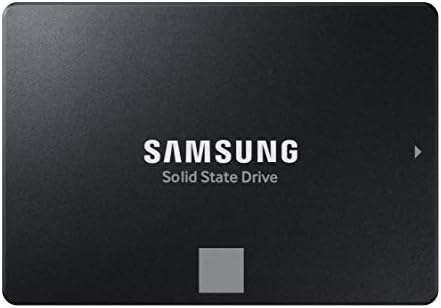
- THE SSD ALL-STAR: The latest 870 EVO has indisputable performance, reliability and compatibility built upon Samsung’s pi…
- EXCELLENCE IN PERFORMANCE: Enjoy professional level SSD performance which maximizes the SATA interface limit to 560 530 …
- INDUSTRY-DEFINING RELIABILITY: Meet the demands of every task — from everyday computing to 8K video processing, with up …
About the Product: The Samsung 870 EVO is the MX500’s main rival in the SATA category, and the choice between them often comes down to personal brand preference rather than a meaningful performance gap, since both drives push right up against the SATA interface’s speed ceiling. Samsung’s own controller and V-NAND give it a slightly different durability profile.
Key Specs:
- Interface: SATA III (6 Gb/s)
- Sequential read speeds: Up to 560 MB/s
- Sequential write speeds: Up to 530 MB/s
- Form factor: 2.5-inch
- Intelligent TurboWrite technology for sustained performance
Pros:
- Long-standing reputation for reliability across Samsung’s SSD lineup
- Intelligent TurboWrite helps maintain performance during larger file transfers
- Samsung Magician software for drive monitoring and optimization
- Wide capacity range from 250GB up to 4TB
Cons:
- Like all SATA drives, performance is capped well below NVMe options
- Slightly pricier than some competing SATA drives at equivalent capacities
- No meaningful speed advantage over the Crucial MX500 in real-world use
Buyer Sentiment: A long-standing buyer favorite with a strong reputation for consistency.
What Buyers Are Saying: Reviewers frequently cite trust in the Samsung brand and consistent performance over years of use as reasons for choosing it over competing SATA drives, with Samsung Magician software mentioned as a nice extra for monitoring drive health.
Portable & External SSDs
9. Samsung T9 Portable SSD — Best Portable SSD Overall

- NONSTOP SPEED: Race through projects with our fastest SSD for creators; Load, edit and transfer with sustained read and …
- DYNAMIC THERMAL GUARD: When you’re elbow-deep in a passion project, the T9 Portable SSD stays cool; Its advanced thermal…
- ADAPTS TO EVERY NEED: Whether you’re using a desktop, camera or a gaming console3, count on the T9 Portable SSD for exte…
The Samsung T9 is currently Samsung’s fastest consumer portable SSD, built around USB 3.2 Gen 2×2 to push well past the speeds older portable drives were capable of. It’s aimed at content creators, students, and professionals who need to move large files — video projects, photo libraries, backups — quickly between devices.
Key Specs:
- Interface: USB 3.2 Gen 2×2
- Sequential read/write speeds: Up to 2,000 MB/s
- Drop resistance: Up to 9.8 feet (3 meters)
- Security: AES 256-bit hardware encryption
- Capacities: 1TB, 2TB, 4TB
Pros:
- Among the fastest portable SSDs currently available to consumers
- Dynamic Thermal Guard helps maintain speed during sustained transfers
- Rugged drop resistance for life on the go
- Compatible with PC, Mac, Android, and gaming consoles
Cons:
- Requires a USB 3.2 Gen 2×2-capable port to hit full advertised speeds
- Premium pricing relative to slower portable SSD options
- No IP-rated water or dust resistance, unlike the T7 Shield
Buyer Sentiment: Highly rated among content creators and professionals.
What Buyers Are Saying: Feedback commonly highlights real-world transfer speeds that noticeably outpace older portable drives, along with praise for its compact, pocketable design despite the performance it offers.
10. SanDisk Extreme Portable SSD — Best Rugged Portable Pick

- Carry your photo and video collection in this compact drive, ready to relive at a moment’s notice.
- Easy Content Management: Select, copy, move, and organize content from your iPhone or iPad to the drive using the Files …
- Time Machine Compatibility: Time Machine compatible for seamless backup solutions with your Mac devices
SanDisk’s Extreme Portable SSD line has built a reputation among photographers and videographers who need storage that can survive being tossed in a camera bag. The current model emphasizes a compact, rugged design with USB-C connectivity for broad compatibility across laptops, tablets, and mobile devices.
Key Specs:
- Interface: USB-C
- Sequential speeds: Varies by generation (check current listing for exact specs)
- Form factor: Compact, portable 2.5-inch-style enclosure
- Compatible devices: Laptops, desktops, tablets, smartphones
Pros:
- Trusted SanDisk brand with a long history in portable storage
- Compact and lightweight design for travel and fieldwork
- Broad device compatibility via USB-C
- Simple plug-and-play setup with no software required for basic use
Cons:
- Specific speed ratings vary between SanDisk Extreme model generations, so double-check the exact listing
- Some older “Extreme” branded models have slower speeds than the newer “Extreme Pro” line
- Not the fastest option if raw speed is the top priority
Buyer Sentiment: Well-reviewed, with particular praise from photography and content creator buyers.
What Buyers Are Saying: Reviewers frequently mention using it for photo and video backups while traveling, with its compact size and rugged build cited as key reasons for choosing it over bulkier alternatives.
11. Crucial X9 Portable SSD — Best Budget Portable SSD

- CRUCIAL 1TB X9 EXTERNAL SSD USB 3.2 GEN 2 SOLID STATE DRIVE
The Crucial X9 is positioned as an accessible, no-frills portable SSD for anyone who wants external storage without paying for the flashier features found on pricier portable drives. It’s a straightforward USB-C external SSD designed to work across PC, Mac, Android, and gaming consoles.
Key Specs:
- Interface: USB 3.2, USB-C
- Sequential speeds: Up to 1,050 MB/s
- Form factor: Compact, pocket-sized
- Compatible devices: PC, Mac, Android, PlayStation, Xbox
Pros:
- Budget-friendly pricing relative to other portable SSD brands
- Compact, lightweight design that’s easy to carry daily
- Backed by Crucial’s reputation for reliable consumer storage
- Simple plug-and-play setup across most platforms
Cons:
- Slower top speed than premium portable options like the Samsung T9
- No official IP water/dust resistance rating
- Fewer color or capacity options than some competing lines
Buyer Sentiment: Solidly rated as a dependable budget choice.
What Buyers Are Saying: Buyers commonly describe it as a reliable, no-nonsense external drive for everyday backups and file transfers, with its price point frequently cited as the main reason for choosing it over pricier competitors.
12. Samsung T7 Shield — Best Rugged/Outdoor Portable SSD

- GO THE DISTANCE: Withstand whatever adventure with the wildly reliable T7 Shield; It’s designed for the elements with wa…
- YOUR CONTENT CAPTURED: Take on the project, then transfer all your heavy files within seconds with the USB 3.2 Gen 2 Por…
- SHARE IDEAS IN A FLASH: The T7 is embedded with PCIe NVME technology that brings you fast read and write speeds up to 1,…
The T7 Shield is Samsung’s ruggedized portable SSD, built with an IP65 water and dust resistance rating and a rubberized exterior designed to survive drops, splashes, and dusty environments. It’s aimed squarely at outdoor photographers, field videographers, and anyone who needs storage that can handle less-than-ideal conditions.
Key Specs:
- Interface: USB 3.2 Gen 2
- Sequential speeds: Up to 1,050 MB/s
- Water/dust resistance: IP65 rated
- Drop resistance: Up to 9.8 feet (3 meters)
- Capacities: 1TB, 2TB, 4TB
Pros:
- IP65 rating provides genuine protection against water splashes and dust
- Rugged rubberized design built to survive drops in the field
- Compatible with PC, Mac, Android, and gaming consoles
- Hardware-based password protection available
Cons:
- Top speed is noticeably lower than the faster T9 model
- Rugged design adds some bulk compared to slimmer portable SSDs
- Premium positioning means it costs more than non-rugged alternatives at the same capacity
Buyer Sentiment: Strongly rated, especially among outdoor and field-work buyers.
What Buyers Are Saying: Reviewers frequently mention using it specifically for outdoor shoots, hiking trips, and field work where a standard portable SSD would feel risky, with several buyers noting it has survived accidental drops without data loss.
13. WD My Passport SSD — Best for Mac/PC Backup

- Blazing fast NVMe technology with speeds of up to 1050MB/s and write speeds of up to 1000MB/s. | Based on reading speed …
- Password enabled 256-bit AES hardware encryption
- Shock and vibration resistant. Drop resistant up to 6.5ft (1.98m)
Western Digital’s My Passport SSD line has long been associated with straightforward, dependable backup storage, and the SSD version carries that same positioning forward with a notable speed upgrade over the brand’s older spinning-disk My Passport drives. It’s built for everyday backup use rather than high-performance editing work.
Key Specs:
- Interface: USB 3.2 Gen 2
- Sequential speeds: Up to 1,050 MB/s read, up to 1,000 MB/s write
- Security: Password protection with 256-bit AES hardware encryption
- Drop resistance: Up to 6.5 feet (1.98 meters)
- Compatible with USB-C and USB-A (adapter included)
Pros:
- Hardware encryption and password protection built in for sensitive backups
- Compact, stylish metal design available in multiple colors
- Compatible with both USB-C and legacy USB-A systems via included adapter
- Trusted WD brand with a long track record in external storage
Cons:
- Speeds are solid but not class-leading compared to the Samsung T9
- No official IP water/dust resistance rating
- Primarily designed for backup use rather than demanding creative workflows
Buyer Sentiment: Well-reviewed as a dependable backup solution.
What Buyers Are Saying: Buyers commonly mention using it as a straightforward Time Machine or Windows backup drive, with the built-in password protection frequently cited as a valued feature for anyone backing up sensitive files.
14. Lexar ES3 Portable SSD — Best Ultra-Budget Portable

- High-speed Data Transfer: Lexar external SSD ES3 supports USB 3.2 Gen 2 up to 1050MB/s read and 1000MB/s write to transf…
- Wide Compatibility: Lexar Portable SSD ES3 compatibility with iPhone 15 series (Not supported on iPhone 14 and older mod…
- On The Go: Lexar external solid state drive ES3’s thin, stylish, and durable metal design, weighs 42g and is only 10.5mm…
The Lexar ES3 rounds out this list as the most budget-friendly portable SSD option, aimed at buyers who want solid-state speed and portability without paying for premium branding or rugged extras. It’s an ultra-slim, lightweight drive designed for straightforward file transfers and backups across a wide range of devices.
Key Specs:
- Interface: USB 3.2 Gen 2
- Sequential read speeds: Up to 1,050 MB/s
- Sequential write speeds: Up to 1,000 MB/s
- Weight: Approximately 43 grams
- Includes Lexar DataShield 256-bit AES encryption software
Pros:
- One of the most affordable portable SSDs in its performane class
- Ultra-slim, lightweight design that’s easy to slip into a bag or pocket
- Includes encryption software for file protection
- Broad device compatibility including recent iPhone models, Android, PC, Mac, and consoles
Cons:
- Plastic unibody construction feels less premium than metal-bodied competitors
- No official rugged or water-resistance rating
- Lexar’s portable SSD lineup is less established than Samsung or WD in this category
Buyer Sentiment: Positively rated as a solid budget pick for everyday use.
What Buyers Are Saying: Reviewers frequently highlight the combination of low price and genuinely usable speeds as the main appeal, with its slim, pocketable design mentioned as a practical plus for daily carry.
How to Choose the Right SSD on Amazon — Buyer’s Guide
With 14 solid options above, picking the right one comes down to a handful of key factors.
1. Internal or Portable?
This is the first fork in the road. If you’re upgrading your laptop or desktop’s main storage, you need an internal drive — either NVMe (M.2) or SATA, depending on what your system supports. If you need extra storage you can carry between devices, back up to, or use for travel, you want a portable/external SSD instead. Check your device’s manual or specs page before buying an internal drive, since NVMe and SATA drives are not interchangeable without the right slot.
2. NVMe vs. SATA
NVMe drives communicate over the PCIe bus and are dramatically faster than SATA drives, which are capped at roughly 560 MB/s regardless of brand due to the limits of the SATA III interface itself. If your system supports NVMe (most laptops and desktops built in the last several years do), it’s almost always worth the modest price difference. If you’re upgrading an older machine that only has a SATA slot, a SATA SSD like the Crucial MX500 or Samsung 870 EVO is still a massive upgrade over a mechanical hard drive — just don’t expect NVMe-level speeds.
3. Capacity: How Much Do You Actually Need?
- 500GB–1TB: Comfortable for most everyday users — documents, browsing, a reasonable number of applications and games.
- 2TB: A solid choice for gamers with large game libraries or anyone working with photo/video files regularly.
- 4TB+: Best suited to professional content creators, large media libraries, or anyone who wants to avoid thinking about storage for years.
As a general rule, buy more than you think you need today — storage needs tend to grow faster than people expect. Our Amazon Laptop Buying Guide has a more detailed breakdown of how SSD capacity should factor into a full laptop purchase decision.
4. Read/Write Speeds: How Much Do They Matter?
For most everyday tasks — booting up, opening applications, browsing — the jump from a hard drive to any SSD (even a budget SATA model) is the single biggest upgrade you’ll feel. Beyond that baseline, higher NVMe speeds matter most for specific, demanding use cases: large 4K/8K video exports, big game installs, or frequently moving very large files. If you’re not regularly doing that kind of work, a mid-range NVMe drive like the Crucial P3 Plus or Kingston NV3 will feel just as snappy day-to-day as a flagship drive costing significantly more.
5. Durability and Warranty
Look at two numbers: TBW (Total Bytes Written), which estimates how much data you can write to the drive over its lifetime, and the warranty length, typically 3 to 5 years among the brands covered here. Heavier workloads like video editing or constant large file transfers will burn through TBW faster, so creators and professionals may want to lean toward higher-endurance drives.
6. Portable SSD-Specific Considerations
If you’re buying an external drive, also weigh:
- Interface speed: USB 3.2 Gen 2×2 (like the Samsung T9) is faster than standard USB 3.2 Gen 2, but only matters if your device’s port supports it.
- Ruggedness: If the drive will travel with you outdoors or in unpredictable conditions, an IP-rated model like the Samsung T7 Shield is worth the extra cost.
- Security features: Password protection and hardware encryption matter more if you’re backing up sensitive personal or professional files.
For more on structuring a complete, SSD-equipped home office or laptop setup, our guide to purple laptops on Amazon also covers how storage specs factor into overall laptop value at different price points, and our roundup of Amazon computer monitors is a useful next stop if you’re building out a full remote-work desk setup around your new drive.
Frequently Asked Questions
What’s the difference between NVMe and SATA SSDs?
NVMe drives connect over the PCIe bus and can reach speeds several times faster than SATA SSDs, which are limited to around 560 MB/s by the SATA III interface itself. Both are dramatically faster than a traditional mechanical hard drive, but NVMe is the better choice whenever your system supports it.
Is 1TB enough storage for a laptop in 2026?
For most everyday users — browsing, documents, streaming, a moderate number of applications — 1TB is a comfortable amount of space. Gamers with large libraries or anyone working heavily with photo and video files may want to consider 2TB or more.
Do I need a heatsink on my NVMe SSD?
It depends on your system. Desktop PCs with good airflow and a dedicated M.2 heatsink on the motherboard often don’t need a separate one. Thin laptops with limited airflow can benefit from a drive that includes a heatsink, like certain SN850X configurations, to avoid thermal throttling under sustained heavy use.
What does TBW mean on an SSD spec sheet?
TBW stands for Total Bytes Written, and it’s a manufacturer estimate of how much data can be written to the drive over its lifetime before it’s expected to wear out. Higher TBW ratings generally indicate a drive built for heavier, more sustained workloads.
Can I use a portable SSD to run games or applications directly, or just for storage?
Many portable SSDs, especially faster USB 3.2 Gen 2×2 models like the Samsung T9, are fast enough to run some games and applications directly from the drive. Performance will still typically be a step behind an internal NVMe drive, but it’s a viable option for expanding usable storage on a console or laptop with limited internal space.
Is a more expensive SSD always faster in real-world use?
Not necessarily for everyday tasks. Once you’ve moved from a hard drive to any SSD, the jump to a more expensive, faster NVMe drive mostly matters for specific heavy workloads like video editing or large file transfers — not general browsing, document work, or typical application use.
Are these SSDs compatible with both Windows and Mac?
Internal NVMe and SATA drives are compatible with any system that has the matching physical slot and interface support, regardless of operating system. Portable SSDs on this list are generally cross-compatible with Windows, Mac, Android, and gaming consoles, though it’s worth double-checking the specific listing for any platform-specific notes.
How do I know if an SSD will fit my laptop?
Check your laptop’s official specification page or manual for the exact drive interface it supports (M.2 NVMe, M.2 SATA, or 2.5-inch SATA) before buying, since the different form factors and interfaces are not interchangeable.
Final Verdict: Which SSD Should You Buy?
If you want the best all-around internal upgrade and your system supports NVMe, the Samsung 990 Pro remains one of the strongest choices for speed and long-term reliability, while the Kingston NV3 is the better pick if budget is the top priority. For older systems limited to SATA, the Crucial MX500 and Samsung 870 EVO are both dependable, well-proven options that will still feel like a dramatic upgrade over a mechanical hard drive.
On the portable side, the Samsung T9 is the best overall pick if raw speed matters most, while the Samsung T7 Shield is worth the extra cost if your drive needs to survive rough outdoor conditions. Budget-conscious buyers looking for solid, dependable external storage should take a close look at the Crucial X9 or Lexar ES3.
Whichever SSD on Amazon you land on from this list, every option here represents a real, currently available product backed by consistent buyer feedback rather than guesswork — always double-check the live listing for current pricing, available capacities, and colors before you buy.
As an Amazon Associate I earn from qualifying purchases.

MD.HASAN is an experienced SEO expert and amazon products review writer passionate about helping people find right products on amzon for buy without confusion. With 4 years of hands-on experience in content strategy and search engine optimization, he specializes in writing SEO-friendly blog posts that rank, engage, and convert.


