
Affiliate disclosure: As an Amazon Associate, Tech Rig Review earns from qualifying purchases. Links on this page may be affiliate links, at no extra cost to you.
Amazon laptop buying guide for 2026: Learn how to compare CPU, RAM, storage, display, battery, size, operating systems, and more before buying.
Buying a laptop on Amazon can feel harder than it should.
There are hundreds of listings, many similar model names, different configurations, third-party sellers, and specifications that can be difficult to compare. A laptop that looks like a great deal may have less RAM or storage than another model with a similar name.
That’s why a good Amazon laptop buying guide shouldn’t simply list popular computers. It should explain what each specification actually means and which features matter for your work.
This guide takes a research-based approach. It does not claim hands-on testing. Instead, it focuses on manufacturer specifications, Amazon listing information, and practical buying factors. I’ll also show several Amazon laptop examples for different needs — availability can change, so always open the live Amazon listing before purchasing.
Important: Amazon prices, sellers, configurations, and stock can change. I have intentionally avoided publishing fixed prices in this guide.
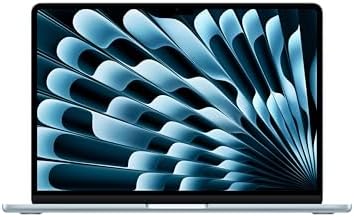
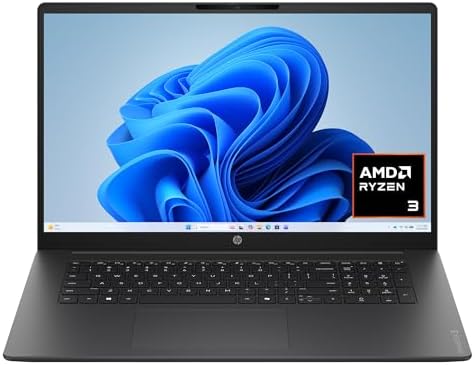

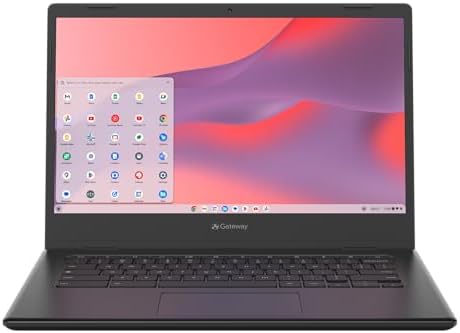
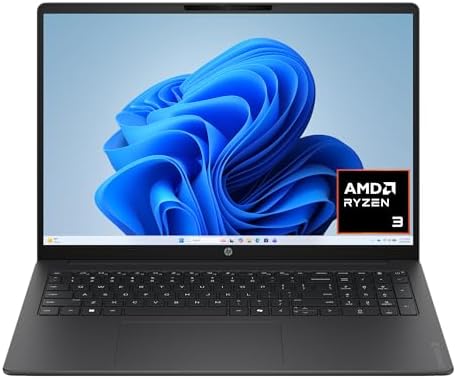


What to Look for When Buying a Laptop on Amazon
Before looking at individual models, understand the main specifications. The most important factors are:
- Processor
- RAM
- SSD storage
- Display
- Battery
- Weight
- Operating system
- Graphics
- Ports
- Keyboard
- Webcam
- Build quality
- Warranty
- Seller
The best laptop is not necessarily the one with the fastest processor. For example, a student may benefit more from low weight and long battery life than from a powerful gaming GPU. A video editor may need the opposite. This is why you should start with your workload.
Quick Amazon Laptop Buying Checklist
If you want the short version, use this checklist.
For everyday use:
- Modern Intel Core, AMD Ryzen, Apple silicon, or similar processor
- 8GB RAM minimum, 16GB preferred
- 256GB SSD minimum, 512GB preferred
- Full HD or better display
For school:
- Low weight
- Good battery
- Comfortable keyboard
- 8GB–16GB RAM
- 256GB–512GB SSD
- Reliable Wi-Fi
- Good webcam
For office work:
- 16GB RAM
- 512GB SSD
- Good keyboard
- Comfortable display
- USB-C, and USB-A if you use older accessories
- Good webcam
For creative work:
- 16GB or more RAM
- 512GB–1TB SSD
- Strong CPU
- Good color display
- Dedicated GPU when required
- SD card reader if useful
For gaming:
- Dedicated GPU
- Strong CPU
- 16GB+ RAM
- 512GB+ SSD
- High-refresh-rate display
- Good cooling
How to Choose the Right Amazon Laptop for Your Needs
Your use case should decide your laptop. Don’t start with the brand — start with the work.
Laptop for Students
Students normally need a balanced machine, used for Google Docs, Microsoft Office, research, Zoom or other video meetings, web browsing, presentations, PDF files, and streaming. You usually don’t need an expensive workstation — a light 13-, 14-, or 15-inch laptop can work well.
If you carry the computer every day, weight matters. A laptop that’s slightly slower but much easier to carry can be the better choice.
Laptop for Work From Home
For remote work, focus on productivity. Look for 16GB RAM, 512GB SSD, a comfortable keyboard, good webcam, good microphone, Wi-Fi 6 or newer where appropriate, USB-C, and HDMI or suitable display connectivity.
If you connect a monitor, keyboard, webcam, and other accessories, ports become more important — a laptop with only two USB-C ports may require a dock.
Laptop for Business
Business buyers should pay attention to more than processor speed. Look at security features, warranty, build quality, keyboard, webcam, battery, port selection, manageability, and manufacturer support. Business laptops from lines such as Lenovo ThinkPad and Dell Latitude are designed with professional users in mind.
Laptop for Content Creation
Content creation covers many workloads — photo editing is different from 4K video editing, and light video editing is different from professional production.
For heavier workloads, consider 16GB or 32GB RAM, a fast SSD, strong CPU, dedicated GPU when required, high-quality display, and good color coverage. If you edit video, storage can disappear surprisingly fast — a 1TB SSD can be much more practical than a small drive.
CPU: How Much Processor Power Do You Need?
The CPU is one of the most important laptop components — it handles general computing tasks. You may see names such as Intel Core, Intel Core Ultra, AMD Ryzen, Apple M-series, or Qualcomm Snapdragon.
Don’t judge a laptop only by the brand name — the exact processor matters. A newer mid-range processor may be a better choice than an older high-end processor.
Intel Core and Core Ultra: Intel has several current processor families. Core Ultra processors are designed for modern PCs and include dedicated AI processing capabilities on supported models. For everyday work, you don’t necessarily need the highest Core Ultra model; for demanding work, a higher-performance configuration may make sense.
AMD Ryzen: AMD Ryzen processors are common in Windows laptops. Ryzen 5 is often positioned for mainstream use, while Ryzen 7 and Ryzen 9 models generally target higher performance tiers — though the exact generation and processor model still matter. Don’t compare only “Ryzen 7” versus “Core i7”; compare the actual chip.
Apple Silicon: Apple uses its own silicon in Mac laptops. Current Apple laptop families use M-series processors. The advantage is that Apple controls the processor and operating system together. However, macOS compatibility matters — if you rely on Windows-only software, check compatibility before buying a Mac.
RAM: How Much Memory Is Enough?
RAM affects multitasking. Imagine opening Chrome, Word, Excel, Spotify, Zoom, and Photoshop at the same time — the laptop needs enough memory to keep these applications running smoothly.
- 8GB RAM can work for basic use and lighter workloads, but I wouldn’t choose 8GB if you regularly multitask heavily.
- 16GB RAM is the practical target for many laptop buyers — it provides much more room for browser tabs, office applications, video calls, photo editing, light development, and general multitasking.
- 32GB RAM is worth considering for demanding workloads such as video editing, programming, virtual machines, large creative projects, and professional applications.
Storage: SSD Size Explained
Most modern laptops use SSD storage — solid-state drive, much faster than the traditional spinning hard drives found in older computers. When shopping, you may see 128GB, 256GB, 512GB, 1TB, or 2TB options.
- 256GB is good for light users who store many files in the cloud, but it can fill quickly.
- 512GB is a strong choice for most users, giving you room for applications, documents, photos, and other files.
- 1TB is better for creators and people who store lots of media — if you edit video, 1TB can be much more comfortable.
Laptop Display Buying Guide
The display is the part you look at all day — don’t ignore it.
Screen Size
Common sizes include 13.3, 14, 15.6, 16, and 17 inches.
| Size | Best For |
|---|---|
| 13–14 inches | Portability |
| 15–16 inches | A larger workspace |
| 17 inches | When screen size matters more than portability — excellent for spreadsheets, editing, and entertainment, but not ideal if you carry your laptop everywhere |
Resolution
You’ll often see 1920 × 1080 (Full HD). You may also see 1920 × 1200, 2560 × 1600, 2880 × 1800, or 3840 × 2400. Higher resolution can produce sharper images, but resolution isn’t everything — panel quality, brightness, contrast, color, and refresh rate also matter.
IPS vs. OLED
IPS displays are common and can offer good image quality without the premium cost of OLED.
OLED displays can provide deep blacks, strong contrast, rich colors, and excellent image quality — especially attractive for entertainment and creative work. However, don’t assume every OLED laptop is automatically better for your needs; compare the complete display specification.
Refresh Rate
You may see 60Hz, 90Hz, 120Hz, 144Hz, 165Hz, or 240Hz. Higher refresh rates can make movement look smoother. For office work, 60Hz can be perfectly fine; for gaming, a higher refresh rate can be valuable.
Brightness
Brightness matters if you work near windows or outdoors. A display that looks good in a dark room may not look as good in bright surroundings — check the manufacturer’s brightness specification where available.
Battery Life
Battery life is one of the most misunderstood laptop specifications. Manufacturers may publish a maximum battery estimate, but real-world battery life depends on screen brightness, processor, browser use, video playback, applications, Wi-Fi, background processes, and display resolution.
Don’t assume a manufacturer’s maximum figure equals your daily experience. For students and travelers, battery life deserves high priority.
Laptop Size and Weight
A laptop is a portable computer, which makes weight important. A 3-pound laptop can feel very different from a 5-pound gaming machine when carried every day.
- Lightweight laptops are good for students, travelers, commuters, and remote workers.
- Larger laptops are good for video editing, large spreadsheets, gaming, and desktop replacement use.
There’s no universally correct size — choose based on where you use it.
Windows vs. macOS vs. ChromeOS
The operating system affects your entire experience.
Windows is the most flexible option for many PC buyers. It supports a huge range of applications and hardware, and is available across many brands.
macOS is Apple’s operating system, found on Mac computers. It can be a great choice if you already use Apple devices and software, but check compatibility with your required applications.
ChromeOS is designed around Google’s Chrome ecosystem. Chromebooks are often attractive for web browsing, school, Google Workspace, streaming, and basic productivity — but they are not identical to Windows laptops. If you need full Windows applications, check compatibility before choosing a Chromebook.
Traditional Laptop vs. 2-in-1
A 2-in-1 laptop has a touchscreen and a design that can change form — some use a 360-degree hinge, others have detachable keyboards. A traditional laptop is simpler.
Choose a 2-in-1 if: you want touchscreen input, you want tablet mode, you take handwritten notes, or you like flexible viewing positions.
Choose a traditional laptop if: you mainly type, you don’t need touch, you want maximum value, or you prefer a simple design.
For a deeper explanation, see our guide to what a 2-in-1 laptop is and compare it with our Amazon laptop reviews.
Ports and Connectivity
Ports are easy to overlook — then you buy the laptop and realize your old accessories don’t fit. Look for USB-A, USB-C, HDMI, headphone jack, SD card slot, MicroSD, and Ethernet on some larger laptops.
USB-C is especially useful, but USB-C does not automatically mean Thunderbolt or USB4 — check the exact specification.
Webcam and Microphone
Remote work makes the webcam more important — a poor camera can make video meetings look bad. Check resolution, camera placement, privacy shutter, microphone array, and noise reduction. A privacy shutter is a useful extra feature.
Keyboard and Touchpad
Specifications don’t tell you everything about keyboard quality. If you write thousands of words every week, the keyboard matters. Look for comfortable key travel, backlighting, a full-size layout, and a number pad if required.
A number pad can be useful for accounting and spreadsheets, but it can make a smaller laptop wider.
Graphics: Integrated vs. Dedicated
Graphics processing handles visual workloads. There are two major approaches.
Integrated graphics are part of the main processor platform — good for office work, browsing, video playback, light creative work, and casual gaming.
Dedicated GPU has its own graphics resources — useful for gaming, 3D work, heavy video editing, rendering, and GPU-based applications. A dedicated GPU can add weight, heat, power consumption, and cost, so don’t buy one unless your workload needs it.
Laptop Build Quality
Build quality is more than appearance. Look at chassis material, hinge construction, keyboard deck, display frame, port construction, weight, and manufacturer reputation.
A metal chassis may feel more premium, but a well-designed plastic laptop can still be durable and practical.
How to Read an Amazon Laptop Listing
This is where many buyers make mistakes. An Amazon title may contain a huge number of specifications, for example:
“15.6-inch Laptop, 16GB RAM, 512GB SSD, Intel…”
That sounds simple, but keep reading. Find the exact model number and configuration, then check:
- Processor
- RAM
- Storage
- Display
- Operating system
- Graphics
- Ports
- Weight
- Warranty
- Seller
Never buy based only on the first sentence of the listing.
Be Careful With Upgraded Laptop Listings
Amazon contains listings where third-party sellers upgrade laptops — for example, a seller may take a factory laptop and install more RAM or storage. That’s not automatically bad, but understand what you’re buying.
An Amazon listing I found for an ASUS Vivobook 15, for example, clearly states that the computer has been customized with upgraded memory and storage and that the original package may have been opened. That’s useful information — it means you shouldn’t assume every configuration came directly from the manufacturer in that exact form.
Amazon Seller and Configuration Checks
Before clicking Buy Now, check:
- Is it sold by Amazon? If not, identify the seller.
- Is it new? Check the condition.
- Is the exact configuration available? Amazon may show multiple versions of the same laptop.
- Does the warranty apply? Read the warranty terms.
- Is the keyboard layout correct? This matters for imported models.
- Is the operating system correct? Don’t assume every listing uses Windows Home — some use Windows Pro, and some may use ChromeOS.
Recommended Amazon Laptop Examples
The following examples illustrate different types of laptops you may encounter while shopping. I’m treating these as research examples, not hands-on reviews. Because Amazon inventory changes, check the live listing before publishing or purchasing.
ASUS Vivobook 15 — Everyday Windows Example
The ASUS Vivobook 15 is a useful example of a mainstream Windows laptop. One currently indexed Amazon listing identifies a Vivobook 15 configuration with a 15.6-inch Full HD IPS display, Intel Core i5-1235U processor, 16GB RAM, 512GB SSD, integrated Intel Iris Xe graphics, and Windows 11 Pro. The listing also identifies the model as a customized configuration sold by a third-party seller.
Best for: Everyday work, school, browsing, and office tasks.
Key points:
- 15.6-inch display, Full HD resolution
- Intel Core i5-1235U
- 16GB RAM
- 512GB SSD
- Integrated graphics
- Windows 11 Pro
- Numeric keypad
One important caution is the seller configuration — the Amazon listing says the computer was upgraded by the seller rather than being a completely untouched factory configuration. That’s exactly why Amazon buyers should read beyond the product title.
→ Check the current ASUS Vivobook 15 listing
Lenovo IdeaPad 3i Chromebook — Simple Chromebook Example
If your computing needs are mostly web-based, a Chromebook can be a different type of choice. Amazon Business documentation has listed the Lenovo IdeaPad 3i Chromebook with a 15.6-inch Full HD display, Intel Celeron N4500, 8GB RAM, 64GB eMMC storage, and ChromeOS under ASIN B0BSJ46KY9.
Best for: Web browsing, schoolwork, streaming, and lightweight productivity.
One important difference is storage — 64GB is much smaller than the 512GB SSD found in many Windows laptops. That’s not necessarily a problem for a cloud-focused Chromebook, but it’s important to understand the difference.
→ Check the Lenovo IdeaPad 3i Chromebook listing
Lenovo IdeaPad Flex 3i Chromebook — Touchscreen Chromebook Example
The Lenovo IdeaPad Flex 3i Chromebook is another useful example. Amazon Business documentation identifies a configuration with a 15.6-inch Full HD touchscreen, Intel Pentium N6000, 8GB RAM, 128GB SSD, and ChromeOS under ASIN B0CWB3QTGF.
Best for: Buyers who want a larger touchscreen Chromebook.
The touchscreen makes it different from a standard clamshell Chromebook — useful for browsing, media, and touch-friendly applications.
→ Check the Lenovo IdeaPad Flex 3i Chromebook listing
Availability note: The ASINs above are documented in Amazon Business materials, but that documentation is not a guarantee that the same configuration is currently in stock for every Amazon.com shopper. Always verify the live Amazon page before publication or purchase.
How Much Should You Spend on an Amazon Laptop?
Don’t choose a budget first — choose your requirements first, then compare models that meet them.
A very cheap laptop may look attractive, but if it has 4GB RAM, tiny storage, a weak processor, and a poor display, you may regret saving money. On the other hand, buying an expensive workstation for email and web browsing is unnecessary. The goal is right-sized performance.
When a Cheap Laptop Makes Sense
A lower-cost laptop can work well for web browsing, email, Google Docs, school research, streaming, and basic office tasks. Chromebooks can be particularly interesting for web-first users.
When You Should Spend More
Spend more when your work requires it:
- Video editing — more CPU, RAM, storage, and possibly GPU power.
- Gaming — dedicated graphics and better cooling.
- Professional development — more RAM and CPU resources can help.
- Creative work — a better display and more powerful hardware can matter.
- Business — better support, security, durability, and warranty may justify additional cost.
Frequently Asked Buying Decisions
Should you buy a laptop with 8GB or 16GB RAM?
For a new general-purpose Windows laptop, generally prefer 16GB if your budget allows. 8GB can still work for basic use, but 16GB gives you more flexibility — especially useful if you keep lots of browser tabs open.
Is 256GB enough?
It can be, but 512GB is a more comfortable target for many users. Remember that the operating system and applications use some storage. If you keep large video files, games, photos, or project files locally, consider 1TB.
Is a 14-inch or 15.6-inch laptop better?
Neither is universally better. Choose 14 inches if portability matters, or 15.6 inches if screen space matters. For office work, a 15.6-inch screen can be nice for spreadsheets; for travel, 14 inches may be more comfortable.
Should you buy a touchscreen laptop?
Touchscreen is useful if you’ll actually use it — it makes more sense for 2-in-1 laptops, drawing, note-taking, presentations, and tablet-style use. If you never touch the display, you may be better off spending the money on RAM, storage, or a better panel.
Should you buy a 2-in-1 laptop?
A 2-in-1 is worth considering if flexibility is important — you can use it as a laptop for typing, then change the position for reading, drawing, watching videos, or presenting. But if your laptop stays on a desk all day, a standard laptop may be better value.
Common Amazon Laptop Buying Mistakes
| Mistake | Why It Matters |
|---|---|
| Choosing by processor name alone | “Core i7” sounds impressive, but the generation and exact model matter. |
| Ignoring RAM | A fast CPU cannot fix every memory limitation. |
| Buying too little storage | A 128GB or 256GB drive can fill quickly. |
| Ignoring display quality | You interact with the display every day. |
| Buying a gaming laptop for normal work | Gaming laptops can be powerful, but also heavier, louder, and less convenient to carry. |
| Assuming every Amazon configuration is factory standard | Third-party sellers may upgrade RAM or storage — read the listing carefully. |
| Forgetting ports | Your new laptop may not have the ports your accessories need. |
| Ignoring warranty | A good price is less attractive if support is unclear. |
| Buying based on reviews alone | Customer reviews are useful, but read the actual review content and look for repeated patterns rather than one-off complaints. |
A Simple Amazon Laptop Scoring Method
When comparing three laptops, create five categories:
| Category | What to Check |
|---|---|
| Performance | CPU and RAM |
| Storage | SSD capacity |
| Display | Size, resolution, panel |
| Portability | Weight and battery |
| Value | Features vs. total cost |
Then give each laptop a simple score from 1–5. You don’t need a complicated spreadsheet — the purpose is to force yourself to compare the whole computer instead of one attractive specification.
Research Sources Worth Checking
For laptop research, I recommend checking manufacturer documentation rather than relying only on affiliate articles:
- Lenovo official Yoga specifications
- Microsoft Windows device documentation
- Amazon Business laptop catalog information
These sources are useful because specifications can change between generations and configurations.
FAQ
What should I look for when buying a laptop on Amazon?
Start with the processor, RAM, SSD, display, battery, weight, operating system, graphics, ports, warranty, and seller. Most importantly, match these features to your actual workload.
How much RAM is enough for a laptop?
8GB can handle lighter tasks, while 16GB is a stronger choice for most modern multitasking. Heavy users may benefit from 32GB or more.
Is 512GB SSD enough?
For many users, yes. A 512GB SSD provides a good balance for documents, applications, photos, and general use. Creators with large media libraries may want 1TB or more.
What laptop size is best?
A 13- or 14-inch laptop is generally easier to carry. A 15- or 16-inch laptop gives you more screen space. A 17-inch model is useful when a large display matters more than portability.
Is a 2-in-1 laptop worth it?
It can be if you want touchscreen and tablet-style flexibility. If you only need a traditional laptop, a standard clamshell model may provide better value.
Should I buy a Chromebook or Windows laptop?
Choose a Chromebook if your work is mostly web-based. Choose Windows if you need a broad selection of desktop software or Windows-specific applications.
Is a touchscreen laptop better?
Not automatically. A touchscreen is useful for touch interaction, drawing, note-taking, and 2-in-1 designs. If you never use touch, other features may provide better value.
Should I buy a laptop with a dedicated graphics card?
Only if your workload needs it. Gaming, 3D work, and demanding video editing can benefit from dedicated graphics. Basic office work and browsing usually do not require one.
Final Verdict: How to Choose the Right Amazon Laptop
The best way to buy a laptop on Amazon is to ignore the marketing noise and start with your workload.
If you’re a student, focus on weight, battery life, keyboard quality, and enough RAM. If you work from home, prioritize RAM, SSD storage, webcam quality, ports, and a comfortable display. If you edit photos or videos, spend more attention on the processor, RAM, GPU, SSD, and display. If you game, prioritize graphics performance and cooling. And if you want tablet-style flexibility, a 2-in-1 may be worth the extra cost.
My biggest recommendation is simple: don’t compare laptops by processor name alone. Check the complete configuration. A laptop is a system — CPU, RAM, storage, display, battery, cooling, keyboard, ports, and software all work together.
Before purchasing, open the live Amazon page and verify the exact configuration, seller, availability, warranty, and current specifications.
For more laptop comparisons, you can also continue with TechRigReview’s 10 Best Amazon Laptop Computers and 7 Best HP Laptops on Amazon.
The right laptop is not the one with the longest specification list. It is the one that gives you the features you actually need without making you pay for hardware you will never use.
Research note: This article is based on publicly available manufacturer and Amazon listing information. I did not purchase or personally hands-on test the products. Amazon availability, configurations, sellers, specifications, and prices can change, so verify the live listing before publishing product-specific information or purchasing.

MD.HASAN is an experienced SEO expert and amazon products review writer passionate about helping people find right products on amzon for buy without confusion. With 4 years of hands-on experience in content strategy and search engine optimization, he specializes in writing SEO-friendly blog posts that rank, engage, and convert.


