
🔗 Affiliate Disclosure: As an Amazon Associate, Tech Rig Review earns from qualifying purchases. Links on this page may be affiliate links — at no extra cost to you.
Wondering where to buy a Lenovo laptop? Compare Lenovo.com, Amazon, Best Buy, business programs, and refurbished options to find the safest deal.
Lenovo makes one of the widest laptop lineups on the market — ThinkPad, IdeaPad, Yoga, Legion — and that same width is what makes shopping for one confusing. The same ThinkPad model can show up on five different websites at five different prices, and not every one of those listings is as trustworthy as it looks.
This guide breaks down every realistic place to buy a Lenovo laptop in 2026: Lenovo’s own store, general retailers, in-person electronics stores, business purchase programs, and the refurbished market. You’ll get the real trade-offs of each, how to confirm a listing is genuine before you pay, and how to time the purchase so you’re not overpaying for the exact same machine.
If you’re setting up the rest of your desk around a new laptop, the same research habits apply to other purchases too — this guide to choosing an Amazon laptop covers the same ground from a slightly different angle and is worth a look before you commit.
Table of Contents
Decide Which Lenovo Line You Actually Need First


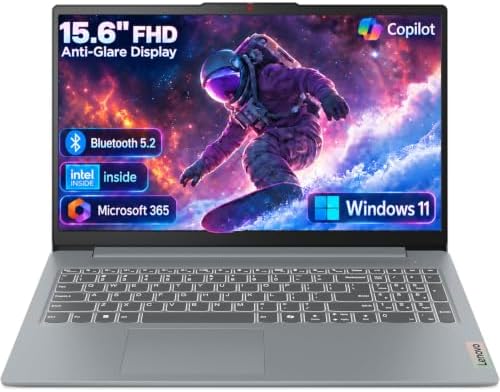

Before picking a retailer, it helps to know which Lenovo family you’re shopping for, since that narrows down where it’s even sold.
- ThinkPad — Lenovo’s business line. Known for durable builds and strong keyboards. Widely available everywhere, including enterprise/business purchase programs.
- IdeaPad — Lenovo’s mainstream consumer line. The most common model family at general retailers.
- Yoga — Lenovo’s premium 2-in-1 and ultraportable line. Sold everywhere IdeaPads are, often at a markup.
- Legion — Lenovo’s gaming line. More likely to be found at retailers that also carry dedicated gaming hardware.
Once you know the line, the “where” question gets easier, because certain retailers lean harder into certain categories (for example, business-focused retailers stock more ThinkPads, while general electronics stores lean IdeaPad and Yoga).
Buying Directly From Lenovo.com

Lenovo sells its full lineup through its own site, and it’s the only place you can fully customize a ThinkPad or Legion build — CPU, RAM, storage, and even color, in some cases.
Why this can be the safest option: You’re guaranteed a genuine unit with Lenovo’s standard warranty, and Lenovo’s own support team can verify your purchase directly. You can confirm any device’s warranty status anytime through Lenovo’s official Warranty Lookup tool, which only works accurately for machines bought through legitimate channels.
The trade-offs:
- Custom-configured models can take longer to ship than an in-stock unit from a general retailer.
- Lenovo runs frequent flash sales and coupon codes, so list price isn’t always the real price — it’s worth checking for an active coupon before paying full price.
- You can’t compare it side-by-side against a Dell or HP in the same cart.
Buying direct makes the most sense when you want a specific configuration Lenovo doesn’t sell pre-built elsewhere, or when brand-direct warranty support matters most to you.
Big Box and General Online Retailers

Amazon, Best Buy, Walmart, and Costco all carry pre-built Lenovo configurations, usually at competitive prices, and this is where most buyers end up shopping for convenience.
What to watch for:
- Check who’s actually selling it. On marketplace platforms, a listing can be fulfilled by a third-party seller rather than the retailer itself. For a major purchase like a laptop, that distinction matters more than it does for a cheap accessory.
- “Open box” and “renewed” listings aren’t the same as new. Read the condition description carefully before assuming you’re getting a factory-fresh unit.
- Confirm the return window before buying, since laptops sometimes carry different return policies than general merchandise, and a restocking fee can apply to opened electronics at some retailers.
For a detailed walkthrough of evaluating laptop listings on general marketplaces — including how to decode specs and tell a legitimate deal from an inflated one — this laptop buying guide goes through the process step by step and specifically covers Lenovo’s IdeaPad and ThinkPad lines as examples.
Buying In-Store at an Electronics Retailer
It’s easy to default to buying online, but testing a laptop’s keyboard and trackpad in person is the only way to really know if it suits you — something no spec sheet communicates well.
When this makes sense:
- You’re torn between two models and want to physically compare keyboards, hinges, and screen quality
- You want same-day pickup instead of waiting on shipping
- You’d rather return or exchange in person than deal with shipping a laptop back
When it doesn’t:
- Your local store only stocks a couple of configurations
- You already know exactly which build you want and just need the best price
In-store shopping is most useful as a research step even if you ultimately order online afterward — testing in person, then buying wherever the price is best, is a completely reasonable approach.
Business and Education Purchase Programs
Because ThinkPads are built around business use, Lenovo (and several retailers) offer purchase channels specifically for organizations and students:
- Lenovo’s business and education storefronts often include volume pricing, extended warranty options, and asset-tagging services not available on the consumer site.
- Amazon Business offers similar business-account pricing and purchasing controls for organizations that already buy through Amazon.
- Campus bookstores and university partnerships sometimes carry discounted Lenovo education pricing for students, particularly on ThinkPad and IdeaPad lines.
If you’re buying for a business or a student, it’s worth checking whether you qualify for one of these programs before buying through a general consumer storefront — the pricing is often meaningfully better for the same hardware.
Buying Refurbished or Lenovo Certified Renewed
A refurbished Lenovo laptop, especially a ThinkPad, can be a legitimate way to get business-grade hardware for less, since ThinkPads are built to be serviced and tend to hold up well over several years of use.
Where this typically happens:
- Lenovo’s own outlet or renewed/refurbished storefront, when available in your region
- Marketplace “renewed” programs through general retailers
- Dedicated used-electronics marketplaces
What to check before buying refurbished:
- Confirm what “refurbished” actually means for that specific listing — grading standards vary a lot between sellers.
- Check what warranty, if any, comes with it. A refurbished unit with zero warranty coverage is a meaningfully different purchase than one backed by 90 days or more.
- Ask about battery health specifically, since it’s the component most likely to be degraded on an older refurbished unit.
- Verify the serial number through Lenovo’s warranty lookup tool before buying if you can get it from the seller — this confirms the unit is a genuine Lenovo device and shows whether the original warranty has already been used or transferred.
How to Avoid Fake or Misleading Listings
A few habits significantly cut your risk no matter where you’re shopping:
- Compare the price against the rest of the market. If one listing for a current-generation ThinkPad is dramatically below every other listing for the same configuration, treat that as a reason to look closer, not a reason to celebrate.
- Use a credit card for online purchases. The FTC’s guidance on shopping online specifically recommends this for stronger dispute protection if something goes wrong with an order.
- Check an unfamiliar seller’s standing before buying from them. The Better Business Bureau lets you search any business by name to see accreditation status, reviews, and complaint history before you commit.
- Verify the serial number after it arrives. Running it through Lenovo’s official warranty lookup confirms you received a genuine, properly registered unit and shows the real warranty start date — which should match when you actually bought it, not an earlier date that would suggest the unit was resold.
Timing Your Purchase
Lenovo laptop pricing moves around more than people expect, even outside of major sales events:
- Back-to-school season (July–September) typically brings discounts on IdeaPad and lower-tier ThinkPad models aimed at students.
- Black Friday and Cyber Monday are historically Lenovo’s biggest discount events of the year, both on Lenovo.com directly and through general retailers.
- Lenovo runs its own flash sales independent of the big retail calendar, so it’s worth checking Lenovo.com directly even outside major shopping seasons — a coupon code can sometimes beat a “sale price” at a general retailer on the exact same configuration.
- New generation launches push older-generation pricing down. If you don’t need the newest chip, buying the previous generation shortly after a new one launches is a reliable way to save without sacrificing much real-world performance.
Common Mistakes to Avoid
Assuming the cheapest listing is the best deal. An unusually low price on a current ThinkPad or Legion model is more often a sign of a stripped-down configuration, open-box unit, or questionable seller than an actual bargain.
Not checking the exact model number. Lenovo reuses family names (IdeaPad 3, IdeaPad Slim 3, IdeaPad Slim 3i) across very different configurations — confirm the exact model number, not just the family name, before comparing prices across retailers.
Skipping the return policy check. Confirm the specific return window for laptops at that retailer, since it sometimes differs from the store’s general policy.
Buying a business-targeted ThinkPad without checking for a webcam or biometric login, since some lower-tier business configurations strip these out to hit a price point — a detail easy to miss in a quick listing scan.
Forgetting to register the warranty. A quick registration after purchase makes any future warranty claim faster and gives you a paper trail confirming you’re the original owner.
Quick Checklist
- [ ] Confirm the exact model number, not just the product family name
- [ ] Check whether you qualify for a business or education purchase program
- [ ] Compare the listed price against the rest of the market
- [ ] Confirm who’s actually selling the listing (retailer vs. third-party seller)
- [ ] Check the specific return window for laptops at that retailer
- [ ] Pay with a credit card for stronger dispute protection
- [ ] Verify the serial number through Lenovo’s warranty lookup after it arrives
FAQ
Is it cheaper to buy a Lenovo laptop directly from Lenovo.com or from Amazon?
It varies by model and by the timing of each site’s current promotions. Lenovo.com runs its own flash sales and coupon codes independent of Amazon’s pricing, so it’s worth checking both before buying rather than assuming either is consistently cheaper.
Is it safe to buy a Lenovo laptop from a third-party seller on Amazon?
It can be, but check the seller’s name and reviews first. If the price is dramatically lower than every other listing for the same configuration, treat that as a reason to look closer rather than a reason to buy immediately.
What’s the difference between ThinkPad and IdeaPad?
ThinkPad is Lenovo’s business line, built for durability and typically featuring stronger keyboards and more robust chassis construction. IdeaPad is Lenovo’s mainstream consumer line, generally lighter on the wallet and aimed at everyday use rather than business-grade durability.
Should I buy a refurbished Lenovo laptop?
It can be a good option, especially for ThinkPads, which are built to be serviced. Check what warranty comes with the refurbished unit and confirm the battery health specifically, since that’s the component most likely to show wear.
How do I know if a Lenovo laptop listing is genuine?
Compare its price against the rest of the market, check the seller’s standing if unfamiliar, and once it arrives, verify the serial number through Lenovo’s official warranty lookup tool to confirm it’s a properly registered, genuine unit.
Does buying from Lenovo.com directly get me a better warranty?
The standard warranty terms are generally the same regardless of authorized retailer, but buying direct makes it simplest to verify your purchase and register for support, since Lenovo has the transaction on record directly.
When is the best time of year to buy a Lenovo laptop?
Black Friday and Cyber Monday typically bring the deepest discounts, with back-to-school season (summer) as a secondary opportunity, especially on IdeaPad and entry ThinkPad models.
Can I negotiate the price on a Lenovo laptop purchase?
Not on consumer purchases through general retail channels, but business and education purchase programs often include volume pricing that functions similarly, especially for multi-unit orders.
Final Thoughts
There’s no single best place to buy every Lenovo laptop — the right retailer depends on which model you want, whether you need it today or can wait for a sale, and how much you value being able to fully customize the build. A student buying an IdeaPad is usually well served by a general retailer or an education program. Someone configuring a specific ThinkPad build is better off going straight to Lenovo.com.
Whatever you choose, the same habits protect you everywhere: confirm the exact model number, compare the price against the rest of the market, check who you’re actually buying from, and verify the unit once it arrives. If you’re setting up the rest of your workspace at the same time, the same price-checking approach applies to a monitor, a laptop stand, or a wireless mouse — it’s worth building the habit once and reusing it for every purchase on the list.

MD.HASAN is an experienced SEO expert and amazon products review writer passionate about helping people find right products on amzon for buy without confusion. With 4 years of hands-on experience in content strategy and search engine optimization, he specializes in writing SEO-friendly blog posts that rank, engage, and convert.