
Affiliate disclosure: As an Amazon Associate, Tech Rig Review earns from qualifying purchases. Links on this page may be affiliate links, at no extra cost to you.
Working from home is no longer a temporary workaround — it is the new standard for millions of professionals around the world. Whether you are a freelancer, a remote employee, a student, or someone launching a side business, having a dedicated workspace in your home directly impacts how much you get done, how long you stay focused, and how you feel at the end of a workday.
The problem most people run into is this: they assume building a productive home office costs thousands of dollars. Walk into a furniture showroom and that assumption seems entirely justified. But here is the truth — Amazon in 2026 has completely changed what is possible on a limited budget. With the right shopping strategy and a clear priority list, you can assemble a fully functional, comfortable, and professional-looking workspace for a fraction of what traditional retailers charge.

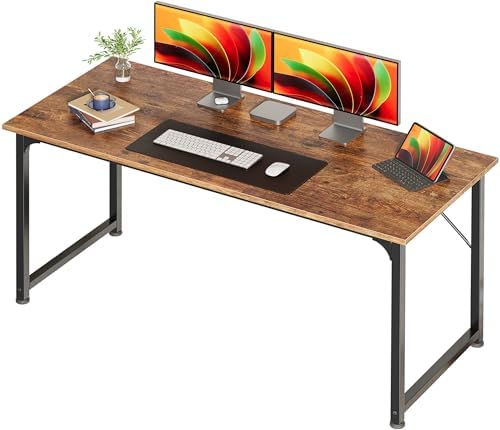

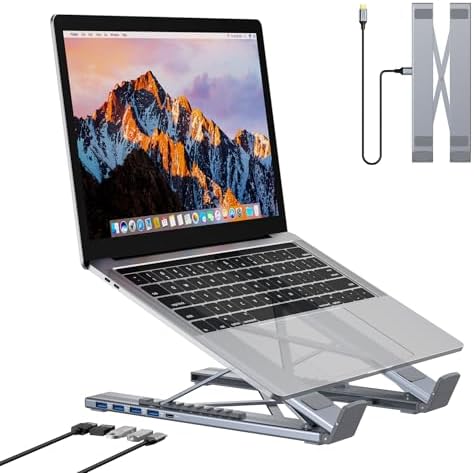

This guide walks you through every element of a home office setup — from your desk and chair to your internet connection, lighting, storage, and the small accessories that make the biggest difference to your daily workflow. Every recommendation is designed with budget-consciousness in mind, pointing you toward Amazon’s most reliable, well-reviewed, and affordable options available in 2026.
Let us break it all down, step by step.
Table of Contents
Why Your Home Office Setup Matters More Than You Think
Before diving into product recommendations, it is worth understanding why the physical environment where you work has such a significant effect on your output.
Research in workplace ergonomics consistently shows that people who work in disorganized, uncomfortable, or poorly lit spaces experience higher levels of fatigue, lower concentration, and more frequent physical discomfort — particularly neck pain, back pain, and eye strain. These are not minor inconveniences. Over weeks and months, they erode your productivity and your motivation.
A well-designed home office solves these problems without requiring a massive investment. The goal is not to create a luxury setup. The goal is to create an environment where your body is supported, your tools are within reach, your screen is easy on your eyes, and distractions are minimized. All of that is achievable on a budget — especially when you shop smart on Amazon.
Sample Amazon Budget Home Office Shopping List for 2026
Here is a practical breakdown of what a complete budget home office setup might look like when sourced entirely from Amazon:
| Item | Budget Range |
|---|---|
| Computer desk (47–55 inch) | $70 – $130 |
| Ergonomic mesh chair | $130 – $200 |
| 24-inch Full HD monitor | $120 – $160 |
| USB-C docking station | $45 – $75 |
| Laptop stand | $18 – $30 |
| LED desk lamp | $28 – $50 |
| Monitor bias lighting | $12 – $22 |
| USB headset | $35 – $60 |
| Webcam (1080p) | $38 – $60 |
| Cable management kit | $15 – $25 |
| Desktop organizer | $18 – $28 |
| Keyboard and mouse combo | $30 – $55 |
| Wrist rest set | $12 – $20 |
| Total Estimated Range | $571 – $915 |
By shopping during Amazon sales events — Prime Day, Black Friday, or seasonal deals — you can frequently bring this total down by 20–40%.
Step 1 — Set Your Budget Before You Buy Anything
One of the most common mistakes people make when setting up a home office is buying things impulsively. They see a product, it looks good, they add it to the cart, and before long they have spent far more than they intended — often on items that duplicate each other or that they did not actually need.
Start with a clear number. For most budget-focused setups, a realistic range on Amazon in 2026 falls between $200 and $600 for a complete functional workspace. This covers your desk, your chair, basic tech accessories, and some organizational tools. If you already have a laptop or desktop, you are in an even better position.
Divide your budget into categories and assign rough percentages:
- Desk and chair: 40–50% of total budget (your most important investment)
- Monitor or monitor stand: 15–20%
- Lighting: 5–10%
- Storage and organization: 5–10%
- Accessories and cables: 5–10%
- Audio and communication tools: 5–10%
Having this framework before you open Amazon prevents impulse purchases and keeps you focused on what actually matters.
Step 2 — Choose the Right Desk for Your Space and Work Style

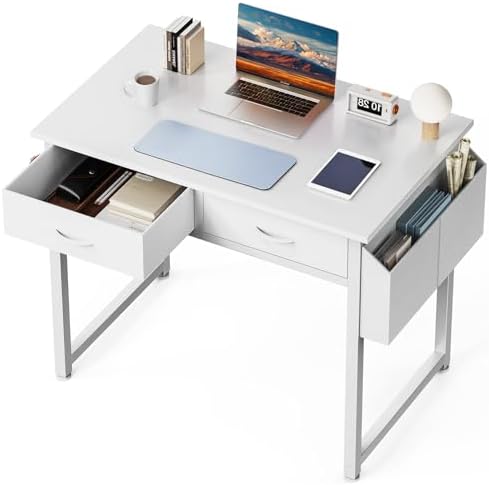
Your desk is the foundation of your home office. Everything else sits on top of or around it, so getting this decision right matters enormously.
How Much Space Do You Actually Need?
Before searching Amazon, measure your available space. This seems obvious but many people skip this step and end up with a desk that is too large for their room or too small for their work style.
A 47-inch to 55-inch wide desk is sufficient for most single-monitor setups with a laptop docking station, a few peripherals, and some desk accessories. If you work with two monitors or regularly spread out physical documents, consider going up to 60 inches or more.
Best Budget Desk Types on Amazon
Simple writing and computer desks in the $60–$130 range on Amazon are surprisingly well-made in 2026. Look for desks with a particle board or MDF top with a laminate finish — these are durable, easy to clean, and capable of supporting a full desktop setup without wobbling.
L-shaped corner desks are an outstanding choice if you want maximum workspace in a limited room footprint. Amazon carries several L-shaped models in the $100–$180 range that are perfect for home offices. These give you a dedicated zone for your primary screen and a separate surface for paperwork, secondary devices, or a standing notebook area.
Sit-stand desks (adjustable height desks) were once priced out of the budget category, but Amazon in 2026 has several motorized and manual crank versions starting in the $180–$280 range. If you spend more than six hours a day at your desk, a sit-stand model pays for itself in physical wellbeing over time.
What to Look for in Amazon Desk Reviews
When reading Amazon reviews for desks, pay attention to comments about assembly difficulty, wobble, and surface durability. A desk with 4.3 stars or higher and more than 500 reviews is generally a reliable choice. Be cautious of desks where multiple reviewers mention that the legs are unstable or that the surface scratches easily — those are real daily frustrations.
Step 3 — Invest Wisely in an Ergonomic Chair

![CleverSeat Ergonomic Office Chair Comfy [#1 in Tests] Ergonomic C...](https://m.media-amazon.com/images/I/41JS9ui5LYL._AC_.jpg)
If there is one single area where budget home office setups consistently fail, it is the chair. People spend $150 on a desk and then sit in a $40 dining chair for eight hours a day — and wonder why their back aches every evening.
Your chair is not just furniture. It is a piece of ergonomic equipment that directly affects your posture, your spinal health, and your energy levels throughout the day.
Key Features to Look for in a Budget Ergonomic Chair
You do not need to spend $800 on a Herman Miller to get proper support. Amazon carries several chairs in the $120–$250 range that include the features that matter most:
Lumbar support — either adjustable or built-in. This supports the natural curve of your lower spine and prevents slouching.
Adjustable seat height — your feet should rest flat on the floor with your knees at approximately a 90-degree angle.
Armrest adjustability — fixed armrests are better than none, but adjustable armrests that let you position your elbows at desk height reduce shoulder and neck tension significantly.
Seat depth and tilt — a seat that is too deep pushes against the back of your knees. Look for chairs that either have adjustable seat depth or that fit your body proportions based on the manufacturer’s sizing guide.
Amazon Chair Brands Worth Considering in 2026
Several brands have established strong track records on Amazon for delivering genuine ergonomic value at reasonable prices. Hbada, Nouhaus, Sihoo, and Ticova are consistent performers in the $130–$220 price range, offering mesh back designs that keep you cool during long sessions, adjustable lumbar systems, and solid build quality that holds up over time. Always read recent reviews — not just the star rating — to make sure the model you are considering does not have reported quality control issues.
Step 4 — Set Up Your Tech Essentials Without Overspending
Your computer is likely already sorted. What most people underestimate is how much the accessories and peripherals around their computer affect their daily productivity.
Monitor — Your Most Important Display Investment


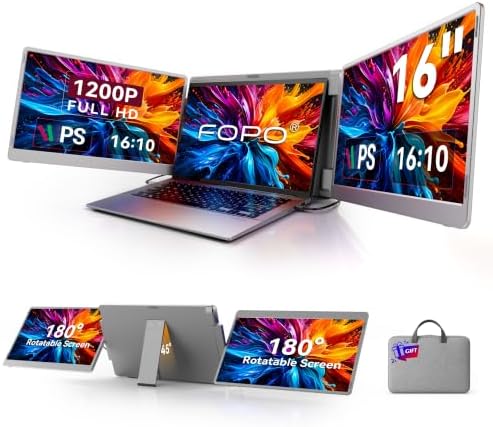
If you are working from a laptop full-time, adding an external monitor is one of the highest-return upgrades you can make. Moving from a single 13-inch laptop screen to a 24-inch or 27-inch external monitor gives you dramatically more screen real estate for multitasking.
Amazon in 2026 has a wide selection of 24-inch Full HD monitors in the $120–$180 range and 27-inch models starting around $160–$220. For most office work — documents, spreadsheets, video calls, email, web research — a 1080p Full HD display at 24 inches is perfectly sufficient. If your work involves photo editing, design, or video, step up to a 1440p QHD resolution display for sharper color accuracy.
Look for monitors with adjustable stands that allow height, tilt, and sometimes swivel adjustments. A monitor positioned at the wrong height is a guaranteed source of neck strain over time.
Keyboard and Mouse — Comfort Over Flashiness
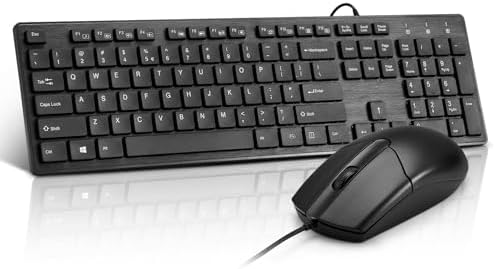

The keyboard and mouse you use every day matter more than people realize. Standard membrane keyboards in the $25–$45 range on Amazon are fine for light use, but if you type heavily for hours at a time, consider a low-profile mechanical keyboard or an ergonomic split design in the $45–$80 range.
For your mouse, an ergonomic vertical mouse reduces wrist rotation and lowers the risk of repetitive strain injury. Several solid vertical mouse options are available on Amazon for $25–$45.
Laptop Stand and Docking Station
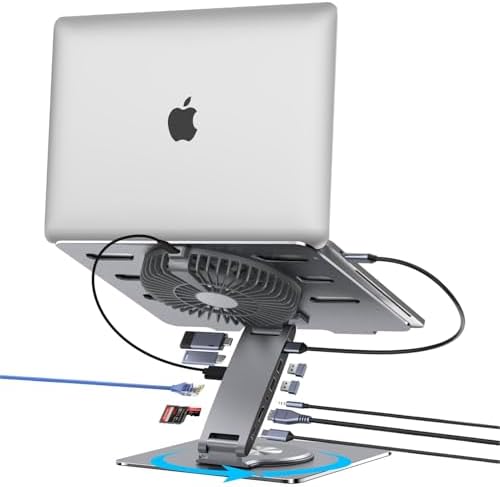

If you use a laptop as your primary computer and also want to use an external monitor, keyboard, and mouse, a USB-C docking station is the connective tissue that brings everything together. Amazon has compact docking stations in the $45–$85 range that provide HDMI output, multiple USB ports, a headphone jack, and sometimes ethernet — all through a single USB-C cable connected to your laptop.
Pair it with a laptop stand to elevate your laptop screen to eye level, which prevents the awkward downward head tilt that causes neck pain over time. Simple aluminum or plastic laptop stands run $15–$35 on Amazon and make a noticeable ergonomic difference.
Step 5 — Get Your Lighting Right
Lighting is one of the most overlooked aspects of a home office setup, and it has a larger impact on your focus, your eye health, and even your mood than most people expect.
Natural Light First — Then Supplement
Position your desk to take advantage of natural light as much as possible. Natural daylight reduces eye strain and has demonstrated benefits for alertness and mood regulation. If possible, place your desk perpendicular to a window rather than directly facing it (which causes glare on your screen) or with it directly behind you (which creates backlight glare).
Desk Lamps for Task Lighting


A quality LED desk lamp with adjustable brightness and color temperature is essential for working after dark or in rooms with limited natural light. Amazon carries several models in the $25–$55 range that include multiple brightness levels, warm-to-cool color temperature adjustment, USB charging ports built into the lamp base, and a choice of clamp or weighted base mounting options.
Look for a lamp with a CRI (Color Rendering Index) of 90 or above for the most natural and accurate light quality.
Bias Lighting for Your Monitor
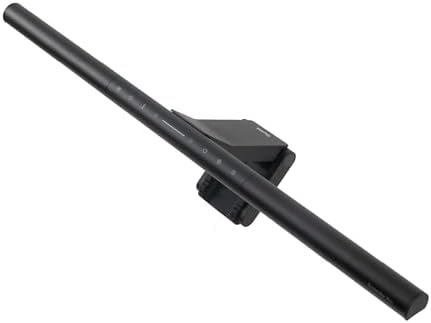


One simple and inexpensive upgrade that dramatically reduces eye fatigue during long screen sessions is bias lighting — a strip of LED light placed behind your monitor that reduces the contrast between your bright screen and the dark wall behind it. Amazon sells purpose-built monitor bias lighting kits starting at $10–$25. This is one of the highest value-to-cost upgrades in this entire guide.
Step 6 — Optimize Your Audio and Communication Setup
If your work involves video calls, virtual meetings, client consultations, or online teaching, your audio and video quality directly affects how professional you appear to others.
Headset or Dedicated Microphone


The built-in microphone on most laptops picks up background noise, room echo, and keyboard clicks — all of which are distracting to the people you are speaking with. A budget USB headset in the $35–$65 range on Amazon eliminates this problem immediately. Look for models with noise-canceling microphone arms that sit close to your mouth.
If you prefer not to wear a headset, a dedicated USB cardioid microphone delivers a step up in audio quality. Amazon has entry-level condenser microphones in the $45–$80 range that are popular with remote workers, podcasters, and online educators.
Webcam Quality Matters

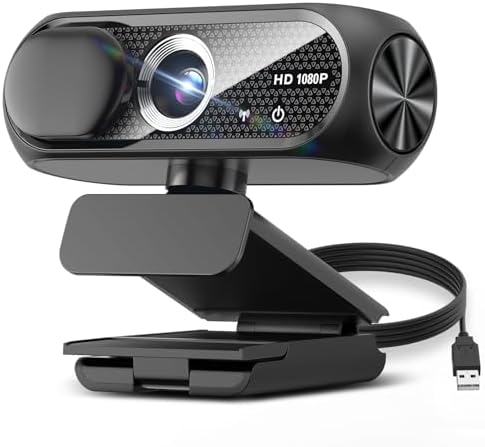

If your laptop’s built-in webcam produces grainy or poorly lit video, an external USB webcam makes an immediate and obvious difference in how you appear on calls. Amazon offers 1080p webcams starting around $35–$80, with some models including built-in ring light fill lighting that improves your appearance significantly in low-light rooms.
Step 7 — Cable Management and Organization
A cluttered desk is more than an aesthetic problem. Visible cable chaos creates mental friction — your environment subtly signals disorder to your brain, making focused work harder than it needs to be. Solving cable management is cheap, fast, and has an outsized positive effect on how your workspace looks and feels.
Easy and Affordable Cable Management on Amazon

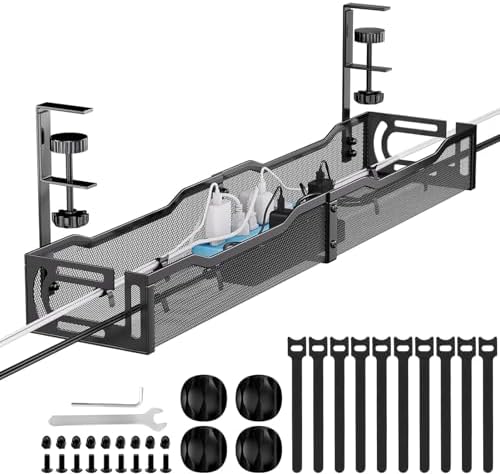

Cable clips and adhesive hooks — a pack of 20–30 clip-style cable organizers costs $6–$12 on Amazon and lets you route cables along the edge of your desk or behind your monitor stand.
Cable sleeves or split loom tubing — these wrap multiple cables together into a single organized bundle. A 10-foot sleeve runs $8–$15 and can tidy up the entire under-desk area.
Under-desk cable management trays — these mount underneath your desk surface and hold power strips, docking stations, and loose cables completely out of sight. Amazon has solid plastic and metal options for $12–$25.
Cable labels — if you have several similar-looking cables, small silicone cable labels cost almost nothing and save significant frustration when you need to troubleshoot or rearrange your setup.
Step 8 — Storage and Desk Organization


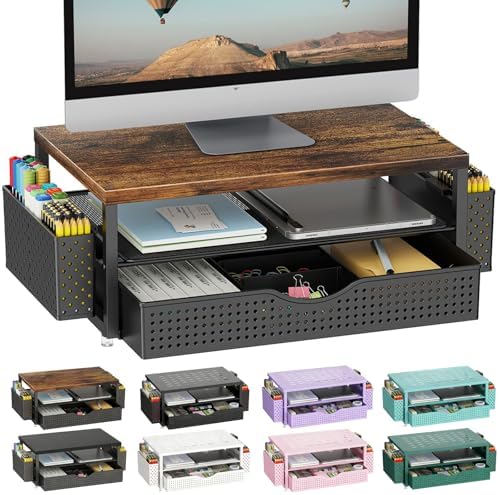
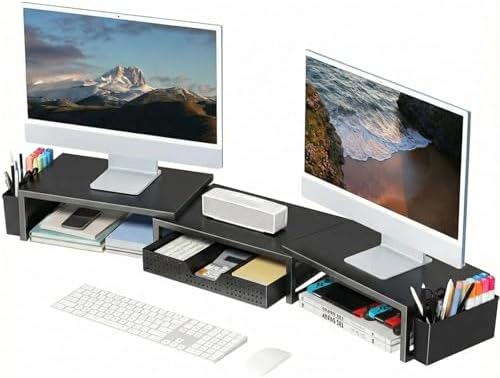
A well-organized desk keeps your most-used items within easy reach and pushes everything else out of your field of vision. On a budget, Amazon offers a wide variety of smart storage solutions that do not require drilling holes in walls or buying expensive furniture.
Desktop Organizers
Bamboo or plastic desk organizers with compartments for pens, sticky notes, paperclips, your phone, and small items run $15–$30 on Amazon. These are worth buying early because having a designated spot for everything prevents the gradual accumulation of clutter that slowly takes over most home office desks.
File Storage
Even in a largely digital workflow, most people deal with some physical documents — contracts, invoices, reference materials, or important correspondence. A two-drawer desktop filing organizer or an accordion-style file holder keeps these sorted and accessible without consuming floor space. Amazon has solid options in the $18–$35 range.
Wall Space and Vertical Storage
If your desk is smaller than you would like, go vertical. Pegboards, wall-mounted shelves, and floating shelves are all available on Amazon for $20–$50 and let you move items off your desk surface without losing easy access to them. This is especially effective for keeping reference books, notebooks, and backup supplies organized and visible but completely out of the way.
Step 9 — Maintain a Reliable and Fast Internet Connection
Your home office is only as functional as your internet connection. For remote work, video calls, cloud-based tools, and online collaboration, a stable and reasonably fast connection is non-negotiable.
If your Wi-Fi is inconsistent in the room where your office is located, consider two solutions widely available on Amazon:

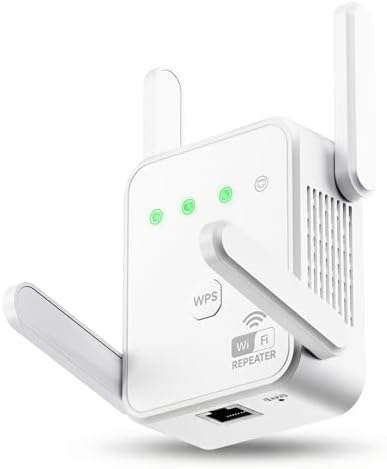

A Wi-Fi range extender — for rooms where the signal from your router is weak, a Wi-Fi extender in the $25–$50 range can significantly strengthen your connection. Look for dual-band models that support both 2.4GHz and 5GHz frequencies.
A powerline network adapter — if you want a wired-quality connection without running a long ethernet cable through your entire home, a powerline adapter uses your home’s existing electrical wiring to deliver a stable network signal. Amazon carries dual-pack kits for $35–$65.
For video calls and large file transfers, a wired ethernet connection is always more reliable than Wi-Fi. If your laptop has an ethernet port — or if you have a docking station with one — use it whenever possible.
Step 10 — The Small Details That Make a Big Difference
After the major items are sorted, a few small additions can meaningfully improve your comfort and productivity without adding high cost to your budget.
Monitor Arms

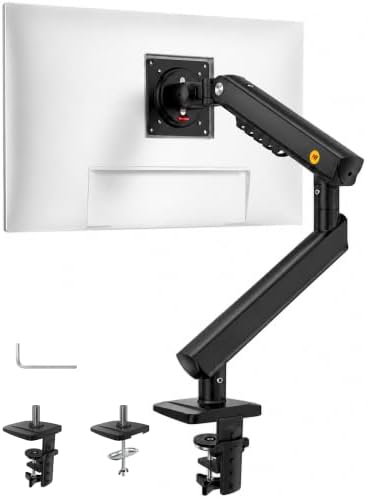

A single or dual monitor arm replaces the stand that comes with your monitor and lets you position your screen at the exact height, depth, and angle that suits your body. This is a genuine ergonomic upgrade. Amazon has reliable single-monitor arms starting around $25–$45 and dual arms for $45–$75.
Wrist Rest
If you spend long hours typing or using a mouse, a memory foam wrist rest reduces the strain on your wrists and forearms during extended sessions. Keyboard and mouse wrist rest sets run $12–$22 on Amazon.
Footrest
If your desk is slightly too tall for your body proportions or you are using a chair that cannot go high enough, a footrest keeps your legs in a healthy, comfortable position. Adjustable footrests on Amazon start around $20–$35.
Blue Light Blocking Glasses


If you spend six or more hours looking at screens daily, blue light blocking glasses can reduce the eye fatigue and sleep disruption associated with prolonged screen exposure. Amazon has several pairs with optical-quality lenses in the $15–$35 range.
Noise-Canceling Headphones
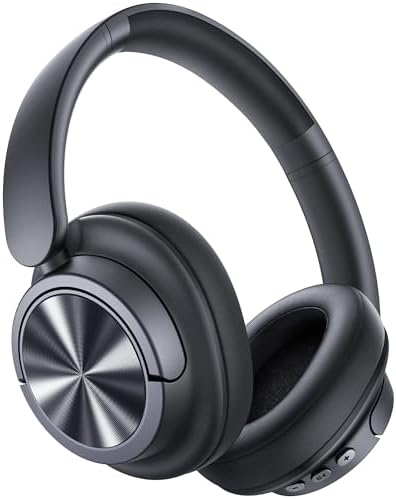


Working from home often means working alongside household noise — family members, street sounds, or general background activity. A pair of over-ear noise-canceling headphones transforms a noisy environment into a focused one. While premium models run $200 or more, Amazon carries solid options in the $55–$110 range that deliver meaningful noise reduction for everyday remote work.
Smart Amazon Shopping Tips for Home Office Buyers in 2026
Knowing what to buy is only half the equation. Knowing how to buy on Amazon ensures you get the best value for every dollar you spend.
Check the review date distribution — a product with 2,000 reviews but where 80% of them are from three years ago may have changed in quality since then. Sort reviews by “Most Recent” to see how the product performs for current buyers.
Use Amazon’s “Frequently Bought Together” section — this often reveals accessories or complementary items that pair well with your purchase and can save you from making a separate search later.
Subscribe to price drop alerts — tools like CamelCamelCamel track Amazon price history and alert you when an item drops to your target price. This is especially useful for higher-ticket items like monitors and chairs.
Read the negative reviews first — one-star and two-star reviews reveal the real-world failure modes of a product. If the same complaint appears multiple times, treat it as a reliable signal of a genuine product flaw.
Check the return policy for each item — most standard Amazon-fulfilled items offer 30-day returns, which gives you time to test whether a chair or desk works for your body and space before fully committing.
Buy Amazon Renewed where appropriate — for tech items like monitors, webcams, and docking stations, Amazon Renewed (refurbished and certified) can save 20–35% with a warranty included.
Final Thoughts — Building Your Home Office Is a Process, Not a Single Purchase
The best home office setup is not the one assembled in a single weekend shopping spree. It is the one that evolves alongside your work habits, your physical needs, and your understanding of what actually helps you do your best work.
Start with the non-negotiables: a desk that fits your space, a chair that supports your body, and a monitor that reduces eye strain. Get those three things right and you will immediately notice a difference in how you feel and how much you accomplish during a workday.
From there, add one layer at a time. Better lighting. Cleaner cable management. A quality microphone for calls. A monitor arm to free up desk space. Each small addition compounds over time into a workspace that genuinely supports your goals.
Amazon in 2026 makes this process more accessible than ever. The combination of competitive pricing, detailed buyer reviews, flexible return policies, and fast shipping means you can build and refine your home office setup without taking financial risks or waiting weeks for your workspace to come together.
You do not need a corner office to do your best work. You need the right tools, positioned correctly, in a space that signals to your brain that it is time to focus. All of that is within reach — and well within budget.
Frequently Asked Questions
What is the minimum budget for a functional home office setup from Amazon?
You can build a genuinely functional home office — including a desk, chair, lighting, and basic accessories — for as little as $250–$350 on Amazon if you already have a computer. Prioritize the desk and chair first, then add to the setup over time as your budget allows.
Is it worth buying a standing desk on a budget?
Yes — especially if you work long hours. Manual crank sit-stand desks are available on Amazon for under $200 and provide a meaningful health benefit for people who spend most of their day seated. Electric motorized models start around $230–$280 and offer the added convenience of preset height memory settings.
What chair should I buy if I can only spend $100–$130?
In this price range, focus on mesh-back chairs with some form of lumbar support and adjustable seat height. Several Amazon-exclusive brands deliver solid ergonomic basics at this price point. Avoid fabric chairs without lumbar support — they tend to cause discomfort quickly during extended daily use.
Do I need a dedicated monitor or can I just use my laptop screen?
For occasional or light work, a laptop screen is adequate. For daily work of four or more hours, an external monitor significantly reduces eye strain, enables better multitasking, and allows you to sit in a healthier posture with your laptop elevated on a stand and a separate keyboard in use.
How do I make a small room feel like a proper home office?
Start with a corner desk or L-shaped desk to maximize space efficiency. Use vertical storage — wall shelves or pegboards — instead of spreading items across the floor. Keep your desk surface clear of everything except active-use items. Good lighting, a small plant, and a neutral background behind your monitor area dramatically elevate the feel of even the most compact workspace.

MD.HASAN is an experienced SEO expert and amazon products review writer passionate about helping people find right products on amzon for buy without confusion. With 4 years of hands-on experience in content strategy and search engine optimization, he specializes in writing SEO-friendly blog posts that rank, engage, and convert.


