
Affiliate disclosure: As an Amazon Associate, Tech Rig Review earns from qualifying purchases. Links on this page may be affiliate links, at no extra cost to you.
Discover the 7 best monitors for eye strain on Amazon in 2026. Compare blue light filters, flicker-free displays, and top picks for comfortable viewing.
If your eyes feel tired, dry, or achy after a workday, your monitor could be the reason. Screens flicker. They push out blue-heavy light. They sit too close or too far from your face. Over time, all of this adds up to what doctors call digital eye strain, or Computer Vision Syndrome.
The good news? You don’t need to quit your job or stop using a computer. You just need a better screen.

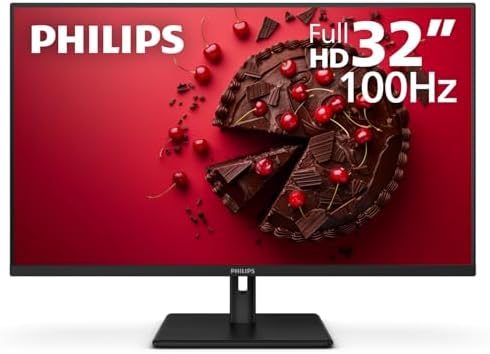
In this guide, we tested, compared, and researched the top Amazon computer monitors picks built for eye comfort. Every model below uses flicker-free backlighting, low blue light filtering, or both. We’ll walk through what actually matters, then break down each monitor so you can pick the right one for your desk, your budget, and your eyes.
Amazon does not allow us to list exact prices in this article, so we’ll always point you to the “Check Price on Amazon” button on each product page for the most current cost.
Table of Contents
Why Your Monitor Causes Eye Strain
The American Optometric Association estimates that digital eye strain affects a large share of computer users who spend long hours in front of a screen. Three things usually cause it:
- Flicker. Cheap monitors dim their backlight using rapid on-off pulses (called PWM, or pulse-width modulation). You can’t consciously see this flicker, but your eyes and brain notice it. Over hours, it builds fatigue.
- Blue-heavy light. Short-wavelength blue light scatters more than other colors. Your eyes work harder to focus it. Too much blue light in the evening can also throw off your sleep cycle.
- Poor ergonomics. A screen that sits too low, too close, or too bright forces your eye muscles to overwork.
A well-designed monitor tackles all three. That’s what separates a true eye-care display from a screen that just slaps a marketing sticker on the box.
What to Look for in an Eye-Care Monitor
Before you scroll to the reviews, here’s what actually matters when you shop for a blue light filter monitor:
- TÜV Rheinland certification. This is a real, independent lab test for flicker-free performance and low blue light output. If a monitor has this certification, the eye-care claim is backed by data, not just marketing text.
- Always-on, hardware-level filtering. Some monitors filter blue light at the backlight level, which works all the time. Others rely on a software mode you have to remember to turn on. Hardware filtering is the more reliable choice.
- IPS panel technology. IPS panels have wide viewing angles and consistent color, so you don’t have to shift your head and refocus your eyes as often.
- Matte, anti-glare coating. Glare forces your pupils to constrict and relax repeatedly, which tires your eyes fast.
- Adjustable stand. A monitor that tilts, swivels, and changes height lets you match the screen to your natural eye level, cutting down on neck and eye strain together.
- Resolution and size that match your desk distance. A sharper image means less squinting. For most desks, a 24 to 27-inch screen at 1440p or higher strikes the right balance.
Now let’s get into the reviews.
Quick Comparison Table
| Monitor | Screen Size | Panel Type | Key Eye-Care Feature | Best For |
|---|---|---|---|---|
| ASUS VZ249HE Eye Care Monitor | 23.8″ | IPS | 4-level TÜV-certified blue light filter | Budget home office |
| BenQ GW2480 Eye-Care Monitor | 23.8″ | IPS | Brightness Intelligence + Low Blue Light | All-day office work |
| Dell UltraSharp U2723QE | 27″ | IPS Black | ComfortView Plus + flicker-free | Professionals & creatives |
| Dell 27 Plus QHD S2725DSM | 27″ | IPS | TÜV 4-Star Eye Comfort, 144Hz | Hybrid work + light gaming |
| Philips 24″ Frameless Eye Care 241V8LB | 24″ | IPS | EasyRead mode, flicker-free | Tight budgets |
| ASUS ProArt Display PA248QV | 24.1″ | IPS | Calman Verified + Eye Care | Designers & photo editors |
| ViewSonic VG2240 22″ Monitor | 22″ | MVA | Flicker-Free + Blue Light Filter | Students & compact desks |
Check the current price and availability for each option by tapping “Check Price on Amazon” in the reviews below.
The 7 Best Blue Light Filter Monitors on Amazon
1. ASUS VZ249HE Eye Care Monitor — Best Budget Pick

- 24” Full HD (1920 x 1080) IPS monitor with a wide 178° viewing angle
- Flexible connectivity with HDMI and VGA ports
- Panoramic viewing immersion with multi-display setups
The ASUS VZ249HE is one of the most recommended entry-level eye-care monitors, and once you look at the spec sheet, it’s easy to see why.
This 23.8-inch IPS display carries TÜV Rheinland certification for both flicker-free performance and low blue light, which means the eye comfort claims are lab-tested, not just marketing copy. What really sets it apart is the four-level blue light filter you can toggle with a single hotkey. Level 1 suits normal browsing, Level 2 is tuned for photos and video, Level 3 mimics the warmth of a printed page for long reading sessions, and Level 4 is built for dim rooms at night.
The IPS panel gives you 178-degree viewing angles and full sRGB coverage, so colors stay accurate even if you’re not sitting dead center. At just 7mm at its thinnest point, the frameless design also makes it a great pick if you eventually want to add a second monitor beside it.
What we liked:
- TÜV-certified flicker-free and low blue light technology
- Four selectable blue light filter levels
- Ultra-slim, frameless design for multi-monitor setups
- Full HD IPS panel with wide viewing angles
What could be better:
- 1080p resolution only, not ideal if you want 1440p or 4K sharpness
- No USB-C or height-adjustable stand
- 75Hz refresh rate is fine for office work but limited for gaming
Best for: Anyone building an affordable home office setup who wants real, certified eye-care technology without paying for extra bells and whistles.
2. BenQ GW2480 Eye-Care Monitor — Best for All-Day Office Work

BenQ built its reputation on eye-care technology, and the GW2480 shows why. This 23.8-inch IPS monitor pairs Brightness Intelligence Technology (B.I. Tech) with BenQ’s Low Blue Light filtering and Flicker-Free backlighting, all validated by TÜV Rheinland.
The standout feature here is the ambient light sensor. Instead of a fixed brightness setting, the monitor reads the light in your room and adjusts the screen automatically. It also looks at what’s on your screen, so a bright white document won’t blast your eyes the same way a dark video would. That kind of adaptive comfort is something a lot of budget monitors skip entirely.
Connectivity is solid too, with HDMI, DisplayPort, and VGA inputs plus built-in speakers, so you can run it as a simple plug-and-play second screen.
What we liked:
- Ambient light sensor adjusts brightness automatically
- TÜV-certified flicker-free and low blue light backlight
- Slim bezel, space-saving stand with hidden cable routing
- Built-in speakers save desk space
What could be better:
- Only tilt adjustment on the base stand, no height or swivel
- 1080p resolution, not 1440p or 4K
- 60Hz refresh rate on the base model
Best for: Office workers and remote employees who sit through long video calls and documents under changing room lighting.
3. Dell UltraSharp U2723QE — Best Premium Pick for Professionals

- 16:9 widescreen resolution perfect for watching movies, playing video games and getting on with office work. Screen Coat…
- Enjoy crisp content and energetic hues with the 400 Nit brightness
- Features HDMI input to get connected with the top of the line PCs, Blu-ray players, and cutting edge gaming consoles
If you want the most advanced eye-care technology on this list, the Dell UltraSharp U2723QE is it. This 27-inch monitor uses an IPS Black panel, which delivers a much deeper contrast ratio than a standard IPS screen. That matters for eye comfort because deeper blacks mean less of the “washed-out” glow that makes your eyes work harder over a long session.
Dell backs this monitor with TÜV Rheinland certification for flicker-free performance and low blue light, plus its proprietary ComfortView Plus technology, which filters blue light at the hardware level so it runs constantly in the background. You also get a fully adjustable ergonomic stand, a matte anti-glare coating, and a 90-watt USB-C port that can charge a laptop while sending video, audio, and data through a single cable.
This isn’t a budget buy, but if you’re a designer, developer, or anyone who lives in front of a screen for eight-plus hours a day, the extra investment shows up in daily comfort.
What we liked:
- IPS Black panel with deep, eye-friendly contrast
- Always-on hardware blue light filtering (ComfortView Plus)
- Fully ergonomic stand with height, tilt, swivel, and pivot
- 90W USB-C for single-cable laptop charging and display
What could be better:
- Higher cost than standard eye-care monitors
- 27-inch screen may feel small for some users running native 4K
- No built-in speakers
Best for: Professionals who need color-accurate, high-resolution work and want the most advanced eye-comfort tech available.
4. Dell 27 Plus QHD Monitor (S2725DSM) — Best Balance of Comfort and Performance

- Elevated entertainment: The QHD resolution and 1500:1 contrast ratio bring astounding depth and vivid detail, while a 14…
- Hear the audio difference: Immerse yourself in sound with integrated dual 3W speakers delivering a wider range of freque…
- Eye comfort: Prioritize visual comfort with this 4-star TÜV-certified display. Reduce harmful blue light emissions while…
The Dell S2725DSM is a strong middle-ground pick if you want more screen real estate and a faster refresh rate without jumping to a full professional-grade display. It’s a 27-inch QHD (1440p) IPS monitor that carries a TÜV Rheinland 4-Star Eye Comfort rating, one of the higher tiers of certification you’ll find on a mainstream monitor.
At 1440p, text renders noticeably sharper than on a 1080p screen, which reduces the squinting that comes from fuzzy or aliased letters. The 120Hz refresh rate also makes scrolling and cursor movement smoother, something your eyes will register even if you can’t quite explain why a screen “feels” easier to use.
The stand supports height, tilt, swivel, and pivot adjustment, so you can dial in the exact eye-level position that keeps your neck and eyes both comfortable.
What we liked:
- TÜV Rheinland 4-Star Eye Comfort certification
- Sharp 1440p resolution with smooth 120Hz refresh rate
- Full ergonomic stand adjustment
- Hardware-level blue light reduction that doesn’t wash out colors
What could be better:
- Not as color-accurate out of the box as a dedicated creative monitor
- Stand takes up more desk depth than ultra-slim models
- No built-in USB-C charging on some configurations
Best for: Remote workers and hybrid employees who want a sharper, faster screen for spreadsheets, documents, and the occasional game night.
5. Philips 24″ Frameless Eye Care Monitor (241V8LB) — Best Budget Value

- CRISP CLARITY: This 23.8″ Philips V line monitor delivers crisp Full HD 1920×1080 visuals. Enjoy movies, shows and video…
- INCREDIBLE CONTRAST: The VA panel produces brighter whites and deeper blacks. You get true-to-life images and more gradi…
- THE PERFECT VIEW: The 178/178 degree extra wide viewing angle prevents the shifting of colors when viewed from an offset…
Not everyone needs a premium display to protect their eyes, and the Philips 241V8LB proves it. This 24-inch frameless IPS monitor includes flicker-free backlighting and a blue light filter as standard, at one of the lowest entry points on this list.
One feature we especially liked is EasyRead mode, which simulates the look of a printed page by adjusting contrast and warmth. If your job involves reading long documents, PDFs, or spreadsheets for hours, this mode noticeably reduces the “staring into a lightbulb” feeling that standard white backgrounds can cause.
The 178-degree viewing angle keeps the picture consistent even if you’re not centered in front of the screen, which is handy if you share the monitor or use it at an angle on a corner desk.
What we liked:
- Very accessible price point for a certified eye-care monitor
- EasyRead mode for paper-like, low-strain reading
- Frameless IPS panel with wide viewing angles
- Backed by an extended manufacturer warranty
What could be better:
- Colors are good, not perfect, out of the box
- 1080p resolution only
- Limited stand adjustability (mostly tilt)
Best for: Students, budget-conscious home offices, or anyone who wants proven eye-care features without a big spend.
6. ASUS ProArt Display PA248QV — Best for Designers and Photo Editors

- Bring Out the True Beauty of Your Pictures: Experience accurate and vivid color reproduction with the ASUS ProArt Displa…
- High Color Fidelity for Truly Expressive Hues: Experience precise and accurate color reproduction with 100% sRGB/Rec.709…
- True Color: Experience vivid colors and sharp images with this monitor display. With a 100% sRGB/Rec.709 color space cov…
If your work involves color-sensitive tasks like photo editing, video work, or design, most eye-care monitors force a tradeoff: warmer, blue-light-reduced tones that throw off color accuracy. The ASUS ProArt PA248QV solves that problem.
This 24.1-inch monitor is Calman Verified with 100% sRGB and Rec.709 coverage and a Delta E rating below 2, meaning the colors you see are extremely close to true. At the same time, it still includes ASUS’s Eye Care technology, with flicker-free backlighting and a low blue light mode you can switch on for non-color-critical work like writing or browsing.
The 16:10 aspect ratio also gives you more vertical space than a standard 16:9 screen, which is a small but real benefit when you’re scrolling through documents or timelines and don’t want to constantly resize windows.
What we liked:
- Calman-verified color accuracy for professional work
- Flicker-free and low blue light modes included
- Full ergonomic stand: tilt, pivot, swivel, height adjustment
- 16:10 aspect ratio adds useful vertical screen space
What could be better:
- 1920×1200 resolution is lower than some 27-inch 1440p rivals
- Blue light mode shifts color temperature, so it’s best used for non-design tasks
- Premium price for a 24-inch panel
Best for: Freelancers, photographers, and designers who need both accurate color and long-session eye comfort.
7. ViewSonic VG2240 22″ Monitor — Best for Compact Desks and Students

- VERSATILE MONITOR: 22 Inch Full HD (1920x1080p) LED monitor with 100Hz refresh rate
- ERGONOMIC STAND: Advanced ergonomics (40-degree tilt, swivel, rotate and height) for all-day comfort
- ENHANCED VIEWING COMFORT: Flicker-Free technology and Blue Light Filter for reduced eye fatigue
Not everyone has room for a 27-inch display, and the ViewSonic VG2240 is built for exactly that situation. This 22-inch monitor keeps things simple with Flicker-Free technology and a built-in Blue Light Filter, plus a true 8-bit panel capable of displaying 16.7 million colors.
It uses SuperClear MVA technology, which gives it wide viewing angles and solid contrast for a monitor in this size and price class. For students working in a dorm room, or anyone setting up a compact secondary desk, the smaller footprint means you get eye-care features without the screen taking over your workspace.
What we liked:
- Compact 22-inch size fits small desks easily
- Flicker-free backlight and blue light filter included
- True 8-bit color panel for accurate visuals
- Budget-friendly compared to larger eye-care monitors
What could be better:
- Smaller screen means less multitasking space
- 1080p resolution
- Fewer connectivity options than larger models
Best for: Students, dorm setups, and anyone who needs a smaller secondary display without giving up eye protection.
How to Set Up Any Monitor for Maximum Eye Comfort
Buying an eye-care monitor is a great first step, but how you set it up matters just as much. Here’s a simple checklist:
- Match your screen brightness to your room. Your monitor should feel about as bright as the wall behind it, not brighter.
- Sit an arm’s length away. Roughly 20 to 28 inches from your eyes to the screen reduces the amount of focusing your eye muscles have to do.
- Position the top of the screen at eye level. This keeps your neck neutral and your eyes looking slightly downward, which is the most natural resting position.
- Use the 20-20-20 rule. Every 20 minutes, look at something 20 feet away for 20 seconds. This gives your focusing muscles a short break.
- Turn on your blue light filter in the evening. Even a certified low-blue-light monitor benefits from an extra warm mode after sunset.
- Blink more often. Staring at a screen can cut your blink rate significantly, which dries out your eyes. Make a conscious effort to blink fully and often.
Frequently Asked Questions
Do blue light filter monitors actually reduce eye strain?
Yes, when the filtering happens at the hardware level and is backed by independent certification like TÜV Rheinland. Flicker-free backlighting tends to make an even bigger difference than blue light filtering alone, so look for monitors that offer both.
Is a higher refresh rate better for eye strain?
A higher refresh rate (120Hz or more) can make motion look smoother, which some users find more comfortable, especially when scrolling through documents or web pages. It’s a nice bonus but not as important as flicker-free backlighting and proper ergonomics.
Should I choose IPS or OLED for eye comfort?
For most eye-strain-prone users, a good IPS LCD panel with true flicker-free technology is the safer choice. Many OLED monitors still rely on aggressive PWM dimming, which can undo the benefits of a nice picture.
What monitor size is best for reducing eye strain?
Most people find 24 to 27 inches to be the sweet spot. It’s large enough to reduce squinting but not so large that you have to move your head to see the whole screen.
Can I just add a blue light filter app instead of buying a new monitor?
Software filters like Night Light or f.lux help somewhat, but they only shift color temperature. They don’t fix backlight flicker, which is one of the biggest contributors to eye strain. A hardware-level eye-care monitor, or a physical filter like the one reviewed above, addresses both issues.
Final Verdict
If you’re shopping for the best Amazon computer monitor to protect your eyes, here’s the short version:
- Best overall value: The ASUS VZ249HE gives you certified eye-care technology at an approachable price.
- Best for all-day office work: The BenQ GW2480 adapts to your room automatically, which is genuinely useful for long shifts.
- Best premium option: The Dell UltraSharp U2723QE delivers the most advanced, always-on eye protection available.
- Best for tight budgets: The Philips 241V8LB proves you don’t need to spend a lot to protect your eyes.
Whichever option you choose, always tap “Check Price on Amazon” on the product page to confirm current availability, pricing, and shipping details, since these can change frequently.
Your eyes go through a lot every day. Give them a screen that actually works with them, not against them.

MD.HASAN is an experienced SEO expert and amazon products review writer passionate about helping people find right products on amzon for buy without confusion. With 4 years of hands-on experience in content strategy and search engine optimization, he specializes in writing SEO-friendly blog posts that rank, engage, and convert.


