🔗 Affiliate Disclosure: As an Amazon Associate, Tech Rig Review earns from qualifying purchases. Links on this page may be affiliate links — at no extra cost to you.
Read our Dell UltraSharp U2723QE 27-inch 4K monitor review. Explore display quality, features, pros, cons, and whether it’s worth buying in 2026.
If you spend most of your day in front of a screen, the monitor you choose matters more than almost any other piece of hardware on your desk. The Dell UltraSharp U2723QE has quietly become one of the most recommended 27-inch 4K monitors for professionals, and after looking at everything from its panel technology to its real-world color accuracy and connectivity, it’s easy to understand why.
But it’s also not a perfect monitor. It has real limitations that certain buyers will hit immediately. This review covers everything honestly — what the U2723QE genuinely delivers, where it comes up short, and exactly who should (and shouldn’t) buy it.
What Makes the Dell UltraSharp U2723QE Different?
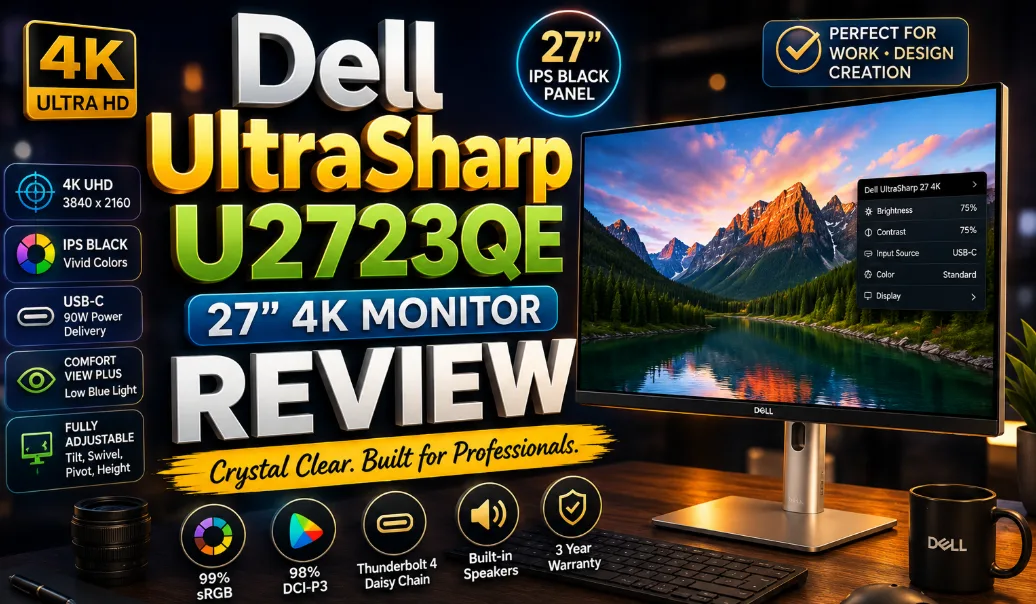
The U2723QE isn’t just another 4K monitor. It was one of the first 27-inch displays in the world to ship with LG’s IPS Black panel technology, and that matters more than it sounds. Most IPS monitors have a native contrast ratio of around 1,000:1, which produces acceptable blacks for most use cases but falls noticeably short when compared to VA panels or OLEDs. The IPS Black panel in the U2723QE pushes that number to a measured 2,000:1, effectively doubling what standard IPS delivers.
That single upgrade changes how the monitor looks in everyday use, not just in lab tests. Text on dark backgrounds looks crisper, dark areas in photos and videos show actual shadow detail instead of a flat gray wash, and working in low-light environments feels far more comfortable than it does on a conventional IPS screen.
On top of the improved contrast, it covers 98% of the DCI-P3 color space and 100% of sRGB and Rec. 709, giving photographers, videographers, and designers the color accuracy they actually need for professional work. It also holds a VESA DisplayHDR 400 certification, which means it can handle basic HDR content with meaningful highlight detail, though it won’t compete with premium HDR displays in this regard.
Quick Specs Overview
Before getting into the details, here’s what you’re working with at a glance:
| Feature | Specification |
|---|---|
| Screen Size | 27 inches |
| Resolution | 4K UHD (3840 x 2160) |
| Panel Type | IPS Black |
| Refresh Rate | 60Hz |
| Brightness | 400 cd/m² |
| Contrast Ratio | 2,000:1 (native) |
| Color Coverage | 100% sRGB, 100% Rec. 709, 98% DCI-P3 |
| USB-C Power Delivery | 90W |
| Response Time | 8ms (GtG) |
| HDR Certification | VESA DisplayHDR 400 |
| Aspect Ratio | 16:9 |
Display Quality: Where IPS Black Actually Shows Up
Resolution and Pixel Density
Squeezing 4K UHD resolution into a 27-inch screen results in a pixel density of 163 pixels per inch, which is noticeably sharper than a 27-inch 1440p monitor and dramatically crisper than any 1080p display. Text is clean and fine enough that many users find they can eliminate font smoothing entirely and still read comfortably for hours. For anyone who works with detailed documents, spreadsheets, or code, that sharpness translates directly into reduced eye strain over a long day.
Contrast and Black Levels
This is the U2723QE’s headline feature, and it delivers. Independent testing has confirmed that the monitor consistently reaches a native contrast ratio of 2,000:1 and even slightly beyond in optimal conditions, which is a significant improvement over the 1,000:1 typical of standard IPS panels. It’s still not in the same league as VA or OLED panels, but for an IPS display, it’s a genuinely meaningful step forward.
Some real-world tests have measured the contrast ratio slightly lower at around 1,659:1, which is below Dell’s 2,000:1 claim but still excellent compared to competing IPS monitors at this price. The exact figure can vary between individual units, but any outcome in that range is solidly better than conventional IPS.
Color Accuracy
Lab tests have confirmed coverage of 100% sRGB and 97% DCI-P3, closely matching Dell’s official claims, as well as approximately 85% of the Adobe RGB color space. For most professional photography, video work, and design workflows, those numbers are more than sufficient straight out of the box.
Factory calibration consistently produces a DeltaE average of 0.9 across standard color checker tests, which means colors are accurate enough for professional work without requiring a separate hardware colorimeter or calibration session. That’s rare at this price point and a genuine time-saver for working professionals.
Brightness and HDR
The 400 cd/m² peak brightness is enough for comfortable use in moderately lit rooms and earns the DisplayHDR 400 certification, which provides a baseline level of HDR support. In practice, this means the monitor can render HDR photos and short video clips with visible highlight separation, but it doesn’t produce the dramatic HDR contrast you’d see on a high-end mini-LED or OLED display. For a primarily work-focused monitor, it’s a reasonable inclusion, not a defining feature.
Anti-Glare Coating
The U2723QE’s semi-glossy anti-glare coating is likely to divide opinion. In brighter rooms, the panel is more reflective than a fully matte screen, producing a blurred reflection of the surrounding environment on dark backgrounds. In most office environments with controlled lighting, this isn’t a serious issue. But if your desk sits directly across from a large window or under bright overhead lighting, it’s worth knowing before you buy.
Build Quality and Ergonomics

Design and Materials
The U2723QE has a clean, professional look that fits naturally in any office environment. The chassis uses a mix of black and silver tones, with a slim bezel on three sides that keeps the panel looking modern without unnecessary bulk. The back panel is white and silver with a well-organized port arrangement — the kind of purposeful layout that makes it immediately clear this is a productivity-first product rather than a consumer display.
Stand Flexibility
The included stand supports height adjustment, tilt, swivel left and right, and pivot to portrait orientation. That full range of adjustability means you can dial in an ergonomic position for almost any desk and chair combination, which is genuinely useful for a monitor intended for all-day professional use.
Some long-term users note that the stand feels slightly cheaper than expected given the monitor’s overall price and premium positioning, and that’s a fair observation. The adjustment mechanisms work reliably, but the plastic materials don’t inspire the same confidence as the panel itself. For users who plan to use a third-party VESA arm instead, the monitor is compatible with standard 100x100mm VESA mounts.
Connectivity: A Full-Featured USB-C Hub
This is arguably the U2723QE’s biggest practical advantage over comparably priced monitors, and the one that makes the biggest difference to how you actually use it day to day.
Full Port List
The U2723QE’s rear panel includes HDMI (with HDCP 2.2), DisplayPort 1.4, a DisplayPort output for daisy chaining, USB-C 3.2 Gen 2 with 90W power delivery and DisplayPort Alt Mode, a secondary USB-C downstream port (up to 15W), four USB-A 3.2 Gen 2 downstream ports, one USB-A with Battery Charging 1.2 for faster device charging, a 3.5mm audio line-out, and a full RJ-45 Ethernet port.
That port list means a single USB-C cable from your laptop connects to the monitor and simultaneously powers the laptop at 90W, outputs 4K video, gives you access to four USB-A ports for peripherals, and provides a wired Ethernet connection. For single-laptop setups, this effectively replaces a separate dock entirely, which saves money and eliminates one more power brick from your desk.
KVM Switch
One feature that frequently surprises buyers who didn’t expect to need it is the built-in KVM (Keyboard, Video, Mouse) switch. It allows you to connect two separate computers to the monitor and switch between them using a single keyboard and mouse. You can have a work laptop and a personal desktop both connected, and switch between them without reaching behind the monitor or unplugging anything.
In long-term testing, the KVM functionality works reliably with only a brief one-second drop in USB hub passthrough when switching between inputs — a minor inconvenience that has no real impact on a typical workday.
Daisy Chaining
The DisplayPort output on the rear panel allows you to chain a second monitor to the U2723QE, so your laptop’s single USB-C connection can drive two external displays. This is a more advanced setup that requires a compatible laptop, but for users who need two external screens and want to manage the cabling from a single port, it’s a genuinely useful feature that few monitors at this price include.
What the U2723QE Gets Wrong
No review is worth reading if it only covers what works well. Here are the real limitations of this monitor.
Locked at 60Hz
This is the most significant limitation, and it’s one that affects a specific group of buyers significantly. The U2723QE refreshes at 60Hz with no option to go higher. For spreadsheets, documents, web browsing, and photo editing, 60Hz is completely fine — most people can’t detect the difference between 60Hz and 120Hz in those tasks.
But if you use your monitor for any gaming, even casual titles, or if you’ve previously used a 120Hz or 144Hz display and found the smoothness noticeable, stepping down to 60Hz will feel like a real regression. Dell’s newer U2725QE addresses this with a 120Hz refresh rate and Thunderbolt 4, though it commands a higher price accordingly. If refresh rate matters to you at all, that model is worth the price difference.
Semi-Glossy Coating in Bright Rooms
As noted in the display quality section, the semi-glossy coating can cause visible reflections in rooms with strong ambient lighting or window glare. This isn’t a defect; it’s a design tradeoff that improves color vividness at the cost of reduced glare resistance. But it’s a meaningful consideration depending on where your desk sits.
Stand Materials Feel Modest
Despite the monitor’s premium positioning and pricing, the stand plastic doesn’t match the quality of the screen itself. It works well functionally and the adjustment mechanisms feel smooth, but the materials give a flimsier impression than you’d expect from a monitor in this price tier.
No Built-In Speakers
The U2723QE has a 3.5mm audio output but no built-in speakers. For most professional users this is a non-issue since they’ll use headphones or external speakers, but it’s worth noting if audio output from the monitor itself is something you expected.
Physical Dimensions
The U2723QE’s physical footprint is straightforward for a 27-inch monitor. The panel itself measures 24.1 inches wide and 15.2 inches tall, while the stand’s base depth is 7.3 inches. It sits comfortably on most standard-depth desks without pushing other items out of the way.
Who Should Buy the Dell UltraSharp U2723QE?

- 16:9 widescreen resolution perfect for watching movies, playing video games and getting on with office work. Screen Coat…
- Enjoy crisp content and energetic hues with the 400 Nit brightness
- Features HDMI input to get connected with the top of the line PCs, Blu-ray players, and cutting edge gaming consoles
Based on everything covered above, the U2723QE is an excellent fit for specific types of buyers and a questionable choice for others.
This monitor is ideal for:
- Professionals who work with photos, video, or design and need accurate, factory-calibrated color without buying a separate colorimeter.
- Anyone running a single-laptop setup who wants to eliminate a separate dock, since the 90W USB-C hub, Ethernet port, and four USB-A ports replace it completely.
- Power users who frequently switch between two computers and want a built-in KVM switch to manage both from one keyboard and mouse.
- Writers, developers, and analysts who work primarily with text and documents, since the 4K resolution makes text at high pixel density dramatically easier to read over a long day.
- Home office users who want a long-lasting, quality monitor that will stay relevant for many years.
This monitor is not a good fit for:
- Gamers or anyone coming from a 120Hz+ display who values smoothness in daily use — the 60Hz ceiling is a firm limitation.
- Users in bright, sun-facing rooms who need a fully matte anti-glare coating to eliminate reflections.
- Buyers who are primarily working with Adobe RGB content, since the roughly 85% Adobe RGB coverage falls short of purpose-built photography monitors.
- Those looking for a budget-conscious option — the U2723QE is priced at the premium end of the office monitor market, and its value proposition depends on actually using its connectivity and color accuracy features.
Dell U2723QE vs. Competitors: How Does It Stack Up?
U2723QE vs. Dell U2725QE

- 4K UHD IPS Black Display with Factory Calibration: 3840 x 2160 resolution and 99% DCI-P3 color coverage calibrated to De…
- 120Hz Refresh Rate and 5ms Response Time: Smooth, fluid motion with reduced blur for fast-paced workflows and seamless m…
- Thunderbolt 4 Single Cable Solution: Transmits video, data, and up to 140W power simultaneously, with daisy chain suppor…
The newer Dell U2725QE addresses the U2723QE’s biggest limitation directly, offering a 120Hz refresh rate alongside Thunderbolt 4 connectivity and a similarly capable IPS Black panel. If your budget stretches to it, the U2725QE is the stronger long-term purchase for anyone who cares at all about refresh rate. But if you’re certain 60Hz is enough for your workflow, the U2723QE represents the better value.
U2723QE vs. Philips 27E2F7901
The Philips 27E2F7901 uses the same underlying IPS Black panel and can typically be found at a lower price, making it a compelling budget-conscious alternative if the specific connectivity features of the Dell are less important to you. However, it doesn’t offer the same comprehensive port arrangement, KVM functionality, or the Dell’s long-established build quality reputation.
U2723QE vs. OLED Office Monitors
OLED monitors deliver contrast ratios that make even the IPS Black panel look modest by comparison, but they come with concerns about burn-in that make them a risky choice for productivity use with static UI elements, taskbars, and persistent windows. The U2723QE is the safer, more durable choice for an office environment where the same interface sits on screen for eight or more hours a day.
Frequently Asked Questions
Is the Dell U2723QE good for gaming?
It can handle casual gaming adequately, but its 60Hz refresh rate means it’s not the right choice for anyone who plays fast-paced titles or values smooth, high-frame-rate gameplay. For dedicated gaming use, a high-refresh-rate display is a much better fit.
Does the U2723QE work with MacBook Pro or MacBook Air?
Yes. A single Thunderbolt or USB-C cable from any recent MacBook connects to the monitor’s 90W USB-C port, charges the laptop, outputs 4K video, and gives access to all downstream USB ports and Ethernet. It’s one of the cleanest single-cable MacBook setups available in the 27-inch 4K category.
What’s the difference between IPS Black and regular IPS?
Standard IPS panels deliver a native contrast ratio of around 1,000:1. IPS Black, using an improved liquid crystal alignment, effectively doubles that to 2,000:1 while preserving the wide viewing angles and color accuracy that IPS is known for. The result is darker blacks and better perceived image depth without switching to a VA or OLED panel.
Can the U2723QE power a laptop through USB-C?
Yes. The USB-C port with DisplayPort Alt Mode delivers up to 90W of power delivery, which is enough to charge most mainstream laptops including 14-inch and 16-inch MacBook Pros during normal use.
Does the monitor include a USB-C cable?
According to buyer reports, the box includes a USB-C cable as well as a DisplayPort cable and power cable. Cable inclusions can sometimes vary by region and retailer, so it’s worth confirming at the point of purchase.
Is the U2723QE VESA compatible?
Yes. The monitor supports standard 100x100mm VESA mounting, so it can be used with third-party monitor arms if you prefer to remove the included stand.
How does the KVM switch work?
You connect two computers to the monitor using two different inputs (for example, USB-C from a laptop and DisplayPort from a desktop). You also connect your keyboard and mouse to the monitor’s USB-A downstream ports. Using the on-screen display menu, you can switch the active input between the two computers, and the keyboard and mouse automatically follow the switch to whichever machine is now active on screen.
Final Verdict
The Dell UltraSharp U2723QE earns its reputation as one of the best 27-inch 4K office monitors available. The IPS Black panel meets its 2,000:1 contrast claim, factory color calibration is production-ready at a DeltaE average of 0.9, and the 90W USB-C hub with Ethernet genuinely replaces a separate dock for single-laptop users.
Its limitations are real but specific. The 60Hz ceiling will disappoint anyone who values display smoothness. The semi-glossy coating creates issues in bright environments. And the stand’s build quality doesn’t quite match the panel’s premium positioning.
But for the right buyer — a creative professional, a remote worker running a clean single-cable laptop setup, or a power user who needs KVM switching between two machines — the U2723QE hits a combination of display quality, connectivity, and long-term reliability that few monitors in this category match.
Overall Rating: 4.6 / 5
✅ Outstanding color accuracy out of the box
✅ IPS Black contrast is a genuine daily-use improvement
✅ 90W USB-C hub eliminates the need for a separate dock
✅ Reliable KVM switching for dual-computer setups
✅ Full ergonomic stand with height, tilt, swivel, and pivot
❌ Fixed at 60Hz — not suitable for gaming or high-refresh workflows
❌ Semi-glossy coating reflects in bright rooms
❌ Stand plastic feels modest for the price
👉 Check current pricing on Amazon

MD.HASAN is an experienced SEO expert and amazon products review writer passionate about helping people find right products on amzon for buy without confusion. With 4 years of hands-on experience in content strategy and search engine optimization, he specializes in writing SEO-friendly blog posts that rank, engage, and convert.