
🔗 Affiliate Disclosure: As an Amazon Associate, Tech Rig Review earns from qualifying purchases. Links on this page may be affiliate links — at no extra cost to you.
Looking for the best laptops on Amazon for students in 2026? Compare 7 student-friendly laptops for classes, research, Zoom, and daily work.
Buying a laptop for school sounds simple until you start comparing processors, RAM, storage, screen sizes, battery claims, and dozens of very similar models. Students need a machine that can handle everyday school work without becoming a burden in a backpack.
The best laptops on Amazon for students in 2026 are not always the most expensive models. For many students, a good laptop needs to do a few things well: open documents quickly, handle web research, run video calls, support office apps, stream lectures, and last through a normal study session.
For this guide, I compared real Amazon listings and manufacturer information, focusing on practical student needs such as processor class, memory, SSD storage, display size, portability, ports, operating system, and the type of work each laptop suits best. I also looked for meaningful differences between the picks instead of listing seven almost identical laptops.
One important note: Amazon configurations can change. A laptop may be sold with different RAM, storage, operating system, or display options depending on the listing. Always check the live Amazon product page before purchasing.
Table of Contents
Quick Comparison: Best Student Laptops on Amazon
| Product | Best For | Key Feature | Buyer Sentiment | Affiliate Link |
|---|---|---|---|---|
| Acer Aspire 3 A315-24P-R7VH | Best budget student laptop | Ryzen 3 + FHD IPS display | Consistently well-reviewed in the listing data checked | Check Price on Amazon |
| ASUS Vivobook Go 15 | Best everyday student choice | 15.6-inch FHD display + Core i3-N305 | Well-rated among buyers in the listing checked | Check Price on Amazon |
| ASUS Vivobook 14 | Best compact student laptop | 14-inch FHD display + 12GB RAM | Limited listing feedback, so verify current sentiment | Check Price on Amazon |
| ASUS Vivobook 15 | Best for multitasking | Core i5 + 16GB RAM + 512GB SSD | Limited current listing feedback; specs are the stronger reason to consider it | Check Price on Amazon |
| Dell Inspiron 15 3530 | Best traditional Windows laptop | 15.6-inch FHD 120Hz display | Buyer feedback is mixed, so check the latest listing | Check Price on Amazon |
| Dell Inspiron 14 Plus | Best premium student option | Snapdragon X Plus + 16GB + 1TB SSD | Limited Amazon listing feedback checked | Check Price on Amazon |
| Lenovo IdeaPad Slim 3 | Best Lenovo alternative | Ryzen 5 configuration available in verified Amazon listings | Generally positive feedback on comparable listings; verify exact US configuration | Check Price on Amazon |
Amazon listing note: Product configurations, sellers, availability, and customer feedback can change. Check the live listing for the exact configuration before publishing or buying.
1. Acer Aspire 3 A315-24P-R7VH — Best Budget Student Laptop

- Purposeful Design: Travel with ease and look great doing it with the Aspire’s 3 thin, light design.
- Ready-to-Go Performance: The Aspire 3 is ready-to-go with the latest AMD Ryzen 3 7320U Processor with Radeon Graphics—id…
- Visibly Stunning: Experience sharp details and crisp colors on the 15.6″ Full HD IPS display with 16:9 aspect ratio and …
Best for: Students who want a simple Windows laptop for classes, research, writing, browsing, and everyday school tasks.
The Acer Aspire 3 A315-24P-R7VH is one of the most sensible starting points for students who do not need a high-end computer. Its appeal is easy to understand: it combines a 15.6-inch Full HD display with an AMD Ryzen 3 7320U processor, 8GB of LPDDR5 memory, and a 128GB NVMe SSD in the Amazon configuration checked. Acer’s own US product page confirms the Ryzen 3 processor, Full HD IPS display, 8GB LPDDR5 memory, and 128GB SSD configuration.
For normal student work, that is a useful combination. You can write assignments, browse research sites, use web-based learning systems, attend online classes, and work with common office applications.
The 15.6-inch screen is also a good size for schoolwork. A larger display can make split-screen work more comfortable than a very small laptop. For example, you can have a research article on one side and notes on the other.
Key Specs
- Brand: Acer
- Model: Aspire 3 A315-24P-R7VH
- Processor: AMD Ryzen 3 7320U
- Processor cores: Quad-core
- Graphics: AMD Radeon Graphics
- Display: 15.6-inch Full HD IPS
- Memory: 8GB LPDDR5
- Storage: 128GB NVMe SSD
- Operating system: Windows 11 Home in S Mode on the Acer US configuration checked
- Wireless: Wi-Fi 6
- Weight: About 3.92 pounds according to the Amazon listing checked
Pros
- Full HD IPS display is useful for studying and media.
- Ryzen 3 7320U is a reasonable processor class for everyday student work.
- SSD storage should feel much quicker than an old mechanical hard drive.
- Wi-Fi 6 is useful on compatible modern networks.
- Relatively straightforward choice for students who do not need advanced performance.
Cons
- 128GB storage is limited if you keep lots of videos, photos, games, or large files locally.
- 8GB RAM is enough for basic school work but gives less room for heavy multitasking than 16GB.
- Windows S Mode can limit software installation until you change the mode.
- Integrated graphics are not intended for serious gaming or demanding 3D work.
Buyer Sentiment
The Amazon listing data checked shows a strong history of buyer feedback for this model, making it one of the easier picks here to evaluate from a buyer-sentiment perspective.
What Buyers Are Saying
The broader listing feedback around this Aspire 3 configuration points toward its value as an everyday laptop. The model has also been listed as an Amazon product for the US market, with the exact ASIN B0BS4BP8FB verified in product data.
The main thing to watch is storage. Students who keep most documents in cloud storage may be perfectly comfortable with 128GB. Students who download large files should consider a higher-storage configuration.
2. ASUS Vivobook Go 15 — Best Everyday Student Choice

- 【Incredible performance】: Equipped with an AMD Ryzen 5 processor and 512GB SSD, this laptop is designed to provide an ul…
- 【Fast charging battery】: ASUS fast-charge technology can recharge the battery up to 50% capacity in just 30 minutes, all…
- 【Extra toughness and durability】: This laptop stays cool in all situations thanks to ASUS IceCool thermal technology, an…
Best for: Students who want a larger screen for writing, research, online classes, and general daily use.
The ASUS Vivobook Go 15 is a strong choice for students who want a traditional 15.6-inch laptop without moving into a premium price tier.
The Amazon listing checked uses an Intel Core i3-N305 processor, 8GB DDR4 memory, 128GB PCIe NVMe SSD storage, and a 15.6-inch Full HD display. The listing also identifies Wi-Fi 5, Bluetooth 5.1, a 720p camera with privacy shutter, USB-C, USB-A, HDMI, and a headphone/microphone combo jack.
ASUS also confirms that the Vivobook Go 15 family can use the Core i3-N305 processor and Intel UHD Graphics. Its official specifications show the i3-N305 as an eight-core, eight-thread processor with boost speeds up to 3.8GHz.
For a student, the combination makes sense. The 15.6-inch screen gives you more room for documents and browser tabs. The keyboard includes a number pad on the Amazon configuration checked, which can be helpful for students working with spreadsheets or numbers.
Key Specs
- Brand: ASUS
- Model: Vivobook Go 15
- Processor: Intel Core i3-N305
- Cores/threads: 8 cores / 8 threads
- Graphics: Intel UHD Graphics
- Display: 15.6-inch Full HD
- Memory: 8GB DDR4
- Storage: 128GB PCIe NVMe SSD
- Operating system: Windows 11 Pro on the specific Amazon configuration checked
- Camera: 720p HD with privacy shutter
- Connectivity: Wi-Fi 5 and Bluetooth 5.1
- Ports: USB-C, USB-A, HDMI, headphone/microphone combo
Pros
- Large 15.6-inch Full HD display works well for schoolwork.
- Core i3-N305 has eight cores and eight threads.
- SSD storage makes it a better fit for modern everyday computing than an HDD-based laptop.
- Good selection of common ports.
- Privacy shutter is a useful feature for students who regularly use video calls.
Cons
- 128GB storage can fill quickly.
- 8GB RAM is not ideal for very heavy multitasking.
- Integrated graphics are intended for everyday use, not serious gaming.
- The Amazon listing is a customized configuration from a third-party seller, so buyers should check warranty and seller information carefully.
Buyer Sentiment
The Amazon listing checked was well-rated, but the exact configuration and seller should be verified again because Amazon listings can change.
What Buyers Are Saying
The checked listing provides useful product feedback, but it is important not to treat one configuration as representative of every Vivobook Go 15. Different RAM, storage, display, and operating-system versions can appear under similar product names.
For students, the biggest strength is the balance between screen size and basic performance. It is a practical option for research, writing, streaming lessons, and online coursework.
3. ASUS Vivobook 14 — Best Compact Student Laptop

- Copilot+ PCs. A New AI Era Begins Turn your ideas from text prompts into generated artwork. With Recall1, search across …
- Stunning 14-inch WUXGA Display Indulge in stunning visuals in breathtaking 1920 x 1200 resolution (16:10) and a 300-nit …
- Ultrafast Qualcomm Snapdragon X 8 Core SE Unleash performance with Qualcomm Hexagon NPU (up to 45 TOPS). Designed for AI…
Best for: Students who carry their laptop around campus and want a smaller 14-inch design.
The ASUS Vivobook 14 configuration reviewed here is built around portability. The Amazon listing shows a 14-inch Full HD display, Intel Core i3-1215U processor, 12GB DDR4 RAM, and 128GB SSD storage.
That 14-inch size can be a sweet spot for students.
A 15.6-inch laptop gives you more screen space, but it can take up more room in a backpack or on a small desk. A 14-inch model is easier to carry while still giving you a useful screen for writing papers, browsing academic websites, reading PDFs, and attending online classes.
The Core i3-1215U is also more interesting than the name might suggest. It has six cores and eight threads in the configuration listed by Amazon. That gives it a reasonable foundation for everyday multitasking.
The 12GB RAM is another useful point. It sits between the common 8GB and 16GB configurations and gives students more breathing room when several browser tabs and applications are open.
Key Specs
- Brand: ASUS
- Model: Vivobook X / Vivobook 14 configuration
- Processor: Intel Core i3-1215U
- Cores: 6
- Threads: 8
- Display: 14-inch Full HD
- Memory: 12GB DDR4
- Storage: 128GB SSD
- Operating system: Windows 11 Home in S Mode
- Camera: 720p
- Weight: About 3.1 pounds according to the Amazon listing
- Ports: USB-A, USB-C, HDMI
Pros
- Compact 14-inch form factor is convenient for students.
- 12GB RAM gives it an advantage over basic 8GB configurations.
- Full HD display is suitable for schoolwork.
- Core i3-1215U provides a reasonable everyday performance base.
- USB-C and HDMI add useful connectivity.
Cons
- 128GB storage is the biggest limitation.
- Windows S Mode may not suit students who need traditional desktop software.
- The Amazon configuration is sold with bundled accessories, so verify exactly what is included.
- The exact listing has limited buyer feedback.
Buyer Sentiment
Limited current buyer feedback was available on the exact Amazon configuration checked, so I would not use its small review sample as a major buying signal.
What Buyers Are Saying
Because the exact configuration has very limited review data, there is not enough evidence to claim a broad buyer consensus. That is actually useful information for buyers: focus more on the verified specifications and the seller’s current warranty and return terms.
The main reason to choose this model is its size. If you travel between classrooms or need a laptop that fits easily on a small study desk, 14 inches can be more convenient than a larger 15.6-inch machine.
4. ASUS Vivobook 15 — Best for Student Multitasking
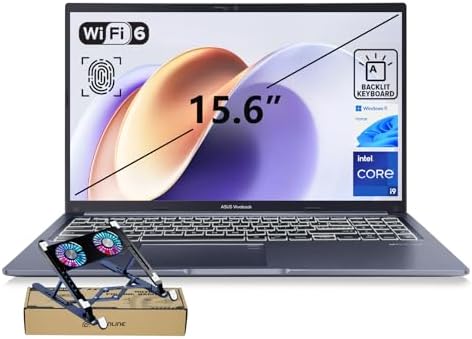
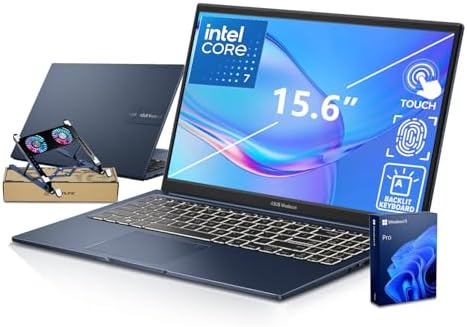
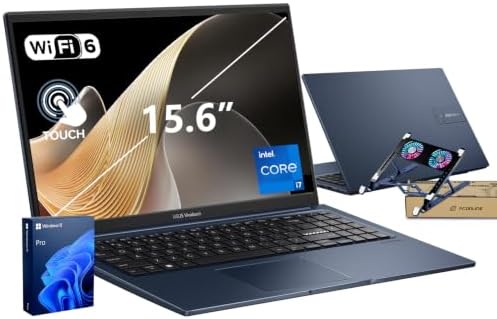
Best for: Students who regularly use many browser tabs, documents, spreadsheets, and applications at the same time.
If you expect your school laptop to do more than basic web browsing, the ASUS Vivobook 15 configuration checked deserves attention.
The Amazon listing uses a 12th-generation Intel Core i5-1235U processor with 16GB DDR4 RAM and a 512GB NVMe SSD. It also has a 15.6-inch Full HD IPS display and Intel Iris Xe Graphics.
That combination is a noticeable step up from the 8GB/128GB configurations elsewhere on this list.
For a student, 16GB RAM can be useful when you are writing a paper while researching online, keeping multiple browser tabs open, using spreadsheets, and joining a video call. You do not need 16GB for simple schoolwork, but it can make a laptop more comfortable when your workload grows.
The 512GB SSD is also a major practical advantage. Students often accumulate PDFs, presentations, downloaded videos, software, photos, and personal files over several years. Having more local storage means you do not need to manage free space as aggressively.
Key Specs
- Brand: ASUS
- Model: Vivobook 15
- Processor: Intel Core i5-1235U
- Processor cores: 10
- Threads: 12
- Graphics: Intel Iris Xe Graphics
- Display: 15.6-inch Full HD IPS
- Memory: 16GB DDR4
- Storage: 512GB NVMe SSD
- Operating system: Windows 11 Pro
- Camera: 720p HD with privacy shutter
- Wireless: Wi-Fi 5 and Bluetooth 5.1
- Ports: USB-C, USB-A, HDMI, headphone/microphone combo
Pros
- 16GB RAM is excellent for normal student multitasking.
- 512GB SSD provides much more room for school files.
- Core i5-1235U is stronger than the entry-level CPUs on this list.
- 15.6-inch Full HD IPS screen offers plenty of workspace.
- Full-size keyboard includes a number pad.
Cons
- The specific Amazon listing is a customized configuration.
- Wi-Fi 5 is older than Wi-Fi 6.
- Integrated graphics are not designed as a dedicated gaming GPU.
- The exact listing has very limited customer feedback.
Buyer Sentiment
The exact Amazon configuration checked has limited buyer feedback, so the specifications are more useful than its current review sample when evaluating it.
What Buyers Are Saying
The listing does contain customer feedback, including concerns about connectivity and USB functionality. Because the configuration is customized, buyers should carefully confirm the exact ports and specifications before ordering.
For a student, I would choose this model mainly for its 16GB RAM and 512GB SSD. Those two features should matter more over several years than a flashy feature that you rarely use.
5. Dell Inspiron 15 3530 — Best Traditional Windows Laptop

- 【High Speed RAM And Enormous Space】16GB high-bandwidth RAM to smoothly run multiple applications and browser tabs all at…
- 【Processor】13th Generation Intel Core i7-1355U Processor (10 Cores, 12 Threads, 12MB Intel Smart Cache, Base Frequency a…
- 【Display】15.6″ FHD (1920 x 1080) Anti-glare LED Backlight Touchscreen Narrow Border WVA Display
Best for: Students who want a familiar 15.6-inch Windows laptop with a conventional design and useful productivity features.
The Dell Inspiron 15 3530 is worth considering if you prefer a traditional Windows laptop rather than an ultra-compact model.
The verified Amazon.com product URL uses ASIN B0D2Y1BLDT. The product data identifies it as a Dell Inspiron 3530 with a 13th-generation Intel Core i5-1334U processor, while the Amazon listing available for the same ASIN provides a 15.6-inch Full HD display and Windows 11 configuration.
This is the kind of laptop that can suit a student who wants one machine for school and everyday personal use.
A 15.6-inch display gives you plenty of room for writing assignments and reading documents. The traditional laptop form also makes it a good choice for students who prefer a full-size keyboard and number pad.
The exact configuration is important, though. Amazon can show different configurations under similar product names. Check RAM, SSD capacity, display refresh rate, warranty, and seller information before buying.
Key Specs
The verified listing information includes:
- Brand: Dell
- Model: Inspiron 3530
- Processor: Intel Core i5-1334U
- Processor generation: 13th Gen
- Display: 15.6-inch Full HD on the referenced configuration
- Operating system: Windows 11 Home
- Graphics: Integrated Intel graphics
- Storage: Configuration varies by listing
- Memory: Configuration varies by listing
- Connectivity: USB, USB-C, HDMI, SD card slot on the referenced configuration
Pros
- Familiar Dell Inspiron design.
- 15.6-inch screen works well for schoolwork.
- Core i5 processor class offers more performance than basic entry-level models.
- Useful selection of ports.
- Good choice for students who want a traditional Windows notebook.
Cons
- Battery life can vary substantially by configuration and usage.
- Build quality and thermal behavior have attracted mixed feedback in related listing data.
- Different Amazon configurations can make comparison confusing.
- Not the lightest type of student laptop.
Buyer Sentiment
Buyer sentiment is mixed in the available listing feedback, so I would check the latest Amazon reviews before buying rather than relying on an old rating snapshot.
What Buyers Are Saying
Available feedback around the Inspiron 3530 points to useful everyday performance, while some buyers have raised concerns about battery life and build quality. That makes this a laptop where the exact configuration matters.
If you find a well-configured version with enough RAM and SSD storage, it can be a sensible school computer. Just do not buy it based on the Inspiron name alone. Check the actual listing.
6. Dell Inspiron 14 Plus — Best Premium Student Option


Best for: Students who want a more premium machine for demanding multitasking, long study sessions, and advanced productivity.
The Dell Inspiron 14 Plus is the most premium choice in this comparison.
The Amazon listing checked uses the Qualcomm Snapdragon X Plus X1P-64-100, 16GB LPDDR5X memory, and a 1TB PCIe SSD. It also lists a 14-inch 2560 × 1600 touchscreen, integrated Qualcomm Adreno graphics, fingerprint security, and a backlit keyboard.
Dell’s own specifications for the Inspiron 14 Plus family confirm the Snapdragon X Plus option, 16GB LPDDR5X memory, QHD+ 2560 × 1600 display, and the lightweight design. Dell also advertises long battery-life potential for this platform, though real-world results vary by workload and configuration.
This is not the laptop I would recommend to every student. It is more machine than many people need.
But for students who want a premium display, large SSD, 16GB memory, modern wireless hardware, and a more upscale experience, it is an interesting choice.
One major point deserves attention: Snapdragon Windows laptops use an ARM-based platform. Before buying, students should check that their required university software works properly on Windows on Arm. Browser-based apps and common software can be fine, but specialized academic programs can have different compatibility requirements.
Key Specs
- Brand: Dell
- Model: Inspiron 14 Plus
- Processor: Qualcomm Snapdragon X Plus X1P-64-100
- CPU: 10 cores
- Memory: 16GB LPDDR5X
- Storage: 1TB PCIe NVMe SSD
- Display: 14-inch 2560 × 1600 touchscreen
- Graphics: Qualcomm Adreno
- Operating system: Windows 11 Pro on the Amazon configuration checked
- Security: Fingerprint reader
- Keyboard: Backlit
- Wireless: Wi-Fi 7-class connectivity is listed on the referenced configuration
Pros
- 1TB SSD gives students plenty of local storage.
- 16GB LPDDR5X is a strong multitasking configuration.
- High-resolution 2560 × 1600 touchscreen is excellent for documents and media.
- Compact 14-inch format.
- Fingerprint reader and backlit keyboard add convenience.
- Snapdragon platform can be attractive for efficiency and battery-focused use.
Cons
- ARM software compatibility needs to be checked before purchase.
- Premium hardware may be unnecessary for basic schoolwork.
- RAM is onboard and not designed as a simple user upgrade.
- Exact Amazon configuration and availability should be checked carefully.
Buyer Sentiment
The exact Amazon listing checked has very limited review data, so there is not enough evidence to make a broad claim about buyer satisfaction.
What Buyers Are Saying
Because the exact Amazon listing has a very small review sample, the better approach is to judge this laptop by its hardware, manufacturer information, and software compatibility rather than a tiny rating sample.
For students in fields such as writing, business, education, and general research, it can be more laptop than necessary. For students who need a premium machine and can confirm that their required software works on the Snapdragon platform, it is a more interesting option.
7. Lenovo IdeaPad Slim 3 — Best Lenovo Alternative

- Powered by a 13th Gen Intel Core i5-13420H, 8C (4P + 4E) / 12T, P-core 2.1 / 4.6GHz, E-core 1.5 / 3.4GHz, 12MB processor…
- 15.3″ WUXGA (1920×1200) IPS 300nits Anti-glare, 45% NTSC, 60Hz Non-Touch Display; Intel UHD Graphics. With its narrow be…
- 8GB DDR5 Memory; 512GB SSD M.2 PCIe NVMe storage mean you can save your entire multimedia library on your PC without com…
Best for: Students who want a balanced Lenovo laptop with a strong productivity focus.
The Lenovo IdeaPad Slim 3 family is worth considering because Lenovo offers many configurations aimed at everyday productivity.
The exact configuration available on Amazon can vary by country and seller, so I recommend checking the live US listing rather than assuming that every IdeaPad Slim 3 has the same processor, RAM, display, or storage.
Lenovo’s current IdeaPad Slim 3 Gen 10 15-inch AMD platform is built around AMD Ryzen 200-series processors and can be configured with up to 16GB DDR5 memory and up to 1TB PCIe Gen4 SSD storage. Lenovo also lists options such as a 15.3-inch WUXGA display, USB-C connectivity, webcam privacy shutter, Dolby Audio, and Rapid Charge Boost.
Older Slim 3 configurations are also widely sold. For example, a verified Amazon listing for an IdeaPad Slim 3 configuration uses an AMD Ryzen 5 7520U, 16GB RAM, 512GB SSD, and Windows 11 Home.
That is why the IdeaPad Slim 3 can be a good student category rather than one fixed specification.
Key Specs to Look For
When comparing IdeaPad Slim 3 listings, look for:
- Processor: AMD Ryzen 5 or newer equivalent where possible
- Memory: 16GB is preferable for long-term multitasking
- Storage: 512GB SSD or more is ideal
- Display: Full HD or higher
- Operating system: Windows 11
- Connectivity: USB-C, USB-A, HDMI where required
- Camera: Privacy shutter is a useful feature
- Battery: Check the exact configuration because capacity varies
Pros
- Lenovo offers a wide range of configurations.
- 16GB RAM and 512GB SSD versions are available.
- Slim design works well for students.
- Some versions include a webcam privacy shutter.
- Some configurations offer useful Rapid Charge features.
- Lenovo’s current generation includes newer AMD processor options.
Cons
- The name “IdeaPad Slim 3” covers many different configurations.
- Display quality varies by model.
- Memory may be soldered depending on configuration.
- Battery capacity varies.
- You need to read the Amazon listing carefully to avoid buying an older configuration.
Buyer Sentiment
Buyer sentiment varies by the exact IdeaPad Slim 3 generation and configuration, so it is better to evaluate the specific Amazon ASIN than the series as a whole.
What Buyers Are Saying
Available Amazon feedback on comparable IdeaPad Slim 3 configurations includes positive comments about everyday performance and value, while some configurations have also attracted complaints about battery longevity.
The key lesson is simple: do not buy an IdeaPad Slim 3 just because the name appears in a search result. Compare the CPU, RAM, SSD, display, and exact model number.
How to Choose the Right Student Laptop
Choosing the best student laptop is less about buying the biggest specifications and more about matching the laptop to your course and daily routine.
Here are the factors I would check before placing an order.
1. Start With Your Course Requirements
This should be your first step.
A history student may mainly need a browser, Microsoft Office, PDF reader, video calls, and cloud storage.
A computer science student may need programming tools and local development environments.
An engineering or architecture student may need software that has much higher CPU, RAM, or GPU requirements.
A design student may need a strong display and better graphics performance.
So do not buy a laptop based only on a generic “best student laptop” label. Check your school’s recommended software first.
If your college provides a required software list, use that list before comparing laptops.
2. Aim for at Least 8GB RAM
8GB can handle many basic student tasks.
But if you plan to keep many browser tabs open while using Word, PowerPoint, spreadsheets, messaging apps, and video calls, 16GB is a better long-term target.
You do not need 32GB for normal schoolwork.
For most students:
- 8GB: Basic schoolwork
- 12GB: Comfortable middle ground
- 16GB: Better for multitasking and longer ownership
- 32GB: Usually unnecessary unless your course needs demanding software
3. Prefer an SSD
Avoid buying a laptop with an old mechanical hard drive unless there is a very specific reason.
An SSD makes everyday tasks feel much quicker. Windows starts faster. Applications open faster. Files are easier to access.
A 256GB SSD can work for a student who uses cloud storage.
A 512GB SSD is a more comfortable target if you plan to keep files locally.
A 1TB SSD is useful for students who work with large files, videos, photos, or specialized software.
4. Do Not Ignore the Display
You may stare at your laptop for hours every day.
That makes the display important.
For most students, I would look for:
- Full HD or better resolution
- At least around 14 inches
- IPS or another good-quality panel when possible
- Matte or anti-glare treatment if you study in bright spaces
- A comfortable brightness level
A 14-inch display is easier to carry.
A 15.6-inch display provides more room for documents and split-screen work.
If you often study at home, the larger display may be more comfortable.
If you travel between classes every day, the smaller model may win.
5. Check the Operating System
Most students looking at these laptops will use Windows 11.
Microsoft’s current Windows 11 minimum requirements include a compatible 64-bit processor with at least two cores, 4GB RAM, 64GB storage, UEFI Secure Boot capability, TPM 2.0, and a compatible DirectX 12 graphics solution.
Those are minimum requirements, not recommendations.
For a new student laptop, you should aim well above the minimum.
Also watch for Windows 11 in S Mode. S Mode is designed around security and performance but can restrict software installation. If your course requires traditional desktop applications, check whether the laptop can switch out of S Mode and whether doing so fits your needs.
6. Be Careful With ARM-Based Windows Laptops
The Dell Inspiron 14 Plus in this guide uses a Snapdragon X Plus processor.
That can be appealing for battery-focused users.
But ARM-based Windows laptops deserve extra research if your school uses specialized software.
Before buying, search for your required applications and confirm that they support Windows on Arm or work properly through Microsoft’s compatibility layers.
This is especially important for:
- Engineering software
- Older academic software
- Specialized laboratory applications
- Some development tools
- Certain device drivers
- Professional applications with strict hardware requirements
7. Think About Weight
Students carry laptops around more than many office workers do.
A 15.6-inch laptop can still be perfectly portable, but a 14-inch laptop may be easier to carry all day.
If your daily routine involves:
Home → bus → campus → classroom → library → home
then every pound matters.
If you mainly use your laptop at one desk, screen size may matter more than weight.
8. Check the Ports
USB-C is useful, but do not assume it replaces every port you need.
Before buying, check whether the laptop has:
- USB-C
- USB-A
- HDMI
- Headphone jack
- SD or microSD card reader if needed
- Charging through USB-C if important to you
A student who frequently presents in classrooms may appreciate HDMI.
A photography student may want a card reader.
A student with USB-A accessories should make sure there are enough USB-A ports.
9. Look at the Seller, Not Just the Laptop
This is especially important on Amazon.
Some laptop listings are sold directly by the manufacturer or Amazon.
Others are customized by third-party sellers.
Customized listings may upgrade RAM or storage, but the seller may open the original manufacturer box to perform those upgrades. The ASUS listings researched for this article provide examples of this type of configuration.
That is not automatically bad.
But you should check:
- Who sells the laptop?
- Who ships it?
- What warranty is included?
- Is the RAM manufacturer-installed?
- Is the SSD manufacturer-installed?
- What operating system is actually installed?
- Is the laptop new, renewed, or refurbished?
10. Do Not Buy Based on Price Alone
Laptop prices change constantly on Amazon.
A model that looks like a bargain today may cost more tomorrow.
Instead of focusing on an exact price, compare the value of the configuration.
For example, a slightly more expensive laptop with 16GB RAM and 512GB SSD may be a better long-term purchase than a cheaper model with 8GB RAM and 128GB storage.
Always check the current Amazon listing before purchasing.
Frequently Asked Questions
What is the best laptop on Amazon for students in 2026?
For many students, the Acer Aspire 3 A315-24P-R7VH is a practical starting point because it combines a Ryzen 3 processor, 15.6-inch Full HD IPS display, 8GB LPDDR5 memory, and SSD storage. Students who need more multitasking headroom should consider a 16GB model such as the ASUS Vivobook 15 configuration reviewed here.
How much RAM does a student laptop need?
8GB RAM is enough for basic schoolwork, but 16GB is a better target if you want smoother multitasking and plan to keep the laptop for several years.
Students who mainly browse the web, write documents, and use cloud apps can usually work comfortably with 8GB.
Students who use many tabs, spreadsheets, video calls, programming tools, or creative applications should consider 16GB.
Is 256GB enough for college?
Yes, if you use cloud storage and do not keep many large files locally.
However, 512GB is a more comfortable choice for students who want to store several years of documents, applications, media, and personal files.
If you are choosing between a laptop with 128GB and one with 512GB, storage capacity is worth considering carefully.
Is a 14-inch or 15.6-inch laptop better for students?
It depends on your routine.
A 14-inch laptop is usually easier to carry.
A 15.6-inch laptop gives you more screen space for documents, research, spreadsheets, and split-screen work.
If you commute to campus every day, 14 inches may be better.
If you mainly study at home or in a library, 15.6 inches may be more comfortable.
Are Ryzen 3 laptops good for students?
Yes. A Ryzen 3 laptop can be perfectly suitable for basic student work.
For example, the Acer Aspire 3 in this guide uses the Ryzen 3 7320U and is designed around everyday productivity.
The important point is to look at the entire configuration rather than the processor name alone.
RAM, SSD storage, display, operating system, and battery are all important.
Is 8GB RAM enough for college?
For basic work, yes.
You can write papers, browse websites, stream classes, use email, and work with standard office applications using 8GB.
But 16GB is the safer choice if you want to multitask heavily or keep your laptop for several years.
Should students buy a Windows laptop or Chromebook?
Windows is generally the safer choice if you do not know which software your course will require.
Chromebooks can be excellent for browser-based work and cloud applications.
But some university programs require Windows-only desktop software.
If you are unsure, check your school’s software requirements before buying.
Is 1TB storage too much for a student?
Not necessarily.
For a student who mainly uses Google Drive, OneDrive, or another cloud service, 512GB may be plenty.
But 1TB can be useful if you work with video, large design files, photography, engineering files, games, or large software packages.
The Dell Inspiron 14 Plus configuration researched here, for example, lists a 1TB SSD.
Final Verdict: Which Student Laptop Should You Buy?
The best laptops on Amazon for students in 2026 are not one-size-fits-all machines.
For a student who wants a practical starting point, the Acer Aspire 3 A315-24P-R7VH is one of the strongest options in this comparison. Its Ryzen 3 processor, 15.6-inch Full HD IPS screen, 8GB LPDDR5 memory, and SSD storage cover the basic needs of many students.
If you want more multitasking power and storage, I would look closely at the ASUS Vivobook 15 configuration with 16GB RAM and 512GB SSD. That combination makes more sense for students who expect to keep many tabs and applications open.
The ASUS Vivobook 14 is the better direction if portability is your priority. The Dell Inspiron 14 Plus is the premium option, but students should confirm software compatibility because its Snapdragon platform is different from a standard Intel or AMD Windows laptop.
Whatever you choose, do not buy based only on the laptop’s name. Check the exact Amazon configuration, RAM, SSD, display, operating system, seller, warranty, and current buyer feedback.
And remember: Amazon specifications, sellers, availability, and configurations can change. Check the live Amazon listing before purchasing.
See Current Student Laptop Deals on Amazon
Helpful Resources
- Microsoft Windows 11 System Requirements — useful for checking Windows 11 compatibility requirements.
- Acer Aspire 3 Official Specifications — manufacturer information for the Aspire 3 configuration.
- Lenovo IdeaPad Slim 3 Official Specifications — manufacturer specifications for current IdeaPad Slim 3 models.
Related Reading
If you are building a complete student or home study setup, you may also find our guide to Top 10 Amazon Desk Accessories for Work From Home useful.
You can also read our 10 Best Amazon Standing Desks in 2026 guide if you want to create a more comfortable study workspace.
Amazon Associates Disclosure: As an Amazon Associate, I earn from qualifying purchases.

MD.HASAN is an experienced SEO expert and amazon products review writer passionate about helping people find right products on amzon for buy without confusion. With 4 years of hands-on experience in content strategy and search engine optimization, he specializes in writing SEO-friendly blog posts that rank, engage, and convert.