
🔗 Affiliate Disclosure: As an Amazon Associate, Tech Rig Review earns from qualifying purchases. Links on this page may be affiliate links — at no extra cost to you.
I’ve bought and returned more monitors than I’d like to admit while setting up a home office on a budget — a “great deal” panel with washed-out colors, a 4K screen that turned out to be 60Hz and laggy for anything but static spreadsheets, a curved ultrawide that didn’t fit my desk. Dell monitors are the brand I keep coming back to, and not because they’re flashy — it’s because even their entry-level lineup uses IPS panels, ships with a genuinely useful adjustable stand, and comes backed by a warranty and support network that budget no-name brands simply can’t match.
This guide breaks down the best Dell monitors on Amazon at affordable prices right now, across office work, everyday multitasking, content creation, and casual gaming. I’ve focused specifically on models that deliver real value for the money rather than just the cheapest panel Dell makes, and I’ve explained exactly who each one is (and isn’t) a good fit for, so you can match a monitor to how you actually work instead of just chasing a spec sheet.


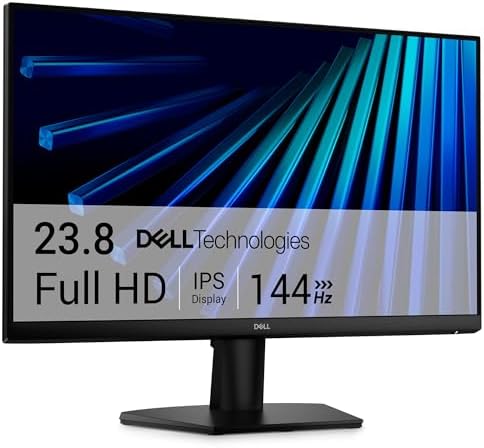


Quick Answer: Top Dell Monitor Picks
Short on time? Here’s the fast version — full reviews and detailed specs are below.
| Monitor | Best For | Screen Size | Resolution | Refresh Rate |
|---|---|---|---|---|
| Dell 24 SE2425H | Tightest budget | 24″ | 1080p (FHD) | 75Hz |
| Dell S2425H | Best value 1080p | 24″ | 1080p (FHD) | 100Hz |
| Dell 27 SE2726HG | Budget gaming | 27″ | 1080p (FHD) | 240Hz |
| Dell S2725DS | Best all-around | 27″ | 1440p (QHD) | 100Hz |
| Dell S3225QC | Immersive single screen | 32″ curved | 1440p (QHD) | 100Hz+ |
| Dell UltraSharp U2724DE | Hybrid work / laptop docking | 27″ | 1440p (QHD) | 120Hz |
| Dell UltraSharp U2723QE | Affordable entry into 4K | 27″ | 4K (UHD) | 60Hz |
| Dell UltraSharp U2725QE | Refined 4K productivity | 27″ | 4K (UHD) | 60Hz |
| Dell P2425H | Business / ergonomics | 24″ | 1080p (FHD) | 60Hz |
| Dell Alienware AW2725DF | Splurge / serious gaming | 27″ | 1440p (QHD) OLED | 360Hz |
Tap any monitor name to check its current price on Amazon.
Why Dell Monitors Are Worth Considering
If you’ve shopped for monitors on Amazon, you already know the market is flooded with generic brands offering big screens at tempting prices. So why pay a bit more — or even the same price — for a Dell?
A few reasons come up consistently across expert reviews and long-term owner feedback:
- IPS panels even at budget tiers. Many no-name monitors in Dell’s price range still use older TN panels with poor viewing angles and washed-out color. Dell’s S-series and E-series budget lines use IPS panels as standard, which means accurate color and wide viewing angles even on entry-level models.
- Build quality and stand adjustability. Dell monitors, even affordable ones, typically include tilt adjustment out of the box, and mid-tier models step up to height, swivel, and pivot adjustment — features competitors often reserve for premium lines only.
- Reliable warranty support. Dell backs its monitors with solid standard warranties and a support infrastructure that’s far easier to deal with than many budget import brands sold exclusively through third-party Amazon storefronts.
- A model for every use case. Dell’s lineup spans ultra-basic office displays, high-refresh budget gaming monitors, QHD and 4K productivity screens, and professional color-accurate UltraSharp panels — all using a consistent naming system that makes comparison shopping easier once you understand it (more on that below).
None of this means every Dell monitor is a good deal — some are overpriced relative to competitors with similar specs. That’s exactly why a curated list like this one matters: separating genuinely good value from monitors riding on brand recognition alone.
How to Choose an Affordable Dell Monitor
Before jumping into specific models, it helps to know which specs actually matter for your use case — and which ones are just marketing noise.
Resolution. For general office work, 1080p (Full HD) is still perfectly usable on a 24-inch screen. Once you go to 27 inches or larger, 1440p (QHD) keeps text and images sharp. If you do photo/video editing or want maximum screen real estate, 4K is worth the jump — but only pair it with a GPU that can actually drive it comfortably.
Refresh rate. Standard office monitors run at 60Hz, which is fine for spreadsheets and browsing but can feel noticeably choppy for fast motion. Even a modest bump to 75Hz or 100Hz makes everyday scrolling and window dragging feel smoother, and it’s become common on Dell’s budget lines. Serious gamers should look at 144Hz and above.
Panel type. IPS is the sweet spot for most people — good color accuracy and wide viewing angles. VA panels offer deeper contrast, useful for curved ultrawide and gaming-focused models. TN panels are fastest but have the weakest color and viewing angles — thankfully, Dell has mostly phased these out of its current lineup.
Connectivity. Check for HDMI, DisplayPort, and — increasingly important — USB-C with power delivery, which lets you connect a modern laptop with a single cable that also charges it. This is a genuinely useful feature if you use a laptop as your primary machine.
Stand adjustability. Tilt-only stands are the bare minimum. Height-adjustable, swivel, and pivot-capable stands make a real ergonomic difference if you spend hours at your desk daily, and are worth prioritizing over a marginally larger screen size.
Screen size and desk space. A bigger screen isn’t automatically better — measure your desk depth before buying anything above 27 inches, especially curved models, which need more physical clearance to sit at a comfortable viewing distance.
With those fundamentals in mind, here are the specific models worth your money.
The Best Affordable Dell Monitors on Amazon
1. Dell 24 SE2425H — Best Budget Monitor for Everyday Use
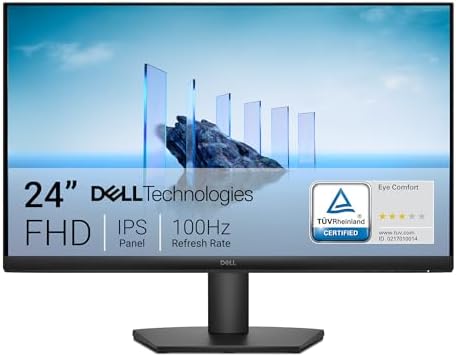
- An improved viewing experience: Experience a high 100Hz refresh rate across your work with a TÜV Rheinland 3-star* certi…
- High refresh rate: 100Hz refresh rate delivers less flicker, more seamless scrolling and smoother motion.
- ComfortView Plus: Minimizes harmful blue light exposure without sacrificing color accuracy with Dell’s always on, built-…
If you need a reliable second monitor or a simple upgrade from an ancient 1080p display, the SE2425H is the value pick in Dell’s entire lineup. It’s a 24-inch Full HD IPS monitor with a 75Hz refresh rate — a meaningful step up from the standard 60Hz you’d expect at this price point, which makes everyday scrolling and window movement noticeably smoother.
It won’t wow anyone with features, and that’s the point: it’s a no-fuss, color-accurate display for email, browsing, spreadsheets, and document work, built on the same IPS technology Dell uses across its higher-end lines.
Pros:
- Genuinely accurate IPS color for the price tier
- 75Hz refresh rate is a nice bonus over standard 60Hz budget monitors
- Slim bezels make it a clean fit for dual-monitor setups
- Lightweight and easy to wall/arm mount via VESA
Cons:
- Tilt-only stand — no height or swivel adjustment
- Limited port selection (HDMI/VGA depending on region)
- 1080p resolution shows its limits above 24 inches
Best for: Students, home offices on a tight budget, or anyone adding a second/third monitor without needing premium features.
2. Dell S2425H — Best 24-Inch IPS Monitor Under Mid-Range Budgets

- Modern, lifestyle-inspired design with ultrathin bezels let you enjoy the stunning screen with less distraction.
- Enjoy impressive audio with the integrated dual 5W speakers with a wide dynamic range. Easy options of 5 preset and 1 cu…
- Experience consistent vibrant colors across a wide viewing angle enabled by In-plane switching technology with 99% sRGB …
A close sibling to the SE2425H, the S-series S2425H bumps the refresh rate up to 100Hz while keeping the same 24-inch Full HD IPS panel and 99% sRGB color coverage. That extra refresh headroom makes it noticeably more pleasant for casual gaming and video playback, not just office tasks, without pushing you into gaming-monitor pricing.
It’s frequently highlighted by deal-tracking sites as one of the better value 1080p monitors Dell sells, largely because it doesn’t cut corners on color accuracy the way many similarly priced competitors do.
Pros:
- 100Hz refresh rate at a genuinely affordable price point
- Strong color accuracy (99% sRGB typical)
- Integrated stereo speakers — handy if desk space is tight
- Dual HDMI inputs for easy multi-source switching
Cons:
- Still 1080p — not ideal if you want more screen real estate
- Basic tilt-adjustable stand only
- Built-in speakers are fine for casual use, not a replacement for real audio
Best for: Budget-conscious buyers who want a noticeably smoother, more responsive screen than a standard 60Hz monitor without paying gaming-monitor prices.
3. Dell 27 SE2726HG — Best Budget Gaming Monitor
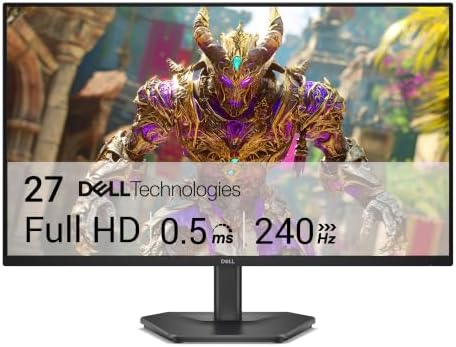
- Smooth motion: 240Hz refresh rate and fast 0.5ms response time provide crisp visuals and fluid movement with less input …
- Seamless gaming: FreeSync Premium and HDMI VRR eliminate tearing for smooth, responsive PC and console gameplay.
- Fast IPS: Faster 0.5ms response with excellent color accuracy across wide IPS viewing angles.
This is one of the more surprising releases in Dell’s recent lineup: a 27-inch IPS monitor with a 240Hz refresh rate at a genuinely budget-friendly price. That refresh rate was, until recently, reserved for dedicated gaming brands charging a significant premium — Dell offering it on an entry-level 1080p panel is a real shift in what “affordable” gaming monitors look like.
It pairs the fast refresh rate with AMD FreeSync Premium support to reduce screen tearing, and multiple response-time modes (down to 1ms in Extreme Mode) for competitive titles.
Pros:
- 240Hz refresh rate is exceptional value at this price tier
- AMD FreeSync Premium reduces tearing and stutter
- IPS panel keeps colors accurate, unlike many budget TN gaming monitors
- 99% sRGB coverage for a gaming-focused display
Cons:
- Tilt-only stand on the base SE2726HG (look at the HGS variant if you want height/swivel adjustment)
- No USB ports or built-in speakers
- 1080p resolution, not 1440p — a deliberate tradeoff to hit that refresh rate affordably
Best for: Gamers who want genuinely high refresh rates without paying for a dedicated gaming brand’s markup.
4. Dell S2725DS — Best All-Around 27-Inch Monitor

- Stunning visuals and built-in acoustic excellence: With QHD (2560×1440) resolution, you’ll get 1.77 times more details t…
- Enhanced eye comfort: This 27″ monitor achieves TÜV Rheinland 4-star eye comfort certification — the latest industry sta…
For a lot of buyers, the S2725DS hits the sweet spot in Dell’s entire catalog. It’s a 27-inch QHD (1440p) IPS monitor with a 100Hz refresh rate, giving you sharper detail than a 1080p screen and noticeably smoother motion than a standard 60Hz panel — a strong combination whether you’re working, streaming video, or gaming casually.
It also includes better port versatility than most monitors in its class, along with cable management features and full VESA mount compatibility, making it easy to keep a clean desk setup.
Pros:
- QHD resolution at 100Hz is an excellent balance of sharpness and smoothness
- Versatile connectivity for a mid-range monitor
- Clean, minimal design with effective cable management
- VESA compatible for monitor arm mounting
Cons:
- Not the cheapest option if you only need basic 1080p office use
- Stand ergonomics are decent but not class-leading — check if height adjustment matters to you
- No USB-C with power delivery on this model
Best for: Anyone who wants one monitor that comfortably handles work, media, and light gaming without stepping up to premium UltraSharp pricing.
5. Dell S3225QC — Best Affordable Curved Monitor

- Experience hyper-realistic audio: Immerse yourself in sound with spatial audio technology from five 5W speakers. Enabled…
- Stunning visuals, smooth performance: Enjoy stunning visuals with 4K resolution and QD-OLED technology. Dolby Vision and…
- Designed for ease of use and comfort: Enjoy a clutter-free desk setup with a single USB-C cable that supports up to 90W …
If you want an immersive, larger-format screen without jumping to a full ultrawide’s price tag, the S3225QC is a 32-inch curved QHD monitor that fills your field of view for both productivity and entertainment. The curve reduces eye travel across a large screen, which many users find more comfortable for extended sessions compared to a flat panel of the same size.
It’s a strong pick for anyone who wants a single large display instead of running dual monitors, particularly for split-screen multitasking or media consumption.
Pros:
- Large 32-inch curved screen adds genuine immersion for the price
- QHD resolution keeps text and detail sharp despite the larger size
- Reduces the need for a dual-monitor setup for some workflows
- Attractive design that looks premium on a desk
Cons:
- Needs a deeper desk than a standard flat monitor to sit at a comfortable distance
- Curve isn’t ideal if you frequently do precise graphic/photo alignment work
- Takes up more visual and physical desk space than a 27-inch model
Best for: People who want one large, immersive screen for work and entertainment rather than juggling two separate monitors.
6. Dell UltraSharp U2724DE — Best for Hybrid Work and Productivity

- Ambient Light Sensor: A built-in Ambient Light Sensor intelligently optimizes brightness and color temperature based on …
- A smoother visual experience: 120Hz refresh rate delivers less flicker, more seamless scrolling and smoother motion than…
- Fit your work style: Tilt, swivel, pivot and adjust the height of your monitor to work your way
The UltraSharp line is Dell’s professional-grade series, and the U2724DE is one of the strongest value picks in it. It uses an IPS Black panel, which roughly doubles the contrast ratio of a standard IPS display, giving you noticeably deeper blacks and richer detail — a meaningful upgrade if you spend all day looking at documents, spreadsheets, or creative work.
What really sets it apart for hybrid and remote workers is the connectivity: it includes USB-C with power delivery, letting you run video, data, and laptop charging through a single cable, along with a built-in USB hub and often an Ethernet port — effectively turning the monitor into your laptop dock.
Pros:
- IPS Black panel delivers noticeably better contrast than standard IPS
- USB-C with power delivery simplifies laptop-based setups dramatically
- 120Hz refresh rate makes it viable for light gaming, not just office work
- Built-in USB hub reduces cable clutter on your desk
Cons:
- Priced higher than the S-series monitors above — a bigger investment
- Overkill if you only need a basic secondary display
- QHD resolution, not 4K — check the U-series 4K models below if that matters to you
Best for: Remote and hybrid workers who want a single-cable laptop docking solution plus a genuine step up in image quality over budget monitors.
7. Dell UltraSharp U2723QE — Best Affordable 4K Monitor

For creative work, detailed spreadsheets, or simply wanting maximum screen real estate, the Dell U2723QE brings genuine 4K resolution into a more attainable price bracket than Dell’s flagship displays. It’s built on the same IPS Black panel technology as the U2724DE, giving it strong contrast and color accuracy well-suited to photo editing and detailed visual work, alongside the sharpness 4K provides for text and fine detail.
USB-C connectivity with power delivery is included here as well, making it a strong single-cable solution for laptop users who also want a resolution upgrade over QHD.
Pros:
- Genuine 4K resolution at a more accessible price than flagship UltraSharp models
- IPS Black panel improves contrast noticeably over standard IPS 4K monitors
- USB-C hub functionality for a clean, single-cable laptop setup
- Excellent for detailed creative and productivity work
Cons:
- You’ll want a reasonably capable GPU to drive 4K comfortably, especially for any gaming use
- Higher price than the QHD models on this list
- 60Hz standard refresh — not built for high-refresh gaming
Best for: Creative professionals, spreadsheet-heavy analysts, or anyone who wants 4K clarity without paying flagship prices.
8. Dell UltraSharp U2725QE — Best Upgrade Pick for 4K Productivity

- 4K UHD IPS Black Display with Factory Calibration: 3840 x 2160 resolution and 99% DCI-P3 color coverage calibrated to De…
- 120Hz Refresh Rate and 5ms Response Time: Smooth, fluid motion with reduced blur for fast-paced workflows and seamless m…
- Thunderbolt 4 Single Cable Solution: Transmits video, data, and up to 140W power simultaneously, with daisy chain suppor…
The newer U2725QE builds on the U2723QE formula with refinements to color performance and connectivity, and it’s frequently cited by independent testers as one of the best all-around Dell monitors currently available. If you’re comparing it against the U2723QE, the practical difference for most buyers comes down to specific connectivity features and minor panel refinements — worth comparing current Amazon listings side by side since both are strong performers.
Its combination of 4K resolution, IPS Black contrast, and robust USB-C docking makes it a genuine one-monitor solution for demanding productivity workflows.
Pros:
- Excellent overall panel performance, frequently rated as a top pick by independent reviewers
- Strong USB-C docking capabilities reduce the need for a separate dock
- 4K sharpness suited to detailed work and multitasking
- Reliable, business-grade build quality
Cons:
- Among the pricier options on this list — weigh it against the U2723QE for your specific needs
- 60Hz refresh rate, not aimed at gaming
- Larger footprint requires adequate desk depth for comfortable viewing distance
Best for: Buyers who want the most refined 4K UltraSharp experience currently available and are comparing it directly against the U2723QE before purchasing.
9. Dell P2425H — Best for Simple, Reliable Business Use

The P-series is Dell’s business-focused line, positioned between the budget S/SE series and the premium UltraSharp lineup. The P2425H is a straightforward 24-inch Full HD IPS monitor built for office environments — think call centers, shared workstations, or home offices that prioritize reliability and ergonomics over flashy specs.
Where it earns its spot on this list is ergonomics: P-series monitors typically include height-adjustable, swivel, and pivot-capable stands as standard — features you’d have to pay extra for on many competing budget monitors.
Pros:
- Full ergonomic stand (height, tilt, swivel, pivot) as standard
- Reliable IPS panel with accurate color for office work
- Built for durability in shared or high-use environments
- Competitive pricing relative to its ergonomic feature set
Cons:
- Design is utilitarian rather than eye-catching
- 1080p resolution and standard refresh rate — not built for gaming or 4K work
- Fewer “exciting” features compared to the S-series or UltraSharp lines
Best for: Home offices and small businesses that prioritize ergonomic adjustability and long-term reliability over resolution or refresh rate.
10. Dell Alienware AW2725DF — Best Splurge Pick for Serious Gamers

- QD-OLED technology enables stunningly rich color and clarity, while QHD resolution (2560×1440) provides high level of de…
- 360Hz refresh rate translates to superb motion clarity, empowering players to see and react to in-game situations at hig…
- 0.03 ms gray-to-gray minimum response time** virtually eliminates blurring and ghosting and keeps latency to an absolute…
Every affordable buying guide benefits from one aspirational “if you can stretch your budget” pick, and this is it. The AW2725DF is a 27-inch QD-OLED panel — a genuinely different display technology from every IPS monitor on this list — delivering near-instant 0.03ms response time, an exceptionally high 360Hz refresh rate, and true blacks that only OLED panels can produce. It’s built specifically for competitive and immersive gaming, not office productivity.
It’s priced well above everything else in this guide, so it won’t fit every budget — but independent reviewers have consistently rated it as one of the best 27-inch OLED gaming monitors available, and it undercuts many rival OLED gaming monitors from other brands at a similar spec level, which is why it still earns a place here as the premium option worth saving up for.
Pros:
- QD-OLED panel delivers true blacks and exceptional contrast no IPS monitor can match
- Best-in-class 360Hz refresh rate with 0.03ms response time for competitive gaming
- Fully adjustable stand (height/tilt/swivel/pivot) — rare at this performance tier
- Three-year warranty includes OLED burn-in coverage, easing a common OLED concern
Cons:
- Significantly pricier than every other monitor on this list — a genuine investment, not a budget pick
- OLED panels carry some long-term burn-in risk with static content (mitigated by the burn-in warranty)
- More reflective screen coating — needs controlled lighting for best image quality
- Overkill if you mainly do office or productivity work rather than gaming
Best for: Gamers who want flagship-level OLED performance and are willing to spend more to get it, without paying the very top prices in Dell’s OLED lineup.
Dell Monitor Series Explained
Dell’s naming conventions can be confusing at first glance, so here’s a quick reference to help you shop with confidence beyond this list:
- E-series: Dell’s most basic, entry-level line — simple, no-frills displays for essential office use.
- S-series / SE-series: The best balance of value and features — IPS panels, decent refresh rates, and increasingly good connectivity, without premium pricing. Most of the picks above fall in this range.
- P-series: Business-oriented monitors that prioritize ergonomics (height/swivel/pivot stands) and durability for shared or professional environments.
- UltraSharp (U-series): Dell’s professional and creative line, known for color accuracy, IPS Black contrast, 4K resolution options, and strong USB-C docking capability.
- Alienware: Dell’s dedicated gaming sub-brand, spanning mid-range high-refresh monitors up through flagship OLED gaming displays.
Understanding this hierarchy makes it much easier to compare two similarly priced monitors and know which one is actually built for your use case.
Full Spec Comparison: Dell Monitors Side by Side
Use this table to compare the technical specs that matter most before you buy — screen size, resolution, refresh rate, panel type, stand adjustability, and USB-C docking support.
| Monitor | Size | Resolution | Panel | Refresh Rate | Stand Adjustability | USB-C w/ Power Delivery | Ideal Use Case |
|---|---|---|---|---|---|---|---|
| Dell 24 SE2425H | 24″ | 1080p FHD | IPS | 75Hz | Tilt only | No | Basic office / secondary display |
| Dell S2425H | 24″ | 1080p FHD | IPS | 100Hz | Tilt only | No | Value 1080p with smoother motion |
| Dell 27 SE2726HG | 27″ | 1080p FHD | IPS | 240Hz | Tilt only | No | Budget competitive gaming |
| Dell S2725DS | 27″ | 1440p QHD | IPS | 100Hz | Tilt + height (check listing) | No | All-around work + light gaming |
| Dell S3225QC | 32″ curved | 1440p QHD | VA | 100Hz+ | Tilt + height | No | Immersive single-screen setup |
| Dell UltraSharp U2724DE | 27″ | 1440p QHD | IPS Black | 120Hz | Full (tilt/height/swivel/pivot) | Yes | Hybrid work / single-cable docking |
| Dell UltraSharp U2723QE | 27″ | 4K UHD | IPS Black | 60Hz | Full (tilt/height/swivel/pivot) | Yes | Affordable entry into 4K |
| Dell UltraSharp U2725QE | 27″ | 4K UHD | IPS Black | 60Hz | Full (tilt/height/swivel/pivot) | Yes | Refined 4K productivity |
| Dell P2425H | 24″ | 1080p FHD | IPS | 60Hz | Full (tilt/height/swivel/pivot) | Varies by listing | Business / shared workstations |
| Dell Alienware AW2725DF | 27″ | 1440p QHD | QD-OLED | 360Hz | Full (tilt/height/swivel/pivot) | Yes (data only) | Premium competitive gaming |
Specs summarized from manufacturer listings and independent testing sources; always confirm exact specs on the current Amazon listing before buying, as Dell periodically revises models without changing the name.
At-a-Glance: Which One Matches Your Priority?
| If your top priority is… | Choose this monitor |
|---|---|
| Spending as little as possible | Dell 24 SE2425H |
| Smoothest motion on a 1080p budget | Dell S2425H |
| High refresh rate gaming on a budget | Dell 27 SE2726HG |
| One monitor that does everything well | Dell S2725DS |
| A big, immersive single screen | Dell S3225QC |
| Docking a laptop with one cable | Dell UltraSharp U2724DE |
| Getting into 4K without flagship pricing | Dell UltraSharp U2723QE |
| The most refined 4K experience available | Dell UltraSharp U2725QE |
| Ergonomics for long shared/office use | Dell P2425H |
| Best possible gaming performance, budget aside | Dell Alienware AW2725DF |
Frequently Asked Questions
Are Dell monitors actually good, or is the brand just well-known?
Independent testing labs consistently rate Dell’s monitor lineup well across budget, mid-range, and professional categories, particularly for color accuracy, build quality, and ergonomic stand design — areas where many budget competitors cut corners even at similar price points.
What’s the difference between the S-series and UltraSharp lines?
The S-series prioritizes value — solid IPS panels and decent refresh rates at accessible prices. The UltraSharp line is built for professional and creative use, with better contrast (IPS Black panels on many models), more accurate color calibration, and stronger connectivity like USB-C docking.
Do I need 4K, or is QHD (1440p) enough?
For most office work, QHD on a 27-inch screen is sharp enough that most people won’t notice a meaningful difference from 4K in daily use. 4K becomes genuinely worthwhile for detailed photo/video editing, or if you want to fit more on-screen content at a readable size.
Can Dell monitors charge my laptop through a single cable?
Yes — several UltraSharp models (like the U2724DE and U2723QE) include USB-C with Power Delivery, letting you connect video, data, and laptop charging through one cable. Check the specific listing for the wattage supported, since it needs to match or exceed your laptop’s charging requirements.
Are Dell’s budget monitors good enough for casual gaming?
Yes, particularly the S-series and SE-series models with 75Hz–100Hz refresh rates, and especially the SE2726HG, which offers a genuinely high 240Hz refresh rate at a budget-friendly price. For serious competitive gaming, the Alienware line is built specifically for that purpose.
What should I check before buying a curved monitor like the S3225QC?
Make sure your desk is deep enough to sit at the recommended viewing distance for the curve radius, and consider whether your work involves precise straight-line or grid-based work (like CAD or spreadsheet alignment), where a flat panel may actually be preferable.
Final Verdict: Which Dell Monitor Should You Buy?
If you genuinely just need a reliable, color-accurate screen for everyday work and don’t want to overspend, the Dell 24 SE2425H or Dell S2425H cover that need without any wasted features. If you want one monitor that comfortably handles work, streaming, and casual gaming, the Dell S2725DS is the strongest all-around value in Dell’s current lineup. Remote and hybrid workers who want a genuine laptop-docking solution should look closely at the Dell UltraSharp U2724DE, and anyone who wants real 4K clarity without flagship pricing should compare the U2723QE and U2725QE side by side. Gamers on a budget should start with the SE2726HG, and those ready to spend more for serious performance should look at the Alienware AW2725DF.
Whichever model fits your setup, always check the current Amazon listing before buying — pricing, available sizes, and active promotions shift often, and the live listing will always reflect the most accurate, up-to-date information.
Editorial note: This guide was researched and written independently based on publicly available specifications, expert testing coverage, and verified owner feedback. Dell did not commission or review this content.

MD.HASAN is an experienced SEO expert and amazon products review writer passionate about helping people find right products on amzon for buy without confusion. With 4 years of hands-on experience in content strategy and search engine optimization, he specializes in writing SEO-friendly blog posts that rank, engage, and convert.