
Affiliate disclosure: As an Amazon Associate, Tech Rig Review earns from qualifying purchases. Links on this page may be affiliate links, at no extra cost to you.
Working on a laptop or desktop computer in a public place, shared office, university, or busy environment can make your personal information visible to people nearby. Whether you are checking emails, managing business documents, accessing financial accounts, or working with confidential information, someone sitting next to you might be able to see what is displayed on your screen.
A privacy screen is a practical accessory designed to reduce this risk. It uses a special filtering technology that limits the viewing angle of your display, making it difficult for people sitting beside you to read your screen. This can be particularly useful for remote workers, business professionals, students, travelers, and anyone who regularly uses a computer around other people.
However, choosing the right privacy screen requires more than selecting a filter based on its advertised size or price. Screen dimensions, viewing angles, display clarity, installation methods, surface finishes, and device compatibility can all affect your experience.
In this guide, we will explore 10 of the best privacy screens available on Amazon and explain the important features to consider before purchasing. Whether you need a privacy filter for a laptop, desktop monitor, or shared workstation, understanding these factors can help you find an option that matches your needs.
10 Best Privacy Screens on Amazon
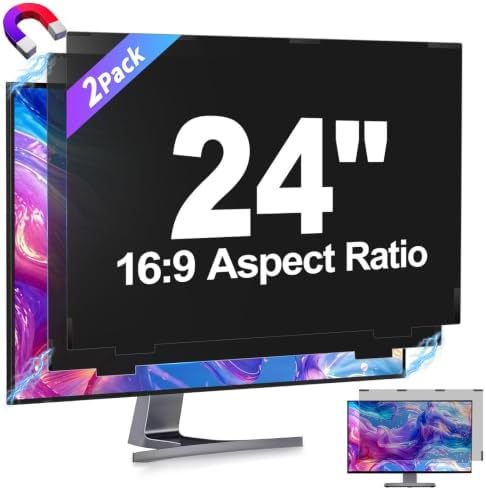


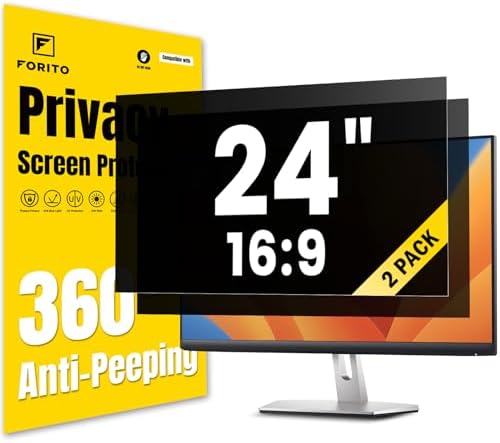


What Is a Privacy Screen and How Does It Work?
A computer privacy screen is a thin filter that attaches to the front of a laptop or monitor display. Its primary purpose is to restrict visibility from side angles while allowing the person sitting directly in front of the screen to view the content.
Most traditional privacy filters use microscopic optical structures, commonly called microlouvers. These structures work somewhat like tiny window blinds. They allow light to pass through from certain viewing directions while blocking or reducing light from other angles.
When someone looks at the screen directly, the display remains visible. However, when another person tries to view it from the side, the screen becomes significantly darker, making the displayed information harder to read.
The level of privacy depends on the filter’s viewing-angle specifications and design.
Privacy screens are available for different devices, including:
- Laptop computers
- Desktop monitors
- Portable external monitors
- Business workstations
- Some touchscreen displays
They come in different dimensions, aspect ratios, attachment styles, and finishes. Selecting a compatible filter is essential because an incorrectly sized privacy screen may not cover the entire visible display.
Benefits of Using a Privacy Screen
A privacy screen offers several practical advantages for people who frequently use computers in shared environments.
1. Protects Sensitive Information
One of the biggest benefits is reducing the possibility of someone viewing confidential information from the side.
This can be useful when working with business emails, customer records, financial documents, spreadsheets, or other private information. Although a privacy filter cannot guarantee complete protection, it makes casual side viewing more difficult.
2. Provides More Privacy in Public Places
Public locations such as airports, coffee shops, libraries, trains, and coworking spaces often have people sitting close together.
Without a privacy filter, nearby people may have a clear view of your display. A suitable filter helps reduce visibility from these surrounding angles, allowing you to work more comfortably.
3. Useful for Remote Workers and Professionals
Many professionals work with confidential business information outside traditional office environments.
Freelancers, online business owners, accountants, consultants, and customer support representatives may regularly access documents that should not be visible to others.
A privacy screen adds another practical layer of visual privacy to their workstation.
4. Helps Protect Business and Customer Data
Businesses often handle customer information, internal reports, sales records, and other sensitive material.
Privacy filters can help organizations reduce accidental exposure when employees work in shared offices or public environments.
They are especially useful for employees who frequently move between different workstations.
5. Can Reduce Screen Glare
Some privacy filters include a matte or anti-glare surface.
This finish can help reduce reflections caused by overhead lighting, windows, and other bright surroundings. It may make working more comfortable in certain environments.
However, the level of glare reduction depends on the filter’s surface treatment.
6. Provides Additional Screen Protection
Some privacy filters also offer a protective surface that helps reduce everyday scratches, dust, and fingerprints.
This additional feature can be useful for laptop owners who frequently travel or carry their computers between different locations.
Keep in mind that a privacy filter is not a replacement for a dedicated protective case.
Different Types of Privacy Screens
Before choosing a privacy filter, it helps to understand the different types available.
Laptop Privacy Screens
Laptop privacy screens are designed to match the display dimensions of notebook computers.
They are available in common screen sizes, including smaller ultraportable displays and larger laptop screens.
Some models use adhesive strips or attachment tabs, while others use magnetic mounting systems. Certain designs allow users to remove the filter when they want to share their screen.
Laptop users should pay particular attention to display dimensions, aspect ratio, bezel design, and whether the filter allows the laptop lid to close properly.
Desktop Monitor Privacy Screens
Monitor privacy screens are designed for larger desktop displays.
They are commonly used in corporate offices, reception areas, shared workstations, financial departments, and home offices.
Because desktop monitors come in different sizes and shapes, buyers should verify the exact visible screen dimensions before ordering.
Magnetic Privacy Screens
Magnetic privacy filters are designed for convenient attachment and removal.
Depending on the design, magnetic strips or frames help hold the filter in place. This can be useful for people who sometimes need full-screen visibility for presentations or collaborative work.
Before purchasing, check whether the mounting system is compatible with your device’s bezel and display construction.
Adhesive and Slide-Mount Privacy Screens
Some filters use adhesive strips that attach to the display, while others include small mounting tabs that hold the filter around the screen edges.
Adhesive mounting can provide a relatively clean appearance, while slide-mount systems may make removal easier.
Consider how frequently you plan to remove the filter before selecting an installation style.
How to Choose the Best Privacy Screen
Finding the right privacy screen involves comparing several important specifications. Here are the main factors worth checking before buying.
1. Check Your Screen Size
Screen compatibility should be your first consideration.
Privacy filters are manufactured for specific display sizes. Common options include laptop screens around 13.3, 14, 15.6, and 16 inches, along with desktop monitor sizes such as 21.5, 23.8, 24, and 27 inches.
However, the advertised diagonal size alone is not always enough to confirm compatibility.
Measure the actual visible display area, including its width and height. Compare those measurements with the dimensions listed by the manufacturer.
Avoid assuming that every product advertised for a particular screen size will fit every device with the same diagonal measurement.
2. Consider the Aspect Ratio
Aspect ratio describes the relationship between a screen’s width and height.
Common computer display formats include:
- 16:9
- 16:10
- 3:2
- 21:9
For example, a standard widescreen laptop and a taller productivity laptop may have different aspect ratios even when their advertised diagonal measurements are similar.
Choosing the wrong aspect ratio can result in uncovered display areas or an incorrectly fitting filter.
Always verify both the physical dimensions and aspect ratio before purchasing.
3. Understand the Viewing Angle
The viewing angle is one of the most important specifications of a privacy filter.
Many conventional privacy filters advertise a viewing range of approximately 60 degrees total, or around 30 degrees on either side of the center.
This means the intended viewer can see the screen from directly in front, while people sitting farther to the sides experience a darker display.
A narrower viewing angle may offer stronger side-view privacy, but it can also make the screen less convenient to view when you move away from the center.
Consider your typical working position and how much privacy you need.
4. Choose Between Matte and Glossy Finishes
Privacy filters may feature matte, glossy, or reversible surfaces.
A matte finish is designed to reduce reflections from surrounding light sources. It can be useful in bright offices, near windows, or in environments with overhead lighting.
A glossy finish generally provides a clearer and more vibrant-looking image, although it may reflect more ambient light.
Some filters offer both finishes through a reversible design. This gives users the flexibility to choose the surface that works better for their environment.
Think about your workspace lighting and display preferences before deciding.
5. Check the Installation Method
Installation affects how convenient a privacy screen is to use.
Common mounting options include:
- Magnetic attachment
- Adhesive strips
- Slide-mount tabs
- Hanging attachment systems
Magnetic designs can be convenient for frequent removal. Adhesive systems may offer a more permanent installation, while slide-mount tabs can provide a removable mounting option for compatible displays.
Check the installation instructions and confirm that the attachment method works with your laptop or monitor.
6. Look for Touchscreen Compatibility
If you own a touchscreen laptop or monitor, compatibility is particularly important.
Not every privacy filter supports touch input equally well. Some products are designed specifically for touchscreen displays, while others may interfere with touch responsiveness.
Before ordering, check the manufacturer’s compatibility information and customer feedback from people using similar devices.
7. Consider Screen Brightness and Clarity
Privacy filters can reduce the amount of light reaching your eyes because their optical structures restrict certain viewing angles.
As a result, your display may appear darker after installation.
Look for filters that provide good front-facing clarity and reasonable light transmission. Customer feedback can also help you understand whether a particular filter noticeably affects text readability or image quality.
This is especially important if you spend several hours working with spreadsheets, documents, or detailed visual content.
8. Check Anti-Glare and Blue-Light Features
Some privacy screens include additional features such as anti-glare coatings and blue-light filtering.
Anti-glare surfaces can help reduce reflections in bright surroundings.
Blue-light filtering features are designed to reduce certain wavelengths emitted by displays. However, advertised reduction percentages can vary depending on the product and measurement method.
Do not assume that a privacy screen automatically provides significant eye-health benefits. Focus primarily on privacy, compatibility, and display clarity.
9. Review Build Quality and Durability
A privacy screen is an accessory you may use every day, so its construction matters.
Check whether the filter is made from durable optical material and whether it includes scratch-resistant surface protection.
Also consider how easily it can be cleaned, whether it attracts fingerprints, and whether the attachment system holds it securely.
Reading verified customer feedback can help you identify common problems before purchasing.
10. Compare Warranty and Customer Support
Warranty coverage can be another useful consideration.
Some manufacturers offer limited warranties, while others provide shorter coverage periods or different support arrangements.
Check the warranty conditions, return policy, and availability of replacement filters.
A slightly more expensive option may be worth considering if it offers better compatibility information, installation support, or warranty coverage.
What to Consider Before Buying a Privacy Screen on Amazon
Amazon offers privacy filters in different sizes, designs, and price categories. Before making a purchase, use the following checklist to narrow down your choices.
Device compatibility: Confirm that the filter is designed for your specific laptop or monitor dimensions.
Display shape: Check the aspect ratio and visible screen measurements rather than relying only on diagonal size.
Privacy performance: Look for clear viewing-angle specifications and understand what those measurements mean.
Mounting system: Choose an attachment style that matches how frequently you want to remove the filter.
Display quality: Consider brightness, sharpness, reflections, and possible color changes.
Touchscreen support: Confirm compatibility if your computer has touch functionality.
Customer reviews: Read recent verified-purchase feedback and look for repeated comments about fit, clarity, and installation.
Return policy: Check the seller’s return conditions in case the filter does not fit your device.
Price and value: Compare the included accessories, materials, warranty, and number of filters included rather than choosing only by the lowest price.
Taking a few minutes to check these details can help prevent compatibility problems and unnecessary returns.
Common Mistakes to Avoid When Buying Privacy Screens
Even though privacy filters are relatively simple accessories, buyers can make mistakes when comparing different options.
Here are some common problems to avoid.
Choosing the wrong size: A filter that does not match your display dimensions may leave parts of your screen uncovered.
Ignoring aspect ratio: Two displays with similar diagonal measurements may have different shapes.
Assuming all privacy angles are identical: Different filters can offer different viewing-angle performance.
Overlooking installation requirements: A magnetic filter may not work properly with every bezel design, and adhesive mounting may not be ideal for people who frequently remove their filters.
Expecting complete privacy: Privacy filters mainly reduce side visibility. They do not prevent someone directly behind you from viewing your screen.
Ignoring display brightness: Some filters noticeably reduce screen brightness, which may affect your everyday experience.
Relying only on product images: Always check specifications, dimensions, compatibility information, and customer feedback instead of judging a product by its pictures.
Who Should Use a Privacy Screen?
Privacy screens can be useful for different types of computer users.
- Remote workers: Helpful for people who work from coffee shops, coworking spaces, or other shared environments.
- Business professionals: Useful when accessing confidential documents, customer records, and internal business information.
- Students: Can provide additional visual privacy when studying or working in libraries and shared spaces.
- Freelancers: Helpful for people managing client projects, invoices, business accounts, and private communications.
- Travelers: Useful for people who regularly use laptops in airports, trains, and other public locations.
- Office employees: Can reduce casual screen viewing in open-plan offices and shared workstations.
Your need for a privacy filter will depend on how often you use a computer around other people and the sensitivity of the information displayed on your screen.
Frequently Asked Questions
1. Do privacy screens really work?
Yes. Privacy filters use optical technology to restrict the angles from which a display can be viewed clearly. They help reduce visibility from the sides, making it more difficult for nearby people to read your screen. Their effectiveness depends on the design and viewing-angle specifications.
2. Can people see my screen from behind when I use a privacy filter?
A traditional privacy filter primarily restricts side viewing. Someone positioned directly behind you may still see your screen if they are looking from within its clear viewing area. For better protection, combine a privacy filter with careful screen positioning and good security practices.
3. Do privacy screens make displays darker?
They can. Privacy filters restrict some of the light passing through the display, which may reduce perceived brightness. The amount of brightness loss varies between designs. You may need to increase your display brightness after installation.
4. Are privacy screens compatible with touchscreen laptops?
Some privacy filters support touchscreen devices, but compatibility varies. Check the manufacturer’s specifications before purchasing and make sure the filter is designed for your particular screen type.
5. Can I remove a privacy screen whenever I want?
That depends on the attachment system. Magnetic filters and certain slide-mount designs are generally easier to remove. Adhesive-mounted filters may require more care and may not be intended for repeated removal.
6. How do I know which privacy screen size to buy?
Measure the visible width and height of your display, then compare those measurements with the filter’s listed dimensions. Also verify the aspect ratio and device compatibility. Do not rely exclusively on the laptop or monitor’s advertised diagonal size.
7. Are privacy screens worth buying?
They can be worthwhile if you regularly work with private information in public or shared environments. They provide an additional layer of visual privacy and can help reduce casual shoulder surfing. However, they should be used alongside other security measures rather than as a complete data-protection solution.
Final Thoughts
Choosing the right privacy screen is about finding a balance between visual privacy, display quality, compatibility, and everyday convenience.
Before purchasing, prioritize the correct screen dimensions, aspect ratio, viewing angle, installation method, and display clarity. Consider additional features such as matte finishes, touchscreen compatibility, scratch resistance, and warranty coverage according to your needs.
If you regularly work in public places, shared offices, or environments where confidential information is displayed, a suitable privacy filter can be a useful addition to your computer setup.
Take time to compare the available options and check their specifications before making your decision. The right choice should fit your device properly, provide the level of side-view privacy you need, and remain comfortable for everyday computer use.

MD.HASAN is an experienced SEO expert and amazon products review writer passionate about helping people find right products on amzon for buy without confusion. With 4 years of hands-on experience in content strategy and search engine optimization, he specializes in writing SEO-friendly blog posts that rank, engage, and convert.


