Affiliate disclosure: As an Amazon Associate, Tech Rig Review earns from qualifying purchases. Links on this page may be affiliate links, at no extra cost to you.
Looking for the best HP 17-inch laptop on Amazon? Compare five large-screen HP laptops for work, school, home use, and everyday computing in 2026.
A 17-inch laptop on Amazon is a different kind of computer. It isn’t the best choice for everyone — a larger laptop takes more desk space and is usually less convenient to carry than a 14-inch or 15.6-inch model. But the extra screen area can be very useful if you spend hours with spreadsheets, documents, browser tabs, online classes, email, or video — or simply prefer a large display for movies and everyday use.
HP has several 17-inch laptops on Amazon, but they’re not all the same. Some use Intel processors, others AMD Ryzen chips. Some have FHD displays, others HD+ panels. Memory and storage vary too.
For this guide I focused on real HP 17-inch-class laptops verifiable through current product information, looking at processor type, memory, storage, screen, operating system, connectivity, and intended buyer. Not every HP laptop with “17” in its name is treated as equally good — the goal is to help you choose the model that fits your work.
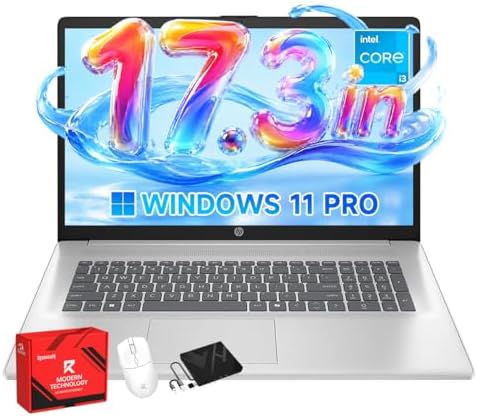
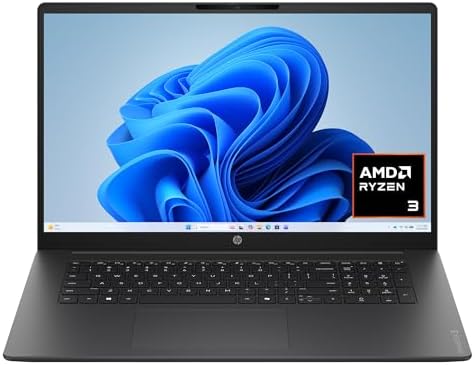
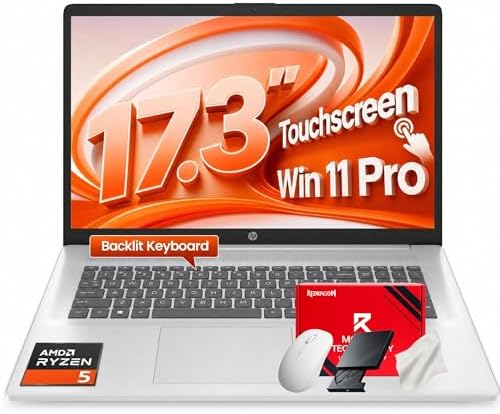

See also our existing 7 Best HP Laptops on Amazon guide if you want to compare HP models outside the 17-inch size.
Research note: This is a research-based comparison, not a hands-on review. I did not purchase or personally test these laptops. I compared current Amazon listing information with HP specifications and other available product data. Amazon availability, sellers, configurations, and prices can change, so check the live listing before purchasing.
Table of Contents
Quick Comparison
| Product | Best For | Key Feature | Buyer Sentiment | Amazon |
|---|---|---|---|---|
| HP 17.3″ Laptop 17-cn3399nr | Everyday work and study | 16GB RAM + 512GB SSD + FHD IPS | Strong buyer interest on current listing | Check on Amazon |
| HP 17-cp2199nr | Large-screen everyday computing | Ryzen 5 + 16GB RAM + 512GB SSD | Generally well received | Check on Amazon |
| HP 17-cn2077nr | Buyers wanting Intel Core i7 | 12th-gen Core i7 + 512GB SSD | Established HP option, positive feedback | Check on Amazon |
| HP 17 Business Laptop — 2026 Edition | Home office and business work | Ryzen 5 7430U + 16GB + 512GB SSD | Strong recent sales, positive sentiment | Check on Amazon |
| HP 17-cp3047nr | Buyers wanting FHD + 16GB | Ryzen 7 + FHD + 16GB RAM | Well-rated on HP’s store listing | Check on HP |
Important: Exact Amazon prices aren’t displayed here since they can change — check the live listing before buying.
1. HP 17.3″ Laptop 17-cn3399nr — Best for Everyday Work and Study
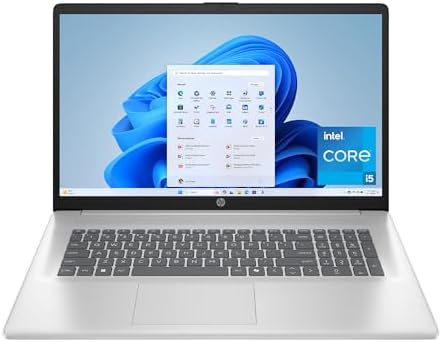
- FHD IPS DISPLAY – Watch movies, edit photos, and enjoy everything else in your digital world with vibrant, crystal-clear…
- INTEL CORE PROCESSOR – The 13th Generation Intel Core processor advances real-world computing and delivers more ultra-ef…
- INTEL IRIS XE GRAPHICS – Integrated graphics levels up your creating, gaming, and entertainment with impressively crisp,…
One of the most interesting choices for someone who wants a large screen without moving into a dedicated gaming laptop. The Amazon listing identifies an Intel Core i5-1334U, 16GB DDR4 RAM, 512GB PCIe NVMe SSD, Intel Iris Xe graphics, Windows 11 Home, and a 17.3-inch FHD IPS display — a combination that makes sense for general productivity.
The display is a meaningful upgrade over basic HD+ panels: the listing specifies 1920 × 1080 resolution, IPS technology, anti-glare treatment, and 300 nits brightness. The Core i5-1334U is a 13th-generation mobile processor, listed as a 10-core, 12-thread CPU with turbo up to 4.6GHz — plenty for office work, school, browsing, video calls, and everyday applications. This isn’t a gaming or 3D-rendering machine; its integrated Iris Xe graphics suit general computing and light graphics work.
Key Specs
| Spec | Detail |
|---|---|
| Model | 17-cn3399nr |
| Screen | 17.3″, 1920×1080, IPS, 300 nits |
| Processor | Intel Core i5-1334U (13th Gen) |
| Cores / Threads | 10 / 12 |
| RAM | 16GB DDR4-3200 |
| Storage | 512GB PCIe NVMe SSD |
| Graphics | Intel Iris Xe |
| OS | Windows 11 Home |
| Ports | USB-C, USB-A, HDMI 1.4b |
| Camera | HP True Vision HD, physical shutter |
| ASIN | B0DWMMJS33 |
Pros
- 17.3″ FHD IPS display
- 16GB RAM, 512GB NVMe SSD
- Modern 13th-gen Intel processor
- Physical camera shutter
- Good fit for school and home-office work
Cons
- Large chassis, less portable
- Integrated graphics not for serious gaming
- Display covers a relatively modest color gamut per the listing
- 512GB may feel limited for a large media library
Who Should Buy It?
Anyone who wants a large screen, a modern Intel processor, 16GB RAM, SSD storage, and a built-in camera with a privacy shutter — especially if screen size matters more than portability.
Final Verdict
One of the strongest choices in this guide for everyday work. This is a Core i5 laptop, not a Core i7 — not a weakness by itself, since a newer Core i5 can outperform an older i7 for many buyers.
Check the HP 17-cn3399nr on Amazon →
2. HP 17-cp2199nr — Best for Large-Screen Everyday Computing

- ANTI-GLARE HD plus DISPLAY – Enjoy your photos, movies, and games with the crisp quality of 1.4 million pixels, plus the…
- AMD RYZEN PROCESSOR – Experience acceleration for your work and creativity in a laptop powered by an AMD Ryzen 5 process…
- AMD RADEON GRAPHICS – Experience high performance for all your entertainment whether it’s games or movies
This model uses an AMD Ryzen 5 7520U, 16GB RAM, 512GB SSD storage, AMD Radeon graphics, Windows 11 Home, and a 17.3-inch HD+ display. The Ryzen 5 7520U targets thin-and-light everyday computing rather than gaming or workstation loads.
The 16GB memory makes a noticeable difference with multiple browser tabs and apps open, and the 512GB SSD is a good middle ground for Windows, applications, documents, and photos without needing an external drive right away. Marketplace price-tracking shows this model’s price can move significantly, so check the live Amazon page before purchasing.
Key Specs
| Spec | Detail |
|---|---|
| Model | 17-cp2199nr |
| Screen | 17.3″ HD+ |
| Processor | AMD Ryzen 5 7520U |
| RAM | 16GB |
| Storage | 512GB SSD |
| Graphics | AMD Radeon (integrated) |
| OS | Windows 11 Home |
| Color | Natural Silver |
| ASIN | B0DWPQDLm5 (third-party tracked — verify on the live listing) |
Pros
- Large 17.3″ display, 16GB RAM, 512GB SSD
- AMD Ryzen processor, Windows 11 Home
- Suitable for everyday computing
Cons
- HD+ resolution is less sharp than FHD
- Not designed for demanding gaming
- Large size reduces portability
- Verify exact configuration before purchase
Who Should Buy It?
Students, home users, office workers, and anyone who wants a large display for web apps and office software.
Final Verdict
A straightforward large-screen laptop, not trying to be a gaming machine. For everyday work, school, browsing, and media, its 16GB RAM and 512GB SSD are a sensible foundation. If screen sharpness matters to you, move up to one of the FHD models in this guide.
Check the HP 17-cp2199nr on Amazon →
3. HP Laptop 17-cn2077nr — Best for Buyers Wanting an Intel Core i7

- 【High Speed RAM And Enormous Space】16GB high-bandwidth RAM to smoothly run multiple applications and browser tabs all at…
- 【Processor】12th Gen Intel Core i7-1255U Processor (10 Cores, 12 Threads, 12MB L3 Smart Cache, Base Frequency at 1.2 GHz,…
- 【Display】17.3″ diagonal, HD+ (1600 x 900), Touch Screen, Narrow Bezel, BrightView
If the Core i7 badge is your main reason for shopping, this model deserves attention. HP’s official product information identifies a 12th-generation Intel Core i7, 8GB RAM, 512GB SSD, Intel Iris Xe graphics, Windows 11 Home, and a 17.3-inch HD+ display.
That processor sets it apart from the first two picks — the first uses a 13th-gen Core i5, the second AMD Ryzen 5. The trade-off: only 8GB of RAM, versus 16GB on other HP 17-inch models here. That’s not automatically bad — for web browsing, Office apps, email, and streaming, 8GB still works; heavy multitaskers will find 16GB more comfortable. HP also lists this model as EPEAT Gold registered and ENERGY STAR certified.
Key Specs
| Spec | Detail |
|---|---|
| Model | 17-cn2077nr |
| Screen | 17.3″ HD+ |
| Processor | 12th-Gen Intel Core i7 |
| Graphics | Intel Iris Xe |
| RAM | 8GB |
| Storage | 512GB SSD |
| OS | Windows 11 Home |
| Design | Narrow bezels, lift-hinge |
| Certifications | ENERGY STAR, EPEAT Gold |
Pros
- 12th-gen Intel Core i7
- 17.3″ large display, 512GB SSD
- Lift-hinge design; ENERGY STAR / EPEAT Gold
Cons
- Only 8GB RAM in the listed configuration
- HD+ display, not FHD
- Large chassis, not ideal for frequent travel
- ASIN not independently verifiable — see note below
Who Should Buy It?
Buyers who specifically want an Intel Core i7, prefer a 17.3-inch screen and 512GB SSD, and mostly do everyday computing.
Final Verdict
The model to consider if “Core i7” matters to you — but don’t assume the i7 automatically beats every other HP 17-inch laptop here. 8GB RAM is the main limitation. For more comfortable multitasking, favor a 16GB model; for lighter work, this HP still makes sense.
ASIN warning: The model and specifications could be verified through HP, but the exact Amazon ASIN could not be confirmed with enough confidence to provide a tracking link — no ASIN has been invented here.
Check the HP 17-cn2077nr on Amazon →
4. HP 17-inch Business Laptop — Best for Home Office and Business Work

- All In The Detail: The HP laptop has a beautiful brushed full-size keyboard with 10-key number pad. The 17.3 HP laptop f…
- Immersive Full HD Display: Experience high performance with the HP laptops featuring a stunning 17.3 inch FHD anti-glare…
- Windows 11 & Office 365 for Web: Preloaded with Windows 11 for a secure and easy-to-manage work experience. Built-in AI …
The HP 17-inch Business Laptop, 2026 Edition is a newer marketplace configuration for users who want a large screen for work and study. The listing identifies an AMD Ryzen 5 7430U, 16GB DDR4 memory, 512GB PCIe SSD, a 17.3-inch display, Windows 11 Home, and integrated AMD Radeon graphics (ASIN B0GMC2P6RB).
The Ryzen 5 7430U is particularly interesting for productivity: 6 cores and 12 threads, boost speeds up to 4.5GHz — a practical option for multitasking across a browser, email, documents, spreadsheets, messaging, and a video call at once. The 17.3-inch screen is listed as anti-glare with 250 nits brightness and 60% NTSC coverage — not a premium color-focused panel, but for office work the large physical size can matter more than color accuracy.
Key Specs
| Spec | Detail |
|---|---|
| ASIN | B0GMC2P6RB |
| Processor | AMD Ryzen 5 7430U |
| Cores / Threads | 6 / 12 |
| Boost frequency | Up to 4.5GHz |
| RAM | 16GB DDR4 |
| Storage | 512GB PCIe SSD |
| Display | 17.3″, anti-glare, 250 nits, 60% NTSC |
| Graphics | Integrated AMD Radeon |
| OS | Windows 11 Home |
| Camera | 720p HD webcam |
| Ports | USB-C, USB-A, HDMI, headphone/mic combo |
| Keyboard | Full-size with numeric keypad |
Pros
- 16GB RAM, 512GB SSD
- 6-core/12-thread Ryzen 5, large 17.3″ display
- Numeric keypad, HDMI, USB-C/USB-A
- Strong home-office configuration
Cons
- Not a premium color-critical display
- Integrated graphics limit demanding gaming
- Not ideal for frequent travel
- Always verify the exact marketplace configuration before ordering
Who Should Buy It?
Remote workers, small-business users, students, home-office users, and anyone doing spreadsheet-heavy work who wants a numeric keypad and large display.
Final Verdict
One of the more balanced HP 17-inch configurations currently available. The Ryzen 5 7430U, 16GB RAM, and 512GB SSD give it a solid productivity foundation — a strong choice if a large work screen matters more than gaming.
Check the HP 17 Business Laptop on Amazon →
5. HP Laptop 17-cp3047nr — Best for FHD Display and 16GB RAM

HP’s own store confirms a 17.3-inch FHD display, AMD Ryzen 7 processor, 16GB memory, and 512GB SSD — a strong choice for buyers who want a large screen without giving up memory or moving into a dedicated gaming system. HP also lists Windows 11 Home and AMD Radeon graphics.
The laptop uses HP’s lift-hinge design, which HP says raises the keyboard for a more natural typing position, alongside a flicker-free display — useful for a laptop that spends a lot of time on a desk. The Ryzen 7 places this configuration above the entry-level Ryzen 5 models in HP’s range, though the exact Ryzen 7 model matters — confirm it on the live listing before ordering.
Key Specs
| Spec | Detail |
|---|---|
| Model | 17-cp3047nr |
| Screen | 17.3″ FHD, flicker-free |
| Processor | AMD Ryzen 7 |
| RAM | 16GB |
| Storage | 512GB SSD |
| Graphics | AMD Radeon |
| OS | Windows 11 Home |
| Design | Lift-hinge |
| Color | Jet Black |
| HP product number | 7F1Z5UA#ABA |
Pros
- 17.3″ FHD display, 16GB RAM, 512GB SSD
- Ryzen 7 family, AMD Radeon graphics
- Lift-hinge design — good for desk-based productivity
Cons
- Large, less portable
- Integrated graphics, not for serious gaming
- Confirm exact CPU model before purchase
- Availability may differ between HP.com and Amazon
Who Should Buy It?
Buyers who want a large FHD display, 16GB RAM, 512GB SSD, Ryzen 7 performance, and a laptop that works well as a desktop replacement.
Final Verdict
One of the most complete large-screen configurations in this comparison. The FHD display is a major advantage for reading text or working with multiple windows, and 16GB RAM gives it a comfortable productivity setup. Worth serious consideration if you can find this exact configuration on Amazon at a suitable price.
Check HP’s official specifications →
Which HP 17-Inch Laptop Is Best for You?
There’s no single winner for everyone — the right choice depends on what you value most.
Best Overall for Everyday Work: HP 17-cn3399nr — 13th-gen Core i5, 16GB RAM, 512GB SSD, and a 17.3″ FHD IPS display make it a sensible all-rounder for office work, school, browsing, and video calls. Check it on Amazon →
Best Large-Screen AMD Option: HP 17 Business Laptop — Ryzen 5 7430U, 16GB RAM, 512GB SSD, plus a numeric keypad, is a strong productivity option. Check it on Amazon →
Best for Core i7: HP 17-cn2077nr — the obvious pick if you specifically want Intel Core i7, keeping in mind it ships with 8GB RAM and an HD+ display. Search for it on Amazon →
Best FHD + 16GB Combination: HP 17-cp3047nr — 17.3″ FHD display, Ryzen 7, 16GB RAM, and 512GB SSD. Check HP’s official listing →
Buyer’s Guide: How to Choose the Right HP 17-Inch Laptop
1. Start with the screen. The main reason to buy a 17-inch laptop is the screen, so start there. A 17.3″ display gives more physical space than a 14″ or 15.6″ screen, making documents and spreadsheets easier to manage and reducing window-switching. But check resolution too — a 17.3″ FHD screen gives 1920×1080, while HD+ panels have fewer pixels. If you read text or juggle windows for hours, FHD is usually the better target.
2. Choose the CPU based on your work, not the brand. Don’t buy on “Intel” or “Ryzen” alone — look at the exact processor. The HP 17-cn3399nr’s Core i5-1334U has 10 cores/12 threads; the business configuration’s Ryzen 5 7430U has 6 cores/12 threads. Both can suit productivity — the right choice depends on the full configuration.
3. Aim for 16GB RAM if you multitask. Modern work often means Chrome, Docs, Gmail, Excel, YouTube, Zoom, Canva, Slack, and File Explorer running together. Several models here offer 16GB; the HP 17-cn2077nr has 8GB, which is fine for simple work but less comfortable under heavy multitasking.
4. Get an SSD. Every model in this guide uses SSD storage, which helps with booting, opening apps, and moving files. 512GB is a good starting point; 1TB gives more room for photos, videos, games, or other large files.
5. Think about portability. A 17.3″ laptop is not a small computer — great at home, tiring to carry daily. If you travel frequently, consider a 14″ or 15.6″ model instead; if it’ll mostly stay on a desk, the larger screen makes more sense. Our laptop stand guide is useful for desk-based setups.
6. Check the ports. Look for USB-C, USB-A, HDMI, and a headphone/mic jack. The HP 17-cn3399nr, for example, lists USB-C, two USB-A ports, HDMI 1.4b, and a combo jack — enough for a desk setup without an immediate dock purchase.
7. Think about the keyboard. A 17-inch chassis has room for a numeric keypad, which matters a lot if you work with Excel, accounting software, or other numbers-heavy tools — and not at all if you don’t.
8. Don’t buy a gaming laptop by accident. A large screen doesn’t make a laptop a gaming laptop. These HP models use integrated graphics — fine for browsing, office work, streaming, video calls, and light photo work, but not for modern AAA gaming, which needs a dedicated GPU.
9. Check the webcam. The HP 17-cn3399nr includes an HP True Vision HD camera with a physical shutter — a nice privacy feature, but don’t assume every 17-inch HP configuration matches it. Check the exact model.
10. Verify the current Amazon configuration. Amazon listings can bundle multiple sellers and configurations. Before buying, confirm: Processor → RAM → SSD → Display → OS → Seller → Return policy. Don’t assume two similarly named listings have identical hardware.
HP 17-Inch vs. 15.6-Inch Laptops
Choose 17.3″: the laptop stays on a desk, you work with spreadsheets, you like large text, you watch lots of video, you rarely travel with it.
Choose 15.6″: you travel often, you use a backpack, desk space is limited, you want a better balance between screen size and portability.
Choose 14″: portability is the top priority, you work from different locations, you want the smallest footprint.
There’s no universally correct size — the right one matches your daily routine.
A 17-Inch Laptop as a Desktop Replacement
This is where large-screen laptops shine most. A 17.3″ HP laptop can work almost like a small desktop: leave it on a desk, connect a mouse and external keyboard, add a monitor if needed, and use the laptop screen for email or secondary work. Especially useful for students and remote workers. For a fuller desk setup, see our guides to Amazon monitor stands and Amazon desk accessories.
Are HP 17-Inch Laptops Good for Students?
Yes — the main benefit is the screen. Writing papers, reading PDFs, researching online, watching lectures, and working with spreadsheets are all more comfortable on a large display. The downside is portability, since a 17-inch laptop takes up more backpack space — best suited to students who study mostly at home rather than moving between classes all day.
Are HP 17-Inch Laptops Good for Remote Work?
Yes — a large screen helps with video meetings, documents, browser tabs, and spreadsheets, and a numeric keypad helps with finance and data work. The most important specs for remote work: 16GB RAM if possible, SSD storage, a good webcam, Wi-Fi, HDMI, USB ports, a comfortable keyboard, and a large display. The HP 17-cn3399nr checks most of these boxes.
Frequently Asked Questions
What is the best HP 17-inch laptop on Amazon?
It depends on the exact configuration and current offer, but the HP 17-cn3399nr stands out for its 17.3″ FHD IPS display, 16GB RAM, 512GB SSD, and 13th-gen Core i5. For a newer AMD option, the HP 17 Business Laptop with Ryzen 5 7430U and 16GB RAM is also worth considering.
Is a 17.3-inch laptop too big?
Depends on your use — it can feel large if you travel daily, but is a major advantage if the laptop stays on a desk.
Is HP 17.3″ better than HP 15.6″?
Not automatically — 17.3″ gives a larger screen, 15.6″ is easier to carry. Choose based on your priorities.
Is 16GB RAM enough for a 17-inch laptop?
Yes — a strong target for office work, school, browsing, video calls, and normal multitasking.
Is 512GB SSD enough?
For most users, yes — useful room for Windows, applications, documents, and photos. Consider 1TB if you store lots of large video or games.
Can an HP 17-inch laptop run games?
Lighter games, yes — but these models use integrated graphics rather than dedicated gaming GPUs. For serious modern gaming, look for an HP gaming laptop with a dedicated graphics processor.
Is an HP 17-inch laptop good for Excel?
Yes — the large screen is especially useful for spreadsheets, and a 16GB-RAM model with a numeric keypad is even more convenient for spreadsheet-heavy work.
Is an HP 17-inch laptop good for working from home?
Yes — a 17.3″ display gives more room for documents, browser windows, spreadsheets, and meetings. Look for 16GB RAM, SSD storage, a good webcam, and the ports you need.
Our Ranking at a Glance
| Rank | HP 17-Inch Laptop | Best For |
|---|---|---|
| 1 | HP 17-cn3399nr | Best balanced everyday option |
| 2 | HP 17 Business Laptop (Ryzen 5 7430U) | Best home-office configuration |
| 3 | HP 17-cp3047nr | Best FHD + 16GB configuration |
| 4 | HP 17-cn2077nr | Best Intel Core i7 choice |
| 5 | HP 17-cp2199nr | Best basic large-screen option |
This ranking is based on overall configuration, not simply the processor brand or product title.
Final Verdict
A 17-inch laptop on Amazon makes the most sense when screen size matters more than portability.
For most everyday buyers, start with the HP 17-cn3399nr: 17.3″ FHD IPS display, 16GB RAM, 512GB SSD, and a 13th-gen Core i5 make it a balanced option for work, school, browsing, and home use.
If you want an AMD-based system, the HP 17 Business Laptop with Ryzen 5 7430U is another strong productivity choice, combining six CPU cores, twelve threads, 16GB RAM, and 512GB SSD storage.
The HP 17-cp3047nr is also worth watching if you want a Ryzen 7 processor, 16GB RAM, 512GB SSD, and a 17.3″ FHD display — HP confirms those core specs on its official store.
The biggest lesson: don’t buy a 17-inch laptop based only on the HP name or the processor label. Check the exact CPU, RAM, SSD, display resolution, ports, and current Amazon configuration — and since listings change, always check the live product page before purchasing.
- Check the HP 17-cn3399nr on Amazon →
- Check the HP 17 Business Laptop on Amazon →
- Browse HP 17-inch laptops on Amazon →
Amazon Associates Disclosure: As an Amazon Associate, I earn from qualifying purchases.

MD.HASAN is an experienced SEO expert and amazon products review writer passionate about helping people find right products on amzon for buy without confusion. With 4 years of hands-on experience in content strategy and search engine optimization, he specializes in writing SEO-friendly blog posts that rank, engage, and convert.


