
🔗 Affiliate Disclosure: As an Amazon Associate, Tech Rig Review earns from qualifying purchases. Links on this page may be affiliate links — at no extra cost to you.
Wondering about the best place to buy a laptop in the USA? We compare Amazon, Best Buy, Costco, Micro Center, and manufacturer sites, plus real product picks to consider.
Buying a laptop used to mean one thing: driving to an electronics store and picking from whatever was on the shelf. Now you’ve got Amazon, Best Buy, Costco, Micro Center, Walmart, and every manufacturer’s own website all competing for your money — and each one does something differently. One might win on price, another on return policy, another on having a real person to ask questions to before you buy. None of them wins on everything at once, which is exactly why “where should I buy a laptop” doesn’t have a single universal answer.
This guide breaks down the best places to buy a laptop in the USA in 2026, what each one is actually good at, and where each one falls short. We’ll cover the major online and in-store retailers, when refurbished or renewed units make sense, how to time your purchase around sales events, and the red flags worth watching for regardless of where you shop. Along the way, we’ll point to a few real, currently available laptops on Amazon as examples of what to look for at different price points and use cases — from an everyday Windows laptop to a premium ultraportable.
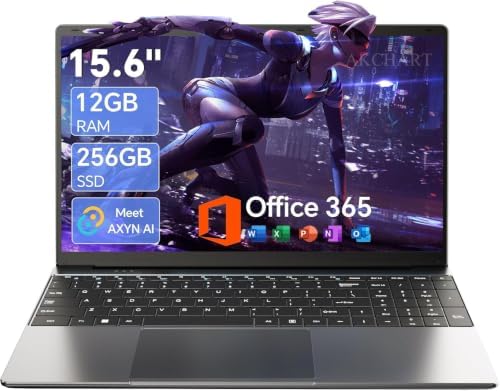


Two questions tend to matter more than any specific retailer: what are you actually going to use the laptop for, and how much hands-on comparison do you want before you commit? Someone replacing a work laptop with an exact spec list in mind shops very differently than someone who wants to sit down, type on a few keyboards, and walk out with something today. Keep your own answer to that in mind as you read through the options below, since it’ll matter more than which single retailer technically has the lowest price this week.
A quick note on pricing: Laptop prices move constantly across every retailer mentioned here — sometimes daily during sales events. Rather than quoting fixed prices that could be outdated by the time you read this, we’ll describe general price positioning and point you to “check current price” links so you always see live, accurate numbers.
Table of Contents
How We Researched This Guide
This guide is built from comparing each retailer’s actual return policies, warranty terms, membership requirements, and typical price positioning against one another, along with verifying that every specific Amazon product mentioned is a real, currently listed model with a genuine ASIN — not a guessed or hypothetical configuration. We did not personally purchase or hands-on test every laptop and retailer combination referenced here; instead, this is a research-based comparison built from publicly available retailer policies, manufacturer specifications, and patterns across verified buyer feedback. Where a specific claim about a retailer’s policy could change (return windows, membership costs, warranty terms), we’ve kept the description general rather than quoting a number likely to go stale, and you should always confirm current terms directly with the retailer before purchasing.
The Best Places to Buy a Laptop in the USA
1. Amazon — Best for Selection, Speed, and Price Tracking

Amazon’s biggest advantage is simply how much is available in one place. You can compare dozens of configurations of the same laptop model side by side, read thousands of buyer reviews, and — if you’re a Prime member — often get next-day delivery. Amazon’s return window (typically 30 days on most electronics) is also straightforward compared to some retailers’ more complicated in-store return processes.
Amazon is also one of the few places where you can reliably track price history using third-party tools, which makes it easier to tell whether a “deal” is actually a deal. And because so many brands sell directly through Amazon — Apple, Lenovo, Acer, Dell, ASUS, HP — you’re rarely missing out on a specific model by shopping there instead of a dedicated electronics retailer.
Amazon’s review volume is also a genuine research advantage most other retailers can’t match. A popular laptop model can accumulate thousands of reviews within months of launch, which makes it much easier to spot a pattern — recurring complaints about a specific port failing, a battery that underperforms its marketed hours, a keyboard that feels mushy — that a single professional review might miss. The tradeoff is that you have to sift through that volume yourself, since Amazon doesn’t editorialize or summarize sentiment the way a dedicated review site does.
A solid everyday example: the Lenovo IdeaPad 3 15.6″ (Ryzen 5, 8GB RAM, 512GB SSD) is a good illustration of what a dependable, mid-range Windows laptop looks like on Amazon — narrow bezels, a numeric keypad, a physical webcam shutter, and specs that comfortably handle browsing, schoolwork, and everyday office tasks.
Where Amazon falls short: you can’t physically test the keyboard or screen before buying, and with so many sellers and configurations of the same model, it’s easy to accidentally order the wrong RAM/storage combination if you’re not paying close attention to the listing title. It’s also worth being deliberate about which specific listing you buy from when a popular model has many near-identical variants — more on that in the safety section below.
2. Best Buy — Best for Hands-On Testing and In-Store Support

If you want to actually type on the keyboard, check the screen brightness in person, and ask a salesperson questions before buying, Best Buy remains one of the most widely available options in the US. Their Geek Squad service can also set up and transfer data from your old machine, which is genuinely useful if you’re not comfortable doing that yourself.
Best Buy also runs a price-match policy against major competitors, and their open-box and clearance sections are worth checking for a real discount on a barely-used unit with a shorter but still real warranty. Best Buy’s Totaltech membership program, for shoppers who buy electronics frequently, also bundles extended warranty coverage and tech support in a way that can offset the subscription cost if you’re buying more than one device a year.
Where Best Buy falls short: in-store selection is naturally more limited than an online catalog, and prices on non-sale items tend to sit at or above manufacturer list price. Staff expertise also varies quite a bit by location and by how busy the store is when you visit.
3. Costco — Best for Extended Warranty and Bundled Value

Costco doesn’t carry as many laptop models as Amazon or Best Buy, but what it does carry often comes with meaningfully better protection: many Costco laptop listings include an extended warranty period beyond the standard manufacturer coverage, and Costco’s return policy is famously generous. If something goes wrong well outside a typical 1-year warranty window, Costco is one of the few retailers where that’s still commonly resolved without a fight.
Costco also tends to curate its laptop selection toward well-reviewed, mainstream models rather than stocking every configuration a brand offers, which can actually simplify the decision if you find the “choice overload” of Amazon’s full catalog overwhelming.
Where Costco falls short: you need an active membership to shop there at all, and the selection skews toward a handful of popular configurations rather than a wide range of specs. If you want a specific niche configuration — a particular RAM/storage combination, or a business-line model — you’re more likely to find it elsewhere.
4. Micro Center — Best for Expert Advice and In-Store Deals

Micro Center has a smaller physical footprint than Best Buy, but in the cities where it operates, it’s often the best-regarded option for anyone who wants genuinely knowledgeable staff and aggressive in-store pricing — sometimes noticeably below what the same model costs online. It’s particularly popular with people building custom desktops, but their laptop selection and staff expertise are strong too, and their in-store-only pricing is a real, well-documented reason enthusiasts specifically travel to a Micro Center location before making a purchase.
Where Micro Center falls short: it only has a limited number of physical locations across the US, concentrated mostly in larger metro areas, and it doesn’t have the same nationwide reach or fast shipping options as Amazon. If you don’t live within a reasonable drive of one, this option isn’t practically available to you.
5. Manufacturer Websites (Dell, HP, Lenovo, Apple) — Best for Full Customization

Buying directly from the manufacturer is the only way to get full control over the exact configuration — CPU, RAM, storage, even port selection on some business lines. Manufacturer sites also tend to get new models first, before they show up on third-party retailers, and frequently run student and military discount programs that aren’t available elsewhere. Dell and Lenovo in particular run frequent direct-site sales on business-line laptops that can undercut retail pricing significantly if you’re willing to wait out a build-to-order shipping window.
A relevant example on Amazon: if you want Apple’s approach to a premium ultraportable without configuring anything, the Apple MacBook Air 13″ with M4 chip (16GB RAM, 256GB SSD) is a standard configuration sold directly through Amazon at the same specs Apple sells on its own site, often with Amazon’s own periodic discounts layered on top.
Where manufacturer sites fall short: shipping times are often longer than ordering an in-stock unit from a retailer, since custom configurations get built to order, and you lose access to that retailer’s own return policy and price-tracking tools. Customer service quality also varies noticeably by brand — some manufacturers are much easier to reach for a warranty claim than others.
6. Walmart — Best for Rock-Bottom Budget Laptops

Walmart has leaned hard into stocking ultra-budget laptops and Chromebooks, often at prices lower than you’ll find anywhere else for entry-level specs. If your main criteria is “as cheap as possible while still functional,” Walmart’s laptop section is worth a look, especially for a basic secondary machine or a kid’s first computer.
Where Walmart falls short: the selection thins out fast once you move above entry-level specs, and detailed buyer reviews are generally less thorough than what you’ll find on Amazon for the same model. It’s a strong choice specifically at the budget end and a weaker one everywhere above it.
7. Amazon Renewed / Certified Refurbished — Best for Stretching Your Budget

If you want a more capable laptop than your budget technically allows, Amazon’s Renewed program (and similar certified-refurbished programs from Best Buy and Apple) is worth considering. These units are inspected and tested before resale and typically come with their own return window, which sets them apart from a random used listing on a marketplace with no such guarantee.
Where refurbished falls short: battery health and cosmetic condition vary listing to listing, so read the specific condition grading carefully, and stick to listings explicitly marked as officially certified rather than generic third-party “refurbished” claims. A refurbished unit also typically carries a shorter warranty than buying new, so factor that into how much risk you’re comfortable taking on.
When to Buy: Timing Your Purchase Around Sales Events
Where you buy matters, but when you buy can move the price just as much. Laptop pricing across nearly every retailer on this list follows a fairly predictable seasonal pattern, and timing your purchase around it can save you more than switching retailers alone.
Back-to-school season (July–September) typically brings some of the year’s best deals on mid-range and budget laptops, plus student discount programs directly through manufacturers like Apple, Dell, and Lenovo.
Black Friday and Cyber Monday (late November) remain the single biggest laptop sales event of the year across every retailer covered here, including steep discounts on premium models that rarely go on sale otherwise.
Prime Day (typically July) is Amazon-specific but frequently rivals Black Friday pricing on popular laptop models, especially Amazon’s own frequently-discounted electronics categories.
New model release windows are the best time to find discounts on the previous generation of a laptop line, since retailers typically discount outgoing models to clear inventory ahead of the newer version arriving.
If you’re not in a rush, watching a specific model’s price for a few weeks using a price-tracking tool before buying is one of the simplest ways to avoid overpaying, regardless of which retailer you ultimately choose.
Student, Military, and Employee Discount Programs
Several manufacturers run standing discount programs that stack on top of regular sale pricing, and they’re easy to overlook if you’re only comparing headline prices across retailers. Apple, Dell, Lenovo, and HP all run education pricing for verified students and educators, typically accessed directly through the manufacturer’s own site rather than through Amazon, Best Buy, or Costco. Similar discount tiers frequently exist for active-duty military, veterans, and first responders, verified through a third-party service at checkout.
These programs are worth checking before you buy even if you don’t plan to purchase directly from the manufacturer, since the discounted price can serve as a useful baseline for judging whether a retailer’s current sale price is actually competitive. A “sale” price at a big-box retailer that’s still higher than the manufacturer’s standing student discount isn’t much of a deal.
How to Choose the Right Laptop for You
Picking where to buy is only half the decision — the other half is knowing what to actually buy once you get there.
For everyday browsing and office work, a mid-range Windows laptop like the Lenovo IdeaPad 3 mentioned above covers the basics well: enough RAM for multiple browser tabs and office apps, a solid keyboard, and a screen that’s fine for reading and video calls. You don’t need a high-end processor or discrete graphics for this kind of use.
For students and anyone who values battery life and portability, something in the ultraportable category is worth the extra cost. A 13-inch laptop with strong battery life makes a real difference across a full day of classes or meetings, especially if you’re not always near an outlet. A machine like the MacBook Air example above is popular specifically for this combination of light weight and long battery life, though comparably specced Windows ultraportables exist across most major brands too.
For creative or professional work, prioritize RAM (16GB is a safer minimum than 8GB) and a sharper display over raw processor speed for most tasks — video and photo editing benefit more from memory headroom than from chasing the fastest CPU on the spec sheet. A dedicated graphics card matters specifically for video editing and 3D work, but adds cost and weight that isn’t worth it if your work is mostly photo editing or general design.
For gaming, dedicated graphics hardware is non-negotiable, and it’s worth checking a laptop’s sustained performance (not just its peak benchmark numbers) since thinner gaming laptops can throttle under extended load. Battery life also takes a real hit on gaming laptops, so plan to keep it plugged in for demanding sessions rather than expecting all-day battery life.
For basic, secondary-use machines — a kid’s first computer, a simple browsing device for a family member, a backup machine for travel — a Chromebook or entry-level Windows laptop from Walmart or Amazon’s budget tier is usually the most sensible choice, since paying for specs you won’t use doesn’t make sense for this kind of use case.
For business use, look specifically at manufacturer business lines (ThinkPad, Latitude, EliteBook) rather than consumer lines, even at a similar price point — business-line laptops typically offer better keyboard durability, more repairable designs, and longer available support and driver update windows, which matters more over a multi-year ownership period than most spec-sheet differences.
If you’re also setting up a full workstation around your new laptop — not just the laptop itself — our guide to the 10 Best Amazon Computer Monitors for Remote Work covers pairing a laptop with an external display, including budget and premium USB-C options that can charge your laptop through the same cable that carries video.

For an independent look at build quality and reliability testing methodology across laptop brands, Consumer Reports’ laptop ratings are a useful cross-reference before committing to a specific model. If you’re focused on energy efficiency for a laptop that’ll run most of the day, the ENERGY STAR computers and displays program explains what that certification actually means. And if you want a deeper technical breakdown of processor generations and what the naming conventions mean, Intel’s own product specifications database is a reliable primary source.
Red Flags to Watch for, Regardless of Where You Buy
A few warning signs are worth checking for no matter which retailer from this list you end up choosing:
- A price that’s dramatically below every other listing for the same exact model. This is one of the most common signs of a counterfeit listing, a different (lower) spec than advertised, or a scam storefront rather than a genuine deal.
- No specific model number in the listing title or description, only a vague description like “gaming laptop 16GB.” Legitimate listings almost always include the manufacturer’s exact model number.
- A seller with no or very few reviews, especially on a third-party marketplace listing rather than one sold and shipped by the retailer directly.
- Stock photos that don’t match the described configuration, or listings that appear to combine specs from two different generations of the same model line.
- Pressure tactics like “only 1 left” combined with a countdown timer on sites where that urgency messaging isn’t typically used — this is more common on lower-quality third-party storefronts than on major retailers.
None of these automatically means a listing is fraudulent, but any of them is a reason to slow down, re-read the listing carefully, and check the seller’s reputation before completing the purchase.
How to Buy a Laptop Online Safely
Wherever you decide to buy, a few basic precautions make online laptop shopping much safer, especially with how many near-identical listings and configurations exist for popular models.

Confirm you’re buying from the retailer directly or a clearly verified seller, double-check the exact model number and configuration against what you actually want (it’s easy to accidentally order a lower-RAM variant that looks nearly identical in the listing), review the return window before you buy rather than after something goes wrong, pay with a credit card or platform that offers purchase protection, and inspect the machine as soon as it arrives — power it on, check the specs match, and test the ports — all within the return window, not after it closes.
Frequently Asked Questions
What is the cheapest place to buy a laptop in the USA?
Walmart generally carries the lowest prices on entry-level laptops and Chromebooks, while Amazon tends to win on price for mid-range and premium models once you factor in frequent discounts and price-tracking tools.
Is it safe to buy a laptop from Amazon?
Yes, as long as you buy from a listing sold by Amazon itself or a verified brand storefront, rather than an unfamiliar third-party seller with no reviews. Check the seller information on the listing before purchasing, and rely on Amazon’s return policy as a safety net.
Should I buy a laptop in-store or online?
Buy in-store if you want to physically test the keyboard and screen before committing, or if you want in-person setup help. Buy online if you already know the exact model and specs you want and would rather compare more options and prices without visiting multiple stores.
Is Costco a good place to buy a laptop?
It can be, particularly because of the extended warranty coverage and generous return policy Costco is known for. The tradeoff is a smaller selection of models compared to Amazon or Best Buy.
Are refurbished laptops from Amazon Renewed reliable?
Generally yes, since Amazon Renewed listings are inspected and tested before resale and come with their own return window. Read the specific condition grading on each listing carefully, since “Renewed” covers a range of cosmetic conditions.
Do manufacturer websites ever have better prices than retailers?
Occasionally, especially during a manufacturer’s own sales events or through student/military discount programs, but retailers like Amazon and Best Buy more frequently have the lowest price on a given in-stock configuration.
How long should a laptop warranty be?
Most new laptops include a 1-year manufacturer warranty as standard. If you plan to keep the laptop for several years or use it heavily for work, an extended warranty (through the retailer or manufacturer) is worth considering, particularly for a primary work machine.
What should I check before buying a laptop online?
Confirm the exact CPU, RAM, and storage configuration in the listing (not just the model name), check the return window, and read recent reviews rather than relying on the overall star rating alone, since older reviews may reflect a different hardware revision.
When is the best time of year to buy a laptop?
Black Friday and Cyber Monday in late November typically offer the deepest discounts across every major retailer, with back-to-school season (July–September) and Amazon Prime Day (July) as strong secondary windows, particularly for mid-range and budget models.
Is it better to buy a laptop from a big-box retailer or directly from the manufacturer?
Big-box and online retailers like Amazon, Best Buy, and Costco usually offer faster shipping and easier returns on in-stock configurations. Buying directly from the manufacturer makes more sense when you need a specific custom configuration or want to take advantage of a student or military discount program.
Final Verdict
For most people in the US, Amazon is the best overall place to buy a laptop — the combination of selection, fast shipping, straightforward returns, and price tracking is hard for any single competitor to match across the board. If you specifically want hands-on testing before you commit, Best Buy or Micro Center (where available) are worth a visit first. Costco is a strong option if you already have a membership and want extra warranty coverage on a mainstream model. And if you want a fully custom configuration, an education discount, or the newest model on release day, going directly to the manufacturer’s website is still the right call.
There’s no single retailer that’s correct for every situation, which is really the core takeaway here: match the retailer to what you actually need most — price, selection, speed, in-person testing, or warranty coverage — rather than assuming one name is automatically the best choice for every laptop purchase.
Whichever retailer you choose, take a few minutes to confirm the current price, exact configuration, and return policy on the live listing before checking out — all three can shift after this guide was published.
As an Amazon Associate, I earn from qualifying purchases.

MD.HASAN is an experienced SEO expert and amazon products review writer passionate about helping people find right products on amzon for buy without confusion. With 4 years of hands-on experience in content strategy and search engine optimization, he specializes in writing SEO-friendly blog posts that rank, engage, and convert.