🔗 Affiliate Disclosure: As an Amazon Associate, Tech Rig Review earns from qualifying purchases. Links on this page may be affiliate links — at no extra cost to you.
If you’ve ever tilted your monitor at an awkward angle just to escape a window’s reflection, or squinted through a wash of overhead office light to read your own screen, you already understand why an anti-glare screen protector isn’t a luxury — it’s a productivity tool. Glare doesn’t just make your screen harder to read; it forces your eyes to work overtime adjusting between bright reflections and dark text, which is a major contributor to digital eye strain, headaches, and that end-of-day “my eyes are fried” feeling.
I dug through the current lineup of Amazon anti-glare screen protectors for monitor options — comparing installation methods, glare reduction, blue light filtering, and compatibility across popular monitor sizes — to put together this list of the ten best picks available right now. Whether you’re outfitting a bright home office, a dual-monitor workstation, or a laptop you use on the go, there’s a protector below built for your exact setup.
Let’s get into the reviews.
Table of Contents
Quick Answer: The 10 Best Anti-Glare Screen Protectors for Monitors
- 3M Anti-Glare Privacy Filter — Best Overall Anti-Glare Screen Protector
- Kensington MagPro Magnetic Privacy Screen — Best Magnetic, Tool-Free Installation
- VINTEZ 27 Inch Blue Light & Anti-Glare Screen Protector — Best Combo Glare + Blue Light Filter
- MOSISO 23-24 Inch Blue Light Blocking Screen Protector — Best Budget Pick
- Amazon Basics Privacy Screen Filter (14 Inch) — Best for Laptops
- IPROKKO 23.6 Inch Privacy Screen Filter (2-Pack) — Best Value 2-Pack
- DEJIMAX 24 Inch Anti-Blue Light Privacy Screen (2-Pack) — Best for Dual-Monitor Setups
- GUDTEKE Hanging Privacy Screen Filter (24 Inch) — Best No-Adhesive, Hanging Install
- Peslv Magnetic Laptop Privacy Screen (14 Inch) — Best Removable Laptop Filter
- BSPROTE 31.5–32 Inch Blue Light Filter — Best for Large and Ultrawide Monitors
Now let’s break down what makes each one worth your money, who it fits best, and what to watch out for.
1. 3M Anti-Glare Privacy Filter — Best Overall Anti-Glare Screen Protector


3M has been making optical filtering film for decades, and it shows. This is the protector most IT departments and office managers reach for by default, because it consistently delivers strong glare reduction without noticeably dulling screen brightness or color accuracy — a common complaint with cheaper matte films.
Beyond glare reduction, it doubles as a privacy filter, narrowing the viewing angle so people beside or behind you see a darkened screen while you see it clearly head-on. That combination of glare control and visual privacy makes it a favorite in open-plan offices, coworking spaces, and shared home workspaces.
Why it stands out:
- Industry-leading optical clarity for a matte/anti-glare film
- Doubles as a privacy filter, blocking side-angle viewing
- Reduces harmful blue light exposure
- Scratch-resistant coating protects the screen underneath
- Widely trusted brand with a long track record in office environments
Things to consider:
- Premium build means a higher price point than generic alternatives
- Narrower viewing angle can be inconvenient if you regularly share your screen with someone next to you
Best for: Professionals working in bright offices or shared spaces who want proven, dependable glare and privacy protection in one product.
2. Kensington MagPro Magnetic Privacy Screen — Best Magnetic, Tool-Free Installation


Traditional privacy and anti-glare filters often rely on adhesive strips or clip-on tabs, which can be fiddly to align and occasionally leave sticky residue behind. The Kensington MagPro solves that with a magnetic mounting system — a thin magnetic strip attaches to the top bezel of your screen, and the filter itself snaps on and off in seconds.
This makes it especially useful if you like to remove your privacy/anti-glare layer for video calls (where the narrowed viewing angle can sometimes affect how you appear on camera) and reattach it the rest of the day.
Why it stands out:
- Magnetic attachment means installation takes under a minute
- Fully removable and reattachable without residue or realignment hassle
- Anti-glare coating paired with blue light reduction
- Compatible with a wide range of laptop and monitor brands
Things to consider:
- Magnetic strip installation is permanent, even though the filter itself is removable
- Slightly pricier than basic adhesive-strip alternatives
Best for: Anyone who wants to frequently pop their filter on and off — remote workers switching between focused work and video calls throughout the day.
3. VINTEZ 27 Inch Blue Light & Anti-Glare Screen Protector — Best Combo Glare + Blue Light Filter
![VINTEZ [2 Pack] 27 Inch 16:9 Privacy Screen for Computer Monitor ...](https://m.media-amazon.com/images/I/516FWFcfcYL._AC_.jpg)
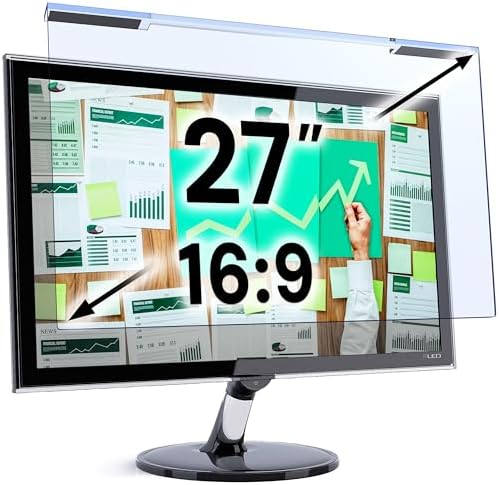

If eye strain from long screen sessions is your main concern — not just glare, but the deeper fatigue that comes from hours of blue light exposure — the VINTEZ 27-inch protector is built specifically to tackle both at once. It’s rated to filter a significant portion of blue light in the 420–460nm range (the range most associated with digital eye strain and disrupted sleep) while simultaneously cutting glare from windows and overhead lighting.
Installation uses attachment strips or slide-mount tabs, and the package includes a microfiber cleaning cloth, making setup straightforward even for first-time buyers.
Why it stands out:
- Filters a meaningful percentage of blue light alongside glare reduction
- Blocks UV light as well, protecting long-term eye comfort
- Two installation methods included for flexible mounting
- Comes with a lifetime replacement policy for damaged screens
Things to consider:
- Sized specifically for 27-inch 16:9 monitors — double-check your exact screen dimensions before buying
- Some users note a slight clarity trade-off on very large or high-brightness displays
Best for: Programmers, writers, and anyone doing long daily screen sessions who wants glare reduction and blue light filtering bundled into one purchase.
4. MOSISO 23-24 Inch Blue Light Blocking Screen Protector — Best Budget Pick

- Dimension: 21.26 x 13.39 inch/L x W. Compatible with iMac 24 inch;compatible with Lenovo Ideacentre 23.8;compatible with…
- Protects your eyes by filtering and curbing 99% harmful UV. Anti-blue light between 420nm – 460nm can be reduced by 45% …
- Made of Acrylic. It can effectively prevent screen from dust, fingerprint and scratches. Suitable for office / home OL, …
Not everyone needs a premium privacy-grade filter — sometimes you just want a straightforward, no-frills layer of glare and blue light protection without paying a premium for extra features you won’t use. MOSISO fills that gap well, offering solid basic performance for one of the most common monitor sizes on the market (23 to 24 inches) at a noticeably lower cost than the premium options above.
It’s a simple, hanging-style install with no adhesive required, which also means zero risk of residue if you ever want to remove it.
Why it stands out:
- Budget-friendly without sacrificing core glare and blue light protection
- No-adhesive hanging installation — quick setup, easy removal
- Covers the most popular 23–24 inch monitor size range
- Lightweight film doesn’t add noticeable bulk to your setup
Things to consider:
- Doesn’t include privacy-filter side-angle blocking
- Basic frame design compared to premium magnetic options
Best for: Budget-conscious buyers with a standard 23–24 inch monitor who want reliable glare protection without extra frills.
5. Amazon Basics Privacy Screen Filter (14 Inch) — Best for Laptops

- Product Dimensions: To ensure a perfect fit, please measure your screen’s “visible display area ONLY” (excluding the rai…
- Two Attachments Options: Option 1: Adhesive Strips – Attach directly to the screen. Works with all screen types. Option …
- Premium Privacy Protection: Create a restricted viewing angle of only 60 degrees — only those directly in front of the s…
Most anti-glare discussions focus on desktop monitors, but laptop screens face the exact same glare problem — arguably worse, since laptops are frequently used in cafes, airports, and other unpredictable lighting environments. The Amazon Basics 14-inch filter is sized specifically for widescreen laptops and delivers dependable glare reduction, UV protection, and anti-scratch performance at a genuinely accessible price.
Because it’s a private-label Amazon product, it also tends to be easy to find in stock and ship quickly through Prime, which matters if you need a fix before a big presentation or travel day.
Why it stands out:
- Purpose-built sizing for 14-inch widescreen laptops
- High clarity despite the anti-glare and anti-spy coating
- Anti-scratch layer adds physical screen protection, not just visual
- Reliable availability and fast Prime shipping
Things to consider:
- Laptop-specific sizing means it won’t work for desktop monitors
- Narrower viewing angle takes brief adjustment if you’re not used to privacy filters
Best for: Laptop users working in cafes, coworking spaces, or any environment with unpredictable overhead lighting and glare.
6. IPROKKO 23.6 Inch Privacy Screen Filter (2-Pack) — Best Value 2-Pack

![IPROKKO [2-Pack] 23.6 Inch Computer Privacy Screen Filter for 16:...](https://m.media-amazon.com/images/I/41fuAKQ4eQL._AC_.jpg)
If you’re outfitting more than one screen — say, a personal desktop and a work laptop, or two monitors in a dual-screen setup — buying protectors individually adds up fast. The IPROKKO 2-pack solves that by bundling two 23.6-inch filters together at a lower effective cost per unit than buying single filters twice.
Each filter delivers solid anti-glare and blue-light-blocking performance and is compatible with the most common monitor brands, including HP, Dell, ASUS, Acer, and Samsung.
Why it stands out:
- Two filters in one purchase — ideal for multi-monitor setups
- Broad brand compatibility across major monitor manufacturers
- Removable design with no permanent residue
- Solid combination of anti-glare and anti-spy privacy performance
Things to consider:
- Matte finish slightly dulls brightness compared to a bare glossy screen
- Fixed sizing for 23.6-inch monitors only — won’t stretch to fit larger screens
Best for: Anyone running a dual-monitor setup or protecting two separate screens who wants to save money buying in bulk.
7. DEJIMAX 24 Inch Anti-Blue Light Privacy Screen (2-Pack) — Best for Dual-Monitor Setups


Similar in spirit to the IPROKKO pick above but sized for the extremely popular 24-inch monitor category, the DEJIMAX 2-pack is a strong option if your workstation is built around a matched pair of 23.6–24 inch displays — a common setup for coders, traders, designers, and anyone who benefits from extra horizontal screen real estate.
Each filter in the pack blocks a notable portion of blue light and UV exposure while cutting glare, and the removable design means you can reposition or take them off entirely without leaving marks behind.
Why it stands out:
- Matched pair sizing perfect for symmetric dual 24-inch monitor setups
- Strong blue light and UV blocking alongside glare reduction
- Removable, residue-free installation
- Consistent optical quality across both filters in the pack
Things to consider:
- Only fits the 23.6–24 inch size range — verify your exact monitor dimensions first
- Two filters means slightly more setup time than a single-monitor purchase
Best for: Dual-monitor desk setups where both screens are the same size and need matching glare protection.
8. GUDTEKE Hanging Privacy Screen Filter (24 Inch) — Best No-Adhesive, Hanging Install
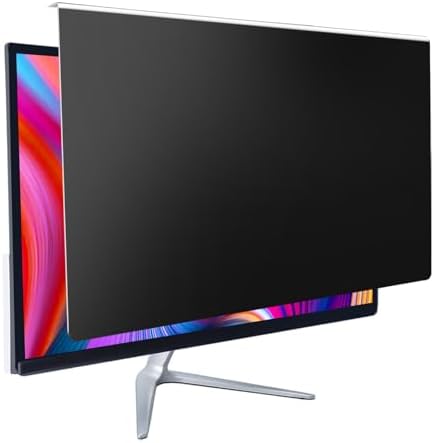
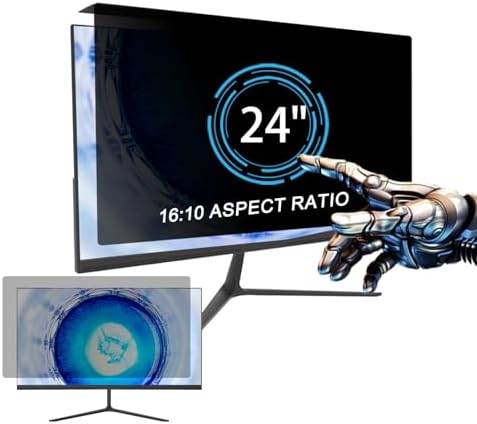
Some buyers are hesitant to attach anything adhesive to an expensive monitor, worried about residue or damage if they ever need to remove it. The GUDTEKE hanging-style filter sidesteps that concern entirely — it simply hangs over the top edge of your monitor using a lightweight frame, requiring zero adhesive and leaving absolutely no trace if you take it off.
This installation style also makes it one of the fastest filters on this list to set up: no measuring adhesive strips, no waiting for anything to bond, just hang it and go.
Why it stands out:
- Zero-adhesive hanging design — completely reversible with no residue
- Fastest installation method of any product on this list
- Anti-glare and anti-blue light performance in one filter
- Great option for rented workspaces or shared office equipment
Things to consider:
- Hanging design can shift slightly if bumped, requiring occasional repositioning
- Not as snug a fit as magnetic or adhesive-mounted alternatives
Best for: Renters, shared office environments, or anyone who wants a completely commitment-free way to test anti-glare protection.
9. Peslv Magnetic Laptop Privacy Screen (14 Inch) — Best Removable Laptop Filter


Combining the laptop-specific sizing of the Amazon Basics pick with the tool-free convenience of a magnetic mount, the Peslv 14-inch magnetic privacy screen is built for people who move between environments throughout the day — home office, coffee shop, coworking space — and want a filter that’s genuinely quick to remove and reattach without hassle.
It’s compatible with a long list of popular laptop brands, including Lenovo, HP, Dell, Acer, ASUS, and ThinkPad models, making it a safe bet even if you’re not 100% sure of your exact screen specs.
Why it stands out:
- Magnetic mounting for genuinely fast on/off use
- Wide compatibility across major laptop brands
- Combines anti-glare performance with blue light filtering
- Compact and travel-friendly — easy to pack alongside your laptop
Things to consider:
- Requires attaching a magnetic strip to your laptop bezel first
- 14-inch sizing only fits screens within that specific range
Best for: Laptop users who travel frequently or switch between working alone and presenting/sharing their screen throughout the day.
10. BSPROTE 31.5–32 Inch Blue Light Filter — Best for Large and Ultrawide Monitors


Large monitors have become the default for gaming, video editing, and multitasking-heavy work, but most anti-glare protectors are sized for standard 23–27 inch screens, leaving 31.5–32 inch and ultrawide monitor owners with slim pickings. The BSPROTE filter specifically addresses that gap, offering full glare and blue light coverage sized for large-format displays without requiring you to piece together multiple smaller filters.
Given the scale of these screens, this filter is best suited to buyers who spend extended hours in front of a big display for creative work, gaming, or data-heavy tasks where screen real estate matters.
Why it stands out:
- Purpose-sized for large 31.5–32 inch monitors, a size most competitors ignore
- Strong blue light filtering for extended, high-brightness display use
- Anti-scratch coating protects an investment-grade large monitor
- Panel design maintains clarity across a wide screen surface
Things to consider:
- Larger size means a higher price than standard 24-27 inch filters
- Precise measurement is essential — large monitors vary more in exact panel dimensions
Best for: Gamers, editors, and power users running large-format or ultrawide monitors who’ve struggled to find a properly sized anti-glare solution.
How to Choose the Right Anti-Glare Screen Protector for Your Monitor
With ten strong options above, here’s how to narrow down the right one for your specific setup.
Measure your screen before you buy anything
This is the single most common mistake buyers make. Anti-glare protectors are sized to specific diagonal measurements and aspect ratios (usually 16:9 or 16:10), and a filter that’s even slightly off won’t sit flush against your screen. Always measure your monitor’s diagonal screen size (not the case) in inches, and check the aspect ratio in your monitor’s manual or settings menu before ordering.
Decide whether you need privacy, or just glare reduction
Not every anti-glare filter includes a privacy component. If you work in a shared space and want to prevent people beside or behind you from reading your screen, look specifically for a “privacy filter” — like the 3M or Kensington picks above. If privacy isn’t a concern and you just want to reduce reflections, a standard anti-glare or blue-light film (like the MOSISO or VINTEZ options) will do the job without narrowing your viewing angle.
Pick your installation method based on how often you’ll remove it
- Adhesive strips or slide-mount tabs: Best for a “set it and forget it” install you don’t plan to remove often
- Magnetic mounts: Best if you’ll be popping the filter on and off regularly, such as before video calls
- Hanging, no-adhesive frames: Best for renters, shared equipment, or anyone hesitant to attach anything semi-permanent to their screen
Consider blue light filtering if you work long hours
If you’re regularly in front of your screen for eight-plus hours a day, a filter that also reduces blue light exposure (most on this list do) can meaningfully reduce end-of-day eye fatigue on top of glare reduction.
Don’t forget large and multi-monitor setups
Standard filters are typically sized for 23–27 inch screens. If you’re running a 31.5–32 inch or ultrawide display, or a matched pair of monitors, look specifically for sizing built for that — like the BSPROTE or DEJIMAX picks above — rather than trying to stretch a standard-sized filter to fit.
Frequently Asked Questions
Does an anti-glare screen protector reduce screen brightness or clarity?
High-quality anti-glare films, like the 3M and VINTEZ options above, are engineered to minimize any noticeable dulling of brightness or color. Cheaper, generic films can sometimes introduce a slight haze, so it’s worth reading reviews for clarity feedback on any specific product before buying.
What’s the difference between an anti-glare filter and a privacy filter?
An anti-glare filter simply diffuses reflected light to reduce glare and improve readability. A privacy filter does that too, but adds a narrowed viewing angle so the screen appears dark or blank to anyone viewing it from the side. Many products, like the 3M and Kensington picks in this guide, combine both functions in one filter.
Will an anti-glare screen protector damage my monitor when I remove it?
Most modern anti-glare protectors, including every product featured in this guide, use removable adhesive strips, slide-mount tabs, magnetic strips, or no-adhesive hanging frames specifically designed to avoid leaving residue or damage behind.
How do I know what size anti-glare filter to buy for my monitor?
Measure your screen diagonally from corner to corner (not including the bezel), and confirm your monitor’s aspect ratio — most modern widescreen monitors are 16:9. Match those two numbers against the product’s listed compatible size range before purchasing.
Do blue light filtering screen protectors actually reduce eye strain?
Blue light filtering film reduces exposure to the specific wavelength range associated with digital eye strain, and many users report noticeably less end-of-day fatigue after switching. Results vary by individual, but combined with proper lighting and regular screen breaks, it’s a genuinely useful addition to a comfortable workspace.
Also Check:
Top 7 Amazon Blue Light Glasses for Freelancers in Under 20$
Final Thoughts
Glare isn’t just an annoyance — over a full workday, it’s a genuine source of eye strain, squinting, and lost focus. The right anti-glare screen protector fixes that problem permanently for the cost of a single accessory, whether you need the all-around performance of the 3M filter, the tool-free convenience of a magnetic mount, or specialty sizing for a large or dual-monitor setup. Measure your screen, decide whether privacy matters to you, and pick the installation style that fits how you actually work — and you’ll notice the difference the very first time you sit down at a glare-free screen.
Prices, availability, and deals on Amazon change frequently — always check the product page for the most current price before purchasing.

MD.HASAN is an experienced SEO expert and amazon products review writer passionate about helping people find right products on amzon for buy without confusion. With 4 years of hands-on experience in content strategy and search engine optimization, he specializes in writing SEO-friendly blog posts that rank, engage, and convert.