
Affiliate disclosure: As an Amazon Associate, Tech Rig Review earns from qualifying purchases. Links on this page may be affiliate links, at no extra cost to you.
Standing desk vs sitting desk: compare the health benefits, productivity, comfort, and ergonomics to choose the best desk for your workspace.
If you’ve spent any time browsing office furniture lately, you’ve probably noticed standing desks everywhere — in tech offices, home setups, and endless social media posts promising better health and energy. But is a standing desk actually better than a traditional sitting desk, or is it another wellness trend that’s more hype than substance?
The honest answer is more nuanced than “standing good, sitting bad.” Both positions have real benefits and real downsides, and the healthiest approach isn’t about picking a side — it’s about how you use whichever desk you have. In this guide, we’ll break down what the research actually shows, compare standing and sitting desks across the factors that matter most, and help you figure out which setup (or combination) fits your body and your workday.
Table of Contents
Why This Question Matters So Much Right Now

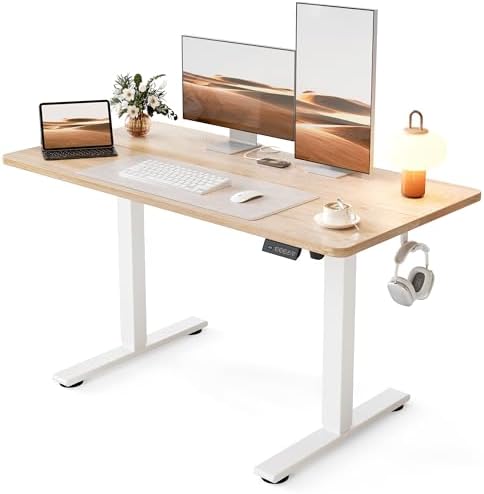
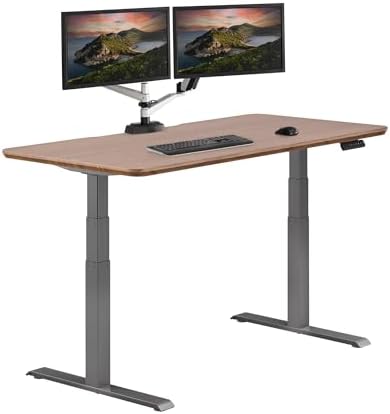

The average office worker sits for roughly 9 to 10 hours a day, including time at a desk, commuting, and evenings on the couch. Health researchers have flagged prolonged sitting as an independent risk factor for a range of issues, separate from how much exercise you get outside of work. This has fueled a surge in “movement-friendly” office equipment — standing desks, treadmill desks, balance boards, and under-desk cycles.
At the same time, standing all day isn’t automatically healthier. Retail workers, teachers, and factory workers who stand for long shifts report their own set of complaints — swollen feet, varicose veins, and lower back fatigue. The real story is that the human body isn’t designed to hold any single position for hours on end, whether that’s sitting or standing.
Standing Desk vs Sitting Desk: The Core Differences
| Factor | Sitting Desk | Standing Desk |
|---|---|---|
| Calorie burn | Lower | Slightly higher |
| Back and neck strain | Higher with poor posture | Lower with proper setup |
| Leg and foot fatigue | Minimal | Can increase over time |
| Circulation | Can be reduced during long sits | Generally improved |
| Focus for detailed tasks | Often easier | Can be harder for some people |
| Cost | Lower | Higher, especially adjustable models |
| Best for | Short bursts, detail-heavy work | Alternating with sitting, calls, light tasks |
This table is a starting point, not the final word — let’s go deeper into each factor.
The Health Risks of Sitting Too Much
Reduced Circulation and Metabolic Slowdown
When you sit for extended periods, your leg muscles are largely inactive, which reduces the pumping action that helps circulate blood back toward the heart. Sitting for long stretches has also been linked in research to changes in how the body processes blood sugar and fat, since large muscle groups in the legs are essentially “switched off.”
Postural Strain
Sitting, especially in a chair without good lumbar support, tends to encourage a slouched posture. Combined with looking down at a screen, this contributes to the same “tech neck” and rounded shoulder patterns common among long-term desk workers.
Increased Risk Associated with Sedentary Behavior
Multiple large-scale studies have associated high total sitting time with increased risk for cardiovascular issues, certain metabolic conditions, and even earlier mortality — independent of how much people exercised outside of work hours. This is often referred to as the “active couch potato” effect: even people who exercise regularly can still face elevated risk if they sit for the rest of their day.
The Health Risks of Standing Too Much
Standing desks solve some problems, but they introduce others if used without breaks.
Lower Body Fatigue
Standing for hours without moving increases strain on the feet, knees, and lower back. Static standing — as opposed to walking — doesn’t offer much of a cardiovascular benefit and can actually cause blood to pool in the legs.
Varicose Veins and Joint Stress
Occupational health research on standing-heavy jobs (like retail and manufacturing) has linked prolonged static standing to a higher likelihood of varicose veins and joint discomfort, particularly in the knees and lower back.
Standing ≠ Moving
A common misconception is that standing desks turn your workday into “exercise.” In reality, standing still burns only marginally more calories than sitting still. The real benefit of a standing desk comes from the increased likelihood of shifting your weight, taking short walks, and breaking up static time — not from the standing position itself.
So Which One Is Actually Better?
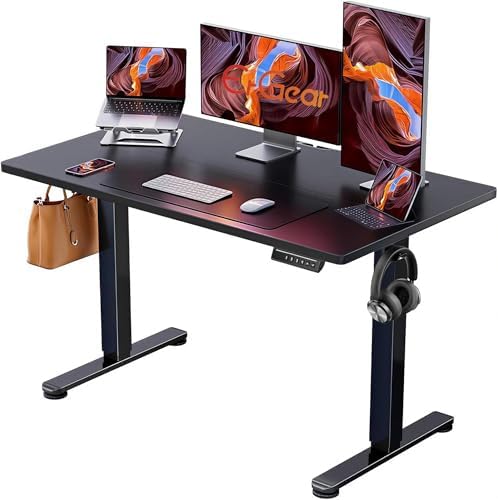
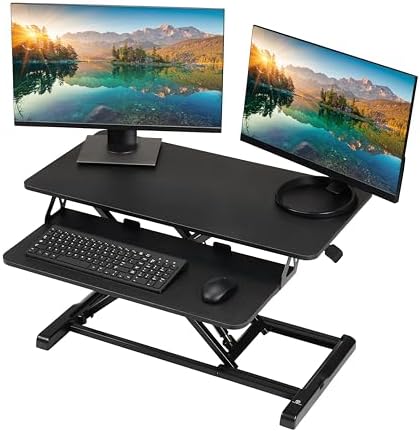


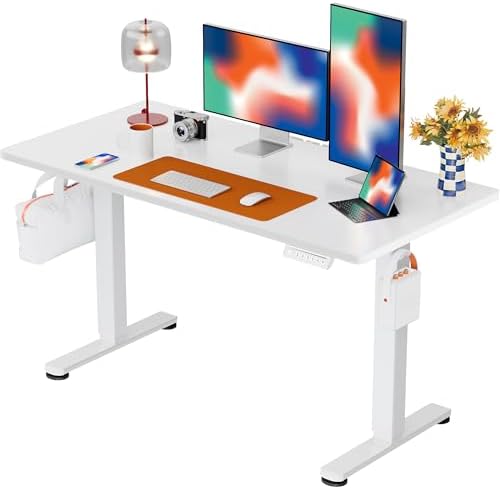

The most accurate answer, based on current ergonomics and occupational health research, is this: alternating between sitting and standing throughout the day is healthier than staying fixed in either position.
This is why most ergonomics experts and occupational health guidelines now recommend a hybrid approach rather than a full switch to standing. A frequently cited general guideline is to aim for roughly a 1:1 to 1:3 ratio of standing to sitting across the workday — for example, standing for 15–20 minutes out of every hour, adjusted to your comfort and job demands.
Standing Desk vs Sitting Desk: Comparing by Use Case
For Focused, Detail-Oriented Work (Writing, Coding, Design)
Sitting tends to be more comfortable for tasks that require sustained fine motor control and concentration, like typing long documents or detailed design work. Many people find it harder to maintain precision while standing for extended periods.
Recommendation: Sit for deep-focus blocks, and use standing time for lighter tasks like email, reading, or planning.
For Video Calls and Meetings
Standing during calls can help with energy and vocal projection, and it naturally encourages more movement and gesture, which can make you appear more engaged on camera.
Recommendation: Standing desks work particularly well here — treat meetings as a natural cue to stand up.
For Data Entry and Repetitive Tasks
These tasks are usually well-suited to either position, making them a good opportunity to practice switching. Use repetitive, low-concentration work as your “transition tasks” between sitting and standing blocks.
For Creative Brainstorming
Some studies on movement and cognition suggest that light physical activity, including standing and shifting weight, can support divergent thinking and idea generation. If you do your best brainstorming while pacing or fidgeting, a standing desk may suit this type of work well.

How to Set Up a Standing Desk Correctly
Simply raising your desk isn’t enough — improper standing desk posture can cause as much strain as poor sitting posture.
Monitor Height
The top of your screen should sit at or just below eye level, the same principle used for sitting setups. Looking down at a screen while standing still strains the neck.
Elbow Angle
Keep your elbows bent at roughly 90 degrees, with your wrists straight while typing. If the desk is too high, your shoulders will hike up; too low, and you’ll hunch forward.
Weight Distribution
Avoid locking your knees or leaning your weight entirely onto one leg. Shift your weight periodically, and consider a cushioned anti-fatigue mat to reduce pressure on your feet and lower back.
Footwear
If you’re standing for a significant part of your day, supportive footwear (rather than slippers or unsupportive flats) makes a meaningful difference in comfort over multiple hours.
How to Set Up a Sitting Desk Correctly
Chair Support
A chair with adjustable lumbar support helps maintain the natural curve of your lower spine. Your hips should sit slightly above or level with your knees.
Screen and Keyboard Position
As with standing desks, your screen should be at eye level and your keyboard positioned so your elbows stay near a 90-degree angle. This often requires a laptop stand and external keyboard if you’re working from a laptop.
Feet Positioning
Feet should rest flat on the floor or on a footrest, avoiding crossed legs for long stretches, which can affect circulation and posture alignment.
The Case for a Hybrid Desk Setup
Given the research pointing toward “movement over position” as the real goal, a sit-stand (height-adjustable) desk is generally considered the most balanced solution. These desks let you switch between sitting and standing without needing two separate workstations.
Benefits of a Sit-Stand Desk
- Flexibility to match desk position to the task at hand
- Reduced total static time in either position
- Easier to build sustainable movement habits throughout the day
- Can accommodate multiple users with different height needs
Downsides to Consider
- Higher upfront cost compared to fixed desks
- Motorized versions require power access and occasional maintenance
- Manual crank versions can be inconvenient to adjust frequently, reducing how often people actually switch positions
If a full sit-stand desk isn’t in the budget, a desktop converter — a platform that sits on top of an existing desk and can be raised or lowered — offers a more affordable way to get similar flexibility.
Sample Sit-Stand Schedule for a Typical Workday

Here’s a practical starting template you can adjust based on your job and comfort level:
- 9:00–10:00 AM — Sit (deep focus work)
- 10:00–10:15 AM — Stand (check email, light tasks)
- 10:15–11:30 AM — Sit (focused work)
- 11:30–11:45 AM — Stand + short walk break
- 11:45 AM–1:00 PM — Sit (meetings, calls)
- 1:00–1:30 PM — Lunch, ideally away from the desk
- 1:30–2:30 PM — Sit (focused work)
- 2:30–2:45 PM — Stand (transition tasks)
- 2:45–4:00 PM — Sit (focused work)
- 4:00–4:30 PM — Stand (calls, wrap-up tasks)
- 4:30–5:00 PM — Sit (final tasks, planning tomorrow)
This isn’t a strict formula — the goal is simply to avoid staying in one position for more than roughly 45–60 minutes at a stretch.
Common Mistakes People Make With Standing Desks
Mistake 1: Standing All Day, Every Day
Switching from “always sitting” to “always standing” just trades one static posture problem for another. Moderation and alternation matter more than which position you choose.
Mistake 2: Wrong Monitor Height When Standing
People often raise the desk but forget to adjust monitor height accordingly, leading to looking down or straining upward.
Mistake 3: No Anti-Fatigue Mat
Standing on a hard floor for long periods without cushioning increases pressure on the feet and lower back. A simple anti-fatigue mat significantly improves comfort.
Mistake 4: Ignoring Footwear
Standing barefoot or in unsupportive shoes for hours can contribute to foot and joint discomfort, particularly on hard flooring.
Mistake 5: Treating Standing as a Substitute for Real Movement
Standing still is only a modest improvement over sitting still. Actual walking breaks, stretching, and short bursts of movement provide far more benefit than standing in place.
Who Should Be Extra Cautious With Standing Desks?
While most people can benefit from more movement variety, certain groups should approach standing desks with extra care:
- People with existing varicose veins or circulation issues may want to limit continuous standing time and consult a doctor about appropriate limits.
- People with plantar fasciitis or foot conditions should prioritize supportive footwear and anti-fatigue mats, or limit standing duration.
- Pregnant individuals may experience increased swelling or discomfort with prolonged standing and should follow guidance from their healthcare provider on balancing sitting and standing.
- People with lower back conditions should ensure proper posture in both positions and may benefit from a physiotherapist’s input on an appropriate sit-stand ratio.
Standing Desk vs Sitting Desk: Frequently Asked Questions
Does a standing desk help you lose weight?
Standing burns slightly more calories than sitting, but the difference is modest — often just a small number of extra calories per hour. It’s not a substitute for regular exercise, though it can contribute to overall daily movement.
How long should you stand at a standing desk?
Most guidance suggests starting with 15–20 minutes of standing per hour and adjusting based on comfort, gradually building tolerance if you’re new to standing desks.
Are standing desks worth the money?
For many people, especially those experiencing back or neck discomfort from prolonged sitting, a standing desk (or converter) can be a worthwhile investment. However, the biggest benefit comes from actually alternating positions and moving regularly — not from the desk itself.
Can standing desks cause pain?
Yes, if used incorrectly — standing with poor posture, without supportive footwear, or for excessively long periods without breaks can lead to foot, knee, or lower back discomfort.
Is sitting really “the new smoking,” as some headlines claim?
This phrase is an exaggeration used for emphasis rather than a literal medical equivalence. Prolonged sitting is associated with health risks, but the comparison to smoking overstates the relative risk. The more accurate takeaway is that prolonged, uninterrupted sitting is best minimized, not treated as equivalent to a different, well-established health risk.
What’s better for a home office: sitting or standing desk?
For most home workers, a sit-stand adjustable desk offers the best balance, since it allows you to match your position to the task and break up long static periods without needing separate furniture.
Final Verdict: It’s Not Sitting vs Standing — It’s Movement vs Stillness
The standing desk vs sitting desk debate often gets framed as a competition, but the research points to a simpler conclusion: your body benefits most from regularly changing position, not from committing fully to either one. A sitting desk isn’t inherently harmful, and a standing desk isn’t a magic health fix — what matters is avoiding long, uninterrupted stretches in a single posture.
If you can invest in a height-adjustable sit-stand desk, it offers the most flexibility to build these habits. If not, a sitting desk paired with an intentional habit of standing, stretching, and walking every 45–60 minutes can deliver much of the same benefit. The best desk setup, ultimately, is the one that gets you moving — not just the one that gets you off your chair.

MD.HASAN is an experienced SEO expert and amazon products review writer passionate about helping people find right products on amzon for buy without confusion. With 4 years of hands-on experience in content strategy and search engine optimization, he specializes in writing SEO-friendly blog posts that rank, engage, and convert.


