
🔗 Affiliate Disclosure: As an Amazon Associate, Tech Rig Review earns from qualifying purchases. Links on this page may be affiliate links — at no extra cost to you.
Wondering how much a Lenovo laptop costs in 2026? This guide breaks down every price tier — from $150 budget picks to $2,000+ ThinkPads — with real Amazon picks for every budget.
So you’re shopping for a Lenovo laptop and you want a straight answer on price. Good news: Lenovo makes laptops for nearly every budget, from simple student machines under $200 to powerful business workhorses pushing $2,000.
The bad news? With dozens of models across IdeaPad, ThinkPad, Yoga, LOQ, and Legion lines, it’s easy to get confused. A quick search returns everything from a $150 bare-bones notebook to a $1,700 ThinkPad, and it’s not always obvious what you’re paying for.
This guide breaks it all down clearly. You’ll learn what each price tier gets you, which Lenovo series lives where, and which specific models are worth your money right now on Amazon. We’ve researched current listings and verified every product is actually available to buy today.
Whether you need a reliable laptop for school, a solid remote work machine, or a gaming rig that won’t destroy your bank account, there’s a Lenovo for you — and we’ll help you find it.
Table of Contents
The Big Picture: Lenovo Laptop Price Ranges at a Glance
Before diving into specific models, here’s a quick map of what you get at each price level in 2026:
| Price Range | What You Get | Best For |
|---|---|---|
| $150 – $350 | Basic processor, 8GB RAM, 128–256GB storage | Light web browsing, students |
| $350 – $600 | Mid-range CPU, 8–16GB RAM, 256–512GB SSD | School, everyday home use |
| $600 – $900 | Strong CPU, 16GB RAM, 512GB+ SSD, better display | Remote work, college students |
| $900 – $1,300 | Premium build, business features, fast SSD, great display | Professionals, power users |
| $1,300 – $2,000+ | Dedicated GPU or flagship specs | Gaming, creative work, enterprise |
Lenovo’s pricing is competitive across all tiers. You generally get more RAM and storage per dollar than many competing brands at the same price point.
Prices are approximate Amazon street prices as of 2026. Deals and sales can shift any model 10–20% lower.
Budget Lenovo Laptops: $150 to $350


This tier is where students, light users, and anyone who just needs to browse, stream, and type will find their match. Don’t expect speed demons here — but you’ll get a reliable, portable machine for everyday tasks.
What to expect
At this price, Lenovo typically offers Intel N-series or AMD Ryzen 3 processors, 8GB of RAM (enough for light multitasking), and either 128GB eMMC or 256GB SSD storage. Displays are usually 15.6-inch FHD panels. Build quality is plastic but solid.
The main limitations: these laptops struggle with heavy multitasking (10+ browser tabs, video editing, large files). They’re fine for Google Docs, YouTube, Zoom calls, and basic email.
Top Pick: Lenovo IdeaPad Slim 3 — AMD Ryzen 5, 16GB RAM, 512GB SSD
At the top end of this tier and crossing into the next, the Lenovo IdeaPad Slim 3 2026 (ASIN: B0GNBC7542) offers a 15.3-inch IPS display, AMD Ryzen 5 8540U processor, 16GB DDR5 RAM, and 512GB SSD at around $430–$500. That RAM and storage combo is genuinely strong for the price. It’s light, quiet, and runs Windows 11 smoothly.
Best for: College students, home office basics, anyone replacing an aging laptop without spending a fortune.
Watch out for: The 60Hz display and integrated graphics mean no gaming beyond very light titles.
Mid-Range Lenovo Laptops: $350 to $600
This is the sweet spot for most buyers. You get meaningfully better performance, more storage, and often a nicer screen without going anywhere near $1,000.
What to expect
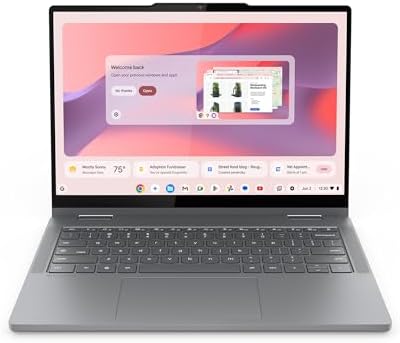
In the $350–$600 range, Lenovo starts packing in Intel Core i5 or AMD Ryzen 5/7 chips, 16GB DDR5 RAM, and 256–512GB NVMe SSDs. Many models include touchscreens, better anti-glare panels, and slimmer chassis.
This tier handles everything a typical professional or student needs: video calls, spreadsheets, light photo editing, browsing with 20+ tabs open, and streaming in 4K. You won’t be playing AAA games, but you’ll barely notice the laptop is a budget pick during everyday use.
Pick 1: Lenovo IdeaPad Slim 3 2026 — Intel Core i5, 16GB, 256GB
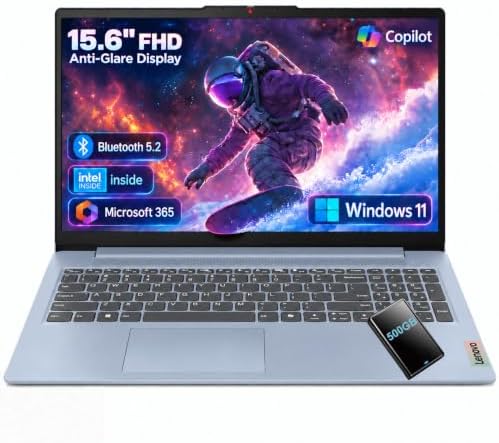
The Lenovo IdeaPad Slim 3 2026 with Intel Core i5-13420H (ASIN: B0GWMN5PR8) sits right at the mid-range value point. It features a 15.3-inch FHD anti-glare display, 16GB DDR5 RAM, 256GB SSD, AI-powered Copilot, and Wi-Fi 6 — all for around $430–$480.
The i5-13420H is an 8-core chip that handles multitasking really well. Buyers consistently highlight its snappy daily performance and light chassis. The 256GB SSD is the only real limitation — you may want an external drive for media storage.
Best for: Remote workers, students who need speed without paying for a premium brand.
Pick 2: Lenovo IdeaPad Slim 3 — Intel Core i5, 24GB, 1TB
If you want more storage and RAM headroom, the IdeaPad Slim 3 with 24GB RAM and 1TB SSD (ASIN: B0H5QLCP3S) is a strong upgrade. Same great i5-13420H chip, same slim design, but now you get ample storage and enough RAM to keep dozens of tabs open without slowdown. Priced around $550–$620.
Best for: Power users who want mid-range pricing but don’t want to compromise on RAM or storage.
Upper Mid-Range: $600 to $900


Here’s where Lenovo’s lineup starts to feel genuinely premium. You get OLED displays, convertible 2-in-1 designs, faster processors, and build quality that competes with brands charging twice as much.
What to expect
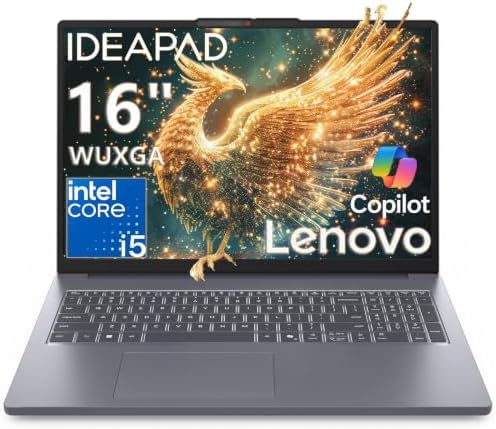
This tier brings Lenovo’s Yoga series into play alongside higher-spec IdeaPad configurations. Expect AMD Ryzen AI or Intel Core Ultra chips (the newer, more efficient generation), 16GB LPDDR5X RAM, 512GB–1TB SSDs, and display options including OLED touchscreens. Build quality jumps noticeably — these are metal-chassis machines.
Pick 1: Lenovo Yoga 7a 2-in-1 — 14″ OLED, Ryzen AI 5 430, 16GB
The Lenovo Yoga 7a 2-in-1 with 14″ OLED touchscreen (ASIN: B0H9L9LTPX) is one of the best-value premium laptops on Amazon right now. It runs AMD Ryzen AI 5 430 (a Copilot+ PC chip with 50 TOPS of AI performance), 16GB LPDDR5X RAM, 512GB SSD, Wi-Fi 7, fingerprint reader, and a gorgeous WUXGA OLED display — all for around $800–$900.
The OLED screen is the headline feature. Colors pop, blacks are genuinely black, and the 600-nit brightness handles outdoor use comfortably. The 2-in-1 design lets you flip it into tablet mode for note-taking or watching content. This is an exceptional value for creatives and students who care about display quality.
Best for: Creative students, tablet-laptop hybrid users, anyone upgrading from a basic laptop who wants a visual wow moment.
Pick 2: Lenovo IdeaPad Slim 3 — Ryzen 7, 32GB, 1TB Touchscreen
The Lenovo IdeaPad Slim 3 with AMD Ryzen 7 170 and 32GB DDR5 (ASIN: B0H1W9KTD4) punches way above its price class. You get 32GB of RAM, a 1TB SSD, a 15.3-inch touchscreen, and Ryzen 7 performance for around $599–$699.
32GB RAM at this price is rare. This machine will handle light video editing, large Photoshop files, virtual machines, and heavy multitasking without breaking a sweat. If you want raw performance per dollar, this is it.
Best for: Power users, developers, content creators on a tight budget.
Premium Lenovo Laptops: $900 to $1,300
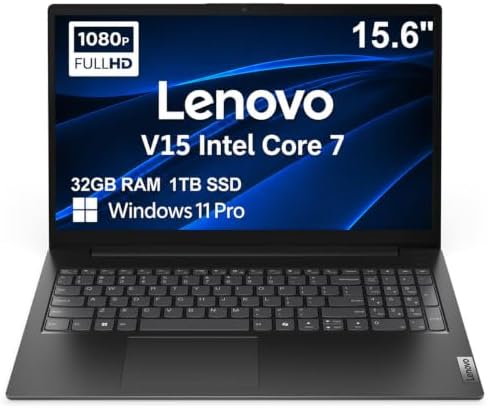

This is where the ThinkPad line earns its reputation. Business professionals, enterprise buyers, and serious remote workers live in this tier. You’re paying for longevity, security features, keyboard quality, and support — not just raw specs.
What to expect
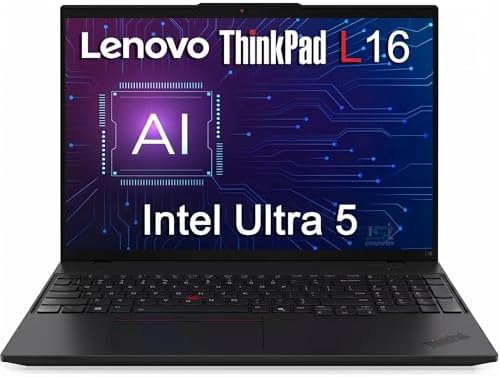
ThinkPad keyboards are still among the best on any laptop. At this price, you get full business security suites (fingerprint reader, IR camera, Thunderbolt 4), enterprise-grade build quality, MIL-SPEC durability ratings on some models, and Intel vPro or AMD PRO processors on business configurations.
Pick 1: Lenovo ThinkPad E16 Gen 3 — Ryzen 7, 16GB, 1TB
The Lenovo ThinkPad E16 Gen 3 2026 (ASIN: B0GN25ZPDK) is the most approachable ThinkPad in the lineup. It features an AMD Ryzen 7 250 processor, 16GB RAM, 1TB SSD, AMD Radeon 780M graphics, Thunderbolt 4, Wi-Fi 6, a 5MP webcam, and a 16-inch 1920×1200 display — for around $999.
The E16 Gen 3 hits a near-perfect balance of ThinkPad reliability and real-world affordability. The Ryzen 7 250 is a strong chip, the 16-inch WUXGA display is sharp and work-friendly, and Thunderbolt 4 means you can hook up two 4K monitors and a fast external drive through one cable.
Best for: Business professionals, hybrid workers, anyone who needs a laptop that will last 4–5 years of heavy daily use.
Read more: If you’re comparing business laptops, check out our ThinkPad vs IdeaPad breakdown at TechRigReview.com for a deeper dive into which line fits your workflow.
Pick 2: Lenovo ThinkPad E16 — Intel Ultra 5, 16GB, 256GB
The ThinkPad E16 with Intel Core Ultra 5 125U (ASIN: B0GVVZ27LF) is the Intel variant of the E16, featuring a 12-core Ultra 5 processor (which is Lenovo’s description for Intel’s Core Ultra 5 125U), 16GB DDR5, Thunderbolt 4, backlit keyboard, fingerprint reader, and Windows 11 Pro. Priced around $900–$1,050.
The Core Ultra 5 125U is an efficient chip great for battery life — expect 10+ hours of real-world use with mixed workloads. The ThinkPad keyboard is noticeably better than any IdeaPad model. Windows 11 Pro is included, which matters if your company uses BitLocker, Remote Desktop, or domain management.
Best for: Corporate users, IT-managed environments, anyone who needs Windows 11 Pro out of the box.
High-End Lenovo Laptops: $1,300 and Above
At this level, you’re looking at dedicated gaming GPUs, flagship 2-in-1 designs, and Lenovo’s most premium business ultrabooks. These machines are for specific use cases — not everyone needs to spend this much.
Gaming: Lenovo LOQ 15.6″ — RTX 5050, i7, 16GB
The Lenovo LOQ AI-Powered Gaming Laptop with RTX 5050 (ASIN: B0FY77GFRN) is a best-seller on Amazon right now for good reason. It packs Intel Core i7-13650HX, NVIDIA GeForce RTX 5050, 16GB RAM, 1TB SSD, a 15.6-inch FHD 144Hz IPS display, and G-Sync support. Current pricing lands around $1,100–$1,300.
The RTX 5050 is NVIDIA’s latest generation entry gaming GPU. It handles 1080p gaming at high settings comfortably, and the 144Hz display makes motion smooth in fast-paced titles. The LOQ is notably thinner than traditional gaming laptops, so it doesn’t feel like lugging a tank to a coffee shop.
Best for: Entry to mid-level gamers, college students who game after class, content creators who need GPU acceleration.
Gaming Step-Up: Lenovo LOQ — Ryzen 7, RTX 4050, 16GB, 1TB
If you want proven GPU reliability at a value price, the Lenovo LOQ with AMD Ryzen 7 170 and RTX 4050 (ASIN: B0FNS2HGHL) is a strong pick. It features a 15.6-inch FHD 144Hz display, 16GB DDR5, 1TB SSD, backlit keyboard, and Ethernet — for around $999–$1,100.
The RTX 4050 is a well-optimized 1080p gaming GPU that supports DLSS 3 for frame generation. Combined with the Ryzen 7 170, this setup handles demanding titles like Cyberpunk 2077, Elden Ring, and modern open-world games at high settings with ease.
Best for: Serious gamers who want a daily driver laptop that can also handle demanding titles without a budget-busting price tag.
Premium 2-in-1: Lenovo Yoga 7a — 16″ Touchscreen, Ryzen AI 7 445, 1TB
For those who want the full premium experience in a convertible form factor, the Lenovo Yoga 7a 2-in-1 with AMD Ryzen AI 7 445 (ASIN: B0HHHXC2B9) offers a 16-inch WUXGA touchscreen, Ryzen AI 7 processor (up to 50 TOPS), 16GB LPDDR5X, 1TB SSD, AMD Radeon 840M graphics, Wi-Fi 7, fingerprint reader, and Windows 11 Pro. Priced around $1,100–$1,300.
The AI processor means this machine is ready for local AI tasks — on-device image generation, AI-powered writing tools, and Microsoft’s Recall features. The Radeon 840M can also handle light creative work and casual gaming.
Best for: Creative professionals, executives who want a premium convertible, power users who want AI-ready hardware for the next 3–4 years.
Which Lenovo Series Is Right for You?
Here’s a quick breakdown of each Lenovo laptop family so you know which direction to look before you start comparing specs.
IdeaPad — Best for Everyday Use and Students
IdeaPad is Lenovo’s mainstream consumer line. Prices run from roughly $150 to $700. Build quality is plastic-forward but solid. Performance ranges from basic (IdeaPad 1) to surprisingly capable (IdeaPad Slim 3 with Ryzen 7). If you need a reliable laptop for school, home, or light work without overthinking it, start here.
Yoga — Best for Creatives and Hybrid Workers
The Yoga line covers premium 2-in-1 laptops with touchscreens, OLED displays, and convertible hinges. Prices typically start around $700 and go up to $1,400+. These are thin, light, and well-built. If you sketch, take handwritten notes, or want a tablet that also works as a laptop, Yoga is your lane.
ThinkPad — Best for Business and Longevity
ThinkPads are built to last. They have the best keyboards on any laptop, strong security features, and enterprise-grade durability. The E-series (E14, E16) is the most affordable entry point — around $700–$1,100. The T, X1, and P series go higher. If your laptop needs to handle five years of daily professional use, ThinkPad is the smart long-term investment.
LOQ and Legion — Best for Gaming
LOQ is Lenovo’s entry gaming line ($700–$1,300), while Legion sits at the performance flagship tier ($1,300–$2,500+). Both feature dedicated NVIDIA GPUs, 144Hz+ displays, and gaming-tuned cooling. LOQ trades some thermal headroom for a slimmer build; Legion goes full performance with thick chassis and serious cooling. For most gamers, LOQ hits the value sweet spot.
Lenovo Laptop Buying Guide: 5 Things to Check Before You Buy
1. RAM: 16GB Is the New Minimum
8GB was enough in 2022. In 2026, with Windows 11, browser-heavy workflows, and background AI processes, 16GB DDR5 is where you want to start. Going for an 8GB model to save $50 will frustrate you within a year.
2. SSD Over eMMC Storage
Some budget models still use eMMC flash storage, which is significantly slower than an NVMe SSD. Always check the spec sheet. NVMe SSDs load apps and files dramatically faster. Even 256GB NVMe beats 512GB eMMC.
3. Display: IPS Minimum, OLED if You Can
Basic TN panels (common in budget models) wash out in bright rooms and have poor viewing angles. IPS panels are the standard from mid-range up. OLED, found in some Yoga models, is genuinely spectacular — worth the upgrade if you look at your screen for hours a day.
4. Battery Life Claims vs. Reality
Lenovo’s official battery ratings are measured under ideal conditions. Real-world life is typically 60–70% of the advertised number. A machine claiming 12 hours will probably deliver 7–8 hours of mixed use. Ryzen AI and Intel Core Ultra chips are the most efficient options in 2026 for battery life.
5. Warranty and Support
All new Lenovo laptops come with a one-year Lenovo warranty. For ThinkPads, Lenovo offers extended warranties with on-site support — worth considering for business use. IdeaPad and Yoga warranties are handled through standard mail-in service.
External Resources Worth Reading
- Lenovo Official Laptop Lineup — Lenovo’s own spec pages for comparing configurations and official pricing across all series.
- PassMark CPU Benchmark Database — Compare any two processors head-to-head with standardized performance scores. Useful when choosing between AMD and Intel chip options.
- Notebookcheck Laptop Reviews — Independent technical reviews with detailed display measurements, battery tests, and thermal benchmarks for laptops you’re considering.
FAQ: How Much Does a Lenovo Laptop Cost?
What is the cheapest Lenovo laptop you can buy on Amazon?
The most affordable Lenovo laptops on Amazon start around $150–$230 for the IdeaPad 1 series. These feature basic Intel processors, 8GB RAM, and 128–256GB storage. They handle web browsing, email, and document editing but aren’t suited for multitasking or creative work.
How much does a good Lenovo laptop for college cost?
A solid college laptop from Lenovo sits in the $430–$650 range. The IdeaPad Slim 3 with 16GB RAM and an Intel i5 or AMD Ryzen 5 chip handles everything from lectures and research to light coding and creative projects. Spending a bit more (around $800) gets you an OLED display and a 2-in-1 Yoga model.
Is a Lenovo ThinkPad worth the extra money?
For professional and business use, yes — absolutely. ThinkPads cost more ($700–$1,500 for the E and T series) but deliver better keyboards, longer lifespans, stronger security features, and enterprise support options that IdeaPad models don’t offer. If you’ll use the laptop daily for 4–5 years, the ThinkPad pays for itself in reliability.
How much does a Lenovo gaming laptop cost?
Lenovo gaming laptops (LOQ and Legion lines) start around $700–$800 for entry-level RTX 4050 configurations and go up to $2,500+ for top-end Legion models. For most gamers, the LOQ with RTX 5050 or RTX 4050 in the $900–$1,300 range hits the best value.
Do Lenovo laptops go on sale on Amazon?
Yes, frequently. Amazon Prime Day, Black Friday, and back-to-school season (July–September) see Lenovo laptops discounted 10–25% off regular prices. The IdeaPad Slim 3 and ThinkPad E-series in particular drop significantly during these sales periods.
What is the best Lenovo laptop under $500?
The Lenovo IdeaPad Slim 3 with AMD Ryzen 5 and 16GB DDR5 RAM (around $430–$480) is the best Lenovo under $500 in 2026. It offers strong everyday performance, a nice anti-glare IPS display, Wi-Fi 6, and a slim, portable design. For most buyers, it’s all the laptop they’ll ever need.
Is Lenovo better than HP or Dell at the same price?
It depends on the use case, but Lenovo generally offers more RAM and storage per dollar than HP and Dell at comparable prices. ThinkPads compete directly with Dell Latitude and HP EliteBook at the business end. For consumer laptops, Lenovo IdeaPad and Yoga models frequently outspec HP and Dell equivalents at the same price point.
How long do Lenovo laptops last?
A well-maintained Lenovo laptop typically lasts 4–6 years with regular software updates. ThinkPads are rated for longer service life (often 5–7 years under enterprise conditions). Budget IdeaPads will slow down faster as software demands increase, but with 16GB RAM and an SSD, they should feel usable for at least 3–4 years.
Conclusion
Lenovo covers more ground than almost any other laptop brand. You can spend $430 and get a genuinely capable daily driver in the IdeaPad Slim 3, or invest $1,000+ in a ThinkPad E16 that will serve you reliably through years of professional use.
The key is matching your budget to your real needs. Students and light users get tremendous value at $430–$600. Remote workers and professionals should look at the $900–$1,100 ThinkPad E16 range for durability and keyboard quality. Creative users and students who care about display quality will love the Yoga 7a OLED at around $800–$900. And gamers will find the LOQ series offers strong GPU performance without paying Legion prices.
All the products we’ve linked in this guide are verified as currently available on Amazon. Prices shift regularly, so it’s worth checking the listing directly for the most current deal.
As an Amazon Associate I earn from qualifying purchases. Product availability and pricing are accurate at time of research but may change. Always verify current availability on Amazon before purchasing.

MD.HASAN is an experienced SEO expert and amazon products review writer passionate about helping people find right products on amzon for buy without confusion. With 4 years of hands-on experience in content strategy and search engine optimization, he specializes in writing SEO-friendly blog posts that rank, engage, and convert.