
🔗 Affiliate Disclosure: As an Amazon Associate, Tech Rig Review earns from qualifying purchases. Links on this page may be affiliate links — at no extra cost to you.
Buying a business laptop is different from buying a laptop for casual browsing. A good work laptop needs to do more than open a browser and run Microsoft Word — it should handle video meetings, spreadsheets, email, cloud apps, presentations, research, multitasking, and long work sessions without becoming a daily frustration.
That’s why we researched the best laptops for business on Amazon and compared models from Apple, Dell, Lenovo, HP, ASUS, and Acer.


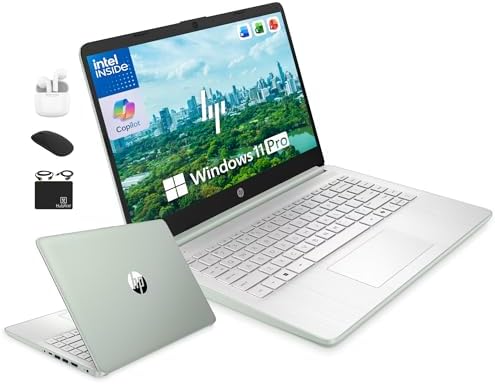


We also looked for something many “best business laptop” lists miss: who should actually buy each laptop. Some workers need Windows because their company uses Windows-only software. Others care most about portability. Some need a large screen for spreadsheets. Others travel every week and want the lightest machine possible. The result is a varied list rather than ten nearly identical laptops.
Research note: This is not a hands-on lab test — we did not receive or purchase these laptops for testing. This comparison is based on manufacturer specifications, Amazon product listings, product configurations, and broader patterns in published product information and buyer feedback. Laptop configurations, sellers, availability, and specifications can change on Amazon — always check the live listing before purchasing.
Quick Comparison: Best Business Laptops on Amazon
| Product | Best For | Key Feature | Buyer Sentiment |
|---|---|---|---|
| Apple MacBook Air 13″ M5 | Overall business use | M5 performance and portability | Generally well regarded |
| Dell XPS 13 | Premium Windows work | Very portable design | Generally well regarded |
| Lenovo ThinkPad X1 Carbon Gen 13 | Business professionals | ThinkPad keyboard and business design | Strong professional appeal |
| HP OmniBook X Flip 14 | Flexible office work | Convertible touchscreen | Positive overall feedback |
| Acer Swift 16 AI | Large-screen productivity | Large OLED display | Generally positive |
| MacBook Pro 14″ M5 | Heavy professional work | Sustained performance | Strong premium-user appeal |
| ASUS Vivobook 15 | Everyday business on a budget | Large screen, basic productivity | Generally positive for everyday use |
| Lenovo Yoga 7i 2-in-1 | Hybrid work | 360-degree convertible design | Well regarded for versatility |
| Dell Latitude 5450 | Traditional business Windows use | Business-focused Latitude platform | Positive business-oriented feedback |
| HP ProBook 460 G11 | Office teams | 16-inch business screen | Positive listing feedback |
1. Apple MacBook Air 13-Inch M5 — Best Overall Business Laptop
Best for: Remote workers, consultants, writers, managers, freelancers, and professionals who don’t need Windows-only software
The biggest advantage here is balance — compact enough for commuting, meetings, coffee shops, and home offices, while Apple’s M-series platform delivers strong performance without the power demands of many traditional processors.
Business work is rarely one task at a time: a browser with several tabs, Slack or Teams, a document, email, and a spreadsheet running simultaneously. The MacBook Air is designed for exactly this kind of general productivity, and the M5 generation makes it a compelling option over an older, discounted Mac.
Key specs:
| Spec | Detail |
|---|---|
| Processor | Apple M5 |
| Display | 13-inch-class Liquid Retina |
| OS | macOS |
| Design | Thin, lightweight, fanless |
| Connectivity | USB-C/Thunderbolt-class, MagSafe charging |
| Pros | Cons |
|---|---|
| Excellent performance for normal business work | Not ideal if your business depends on Windows-only apps |
| Very portable, silent fanless design | Fewer legacy ports than business Windows laptops |
| Strong battery-focused design, high-quality display | Memory/storage choices need careful consideration |
| Excellent choice for macOS users |
Buyer sentiment: Generally well regarded as a premium portable productivity laptop. The main concern for buyers is compatibility — check your company’s software requirements before switching platforms.
2. Dell XPS 13 — Best Premium Windows Business Laptop
Best for: Professionals who want Windows in a highly portable package
A strong alternative to the MacBook Air for professionals who prefer Windows. The XPS line focuses on premium design, portability, and high-quality displays — attractive for consultants, executives, and remote workers who travel with their computer.
The trade-off is connectivity — thin laptops often sacrifice traditional ports, so if your office uses older USB accessories, Ethernet, HDMI equipment, or SD cards, you may need an adapter or dock. Amazon currently lists XPS 13 configurations including Qualcomm Snapdragon-based models.
Key specs:
| Spec | Detail |
|---|---|
| Screen | 13-inch-class display |
| Storage | SSD |
| OS | Windows |
| Design | Compact premium notebook |
| Graphics | Integrated on typical configurations |
| Pros | Cons |
|---|---|
| Very portable, premium design | Limited physical ports on some configurations |
| Strong Windows productivity option | Not designed as a gaming machine |
| Good fit for frequent travelers | Configuration differences can be significant |
| High-end display options available |
Buyer sentiment: Generally positive among users wanting a premium portable Windows laptop. Pay close attention to the exact processor and memory configuration — different XPS 13 listings can look similar while offering different hardware.
3. Lenovo ThinkPad X1 Carbon Gen 13 — Best for Business Professionals
Best for: Executives, managers, consultants, corporate employees, and frequent travelers
If you ask business laptop buyers to name a classic professional laptop family, the ThinkPad X1 Carbon is likely near the top — designed around business use rather than entertainment first. The keyboard is a major part of that: for someone writing reports, emails, proposals, and documents all day, keyboard comfort matters. It also stays genuinely portable for travelers who don’t want a bulky laptop in their bag.
Key specs:
| Spec | Detail |
|---|---|
| Display | Around 14 inches |
| Processor | Intel Core Ultra family |
| Storage | SSD |
| OS | Windows |
| Graphics | Integrated |
| Design | Lightweight business notebook |
| Pros | Cons |
|---|---|
| Excellent business-focused design | Premium configurations can be expensive |
| Comfortable ThinkPad keyboard | Not designed for serious gaming |
| Portable, strong for corporate work | Integrated graphics limit specialized workloads |
| Good productivity features | Amazon configurations can vary |
Buyer sentiment: Strong professional appeal, especially among users who value business features and keyboard quality — practicality over flashy design.
4. HP OmniBook X Flip 14 — Best 2-in-1 Business Laptop
Best for: Professionals who want a laptop and tablet in one
Different from a traditional business laptop — its main selling point is flexibility. The 360-degree hinge lets the computer work as a normal laptop, tablet-style device, tent, or stand, useful in meetings, presentations, and note-taking. Rather than turning a traditional laptop around awkwardly during a presentation, the convertible design handles it naturally.
It won’t be the right choice for everyone — if you never use a touchscreen or tablet mode, a traditional clamshell laptop may offer better value.
Key specs:
| Spec | Detail |
|---|---|
| Display | 14-inch-class touchscreen |
| Form factor | 2-in-1 convertible |
| Storage | SSD |
| OS | Windows |
| Graphics | Integrated |
| Pros | Cons |
|---|---|
| Flexible 2-in-1 design, touchscreen | Convertible hinges add complexity |
| Useful for presentations and note-taking | Usually heavier than a basic ultrabook |
| Compact professional form factor | Integrated graphics limit gaming |
| Suitable for hybrid work | Pen availability varies by configuration |
Buyer sentiment: Generally positive among users who want touchscreen flexibility — most compelling for workers who genuinely move between desk work, presentations, and handwritten notes.
5. Acer Swift 16 AI — Best Large-Screen Business Laptop
Best for: Spreadsheet-heavy work, multitasking, content work, and professionals who prefer a large display
If your day involves spreadsheets, dashboards, research documents, and multiple browser windows, a 16-inch laptop can reduce the need for an external monitor. The Swift 16 AI combines that large-screen experience with a relatively portable design — OLED display options are especially attractive for anyone spending many hours looking at text, images, or media. The trade-off, naturally, is that a large screen makes it less compact than a 13- or 14-inch model.
Key specs:
| Spec | Detail |
|---|---|
| Display | 16-inch-class, OLED on selected configurations |
| Processor | Intel Core Ultra/AI-focused |
| Storage | SSD |
| OS | Windows |
| Pros | Cons |
|---|---|
| Large workspace, excellent for spreadsheets | Larger footprint |
| OLED display options | Not as travel-friendly as 13-inch models |
| Strong productivity focus | Integrated graphics not for serious gaming |
| Good choice for multitaskers | Exact specifications vary by listing |
Buyer sentiment: Generally positive for buyers who prioritize screen size and productivity. If you travel every day, a smaller ThinkPad, XPS, or MacBook may make more sense.
6. Apple MacBook Pro 14-Inch M5 — Best for Demanding Professional Work
Best for: Developers, video editors, designers, analysts, and professionals with heavy workloads
Overkill for many office workers — but that’s actually its biggest advantage for the right buyer. If your business laptop needs to handle demanding software for long periods, the MacBook Pro’s active cooling system supports sustained workloads in a way a lightweight fanless laptop can’t. Developers running large projects, designers working with high-resolution assets, and video professionals encoding and exporting media can keep a processor busy for long stretches — this is the laptop built for that.
Key specs:
| Spec | Detail |
|---|---|
| Display | 14-inch-class Liquid Retina XDR |
| Processor | Apple M5 family |
| OS | macOS |
| Graphics | Integrated Apple GPU architecture |
| Ports | USB-C/Thunderbolt-class, HDMI and SD card support on applicable configurations |
| Pros | Cons |
|---|---|
| Excellent sustained performance | More laptop than most office users need |
| High-quality display | Heavier than the MacBook Air |
| Strong for developers and creative professionals | Premium purchase |
| Good battery-focused architecture, strong ports | macOS compatibility must be checked for business software |
Buyer sentiment: Strong premium-user appeal. Most compelling when the laptop is part of your actual work equipment rather than simply a device for email — if your work is light, the MacBook Air saves money and weight.
7. ASUS Vivobook 15 — Best for Everyday Business on a Budget
Best for: Small-business owners, students, administrative work, email, documents, and basic office tasks
Not every business needs a premium laptop. For many small businesses, the laptop mainly handles email, browser-based software, invoices, Word documents, spreadsheets, video calls, and web research — where the Vivobook 15 makes sense. The 15.6-inch screen gives more room than a small 13-inch laptop, useful when working with spreadsheets or documents.
⚠️ The Vivobook family has many configurations — don’t assume every listing has the same processor, memory, storage, or display.
Key specs:
| Spec | Detail |
|---|---|
| Display | Around 15.6 inches |
| Storage | SSD |
| OS | Windows |
| Graphics | Usually integrated |
| Form factor | Traditional laptop |
| Pros | Cons |
|---|---|
| Large screen, good for basic business tasks | Build quality varies by configuration |
| Many configurations, familiar Windows environment | Budget configurations can have limited RAM |
| Suitable for small-business users | Not designed for heavy creative work |
| Easier to justify for light workloads | Exact Amazon specifications must be checked |
Buyer sentiment: Generally positive for everyday productivity — best viewed as a practical productivity computer rather than a premium enterprise machine.
8. Lenovo Yoga 7i 2-in-1 — Best for Hybrid Work
Best for: Professionals who want touchscreen flexibility and traditional laptop performance
Sits between a standard business laptop and a tablet — use it as a normal laptop at your desk, then fold the display back for touchscreen interaction, presentation mode, or a tablet-style setup. The 360-degree design is especially useful for presentations, note-taking, and touchscreen applications.
Key specs:
| Spec | Detail |
|---|---|
| Display | 14- or 16-inch configurations |
| Form factor | 360-degree convertible |
| Processor | Intel Core Ultra |
| Storage | SSD |
| OS | Windows |
| Graphics | Integrated |
| Pros | Cons |
|---|---|
| Flexible convertible design, touchscreen | Heavier than a basic laptop |
| Good for presentations | Convertible hardware can add cost |
| Useful for hybrid work | Integrated graphics not for serious gaming |
| More versatile than a normal clamshell | Configuration differences matter |
Buyer sentiment: Well regarded for versatility and hybrid use — appealing because it doesn’t force you to choose between a laptop and a tablet-style experience.
9. Dell Latitude 5450 — Best Traditional Business Windows Laptop
Best for: Office workers, corporate users, IT-managed fleets, and professionals who prefer a traditional business laptop
Check Price on Amazon · ASIN: B0F79XL2FN
More business-focused than a typical consumer laptop — consumer laptops are often designed around appearance and general household use, while Latitude machines are built around professional computing and business deployment. Particularly worth considering for a company buying several computers at once.
Key specs (referenced configuration):
| Spec | Detail |
|---|---|
| Display | 14 inches |
| Processor | Intel Core Ultra |
| Memory | 16GB |
| Storage | 512GB SSD |
| OS | Windows 11 Pro |
| Pros | Cons |
|---|---|
| Business-focused platform, Windows 11 Pro | Less stylish than some premium consumer laptops |
| Good size for office work | Exact Amazon configurations vary |
| Suitable for professional software | Not designed for high-end gaming |
| Good fit for corporate users | Display specifications vary by configuration |
Buyer sentiment: Positive business-oriented feedback — makes sense when reliability and business functionality matter more than flashy design, especially for employees using Microsoft 365 and business software daily.
10. HP ProBook 460 G11 — Best for Office Productivity
Best for: Office workers, accountants, administrative staff, and users who want a larger business display
Check Price on Amazon · ASIN: B0FHQGLJGN
Its 16-inch display is useful for workers spending much of their day inside spreadsheets, accounting systems, dashboards, or browser-based business applications — a larger screen reduces scrolling and makes side-by-side windows easier to manage.
Key specs (referenced configuration):
| Spec | Detail |
|---|---|
| Display | 16 inches |
| Processor | Intel Core Ultra |
| Memory | 16GB |
| Storage | 512GB SSD |
| OS | Windows 11 Pro |
| Graphics | Integrated |
| Pros | Cons |
|---|---|
| Large productivity display | Larger than 14-inch business laptops |
| Business-focused design, Windows 11 Pro | Less convenient for frequent travel |
| Good for spreadsheets | Integrated graphics limit demanding graphics work |
| Numeric keypad on relevant configurations | Amazon listings may differ in RAM/storage |
Buyer sentiment: Positive feedback in the referenced Amazon listing — most attractive to people who value screen space and work from a desk most of the time. Frequent travelers may find the Latitude or ThinkPad easier to carry.
How to Choose the Right Business Laptop
Buying a business laptop is easier when you stop looking at specifications one at a time and start with your actual work.
1. Think About Your Software First
The most important question: do you need Windows? If your company uses Microsoft-specific business applications, specialized accounting programs, legacy software, or corporate management tools, Windows is the safer choice. If your work is mostly browser-based and you already use Apple devices, macOS may work very well. Don’t choose an OS just because one laptop has a faster processor — compatibility comes first.
2. Choose 16GB Memory When Possible
Business work is rarely one application — you might have 20 browser tabs, Word, Excel, Teams, email, cloud storage, a password manager, PDFs, Slack, and background security software all running. 8GB can work for light use, but 16GB is a sensible target for most professional users. If you run virtual machines, large development projects, professional creative software, or advanced data workloads, consider 32GB or more.
3. Get Enough SSD Storage
A 256GB SSD looks fine when you first buy the laptop — then applications, documents, downloads, photos, videos, and cached files accumulate. 512GB is a more comfortable target for business use; 1TB makes sense for large video files, design projects, databases, or extensive local archives. Cloud storage helps, but don’t depend on it for everything.
4. Do Not Ignore the Keyboard
A business user may type thousands of words every week — an uncomfortable keyboard becomes a daily annoyance. This is one reason ThinkPad laptops remain popular. Before buying, consider key travel, key spacing, backlighting, number pad requirements, trackpad size, and palm-rest comfort. For accounting work, a numeric keypad can be particularly useful.
5. Decide How Much You Travel
A 16-inch laptop may be fantastic at a desk but less enjoyable on an airplane. For frequent travel, weigh: weight, thickness, charger size, battery endurance, screen size, and build quality. A 13- or 14-inch laptop is usually a better compromise — the MacBook Air, XPS 13, and ThinkPad X1 Carbon are particularly strong in this category.
6. Look at the Ports
Modern laptops are getting thinner, which often means fewer ports. Ask what you connect every day — USB-A accessories, HDMI monitors, SD cards, Ethernet, external drives, wired keyboards, USB microphones? If yes, port selection matters. A USB-C dock can solve many problems, but that’s another purchase.
7. Consider Video Meetings
Remote work makes the webcam more important than it used to be. Look for a decent webcam, microphone quality, noise reduction, speaker quality, privacy features, and reliable Wi-Fi. A great processor doesn’t compensate for a poor meeting experience.
8. Business Security Matters
For corporate users, security should be part of the decision — fingerprint readers, IR cameras, TPM security, Windows 11 Pro, business security software, and enterprise management features. Not every user needs every feature, but if a laptop holds sensitive company information, security shouldn’t be an afterthought.
9. Do Not Buy More Performance Than You Need
A common mistake is buying the most powerful laptop possible. If your day is mostly Word, Excel, email, Chrome, Teams, Zoom, and web apps, you probably don’t need a workstation-class computer. Developers, video editors, engineers, analysts, and designers may benefit from significantly more performance — buy for your actual workload.
10. Check the Exact Amazon Configuration
Laptop families can have many configurations — one listing may have 8GB RAM, another 16GB, a third a different processor, display, SSD, or OS. The name on the laptop may look identical while the hardware isn’t. Always read the exact Amazon listing before clicking Buy.
Which Business Laptop Is Best for You?
| If you want… | Choose… |
|---|---|
| Best overall — fast, portable, macOS-compatible | Apple MacBook Air M5 |
| Best premium, compact Windows laptop | Dell XPS 13 |
| Best keyboard quality, portability, professional features | Lenovo ThinkPad X1 Carbon |
| Best for large spreadsheets — screen size over portability | Acer Swift 16 AI |
| Best for demanding creative/development workloads | MacBook Pro 14 M5 |
| Best traditional business-focused Windows platform | Dell Latitude 5450 |
| Best large office display for desk-based work | HP ProBook 460 G11 |
| Best laptop-and-tablet functionality | Lenovo Yoga 7i 2-in-1 |
| Best for touch, presentations, or pen input | HP OmniBook X Flip 14 |
| Best for documents, email, browsing, and basic office tasks | ASUS Vivobook 15 |
Frequently Asked Questions
What is the best laptop for business on Amazon?
There’s no single best model for every business user. For general professional use, the MacBook Air M5 is a strong choice for people who can use macOS. For Windows users, the Dell XPS 13 and Lenovo ThinkPad X1 Carbon are compelling options.
Is 16GB RAM enough for business use?
Yes — for most office users, 16GB is a good target, giving more multitasking room than an entry-level 8GB configuration. If you regularly use virtual machines, professional creative applications, development tools, or large datasets, consider more.
Is a MacBook good for business?
Yes, but software compatibility matters. A MacBook can be excellent for email, web applications, writing, project management, creative work, and programming — but some corporate applications only work properly on Windows. Check your company’s software requirements first.
Is a ThinkPad good for business?
Yes. ThinkPad laptops are designed with professional users in mind — the X1 Carbon is especially attractive for people who value portability, keyboard quality, and business-oriented features.
Should I buy a 13-inch or 16-inch business laptop?
Choose based on where you work. A 13- or 14-inch laptop suits frequent travel better; a 16-inch laptop suits desk-based work where you need more screen space.
How much storage should a business laptop have?
512GB is a sensible starting point for most users. Choose 1TB if you store many large files locally. If your company relies heavily on cloud storage, you may need less local storage.
Is a 2-in-1 laptop good for business?
It can be — useful for presentations, note-taking, touchscreen work, and flexible office setups. But if you never use tablet mode, a standard laptop may provide better value.
Should I buy a gaming laptop for business?
Usually not. Gaming laptops can be powerful but are often heavier, louder, and less convenient for travel. If your business genuinely requires GPU-heavy software, a powerful laptop can make sense — otherwise, a business-focused laptop is usually a better fit.
Related Reading
- 10 Best Amazon Laptop Computers – Honest Reviews — broader laptop comparison covering business, creative, budget, gaming, and everyday-use models
- Tech Rig Review — the site’s latest laptop and technology buying guides
Useful External Resources
For business buyers, manufacturer documentation is more useful than another generic “best laptop” list:
- Official Windows 11 information — Microsoft
- Official MacBook Air information — Apple
- Official ThinkPad business laptop information — Lenovo
These sources are useful when you want to verify operating-system requirements, current product families, and manufacturer specifications.
Final Verdict: The Best Business Laptops on Amazon
The best business laptop depends on your actual workload.
- Most professionals who don’t depend on Windows-only software — the MacBook Air M5 is an excellent overall choice
- Windows users — the Dell XPS 13 provides a strong combination of portability and premium design
- Traditional business features and heavy typing — the Lenovo ThinkPad X1 Carbon is the standout
- Desk-based workers needing more screen space — consider the Acer Swift 16 AI or HP ProBook 460 G11
- Corporate Windows users — the Dell Latitude 5450 is worth a close look
- Flexibility — the Lenovo Yoga 7i 2-in-1 and HP OmniBook X Flip 14 make sense
The most important point: don’t buy based on the laptop name alone. Check the exact processor, RAM, storage, display, operating system, ports, and seller on the Amazon listing — configurations, availability, and even hardware within the same laptop family can vary significantly.
Use this guide to narrow your choices, then verify the exact configuration before purchasing.
Amazon Associates Disclosure: As an Amazon Associate I earn from qualifying purchases.

MD.HASAN is an experienced SEO expert and amazon products review writer passionate about helping people find right products on amzon for buy without confusion. With 4 years of hands-on experience in content strategy and search engine optimization, he specializes in writing SEO-friendly blog posts that rank, engage, and convert.