
Affiliate disclosure: As an Amazon Associate, Tech Rig Review earns from qualifying purchases. Links on this page may be affiliate links, at no extra cost to you.
Find out where to buy refurbished laptops in 2026, how Amazon Renewed works, what to check before buying, and which refurbished laptop to consider.
If you’re wondering where to buy refurbished laptops, Amazon is one place worth checking because it has a dedicated refurbished section called Amazon Renewed. But finding a good refurbished laptop isn’t simply about choosing the cheapest listing.
A refurbished laptop can be an excellent way to get a business-class machine, a better processor, more RAM, or a larger SSD for less than a comparable new laptop. At the same time, refurbished listings vary by model, condition, seller, warranty, and configuration — which is why this guide focuses on the buying process rather than just listing old laptops.
This research draws on Amazon’s refurbished laptop listings, Amazon Renewed information, manufacturer specifications, and consumer guidance on buying used or refurbished electronics, using a real, verifiable Amazon listing rather than guessed product links or ASINs. One current example: the dynabook Toshiba PORTEGE X40-J 14-inch laptop, sold through Amazon Renewed, with an 11th Gen Intel Core i5 processor, 16GB RAM, 256GB SSD, and Windows 11 Pro (ASIN B0CPF3NQZT, currently available).
The goal here is simple: help you understand where to buy refurbished laptops, what “refurbished” really means, and how to avoid buying a machine that looks like a bargain but doesn’t fit your needs.
Table of Contents
Where to Buy Refurbished Laptops


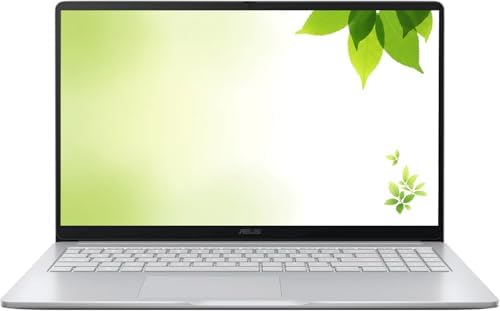


For most online shoppers, Amazon Renewed is one of the first places worth checking. Amazon describes Renewed as a destination for refurbished products that have been professionally inspected and tested, intended to function and look like new with minimal signs of wear, and backed by the Amazon Renewed Guarantee. Amazon’s current sustainability guidance confirms the Renewed category includes computers and laptops, backed by a 90-day Amazon Renewed Guarantee.
That doesn’t mean every refurbished laptop is identical — a laptop can be listed as refurbished while having very different specifications, cosmetic conditions, sellers, and configurations. Always open the individual listing and read the current product information.
Why Amazon Renewed Can Be a Good Starting Point
- Large selection of older business laptops
- Many different brands and multiple configurations
- Product condition information shown on listings
- Familiar Amazon checkout and return process
- Products tested according to Amazon’s Renewed program
- A guarantee associated with eligible Renewed purchases
Amazon says Renewed products are inspected, tested, and refurbished as necessary to function properly according to its Renewed standards. Still, don’t stop researching after seeing the Renewed badge — check the exact model, processor, RAM, storage, display, operating system, seller, condition, return terms, and warranty.
Best Refurbished Laptop to Consider on Amazon
dynabook Toshiba PORTEGE X40-J — Best Verified Example

- Microsoft Authorized Refurbished 14 inch laptop with webcam
- Intel Core i5-11th Gen Quad Core @ 2.4 GHz
- 16GB DDR4 RAM; 256GB SSD
If you want a concrete example of what a refurbished laptop listing can look like, the dynabook Toshiba PORTEGE X40-J 14-inch laptop is a useful one to examine. The current Amazon listing identifies it as an Amazon Renewed product with an Intel Core i5 11th Gen quad-core processor, 16GB DDR4 RAM, a 256GB SSD, and Windows 11 Pro, with a 1920×1080 display. The listing also identifies it as Microsoft Authorized Refurbished, with a one-year hardware parts and labor warranty noted in the product information. These details come from the live listing and should be re-checked at purchase time, since Amazon listings can change.
Key Specs
| Spec | Detail |
|---|---|
| Display | 14″, 1920×1080 |
| Processor | Intel Core i5, 11th Gen (quad-core) |
| RAM | 16GB DDR4 |
| Storage | 256GB SSD |
| OS | Windows 11 Pro |
| Graphics | Integrated |
| Ports | 4× USB 3.0 (listed) |
| Camera | Webcam |
| Condition | Amazon Renewed, Microsoft Authorized Refurbished |
| Warranty | 1-year hardware parts and labor (listed) |
| Return window | 90 days (Renewed item) |
| ASIN | B0CPF3NQZT |
What Makes This Laptop Interesting?
The PORTEGE X40-J is a business-oriented laptop rather than a low-end consumer notebook — refurbished business laptops can be attractive to buyers who value productivity features and build quality over the newest consumer design.
Who Should Consider It?
A good fit for office work, web browsing, Microsoft Office, schoolwork, email, remote work, research, video meetings, and light content work. Not one to automatically recommend for demanding modern gaming or professional 3D work — the integrated graphics signal a focus on general productivity rather than dedicated-GPU performance.
What Should You Check Before Ordering?
Even with a verified listing, check the current configuration before buying: exact processor, RAM capacity, SSD capacity, screen resolution, battery condition information, cosmetic condition, included charger, seller, return terms, warranty information, and current operating system. Refurbished listings change over time, and the same model name can appear with different RAM and storage configurations.
Check the dynabook Toshiba PORTEGE X40-J on Amazon →
This isn’t meant to be the only refurbished laptop worth considering — use it as an example of the level of detail to look for when evaluating any refurbished laptop listing.
Why Buy a Refurbished Laptop?
The main reason is simple: value. A new laptop isn’t automatically the best option for every buyer — laptop technology changes quickly, and a business laptop that was expensive when new can become much more affordable after a few years while still having enough performance for normal office tasks.
A refurbished business laptop can offer more RAM, a larger SSD, a better keyboard, more ports, a business-class chassis, Windows Pro, and stronger connectivity than a comparable new budget machine. The key is choosing the right model — refurbished isn’t a shortcut to a powerful computer for almost nothing, but a way to get more value from hardware that still meets your needs.
Refurbished vs. Used: What’s the Difference?
A used laptop may simply be one that someone owned previously and is now selling, with no guaranteed process behind the listing. A refurbished laptop has normally gone through some inspection, testing, repair, cleaning, or preparation process — the exact steps depend on the program and seller.
Amazon says Renewed products are professionally inspected and tested by third-party companies to function and look like new, and are cleaned to have minimal-to-no signs of wear under its Renewed standards. That gives refurbished products an advantage over a random used listing — but you should still read the individual listing, since the word “refurbished” alone doesn’t tell you everything about battery health, cosmetic condition, exact configuration, or warranty coverage.
What Is Amazon Renewed?
Amazon Renewed is Amazon’s program for refurbished products. Amazon says items are inspected, tested, and refurbished as necessary to be fully functional according to its standards, covering many categories including computers and laptops. Renewed products are backed by the Amazon Renewed Guarantee — customers can return a Renewed product within 90 days of receipt for a replacement or refund if not completely satisfied.
That’s one of the main reasons Amazon Renewed can be more appealing than buying a random used laptop from an unknown seller — but a guarantee doesn’t make the wrong laptop the right laptop. Read the current listing.
How to Find Refurbished Laptops on Amazon
Start with the laptop category and look for Amazon Renewed products, then narrow by brand, screen size, processor, RAM, storage, operating system, condition, and features.
Don’t search only for “cheap refurbished laptop” — that produces too many unrelated results. Instead, search based on the computer you actually need:
- Better: “Refurbished business laptop + 16GB RAM + SSD”
- Worse: “cheap used laptop”
The first tells you what type of machine you want; the second focuses too much on price alone.
Where Else Can You Buy Refurbished Laptops?
Amazon isn’t the only source. Other options include:
- Manufacturer refurbished stores
- Certified refurbisher programs
- Business computer resellers
- Local computer stores
- Large electronics retailers
- Specialized refurbished computer sellers
A manufacturer-refurbished laptop may appeal if you want to buy directly from the brand. A specialist refurbisher may offer a larger selection of older business models. A local store lets you physically inspect the machine before buying. Amazon’s main advantage is convenience and a large marketplace with access to a broad selection in one place.
The important thing isn’t choosing the biggest store — it’s choosing a listing with clear information and reasonable buyer protection.
What Should You Look for in a Refurbished Laptop?
1. Check the processor. Don’t buy a laptop just because the listing says “Intel Core i5” — there are many generations, and an older Core i5 can perform very differently from a newer one. Look for the complete processor name (e.g., “Intel Core i5-8350U,” not just “Intel Core i5”). The same applies to AMD Ryzen processors — always compare the exact model.
2. Get enough RAM. For normal modern use, more RAM makes multitasking feel more comfortable. As a general guide:
- 8GB for basic use
- 16GB for a more comfortable general-purpose system
- More than 16GB for heavier workloads
RAM alone doesn’t make a laptop fast — processor, SSD, and overall platform matter too.
3. Choose an SSD. Strongly preferable to a mechanical hard drive for most buyers — Windows starts faster, apps open faster, files load faster. If you find a refurbished laptop with a traditional hard drive, compare it carefully against SSD-based alternatives; for most buyers, SSD should be near the top of the checklist.
4. Check storage capacity. 256GB may be enough for office work and cloud storage; 512GB or 1TB is worth it if you store many videos, photos, games, or large projects locally. Base the decision on how you actually use your laptop, not on which number sounds more impressive.
5. Check the screen resolution. Screen size alone doesn’t tell you the resolution — a 14-inch or 15.6-inch laptop can have very different displays. For general productivity, 1920×1080 is still a useful target (the dynabook PORTEGE X40-J researched here lists exactly that). Also check whether the display is touchscreen or non-touch, matte or glossy, and IPS, TN, or OLED — the exact panel technology can make a big difference in daily use.
6. Check the battery. Battery condition matters especially with refurbished laptops — a battery is a consumable component that loses capacity over time, so a fully functional refurbished laptop can still have a battery that doesn’t last as long as a new machine. Don’t assume a brand-new battery; look for battery-condition information from the seller, and treat unclear listings as needing extra verification.
7. Check the charger. A laptop without the correct charger can turn a good deal into a frustrating purchase. Look for explicit wording about the original charger, a compatible charger, AC adapter, power adapter, or included accessories — check the product details if it’s unclear.
8. Check the operating system. A refurbished laptop may ship with Windows 11, Windows 10, Windows 11 Pro, ChromeOS, or something else — don’t assume based on the brand. (The dynabook example here lists Windows 11 Pro.) The OS also matters because older laptops may have compatibility limits with newer software.
9. Check the seller. Amazon is a marketplace, so the seller matters. The FTC recommends checking seller information, recent buyer feedback, return policies, and the item’s description before buying from an online marketplace — not just the laptop’s specs. Check seller name, feedback, return terms, warranty, shipping information, and condition description; it takes a few minutes and can save you from a bad purchase.
10. Check the warranty. The FTC recommends checking a warranty’s length, coverage, limitations, and claims process before buying, and keeping a copy of the warranty and your purchase records. Don’t assume every refurbished laptop has the same warranty — one may have a manufacturer warranty, another a refurbisher warranty, another may rely mainly on the marketplace’s return or guarantee policy. Read the details.
What Does “Refurbished – Excellent” Mean?
Amazon listings can show different refurbished condition grades — the exact language should be read on the current product page, since a condition label alone doesn’t replace checking the individual listing. Look for information on cosmetic wear, scratches, dents, screen condition, keyboard condition, battery, accessories, warranty, and returns. Remember: a laptop can be fully functional while still showing cosmetic signs of previous use. If appearance matters to you, spend extra time reading the condition information.
Should You Buy an Older Business Laptop?
Sometimes, yes. Older business laptops — ThinkPad, Latitude, EliteBook, and similar families — have long been popular with corporate users, creating a healthy refurbished market. The advantage: you can sometimes get a machine with a strong keyboard, business-focused design, useful ports, upgrade options, a professional OS, and durable construction.
But age still matters. An old laptop may have an older CPU, weaker integrated graphics, older Wi-Fi, lower battery capacity, or limited support for newer software. Don’t confuse “business-class” with “new” — the exact model still matters.
Is a Refurbished Laptop Good for Students?
It can be an excellent choice. Most students don’t need an expensive gaming laptop for web research, documents, presentations, online classes, email, video meetings, basic programming, or cloud applications — a refurbished business laptop can provide enough performance while keeping the budget under control.
For general school use, prioritize in roughly this order:
- Reliable processor
- 8GB or 16GB RAM
- SSD storage
- Good display
- Comfortable keyboard
- Good battery condition
- Webcam
- Reliable Wi-Fi
- Reasonable return protection
A flashy design matters far less.
Is a Refurbished Laptop Good for Remote Work?
Yes. Remote workers often benefit from business laptops since the workflow is productivity-based rather than graphics-heavy. A good refurbished remote-work laptop should handle video meetings, web browsers, Google Workspace, Microsoft Office, email, Slack-style communication apps, cloud storage, and multiple browser tabs comfortably. RAM and SSD storage are especially useful here — a refurbished business laptop with 16GB RAM and an SSD can be a very practical home-office machine.
Is a Refurbished Laptop Good for Freelancers?
It can be. If your work involves writing, SEO, web research, administration, customer support, or general office tasks, a refurbished business laptop is a sensible option. If you edit professional 4K video, work with complex 3D scenes, or use demanding engineering applications, look more closely at CPU, GPU, RAM, storage, cooling, and display requirements. Buy based on the software you need to run, not the brand alone.
What About Refurbished Gaming Laptops?
This needs more caution. Gaming laptops have more demanding hardware — check the dedicated GPU, CPU, cooling system, display refresh rate, RAM, SSD, and battery. A refurbished gaming laptop can be good value, but may also show more wear since gaming places greater load on the system. If gaming is your main goal, investigate the exact GPU first — a laptop with an impressive-sounding processor but weak graphics hardware may not deliver the performance you expect.
What About Refurbished MacBooks?
Same rules apply. Check the exact chip, RAM, SSD, screen size, battery health, macOS support, charger, condition, warranty, and return policy. Don’t buy a MacBook simply because it’s an Apple product — older Mac models can have different software-support timelines and hardware capabilities, so always check the exact model year and chip.
How Much Should You Spend on a Refurbished Laptop?
There’s no single correct budget — it depends on your workload. A basic laptop for documents and browsing costs far less than a machine for video editing or professional development.
Instead of starting with a fixed budget, start with your needs. Ask yourself:
- What programs will I use?
- How many browser tabs do I keep open?
- Do I need a touchscreen?
- Do I need a dedicated GPU?
- How much local storage do I need?
- Will I carry it every day?
- Do I need a large screen?
- How important is battery life?
Once you’ve answered those, set a reasonable budget.
A Simple Refurbished Laptop Buying Checklist
Hardware
- [ ] Exact CPU model checked
- [ ] RAM checked
- [ ] SSD checked
- [ ] Display resolution and screen size checked
- [ ] GPU checked if needed
- [ ] Ports, Wi-Fi, and webcam checked
Condition
- [ ] Refurbished condition understood
- [ ] Cosmetic condition and battery information checked
- [ ] Charger and accessories included
Seller
- [ ] Seller identified, recent feedback checked
- [ ] Return policy and warranty read
- [ ] Amazon Renewed information reviewed
Compatibility
- [ ] Operating system checked
- [ ] Required software supported
- [ ] External monitor and accessory compatibility checked
Before Checkout
- [ ] Exact configuration and product page checked
- [ ] ASIN checked
- [ ] Current availability and listing condition checked
Refurbished Laptop Red Flags
- Vague specifications — “fast Intel processor” doesn’t give you enough information; you need the exact model.
- No clear condition information — if you can’t determine cosmetic condition or refurbishment status, investigate further.
- Unclear warranty — a refurbished laptop should have clearly stated return or warranty information; the FTC recommends checking coverage and limitations before purchasing.
- Suspiciously cheap price — the FTC warns consumers to be careful when expensive brand-name products are offered at unusually low prices. A cheap laptop isn’t automatically a good laptop.
- No exact processor listed — avoid buying based on generic phrases like “Core i5 laptop”; find the exact CPU.
- No storage type specified — “256GB storage” doesn’t tell you whether it’s an SSD or hard drive; look for the exact storage type.
How to Check a Refurbished Laptop After Delivery
Keep the box and paperwork until you’re satisfied with the purchase, then work through these steps:
1. Inspect the exterior — screen, keyboard, touchpad, hinges, ports, bottom panel, charger, and power connector. Check for damage not described in the listing.
2. Confirm the specifications — open system information and compare CPU, RAM, storage, and OS against the listing.
3. Test the display — look for dead pixels, bright spots, flickering, lines, or uneven backlight.
4. Test the keyboard — press every important key: letters, numbers, function keys, arrow keys, spacebar, enter, backspace.
5. Test the ports — USB, USB-C, HDMI, headphone jack, SD reader, charging port.
6. Test Wi-Fi and Bluetooth — connect to your network and pair a device if Bluetooth matters to you.
7. Check the battery — use the laptop away from the charger for a while, watching for obviously abnormal behavior. Remember battery life varies by workload.
8. Keep your purchase records — the FTC recommends keeping purchase records, seller information, return terms, and warranty information, especially useful if you later need to return the item or claim warranty service.
Why Business Laptops Are Popular in the Refurbished Market
Business laptops are designed for professional environments, often prioritizing keyboard quality, connectivity, reliability, serviceability, security, docking support, and professional operating systems. That makes many of them attractive after they leave corporate fleets — a company may replace hundreds of laptops even though the machines still work perfectly for everyday tasks, and those machines then enter the refurbished market. This is one reason shoppers can sometimes find strong value in refurbished business laptops.
Age is still important, though. A five-year-old business laptop is still a five-year-old laptop — it may have excellent build quality but weaker battery life and older hardware.
Refurbished Laptop vs. New Budget Laptop
A new budget laptop gives you a new battery, new hardware, a current warranty, a newer platform, and no previous owner.
A refurbished business laptop may give you better build quality, more RAM, a better keyboard, more ports, a higher-end chassis, and better overall value for similar money.
Which is better depends on what you value. If you want the newest hardware and a fresh battery, buy new. If you care more about a higher-quality machine within a limited budget, refurbished can be attractive.
Should You Buy Refurbished from Amazon?
For many shoppers, yes — Amazon Renewed is a defined program rather than just a search term, and Amazon says Renewed products are inspected and tested and backed by the Amazon Renewed Guarantee. But Amazon is still a marketplace, and the FTC advises shoppers to examine the individual seller, item description, return policy, and seller feedback when purchasing from online marketplaces.
The best approach: use Amazon Renewed as the starting point, then research the exact laptop listing.
How to Compare Two Refurbished Laptops
Don’t compare only the processor — build a simple side-by-side comparison instead:
| Feature | Laptop A | Laptop B |
|---|---|---|
| CPU | Exact model | Exact model |
| RAM | Capacity | Capacity |
| Storage | SSD/HDD + capacity | SSD/HDD + capacity |
| Display | Size + resolution | Size + resolution |
| Battery | Condition information | Condition information |
| OS | Version | Version |
| Ports | Count and types | Count and types |
| Charger | Included? | Included? |
| Condition | Refurbished grade | Refurbished grade |
| Warranty | Coverage | Coverage |
| Returns | Policy | Policy |
This makes it much easier to spot the real difference between two similar-looking listings.
Refurbished Laptop Warranty: What to Check
Look for four things:
- Length — how long does the warranty last?
- Coverage — what parts are covered?
- Repair or replacement — will the seller repair, replace, or refund?
- Exclusions — does the warranty exclude battery wear, cosmetic damage, accidental damage, or other issues?
The FTC recommends reviewing these details before buying, since warranties can cover a lot or very little depending on the terms. Save the warranty information after buying.
Does “Refurbished” Mean the Laptop Has Been Repaired?
Not necessarily. A refurbished laptop may have been inspected, tested, cleaned, reset, repaired, or reconfigured — the exact process depends on the product and refurbishment program. Amazon says Renewed products are inspected, tested, and refurbished as necessary to meet its functionality standards, which means you shouldn’t assume every refurbished laptop required a major repair. Some may simply have been returned, inspected, and prepared for resale.
Is Refurbished Better for the Environment?
It can be. Buying refurbished gives existing hardware another useful life — Amazon says its Renewed program is intended to extend product life and reduce electronic waste, and its sustainability information describes refurbished and pre-owned products as a way to extend a device’s useful life.
That doesn’t mean refurbished products have zero environmental impact — they still involve shipping, packaging, testing, and sometimes replacement parts. But extending the life of an existing computer can be preferable to replacing working hardware unnecessarily.
Frequently Asked Questions
Where is the best place to buy refurbished laptops?
Amazon Renewed is one of the easiest places to start, offering a dedicated refurbished product program and a broad laptop selection, backed by the Amazon Renewed Guarantee. Still check the individual seller, warranty, condition, specifications, and return policy before buying.
Are refurbished laptops from Amazon reliable?
They can be — Amazon says Renewed products are professionally inspected and tested to function and look like new. Reliability also depends on the exact laptop, configuration, seller, and condition.
Is Amazon Renewed the same as used?
No. Amazon Renewed is a refurbishment program — Amazon says Renewed products are inspected, tested, cleaned, and refurbished as necessary. A normal used listing doesn’t necessarily go through the same process.
How long do refurbished laptops last?
There’s no single answer — it depends on original age, hardware quality, battery condition, workload, maintenance, and software support. A newer refurbished business laptop can remain useful for years, while an older entry-level laptop may have a shorter practical lifespan.
Should I buy a refurbished laptop with 8GB RAM?
For basic tasks, 8GB can still work. If you use many browser tabs, video meetings, and office applications together, 16GB gives more breathing room. Consider the complete configuration, not RAM alone.
Is a refurbished laptop good for work from home?
Yes — for office work, email, browsing, video meetings, spreadsheets, documents, and cloud applications, a well-chosen refurbished business laptop is very practical. Prioritize RAM, SSD storage, webcam, Wi-Fi, display quality, battery condition, and warranty.
Should I buy a refurbished laptop or a new cheap laptop?
Depends on what you value. A new cheap laptop gives newer hardware and a fresh battery; a refurbished business laptop may give better build quality, more RAM, more ports, and a better keyboard for similar money. Compare the exact specifications before deciding.
What should I check first when buying a refurbished laptop?
Start with the exact processor, RAM, SSD, display, battery information, operating system, seller, warranty, and return policy — don’t choose a laptop only because it has a low price.
Final Verdict: Where to Buy Refurbished Laptops
If you’re searching for where to buy refurbished laptops, Amazon Renewed is a strong place to begin your research. Amazon says Renewed products are inspected and tested, describes the program as covering refurbished computers and laptops, and provides a Renewed Guarantee for eligible products.
But the smartest approach isn’t searching for the cheapest refurbished laptop — it’s searching for the right refurbished laptop. Check the exact processor. Check the RAM. Check the SSD. Check the display. Check the battery information. Check the seller. Read the warranty. Understand the return policy.
For a verified example, the dynabook Toshiba PORTEGE X40-J listing researched for this article offers an 11th Gen Core i5, 16GB RAM, 256GB SSD, a 14-inch Full HD display, and Windows 11 Pro (ASIN B0CPF3NQZT, currently available).
Check the current dynabook Toshiba PORTEGE X40-J listing on Amazon →
Most importantly, remember that Amazon listings can change — check the live product page for the current configuration, condition, seller, warranty, return terms, and availability before completing your purchase.
A refurbished laptop can be a smart buy when you focus on value, condition, specifications, and buyer protection instead of simply chasing the lowest price.
Related TechRigReview Guides
- 7 Best HP Laptops on Amazon in 2026 — compare current HP laptop options and alternatives, useful when deciding whether a refurbished laptop offers enough value versus a newer machine.
- 10 Best Amazon Monitor Stands for Home Office Setup — for anyone planning to use their refurbished laptop at a desk.
Amazon Associates Disclosure: As an Amazon Associate I earn from qualifying purchases.

MD.HASAN is an experienced SEO expert and amazon products review writer passionate about helping people find right products on amzon for buy without confusion. With 4 years of hands-on experience in content strategy and search engine optimization, he specializes in writing SEO-friendly blog posts that rank, engage, and convert.


