
Affiliate disclosure: As an Amazon Associate, Tech Rig Review earns from qualifying purchases. Links on this page may be affiliate links, at no extra cost to you.
Looking for the best refurbished laptops on Amazon under $300? Compare five researched options for school, work, travel, and everyday use.
Buying a refurbished laptop can be a smart way to get more computer for less money. Instead of paying for a new entry-level laptop, you can often find a renewed business laptop with a better processor, more ports, and a sturdier design — the key is knowing what you’re actually buying.
For this guide, I researched five Amazon products and compared their listed specifications, condition, intended use, display, memory, storage, operating system, and current price signals. These laptops weren’t personally purchased or tested, so this is a research-based comparison, not a hands-on review.


The five picks are quite different: the Dell Latitude 5410 is the strongest productivity choice, the Dell Latitude 5400 offers a good mix of business features and value, the Dell Latitude 3190 is the most portable 2-in-1 option, the HP 14 is aimed at light student use, and the ASUS 15-inch Chromebook gives you a larger Full HD IPS screen with ChromeOS.
See also our 7 Best HP Laptops on Amazon guide if you want to compare refurbished HP hardware with newer HP models, and Top 10 Amazon Desk Accessories for Work From Home for building a low-cost laptop workspace.
Important: Amazon prices, sellers, stock, and renewed condition can change. Exact prices aren’t displayed here — check the live Amazon listing before buying.
Table of Contents
Quick Comparison
| Product | Best For | Key Feature | Buyer Sentiment | Amazon |
|---|---|---|---|---|
| Dell Latitude 5410 | Work and multitasking | 10th-gen Core i5 + 16GB RAM | Generally positive, some battery concerns | Check on Amazon |
| Dell Latitude 5400 | Best business value | 16GB RAM + 256GB SSD | Generally positive | Check on Amazon |
| Dell Latitude 3190 2-in-1 | Students and travel | Touchscreen convertible design | Generally positive for basic use | Check on Amazon |
| HP 14 Student Laptop | Basic schoolwork | Compact 14″ design, student features | Best suited to light workloads | Check on Amazon |
| ASUS 15″ Chromebook | Browsing and streaming | 15″ FHD IPS display | Positive for simple everyday use | Check on Amazon |
1. Dell Latitude 5410 — Best Overall for Work

- Powerful Performance for Business and Beyond: The renewed Dell Latitude 5410 Laptop Computer is equipped with a 10th Gen…
- Enhanced Multitasking with Ample Memory: With 16GB DDR4 RAM and a 256GB Solid State Drive, the refurbished Dell Latitude…
- Comprehensive Connectivity Options: Stay connected with the refurbished Dell Latitude 5410 Laptop Computer’s versatile p…
The most capable productivity-focused laptop in this group. The Amazon-linked configuration uses a 10th-generation Intel Core i5-10310U, 16GB DDR4 RAM, a 256GB SSD, and a 14-inch Full HD display, along with Windows 11 Pro, HDMI, and business-oriented USB connectivity. Current price-tracking places the listing below the $300 target.
The Latitude family is designed around business users rather than entry-level consumer computing — that matters when shopping refurbished, since older business laptops often prioritized ports, keyboards, serviceability, and everyday office use over chasing the lowest retail price. The 5410 is also newer than several other laptops in this comparison: its Core i5-10310U has four cores and eight threads with turbo up to 4.4GHz, and the 16GB RAM is genuinely useful for keeping multiple browser tabs and office apps open. The 1920×1080 display also gives more working space than the 1366×768 panels found on some cheaper refurbished laptops.
Key Specs
| Spec | Detail |
|---|---|
| Model | Latitude 5410 |
| Display | 14″, 1920×1080 |
| Processor | Intel Core i5-10310U (10th Gen) |
| Cores / Threads | 4 / 8 |
| RAM | 16GB DDR4 |
| Storage | 256GB SSD |
| OS | Windows 11 Pro |
| Graphics | Integrated Intel |
| Ports | HDMI, USB, business connectivity |
| Condition | Renewed |
| ASIN | B0F4X49921 |
Pros
- 10th-gen Core i5, strong for everyday productivity
- 16GB RAM for multitasking
- 14″ Full HD display
- 256GB SSD, Windows 11 Pro
- Business-class connectivity
Cons
- Refurbished battery condition can vary
- 256GB may feel small for large media files
- Cosmetic condition varies between units
- Not a gaming laptop with a dedicated GPU
What Buyers Are Saying
Feedback often praises overall value, speed, and condition, with some units arriving very clean and performing well for school or home use. Battery health is a recurring caveat — some buyers reported weak battery health or charging issues, a reminder that refurbished laptop batteries can be unpredictable even when the rest of the unit performs well.
Who Should Buy It?
Best for remote work, school assignments, office applications, browsing, video calls, spreadsheets, and general productivity — the pick from this group if Windows productivity is the main goal.
Verdict
The best overall balance in this comparison: a relatively modern 10th-gen Core i5, 16GB RAM, an SSD, a Full HD screen, and Windows 11 Pro. Check battery condition and the exact renewed grade on the live listing before buying.
Check the Dell Latitude 5410 on Amazon →
2. Dell Latitude 5400 — Best Business Laptop Value

- This Certified Refurbished product is tested and certified to look and work like new. The refurbishing process includes …
- (3) USB 3.1 Gen 1 (Type-A), USB Type-C 3.1 Gen 2
- Headphone and microphone combo, HDMI, RJ-45
Another business-focused refurbished laptop, and one of the more interesting value options here. The listing identifies an 8th-generation Intel Core i5-8365U, 16GB RAM, 256GB SSD, a 14-inch HD display, Windows 11 Pro, and business-oriented ports. Current tracking places the listing comfortably below the $300 ceiling.
The 5400 is older than the 5410, but for a budget buyer the real question is whether the older platform still handles the intended workload. The Core i5-8365U is an 8th-gen quad-core, eight-thread processor, paired here with 16GB RAM and a 256GB SSD — a sensible combination for basic office work. Connectivity is also strong for an entry point: HDMI, USB, Ethernet, and other business-oriented ports make it easy to connect to a monitor, wired network, mouse, or keyboard.
Key Specs
| Spec | Detail |
|---|---|
| Model | Latitude 5400 |
| Display | 14″, 1366×768 |
| Processor | Intel Core i5-8365U (8th Gen, quad-core) |
| RAM | 16GB |
| Storage | 256GB SSD |
| OS | Windows 11 Pro |
| Graphics | Intel UHD Graphics 620 |
| Ports | USB, USB-C, HDMI, Ethernet |
| Condition | Renewed |
| ASIN | B0D8CJ82D8 |
Pros
- 16GB RAM, excellent for basic multitasking
- 256GB SSD, Windows 11 Pro
- Business-friendly ports, good desk flexibility
- 14″ size balances portability and workspace
- Strong value versus new entry-level machines
Cons
- Older processor than the Latitude 5410
- Display is only 1366×768
- 256GB may be limiting for large files
- Refurbished condition can vary
What Buyers Are Saying
Available product data shows positive feedback around this configuration — the combination of a business chassis, 16GB RAM, SSD storage, and Windows 11 Pro makes it a practical budget workstation. As with any renewed laptop, focus recent reviews on battery, screen condition, keyboard, ports, and cosmetic grade.
Who Should Buy It?
Anyone who wants a low-cost Windows laptop with a business-class design, plenty of RAM, multiple physical ports, and a machine suited to office work, school, and general productivity.
Verdict
A strong value pick. It doesn’t have the newest processor or sharpest display in the group, but 16GB RAM, 256GB SSD, Windows 11 Pro, and business connectivity make it a sensible refurbished purchase for anyone mainly using Microsoft Office, email, web apps, and documents.
Check the Dell Latitude 5400 on Amazon →
3. Dell Latitude 3190 2-in-1 — Best for Students and Portability

- 1.1 GHz (boost up to 2.4GHz) Intel Celeron N5030 Quad-Core
- 4GB DDR4 System Memory; 128GB Solid State Drive
- 11.6″ HD (1366 x 768) Multi-Touch Display
The most unusual laptop in this comparison — a compact 11.6-inch 2-in-1 touchscreen design, more interesting for students and travelers than buyers who need a large desktop-style workspace. The listing uses an Intel Celeron N5030, 4GB RAM, 128GB SSD, an 11.6-inch HD touchscreen, and Windows 11 Pro. Current tracking places the renewed listing well under the $300 budget.
This isn’t the laptop for heavy computing — it’s designed around a different idea. The small size and convertible design suit simple schoolwork, web browsing, reading, and travel, and the 11.6-inch touchscreen adds flexibility over a standard clamshell laptop. The Celeron N5030 is entry-level (four cores, up to 2.4GHz), and with only 4GB RAM, expectations should stay realistic — though the SSD does make the machine feel more responsive than a traditional hard drive despite the modest 128GB capacity.
Key Specs
| Spec | Detail |
|---|---|
| Model | Latitude 3190 |
| Display | 11.6″, 1366×768, touchscreen |
| Processor | Intel Celeron N5030 (quad-core) |
| RAM | 4GB DDR4 |
| Storage | 128GB SSD |
| OS | Windows 11 Pro |
| Graphics | Integrated Intel |
| Ports | HDMI, USB |
| Form factor | 2-in-1 convertible |
| Condition | Renewed |
| ASIN | B0DNLDKY3S |
Pros
- 2-in-1 design with touchscreen
- Compact 11.6″ size, easy to carry
- SSD storage for responsive everyday use
- Windows 11 Pro, HDMI and USB ports
Cons
- 4GB RAM is a major limitation
- 128GB storage is limited
- 1366×768 display is basic
- Celeron performance suits light workloads only
- Not for demanding creative applications
What Buyers Are Saying
Product-tracking data shows a substantial body of buyer feedback and generally positive sentiment. The appeal isn’t raw speed — it’s the combination of low cost, compact size, touchscreen functionality, and convertible design.
Who Should Buy It?
Best for younger students, basic schoolwork, web browsing, reading, travel, light document work, and simple entertainment — not a good choice for heavy multitasking.
Verdict
A special-purpose budget pick. If you want a small touchscreen laptop for basic school tasks, its 2-in-1 design is appealing — but if you want the fastest laptop in this comparison, choose the Latitude 5410 instead.
Check the Dell Latitude 3190 on Amazon →
4. HP 14-inch Student Laptop — Best for Basic Schoolwork
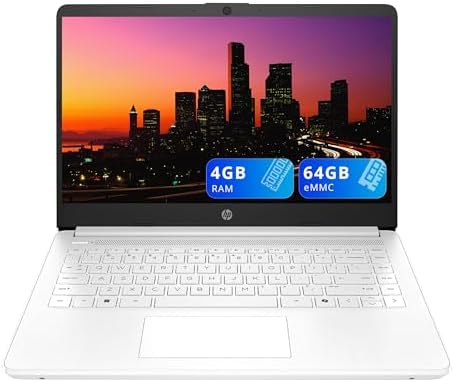
- 【14″ HD Display】With a 14-inch diagonal, HD (1366 x 768), micro-edge, anti-glare display, indulge in enhanced productivi…
- 【Intel Celeron N4500 Processor】Efficiently handles everyday tasks with low power consumption, making it ideal for web br…
- 【4GB DDR4 RAM】Ample bandwidth available to smoothly run numerous programs concurrently without experiencing any slowdown…
Aimed at users who need a simple computer for school, web browsing, and light productivity. The listed configuration uses an Intel Celeron N4500, 4GB DDR4 RAM, 64GB eMMC storage, a 14-inch HD display, Intel UHD graphics, a 720p camera, Wi-Fi 6, and Windows 11 S.
This is an entry-level machine and isn’t competing with the Latitude 5410 on CPU performance — its purpose is different. The Celeron N4500 targets low-power everyday computing, well suited to browser-based tasks, basic documents, video streaming, and undemanding school applications. The 14-inch display is larger than the Latitude 3190’s 11.6-inch screen, with a 1366×768 resolution and an anti-glare, micro-edge design. Connectivity is solid for an entry-level laptop: USB-C, two USB-A ports, HDMI, Wi-Fi 6, and Bluetooth 5.4.
Key Specs
| Spec | Detail |
|---|---|
| Display | 14″, 1366×768 |
| Processor | Intel Celeron N4500 |
| RAM | 4GB DDR4 |
| Storage | 64GB eMMC |
| Graphics | Intel UHD Graphics |
| Camera | 720p HD |
| OS | Windows 11 S |
| Wi-Fi / Bluetooth | Wi-Fi 6 / Bluetooth 5.4 |
| Ports | USB-C, USB-A, HDMI |
| Condition | Renewed |
| ASIN | B0CNGR2X6C |
Pros
- Practical 14″ screen for schoolwork
- Compact and easy to carry
- Wi-Fi 6, USB-C, and HDMI
- 720p camera for basic video calls
- Low-power Celeron suits simple tasks
Cons
- 4GB RAM limits multitasking
- 64GB eMMC is very limited versus SSD-based laptops
- HD resolution is basic
- Not designed for demanding software
- Windows 11 S can impose software-installation limits
What Buyers Are Saying
This model is positioned around everyday browsing, streaming, and light productivity rather than demanding workloads. The most important thing to check in reviews is whether the current renewed unit arrives in expected condition, and whether 64GB storage is enough for your use case.
Who Should Buy It?
Best for light schoolwork, web browsing, online learning, streaming, email, basic documents, and buyers who prefer HP — not the best choice for large spreadsheets, heavy multitasking, editing, or demanding applications.
Verdict
A simple budget machine whose biggest strengths are its compact 14-inch format, modern wireless connectivity, and low-power design. Its biggest weaknesses are the 4GB RAM and 64GB eMMC storage. Fine for light workloads; for more performance, the Dell Latitude 5400 or 5410 is a much better direction.
Check the HP 14 Student Laptop on Amazon →
5. ASUS 15-inch FHD Chromebook — Best Large-Screen Budget Chromebook
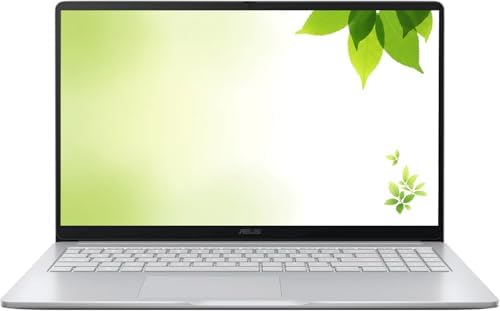
- Intel Processor Up to 2.80GHz, 4GB DDR4, 128GB Storage
- 15″ FHD IPS Display, Intel UHD Graphics
- 1x USB Type C, 1 x USB Type A, 1x Headphone/Microphone Combo Jack, HDMI
The most attractive option here for buyers who primarily use browser-based applications. The listing identifies a 15-inch Full HD IPS display, an Intel processor up to 2.80GHz, 4GB DDR4 RAM, 128GB storage, Intel UHD graphics, ChromeOS, Wi-Fi, Bluetooth, HDMI, USB connectivity, and an integrated webcam.
The biggest advantage is the display: a 15-inch Full HD IPS panel gives much more screen space than the 11.6-inch Dell, and it’s sharper than the 1366×768 displays on the Latitude 3190 and HP 14. The operating system is the other major difference — this is a Chromebook running ChromeOS rather than Windows, a good fit if you spend most of your time in a browser with Google Docs, Gmail, Google Drive, web apps, streaming, and browser-based productivity tools. The 4GB RAM and 128GB storage aren’t high-end specs, but they can work well for a straightforward Chromebook workflow.
Key Specs
| Spec | Detail |
|---|---|
| Display | 15″, 1920×1080, IPS |
| Processor | Intel Celeron, up to 2.80GHz |
| RAM | 4GB DDR4 |
| Storage | 128GB |
| Graphics | Intel UHD Graphics |
| OS | ChromeOS |
| Connectivity | Wi-Fi, Bluetooth |
| Ports | USB-C, USB-A, HDMI |
| Webcam | Integrated |
| Condition | Renewed |
| ASIN | B0GJ7C5JFW |
Pros
- 15″ Full HD IPS display — the star feature
- ChromeOS is simple for web-based work
- 128GB storage, more than the HP’s 64GB eMMC
- HDMI, Wi-Fi, Bluetooth, integrated webcam
- Good choice for browser-focused users
Cons
- 4GB RAM is limited
- ChromeOS can’t replace Windows for every application
- Celeron performance suits basic use only
- Not for demanding creative applications
- Choose a Windows laptop instead if you need Windows software
What Buyers Are Saying
Positive buyer sentiment centers on the combination of a large Full HD IPS display with a simple ChromeOS workflow.
Who Should Buy It?
Anyone mainly doing web browsing, Google Docs, Gmail, online classes, streaming, social media, light schoolwork, or who simply wants a larger screen — avoid it if you need Windows-only applications.
Verdict
The best large-screen Chromebook in this group — its 15-inch Full HD IPS display is far more appealing than the basic HD screens on some of the other budget options. The trade-off is that ChromeOS and 4GB RAM make it a specialist machine rather than a general-purpose Windows replacement.
Check the ASUS 15-inch Chromebook on Amazon →
Refurbished vs. New: Which Should You Buy?
The biggest reason to consider refurbished laptops is value. A new laptop under $300 often uses entry-level hardware, while a refurbished business laptop can give you a stronger processor, more RAM, better ports, or a higher-end chassis for the same general budget.
But there are trade-offs. The most important is condition — a refurbished laptop has already been used, so the battery has some wear, the exterior may have marks, and the keyboard may show signs of use. Exact condition varies unit to unit. Amazon says its renewed/refurbished products can go through inspection, testing, and refurbishment depending on the applicable program and listing, and distinguishes new, used-like-new, and refurbished condition categories in its seller guidance. That’s why the seller and exact condition grade matter — read the exact listing rather than assuming every “Renewed” laptop will look like a new one.
How to Choose the Right Refurbished Laptop Under $300
1. Start with your main task, not the processor. Simple browsing and video only need light hardware; spreadsheets, documents, many tabs, and video calls need more RAM and a stronger CPU. Don’t accidentally buy a Chromebook if you need Windows software.
2. Prioritize RAM for multitasking. The Dell Latitude 5410 and 5400 both have 16GB RAM, a major advantage over the 4GB systems in this list for multitasking. The HP and ASUS can still handle simple workloads, but keep expectations realistic.
3. Check storage type. The Dell models use SSD storage; the HP uses 64GB eMMC; the ASUS lists 128GB. For a Windows laptop, 256GB SSD is a much more comfortable starting point than 64GB eMMC.
4. Check screen resolution. The ASUS has a 1920×1080 Full HD IPS display, as does the Dell 5410. The Latitude 5400 and 3190 use 1366×768 displays. Full HD gives more usable workspace for spreadsheets and documents.
5. Check the operating system.
- Choose Windows if you need Microsoft Office desktop apps, Windows-specific programs, traditional desktop software, or broad compatibility.
- Choose ChromeOS if you mainly use Chrome, Gmail, Google Docs, Google Drive, web apps, or streaming services.
The ASUS Chromebook isn’t directly comparable to the Dell Windows machines for every workload.
6. Check the battery. Battery health is especially important with refurbished laptops — the battery may have years of use behind it before refurbishment, so don’t assume the same battery life as new. Feedback on the Latitude 5410 illustrates this: some buyers had good experiences, others reported weak battery health or charging issues. Always check recent reviews and the seller’s warranty or return terms.
7. Check the seller. Two listings can share a model number but have different sellers. Before ordering, check seller feedback, return policy, warranty, condition grade, included charger, exact RAM/storage, and battery information.
8. Check the exact configuration. Don’t assume every Latitude 5410 (for example) has identical RAM, storage, display, or processor — the exact Amazon ASIN matters. That’s why this article uses specific verified ASINs rather than mixing configurations.
What Does Amazon Renewed Mean?
Amazon’s renewed/refurbished ecosystem sells products not offered as brand-new units, with the exact condition and program varying by listing. Amazon’s own seller guidance explains that refurbished products can involve inspection and refurbishment, with condition descriptions used to communicate the product’s state. The lesson for buyers is simple: read the exact listing rather than assuming a “Renewed” laptop will look exactly like new.
Which Refurbished Laptop Is Best for Students?
Best Windows option — Dell Latitude 3190: the small touchscreen design is easy to carry and well suited to simple schoolwork, though 4GB RAM means you shouldn’t expect heavy multitasking.
Best for more demanding schoolwork — Dell Latitude 5410: if your workload includes many browser tabs, spreadsheets, documents, video calls, or desktop applications, the 16GB RAM and 10th-gen Core i5 make it a much stronger choice.
Best Chromebook option — ASUS 15-inch: appealing if your school leans heavily on Google Workspace — the large Full HD IPS display is particularly useful for reading documents and viewing multiple browser windows.
Which Is Best for Remote Work?
The Dell Latitude 5410 is the clear winner. Remote work often means juggling a browser, email, a video meeting, documents, spreadsheets, messaging apps, and cloud storage at once — the 16GB RAM handles this well, and the 14-inch Full HD screen suits productivity better than the smaller 11.6-inch Latitude 3190. See our Top 10 Amazon Desk Accessories for Work From Home guide for building out the rest of your setup.
Which Is Best for Travel?
The Dell Latitude 3190 is the most travel-friendly design here — its compact 11.6-inch form factor and convertible design make it easy to carry. The ASUS is portable enough for many users, but its 15-inch screen makes it more of a traditional laptop. If portability is the first priority, the smaller Dell wins.
Which Is Best for a Home Office?
For a Windows home office, choose the Dell Latitude 5410. For a ChromeOS home office, choose the ASUS 15-inch Chromebook — it has the larger display, while the Dell has the stronger overall productivity platform. If you use two screens, check the available ports on the exact listing before purchasing, and see our Amazon monitor stand guide for a more comfortable desk setup.
Frequently Asked Questions
Are refurbished laptops on Amazon worth buying?
They can be — a good refurbished laptop can offer stronger hardware than a new entry-level laptop at the same budget. Check the exact condition, seller, warranty, battery, and return policy.
Is a refurbished laptop good for school?
Yes, depending on the model. A basic Chromebook or compact Dell can handle web research, documents, email, and online classes; for heavier multitasking, a 16GB Windows laptop like the Latitude 5410 is a better choice.
Is 4GB RAM enough in 2026?
It can work for very basic tasks but is limited. The 4GB systems here are best for light browsing and simple applications — 16GB is much more comfortable if you regularly multitask.
Is a refurbished Dell Latitude good?
Dell Latitude laptops are built as business systems, so older models can be attractive refurbished options. The Latitude 5400 and 5410 here are particularly interesting for combining business-oriented hardware with 16GB RAM and SSD storage.
Is a Chromebook better than a Windows laptop?
Depends on your software — a Chromebook excels at browser-based work, while Windows is more flexible for traditional desktop applications. Choose based on the programs you actually need.
What should I check before buying a refurbished laptop?
Exact model, processor, RAM, storage, display, battery condition, seller, return policy, warranty, and included charger — plus recent buyer feedback for the exact listing.
Can refurbished laptops run Windows 11?
Some can, but compatibility depends on the specific hardware and configuration — don’t assume every old refurbished laptop meets Microsoft’s current requirements. Check Microsoft’s official requirements first if Windows 11 compatibility matters to you.
Is $300 enough for a good refurbished laptop?
Yes — at this budget, refurbished business laptops can be especially interesting. The Dell Latitude 5410 and 5400 both offer 16GB RAM and SSD storage in configurations far more productivity-focused than many brand-new entry-level laptops.
Final Ranking
🥇 Best Overall: Dell Latitude 5410 — work, multitasking, school, and general productivity. The 10th-gen Core i5, 16GB RAM, 256GB SSD, and Full HD display make this the most balanced choice. Check on Amazon →
🥈 Best Business Value: Dell Latitude 5400 — office work and budget Windows users. Older than the 5410 but still packs 16GB RAM, SSD storage, Windows 11 Pro, and useful business ports. Check on Amazon →
🥉 Best for Students and Portability: Dell Latitude 3190 — basic schoolwork and travel, with its 2-in-1 touchscreen design as the main attraction. Check on Amazon →
Best Basic HP: HP 14 Student Laptop — light schoolwork and browsing. The 14-inch format and modern wireless are useful, but 4GB RAM and 64GB eMMC storage limit the system. Check on Amazon →
Best Large-Screen Chromebook: ASUS 15-inch Chromebook — ChromeOS, browsing, streaming, and Google Workspace. The 15-inch Full HD IPS display is the main reason to choose it. Check on Amazon →
Final Verdict
The best refurbished laptops on Amazon under $300 aren’t necessarily the newest laptops — the goal is finding the configuration that gives you the right balance of performance, RAM, storage, screen quality, and condition for your work.
For most Windows users, the top choice from these five is the Dell Latitude 5410 — its 10th-gen Core i5, 16GB RAM, 256GB SSD, and 14-inch Full HD display make it the most complete productivity package.
The Dell Latitude 5400 is the value alternative, offering 16GB RAM and business-class connectivity at a lower tier. For students who want something small and flexible, the Dell Latitude 3190 2-in-1 is more interesting. The HP 14 is best kept for very light tasks, while the ASUS 15-inch Chromebook is a strong choice for people who prefer ChromeOS and want a larger Full HD IPS screen.
The most important step: check the live Amazon listing before buying. Refurbished inventory changes, and battery condition, seller, cosmetic grade, warranty, and included accessories can all vary.
Related TechRigReview Guides
- 7 Best HP Laptops on Amazon — compare HP laptops with the refurbished HP 14 in this guide.
- Top 10 Amazon Desk Accessories for Work From Home — build a budget-friendly laptop workspace.
- 10 Best Amazon Monitor Stands for Home Office — helpful if you plan to pair your refurbished laptop with an external monitor.
Amazon Associates Disclosure: As an Amazon Associate I earn from qualifying purchases.

MD.HASAN is an experienced SEO expert and amazon products review writer passionate about helping people find right products on amzon for buy without confusion. With 4 years of hands-on experience in content strategy and search engine optimization, he specializes in writing SEO-friendly blog posts that rank, engage, and convert.


