
🔗 Affiliate Disclosure: As an Amazon Associate, Tech Rig Review earns from qualifying purchases. Links on this page may be affiliate links — at no extra cost to you.
Looking for where to buy laptops in 2026? Learn how to shop safely on Amazon, compare laptop types, and choose the right model for work, school, and more.
Buying a laptop sounds simple until you start comparing hundreds of models. You see different processors, screen sizes, RAM options, storage types, operating systems, and brands. Then there is the bigger question: where to buy laptops without making a costly mistake.
For many shoppers, Amazon is a useful place to start. Amazon has a large laptop selection, including traditional Windows laptops, Chromebooks, 2-in-1 models, gaming laptops, and MacBooks. Its laptop category also lets shoppers compare many brands in one place.
But a large selection can also make shopping harder. A laptop that looks impressive in its title may not be the best choice for your needs. Some listings are sold by third-party sellers. Some models have several configurations. Others may be older versions that look similar to newer laptops.
This guide explains where to buy laptops, how to check an Amazon listing before buying, what specifications matter, and which Amazon laptop listings are worth considering for different types of users.
The product recommendations below are based on current Amazon listing research and manufacturer or product information where available. This research has not been treated as hands-on testing.
Table of Contents
Where to Buy Laptops: Is Amazon a Good Place?
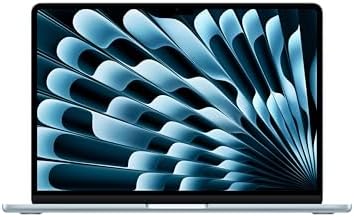

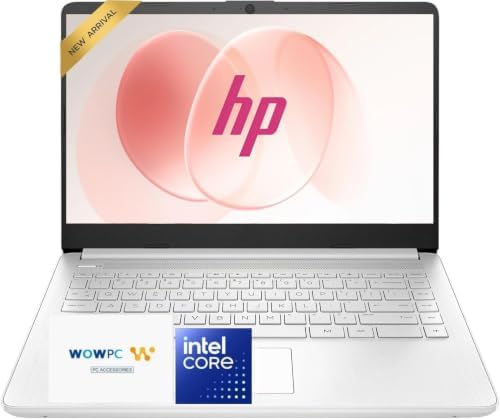

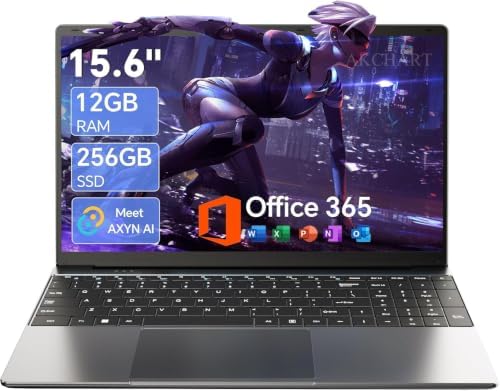

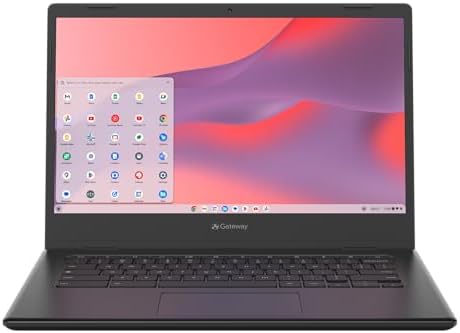

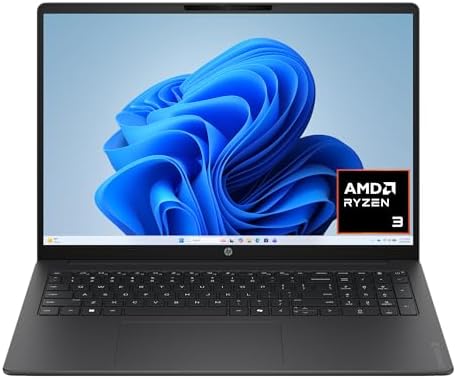

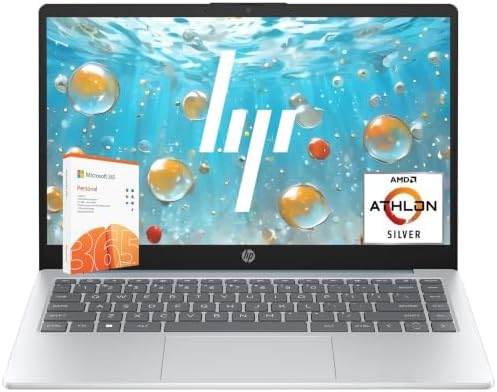


Amazon is one of the largest online marketplaces for laptops. Its dedicated laptop category includes traditional laptops, 2-in-1 computers, and other notebook options — making it convenient for shoppers who want to compare many models without visiting several stores.
Why Buy a Laptop on Amazon?
- Large selection: Compare brands in one marketplace.
- Many configurations: The same laptop family may be available with different RAM and storage options.
- Customer feedback: Product pages can contain buyer reviews and questions.
- Multiple sellers: Some products are sold directly by Amazon, while others come from third-party sellers.
- Easy comparison: It’s simple to open several listings and compare specifications.
- Amazon Renewed: Refurbished options are available in a dedicated marketplace category.
However, convenience does not mean you should buy the first laptop you see — the exact configuration matters.
What to Check Before Buying on Amazon
- Exact model name
- Processor
- RAM
- SSD capacity
- Display resolution
- Operating system
- Seller
- Return policy
- Warranty
- Current availability
- Product reviews
- Whether the listing is new or refurbished
This simple checklist can prevent many buying mistakes.
Best Laptops to Consider on Amazon
If you are searching for where to buy laptops, it helps to start with a few real examples. The following Amazon listings were selected because their product pages could be identified during research. Availability on Amazon can change quickly, so always check the live product page immediately before purchasing.
1. ASUS Vivobook Go 15 — Best for Basic Everyday Computing


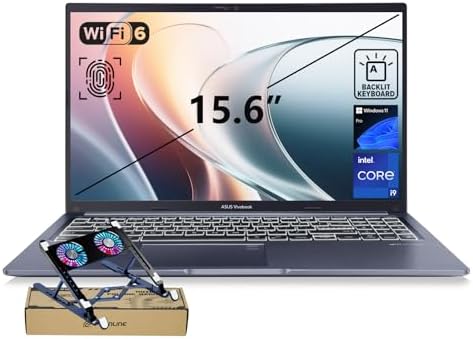
The ASUS Vivobook Go 15 is a practical option for shoppers who want a larger screen for everyday tasks.
The researched Amazon listing is ASIN B0DBQ3WS84. The listing identifies a 15.6-inch Full HD display, Intel Core i3-N305 processor, 8GB DDR4 memory, 128GB NVMe SSD, Windows 11 Pro, Wi-Fi 5, Bluetooth 5.1, HDMI, USB-C, and USB-A connectivity. The Amazon page showed an active purchase listing during the research check, although inventory and delivery information can change.
| Spec | Detail |
|---|---|
| Display | 15.6″ Full HD |
| Processor | Intel Core i3-N305 |
| RAM | 8GB DDR4 |
| Storage | 128GB NVMe SSD |
| OS | Windows 11 Pro |
| Graphics | Intel UHD |
| Connectivity | Wi-Fi 5, Bluetooth 5.1, USB-C, USB-A, HDMI |
| Extras | 720p webcam, ~3.59 lbs |
Who should buy it? Students, home users, web browsing, office documents, email, online classes, streaming, light productivity.
The 128GB SSD is the main limitation to consider — if you store many large files, photos, or videos, you may want more storage.
Check the current Amazon listing →
2. ASUS Vivobook 14 — Best Compact Windows Option
If you prefer a smaller laptop, the ASUS Vivobook 14 is worth checking.
The researched Amazon listing is ASIN B0D791WHVQ. It features a 14-inch Full HD display, Intel Core i3-1215U processor, 16GB DDR4 RAM, 1TB NVMe SSD, Windows 11 Pro, Wi-Fi 6E, HDMI, USB-C, and multiple USB-A ports. The combination of 16GB RAM and 1TB SSD is useful for shoppers who want more storage and memory without moving to a large workstation.
| Spec | Detail |
|---|---|
| Display | 14″ Full HD |
| Processor | Intel Core i3-1215U |
| RAM | 16GB DDR4 |
| Storage | 1TB NVMe SSD |
| OS | Windows 11 Pro |
| Graphics | Intel UHD |
| Connectivity | Wi-Fi 6E, Bluetooth 5.3, USB-C, USB-A, HDMI |
| Extras | 720p camera, ~3.09 lbs |
Who is it for? Students, remote workers, office users, freelancers, people who want a smaller screen, buyers who need lots of storage.
The 14-inch format offers a useful middle ground — easier to carry than a large 15.6-inch machine while still giving enough screen space for normal productivity.
Check the current Amazon listing →
3. ASUS Vivobook 14 (12GB RAM) — Best Budget-Friendly Configuration
Another Amazon listing worth knowing about is the ASUS Vivobook 14 configuration with an Intel Core i3-1215U processor, 12GB RAM, and 128GB SSD.
The researched listing uses ASIN B0D5XYDYYC. Amazon’s page identifies the laptop as a 14-inch Full HD model with Windows 11 Home in S mode, Wi-Fi, Bluetooth, and Intel integrated graphics. The listing also showed an active purchase option during the research snapshot.
| Spec | Detail |
|---|---|
| Display | 14″ Full HD |
| Processor | Intel Core i3-1215U |
| RAM | 12GB DDR4 |
| Storage | 128GB SSD |
| OS | Windows 11 Home (S mode) |
| Graphics | Intel Iris Xe (listed) |
| Connectivity | Wi-Fi, Bluetooth, USB, HDMI |
Who should consider it? School work, web browsing, documents, email, light multitasking, video streaming.
The main thing to watch is storage — 128GB can fill up quickly if you install many large applications or keep lots of photos and videos locally.
Check the current Amazon listing →
4. Acer Aspire 3 — Best Large-Screen Budget Option


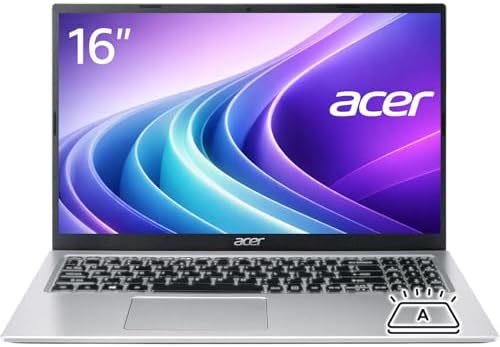


The Acer Aspire 3 is another laptop shoppers may encounter when searching Amazon for an affordable everyday computer.
The researched listing is ASIN B0CQNBG45Z. It has a 15.6-inch Full HD display, AMD Ryzen 3 3250U processor, 8GB DDR4 RAM, and a 512GB SSD, plus HDMI and several USB connections. The Amazon page showed the product available for purchase during the research snapshot.
| Spec | Detail |
|---|---|
| Display | 15.6″ Full HD |
| Processor | AMD Ryzen 3 3250U |
| RAM | 8GB DDR4 |
| Storage | 512GB SSD |
| Graphics | Integrated Radeon |
| Connectivity | HDMI, USB, Bluetooth, Wi-Fi |
| Extras | Webcam |
Who should consider it? Home use, schoolwork, browsing, office documents, email, streaming, basic productivity — aimed at basic computing rather than demanding workloads.
⚠️ One important warning: the researched listing identifies Windows 10 Home in S mode. Since operating-system support and software requirements can change, check the live listing carefully before buying an older configuration.
Check the current Amazon listing →
5. HP Victus 15 — Best for Gaming on a Budget
If you want a laptop for gaming, normal office laptops are usually not enough. The HP Victus 15 is a gaming-focused model with a dedicated NVIDIA GPU.
The researched Amazon listing uses ASIN B0DC57LPCN. It lists an AMD Ryzen 5 8645HS processor, NVIDIA GeForce RTX 4050 graphics, 16GB DDR5 RAM, 512GB SSD, a 15.6-inch Full HD 144Hz display, and Windows 11. The Amazon page showed the item as in stock during the research snapshot.
| Spec | Detail |
|---|---|
| Display | 15.6″ Full HD, 144Hz |
| Processor | AMD Ryzen 5 8645HS |
| GPU | NVIDIA GeForce RTX 4050 |
| RAM | 16GB DDR5 |
| Storage | 512GB SSD |
| OS | Windows 11 Pro (listed) |
| Connectivity | Wi-Fi 6, Bluetooth 5.3, HDMI, Ethernet, SD card reader |
Who is it for? PC gaming, gaming plus schoolwork, gaming plus productivity, entry-level content creation, users who need dedicated graphics.
Gaming laptops are heavier and usually have shorter battery life during demanding workloads than basic productivity laptops — that’s a normal trade-off.
Check the current Amazon listing →
How to Choose Where to Buy Laptops
Choosing the store is only half the job — you also need to know what type of laptop to buy.
Start With Your Main Use
Do not start with the processor. Start with what you actually do.
For school — Students who mainly use Google Docs, Microsoft Word, web browsers, Zoom, online learning platforms, email, and presentations don’t necessarily need a powerful gaming laptop. A good everyday laptop with enough RAM and an SSD is usually a better fit.
For remote work — Pay more attention to webcam quality, microphone, Wi-Fi, keyboard, battery life, display, and USB ports. A laptop used for eight hours of work every day deserves more attention than one used for occasional browsing.
For content creation — If you edit photos or videos, look for a stronger processor, more RAM, fast SSD storage, a good display, dedicated graphics when needed, and good external-device connectivity. For serious video editing, an entry-level laptop may become frustrating.
For gaming — A gaming laptop should have dedicated graphics, a suitable gaming processor, enough RAM, SSD storage, a high-refresh-rate display, and good cooling. The HP Victus example above is a dedicated gaming machine rather than a normal office laptop.
What Laptop Processor Should You Buy?
The processor affects how quickly a laptop handles many tasks, but newer does not always mean better for every buyer.
Intel Core Processors — Common in Windows laptops, available across a wide performance range. For simple work, you don’t necessarily need a high-end Core processor; for demanding software, a stronger processor makes more sense.
AMD Ryzen Processors — Also common in Windows laptops, found in budget laptops, productivity machines, gaming laptops, and creator systems. The Ryzen 5 8645HS in the HP Victus example is a much more performance-oriented processor than the Ryzen 3 3250U in the Acer Aspire 3.
Apple Silicon — MacBooks use Apple’s own chips. If you want macOS, compare the current MacBook models rather than trying to compare their processor names directly with Intel or AMD. Apple provides official technical information for its current Mac lineup.
How Much RAM Do You Need?
RAM affects multitasking. If you regularly keep many browser tabs and applications open, more RAM can help.
| RAM | Best For |
|---|---|
| 8GB | Web browsing, documents, email, streaming, basic schoolwork — but less room for heavier multitasking |
| 16GB | Heavy browser use, office work, programming, creative applications, multitasking, longer-term use |
| 32GB | Large creative projects, virtual machines, professional development, advanced photo editing, heavy multitasking |
You do not need 32GB simply because a laptop offers it — buy based on your workload.
SSD Storage Matters More Than Many Buyers Think
Modern laptops normally use SSD storage. An SSD makes the computer feel much faster than an old mechanical hard drive.
| Storage | Best For |
|---|---|
| 128GB | Usable for basic computing, but limited once OS and apps take their share |
| 256GB | A more comfortable starting point for many basic users |
| 512GB | A good target for many laptop buyers — room for apps, documents, photos, projects, some video |
| 1TB | Makes more sense for video editors, photographers, developers, gamers, and professionals with large project folders |
Should You Buy a 14-Inch or 15.6-Inch Laptop?
This comes down to portability and screen space.
14-inch laptops — Often a good middle ground: easier to carry, usually smaller, good for travel, large enough for productivity. The ASUS Vivobook 14 models above are examples.
15.6-inch laptops — Give you more screen area, useful for spreadsheets, video editing, multitasking, and gaming. The trade-off is size and weight.
What Display Resolution Should You Choose?
For most laptops, Full HD (1920 × 1080) is a sensible starting point. A higher resolution can make text and images sharper, but it can also affect battery life and system requirements.
- Full HD — Good for office work, school, browsing, streaming, general use.
- 2K or higher — More useful for creators, photo editing, premium laptops, and users who care about display sharpness.
- OLED — Can provide strong contrast and deep blacks, common in premium laptops. Don’t buy OLED simply because the word sounds better — look at the whole laptop.
How to Check an Amazon Laptop Listing
This is one of the most important parts of this guide — Amazon can have several configurations of the same laptop family.
- Check the exact model. Don’t stop at the brand name — “ASUS Vivobook” can describe many different machines. Look at the exact model and configuration.
- Check the processor. Make sure it matches the work you want to do.
- Check RAM. Look for 8GB, 16GB, 32GB, or another configuration.
- Check storage. Confirm whether it has SSD, HDD, or eMMC — SSD is normally preferable for a modern Windows laptop.
- Check the operating system. Make sure you know whether it uses Windows 11, Windows 11 Pro, ChromeOS, macOS, or Windows S mode.
- Check the seller. Amazon listings can be sold by Amazon or third-party sellers — read the seller information before ordering.
- Check returns. Make sure you understand the current return terms.
- Check warranty. A manufacturer warranty can vary by product and seller.
- Check availability. A product page can remain online even when a particular configuration becomes unavailable — check the live Amazon page immediately before purchase.
Where to Buy Laptops: Amazon vs. Manufacturer Websites
Amazon is not the only place to buy laptops. Manufacturer websites are also useful.
Buying from Amazon — Convenient when you want to compare many brands (Lenovo, HP, ASUS, Acer, Dell, Apple, Microsoft, and others). Amazon also maintains laptop best-seller and new-release sections.
Buying from the manufacturer — Useful when you want to customize a laptop. You may get more configuration options directly from Lenovo, HP, Dell, ASUS, Acer, or Apple. The downside is that comparison shopping across many brands can take more time.
The Smart Approach
You don’t have to choose only one source:
- Research the laptop.
- Compare its specifications.
- Check the manufacturer.
- Check Amazon.
- Compare the exact configuration.
- Check seller and warranty information.
- Buy from the option that gives you the best combination of price, availability, support, and return terms.
Should You Buy a Renewed Laptop on Amazon?
Amazon also has a Renewed laptop category, which can sometimes offer good value. But there is an important difference between buying new and buying refurbished.
A renewed laptop may have been previously owned, returned, refurbished, inspected, and tested — the condition can vary.
Consider Renewed if: you have a tighter budget, you understand the condition, the warranty is acceptable, the return policy is clear, and the model is still useful for your needs.
Choose new if: you want maximum battery health, you want the newest hardware, you want the simplest warranty situation, or you plan to keep the laptop for many years.
Do not assume “renewed” means bad — but do not assume it is identical to buying new either.
Where to Buy Laptops for Students
Students usually need a balance of price, portability, battery life, and performance. You probably don’t need the most expensive laptop.
Look for: 14-inch or 15.6-inch display, 8GB or 16GB RAM, SSD storage, good keyboard, reliable Wi-Fi, webcam, USB ports, reasonable battery life.
The ASUS Vivobook 14 and Vivobook Go 15 examples in this guide illustrate the type of hardware that can fit basic student workloads. For heavier workloads such as engineering software, programming, design, or video editing, step up to a more powerful configuration.
Where to Buy Laptops for Remote Work
Remote workers should prioritize reliability — a laptop is often your main work tool.
- Webcam — video meetings are common
- Microphone — clear audio matters during calls
- Keyboard — you may type thousands of words every week
- Wi-Fi — a stable wireless connection matters for meetings and cloud applications
- Ports — USB-A, USB-C, HDMI, and other ports can reduce the need for adapters
- Battery — a strong battery gives you flexibility when you move around the home or office
If your laptop will stay at a desk, also consider a docking station and external monitor. See our Amazon monitor stand guide on Tech Rig Review for building a more comfortable workstation.
Where to Buy Laptops for Freelancers
Freelancers often need a flexible laptop — your workload may change from one client to another. One day you might write articles; the next you might edit graphics or manage a large spreadsheet.
A good freelancer laptop should have: at least a comfortable amount of RAM, SSD storage, good keyboard, clear display, good webcam, reliable Wi-Fi, USB-C, and good battery life.
If your work is mainly writing, SEO, research, email, and browser-based tools, you don’t need a gaming laptop. If you edit video or create graphics, you may need more performance.
Where to Buy Laptops for Gaming
Gaming laptops are different from ordinary laptops — the graphics processor matters a lot.
The HP Victus example in this guide uses a dedicated NVIDIA GeForce RTX 4050 GPU, making it much more suitable for gaming than integrated-graphics machines such as many basic Vivobook configurations.
Gaming laptop checklist: dedicated GPU, strong CPU, 16GB RAM when possible, SSD, high-refresh display, good cooling, enough USB ports, HDMI, Ethernet if useful.
Don’t judge a gaming laptop only by its processor — the GPU is often the most important part for game performance.
Common Laptop Buying Mistakes
- Buying based only on the processor — a laptop is more than its CPU; display, RAM, SSD, GPU, battery, keyboard, and ports all matter.
- Buying too little RAM — if you multitask heavily, 8GB may become limiting.
- Buying too little storage — a 128GB SSD can fill up surprisingly fast.
- Ignoring the display — a fast processor does not fix a poor screen.
- Ignoring weight — a 5-pound gaming laptop is very different from a lightweight travel laptop.
- Ignoring the seller — always check who actually sells the item.
- Ignoring the exact configuration — two laptops with almost identical names can have very different processors, RAM, storage, and screens.
- Assuming more is always better — you may not need a Core i9, 64GB RAM, or a dedicated GPU. Buy for your actual workload.
How Much Should You Spend on a Laptop?
There is no single correct laptop budget — instead, think about the workload.
- Basic computing (web browsing, email, documents, streaming) — entry-level machines work fine.
- General productivity (heavier office work and multitasking) — move toward a stronger processor, 16GB RAM, and more SSD storage.
- Creative work (photo and video editing) — usually justifies more RAM, storage, and graphics performance.
- Gaming — requires dedicated graphics, which usually raises the cost.
The key is not finding the cheapest laptop. It’s finding the laptop that gives you enough performance without paying for hardware you’ll never use.
FAQ: Where to Buy Laptops
Where is the best place to buy a laptop?
Amazon is one convenient option because it offers a large selection of laptop brands and configurations in one marketplace. Manufacturer websites are also useful, especially when you want custom configurations.
Is it safe to buy laptops on Amazon?
Buying a laptop on Amazon can be safe, but check the exact listing, seller, return policy, warranty, and product configuration before ordering.
Does Amazon sell new laptops?
Yes. Amazon has a dedicated laptop category with traditional laptops, 2-in-1 computers, and other laptop options.
Can I buy refurbished laptops on Amazon?
Yes. Amazon has a dedicated Amazon Renewed category that includes refurbished laptops.
Should I buy a laptop directly from the manufacturer?
It can be a good choice if you want to configure the machine yourself or prefer to deal directly with the manufacturer. However, Amazon can be more convenient for comparing multiple brands.
What is the best laptop for students?
For basic schoolwork, look for a laptop with a good Full HD display, SSD storage, enough RAM for multitasking, a decent webcam, and good battery life. The ASUS Vivobook 14 and Vivobook Go 15 are examples of the type of everyday machines students can consider.
How much RAM should a laptop have?
For basic work, 8GB can be enough. For more comfortable multitasking and longer-term use, 16GB is a better target for many buyers. Demanding professional workloads may benefit from 32GB or more.
Is 512GB SSD enough for a laptop?
For many users, yes. A 512GB SSD gives you considerably more working space than a 128GB or 256GB drive. If you store many large videos, games, or project files, consider 1TB or more.
Final Verdict: Where to Buy Laptops in 2026
If you are wondering where to buy laptops, Amazon is a practical place to begin because it offers a very large selection and lets you compare many brands and configurations in one marketplace.
But the best laptop is not necessarily the most popular one — start with your needs.
- For everyday work and school, the ASUS Vivobook Go 15 offers a practical large-screen format.
- If you want a smaller Windows laptop with more RAM and storage, consider the ASUS Vivobook 14.
- For a larger budget-oriented machine, the Acer Aspire 3 is another option to investigate.
- And if gaming is the goal, the HP Victus 15 is in a completely different performance class because it includes dedicated NVIDIA graphics.
Most importantly, check the live Amazon listing before buying. Product availability, sellers, configurations, and specifications can change. The Amazon pages researched for this article showed purchase availability at the time of the research snapshot, but that does not guarantee the same configuration will remain available later.
A few minutes spent checking the exact model can save you from buying the wrong laptop.
As an Amazon Associate I earn from qualifying purchases.

MD.HASAN is an experienced SEO expert and amazon products review writer passionate about helping people find right products on amzon for buy without confusion. With 4 years of hands-on experience in content strategy and search engine optimization, he specializes in writing SEO-friendly blog posts that rank, engage, and convert.