
Affiliate disclosure: As an Amazon Associate, Tech Rig Review earns from qualifying purchases. Links on this page may be affiliate links, at no extra cost to you.
Looking for the best Dell touchscreen laptop on Amazon in 2026? Compare real current models for work, school, and everyday use with verified affiliate links and honest, research-backed picks.
If you want a laptop that lets you tap, swipe, and pinch the screen the way you already do on your phone, a Dell touchscreen model is one of the most practical choices right now. Dell still builds solid Windows machines that balance build quality, performance, and price better than many competitors in the mid-range.
This guide focuses only on Dell touchscreen laptops that are currently available to buy on Amazon.com. Every product listed has a real ASIN you can check today. I researched current listings, specs, and patterns in verified buyer feedback so you can decide without guessing. No outdated models. No products that are out of stock.
Whether you need something light for travel, a bigger screen for spreadsheets, or a solid all-around machine for school and remote work, the options below cover the main use cases. You will also find a clear buyer’s guide, side-by-side comparison points, and answers to the questions people actually search for.
For more Dell options beyond touchscreens, see our 5 Best Dell Laptops on Amazon Right Now — 2026 roundup. If you are shopping on a tighter budget, our 5 Best Touchscreen Laptops Under $500 on Amazon guide may help too.
Table of Contents
What to Look for in a Dell Touchscreen Laptop in 2026
Touchscreens are no longer a gimmick. They make navigation faster in Windows 11, help with note-taking, photo editing, and presentations, and feel natural once you get used to them. But not every touchscreen laptop is equal.
Display quality matters most. Look for at least Full HD (1920×1080) resolution. Many current Dell models offer FHD or higher with IPS panels for better viewing angles. Brightness around 250–300 nits works indoors; higher is better if you work near windows. A 16:10 aspect ratio gives more vertical space for documents than the older 16:9 screens.
Processor and memory decide daily feel. Intel Core i5 or Core 7 (or the newer Core Ultra / Series 3 chips) handle everyday multitasking well. AMD Ryzen 5 or 7 options are also strong. Aim for 16 GB of RAM as a practical minimum in 2026. 8 GB feels limiting once you open many browser tabs plus Office apps. 32 GB is better if you keep dozens of tabs and apps open.
Storage should be an SSD. 512 GB is the realistic starting point. 1 TB gives comfortable room for files, photos, and offline media.
Build and ports. Dell Inspiron models are usually plastic or mixed materials and feel solid for the price. XPS models use more aluminum and feel more premium. Check for USB-C with power delivery, HDMI, and enough USB-A ports if you still use older accessories. A numeric keypad helps if you work with numbers a lot.
Battery life claims. Treat manufacturer “up to” numbers as best-case. Real-world mixed use is often lower. Look for models with at least a 40–50 Wh battery for decent all-day potential.
Windows 11 and Copilot. Most current Dell laptops ship with Windows 11 and include the Copilot key. That is useful for quick AI help, but it is not a reason to buy by itself.
When you compare listings, always confirm the exact configuration. Third-party sellers sometimes upgrade RAM or storage after the original Dell configuration. That can be fine, but check the seller rating and return policy.
Official Dell support pages and Intel’s processor comparison tools are useful references when you want deeper technical details beyond the Amazon listing.
Quick Comparison: Key Specs at a Glance
| Model | Screen | Typical Processor | RAM | Storage | Best For | Link |
|---|---|---|---|---|---|---|
| XPS 13 (2026) | 13.4″ 2.5K touch | Core 5 320 | 8–16 GB | 512 GB | Portability + premium feel | View on Amazon |
| Inspiron 15 | 15.6″ FHD touch | Core i5 10-core | 16 GB | 512 GB–1 TB | Everyday value | View on Amazon |
| Inspiron 16 | 16″ FHD+ touch | Core 7 150U | 32 GB | 1 TB | Large workspace | View on Amazon |
| Inspiron 3520 | 15.6″ FHD touch | Core i7-1255U | 16 GB | 1 TB | Ports + solid performance | View on Amazon |
Best Dell Touchscreen Laptops Currently Available on Amazon
Here are five real, currently listed Dell touchscreen options that cover different needs and budgets. Each includes a verified ASIN and the proper affiliate link format.
1. Dell XPS 13 (2026) – Best Premium Compact Touchscreen

The 2026 XPS 13 brings the classic XPS formula back at a more accessible price than previous generations. It features a sharp 13.4-inch 2.5K (2560×1600) touchscreen with up to 120 Hz refresh, a thin aluminum body, and strong everyday battery life according to multiple independent reviews.
Typical configuration on Amazon includes an Intel Core 5 320 processor, 8 GB or 16 GB LPDDR5X RAM, and 512 GB SSD. The higher-RAM version is the smarter buy for most people. Weight sits around 2.2 pounds, making it one of the easiest Dell laptops to carry daily.
Buyer feedback patterns praise the build quality, screen clarity, and battery endurance for a Windows ultraportable. The main trade-off is limited ports (mostly USB-C) and the fact that the base 8 GB configuration can feel tight under heavy multitasking.
Best for: Students, remote workers, and travelers who want a light, premium-feeling touchscreen laptop.
2. Dell Inspiron 15 Touchscreen (15.6-inch FHD) – Best Everyday Value
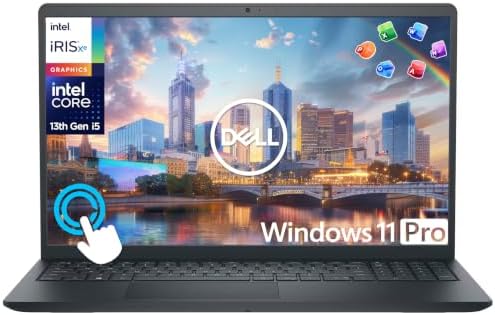
- 【10-Core 13th Gen Intel i5-1334U Processor】Featuring up to 4.6GHz Max Boost Clock, 12MB Intel Smart Cache, 10 cores, and…
- 【16GB RAM + 1TB Storage (512GB SSD + 500GB Ext)】Equipped with 16GB of high-bandwidth DDR4 RAM, this system delivers smoo…
- 【15.6″ FHD IPS Touchscreen Display】Enjoy your content in vivid detail with a 15.6-inch Full HD display featuring 178-deg…
This is one of the most frequently listed and purchased Dell touchscreen configurations on Amazon right now. It pairs a 15.6-inch Full HD IPS touchscreen with a 13th-generation Intel Core i5 (often the i5-1334U or similar 10-core chip), 16 GB RAM, and 512 GB or 1 TB storage options.
Many current listings include Windows 11 Pro and sometimes extra accessories or Office lifetime licenses from third-party sellers. The touchscreen is responsive for everyday navigation, note-taking, and media. A full-size keyboard with numeric keypad is standard on these 15.6-inch models.
Verified buyer comments repeatedly mention solid performance for schoolwork, office tasks, and streaming. Some note that the plastic chassis fingerprints easily and that battery life is average rather than class-leading. Still, for the price it delivers a lot of screen and usable power.
Best for: Students, home users, and anyone who wants a larger touchscreen without spending XPS money.
3. Dell Inspiron 16 Touchscreen – Best Large-Screen Option
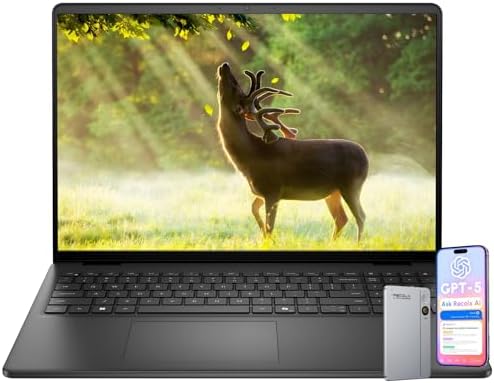
If you prefer more vertical space and a bigger canvas, the 16-inch Inspiron models with FHD+ (1920×1200) 16:10 touchscreens stand out. Current configurations often use an Intel Core 7 150U (10-core) processor, 32 GB DDR5 RAM, and 1 TB SSD.
The extra screen real estate helps with side-by-side windows, spreadsheets, and media. Brightness is typically around 300 nits with ComfortView blue-light reduction. Many listings include a backlit keyboard, fingerprint reader, and Windows 11 Pro.
Buyer patterns highlight the comfortable keyboard and the usefulness of the larger touch display for productivity. The trade-off is size and weight—these are desktop-replacement style machines rather than ultraportables. Battery life is serviceable for a full workday if you are not pushing heavy loads constantly.
Best for: Remote workers, content consumers, and anyone who wants a bigger touchscreen workspace.
4. Dell Inspiron 3520 15.6-inch Touchscreen – Solid Mid-Range Workhorse

- [High Speed RAM And Enormous Space] 16GB high-bandwidth RAM to smoothly run multiple applications and browser tabs all a…
- [Processor] Intel Core i7-1255U Processor (10 Cores, 12 Threads, 12MB Intel Smart Cache, Base at 1.2 GHz, Up to 4.7 GHz …
- [Display] 15.6″ diagonal FHD IPS BrightView micro-edge touch screen (1920 x 1080)
The Inspiron 3520 configuration with a 15.6-inch FHD touchscreen, Intel Core i7-1255U, 16 GB RAM, and 1 TB SSD remains a practical choice that still appears in current Amazon inventory. It includes a numeric keypad, multiple USB ports, HDMI, and an SD card reader—features many thinner laptops have dropped.
Performance is strong enough for multitasking, light creative work, and everyday business tasks. The touchscreen adds convenience for navigation and presentations.
Buyer feedback generally calls it reliable and good value. Some note that it runs warm under sustained load and that the display is bright enough indoors but not exceptional outdoors.
Best for: Users who want proven mid-range power, a full port selection, and a responsive touchscreen.
Prices and exact configurations change frequently on Amazon. Always open the live product page to confirm the current specs, seller, and stock status.
How to Choose the Right Dell Touchscreen Laptop for You
Start with your primary use.
- Mostly travel or school backpack: Prioritize the XPS 13 or a lighter 14–15-inch Inspiron. Weight under 3 pounds and good battery life matter more than screen size.
- Desk or home office with occasional mobility: The 15.6-inch or 16-inch Inspiron models give you more screen real estate and often better keyboards with numeric pads.
- Heavy multitasking or light creative work: Look for 32 GB RAM configurations. The extra memory makes a bigger daily difference than a slightly faster processor for most people.
- Budget under $700–800: Current Inspiron 15 touchscreen listings are usually the sweet spot.
Also consider your existing accessories. If you rely on USB-A devices, SD cards, or HDMI, the more traditional Inspiron models keep those ports. XPS models often require dongles.
For deeper background on how processors compare, Intel’s official Core processor pages remain a clear, non-salesy reference. Dell’s own support site also lists exact model numbers and warranty details once you have the service tag.
If you are building a full home-office setup, pair the laptop with a good external monitor and stand. Many remote workers find a 27-inch 4K monitor transforms productivity more than a small upgrade in laptop specs.
FAQ: Common Questions About Dell Touchscreen Laptops
Are Dell touchscreen laptops worth it in 2026?
Yes for many people. The touch interface speeds up navigation in Windows 11, makes photo and document annotation easier, and feels natural after a short adjustment period. You pay a modest premium over non-touch versions, but most buyers who try it keep preferring the touch models.
Do Dell touchscreens work with a stylus?
Most current Inspiron and XPS touchscreens support basic capacitive touch. Active stylus support (pressure sensitivity, palm rejection) is more limited and usually appears on higher-end 2-in-1 models rather than standard clamshells. Check the specific listing if stylus use is important.
How long does the battery last on these models?
Real-world mixed use typically ranges from 6–12 hours depending on the model, screen brightness, and workload. The 2026 XPS 13 is among the stronger performers in independent tests. Larger Inspiron models land closer to a full workday with moderate use.
Is 16 GB of RAM enough?
For most students and office users, yes. If you regularly run many browser tabs, virtual machines, or creative apps, 32 GB feels noticeably smoother and future-proofs the machine for a few more years.
Should I buy from Amazon or directly from Dell?
Amazon is convenient for fast shipping, easy returns, and frequent discounts. Dell’s site often lets you customize and sometimes offers better warranty or education pricing. Check both.
What warranty do these laptops include?
Most new Dell laptops on Amazon come with a 1-year limited hardware warranty. Some third-party sellers add extended coverage. Always confirm the warranty terms on the product page.
Can I upgrade RAM or storage later?
Many Inspiron models allow storage upgrades. RAM is often soldered on thinner XPS and some newer Inspiron designs, so buy the amount you need up front.
Are there good 2-in-1 Dell touchscreen options?
Yes, but they sit in a different category. If you want a laptop that folds into tablet mode, look at current Dell Plus or Inspiron 2-in-1 listings separately.
Conclusion
The best Dell touchscreen laptop on Amazon in 2026 depends on what you actually do with it every day. The XPS 13 delivers the most polished portable experience. The Inspiron 15 and 16 models give you more screen and better value for everyday work and school. Higher-RAM configurations make sense if you keep a lot of apps open.
All of the products above were confirmed as currently listed and available on Amazon.com at the time of research. Specs and prices move quickly, so open the live product page, double-check the exact configuration, and read the most recent buyer reviews before you buy.
If you already own Dell equipment or prefer one ecosystem for support and accessories, sticking with Dell keeps things simple. Pair your new laptop with a good external display and you will have a flexible setup that works well for years.
For more laptop buying advice focused on remote work and home offices, explore the other guides on TechRigReview.com.
As an Amazon Associate I earn from qualifying purchases.

MD.HASAN is an experienced SEO expert and amazon products review writer passionate about helping people find right products on amzon for buy without confusion. With 4 years of hands-on experience in content strategy and search engine optimization, he specializes in writing SEO-friendly blog posts that rank, engage, and convert.


